Real-Time Analytics with Alibaba Cloud: High-Performance Data Warehousing
In this demo, we'll guide you through creating a high-performance, cost-effective data warehouse solution for real-time analytics, featuring intelligent hot and cold data tiering using Alibaba Cloud's PolarDB, Data Transmission Service (DTS), and AnalyticDB.
Here's what you'll learn:
- How to synchronize data in real-time from PolarDB for MySQL to AnalyticDB for MySQL.
- How to leverage the hot and cold data tiering feature in AnalyticDB for MySQL to reduce storage costs.
Let's begin with a brief overview of our demonstration environment.
We have a PolarDB for MySQL 5.7 instance running in the Indonesia (Jakarta) region. Consider this your current production environment, which could also be ApsaraDB RDS for MySQL.
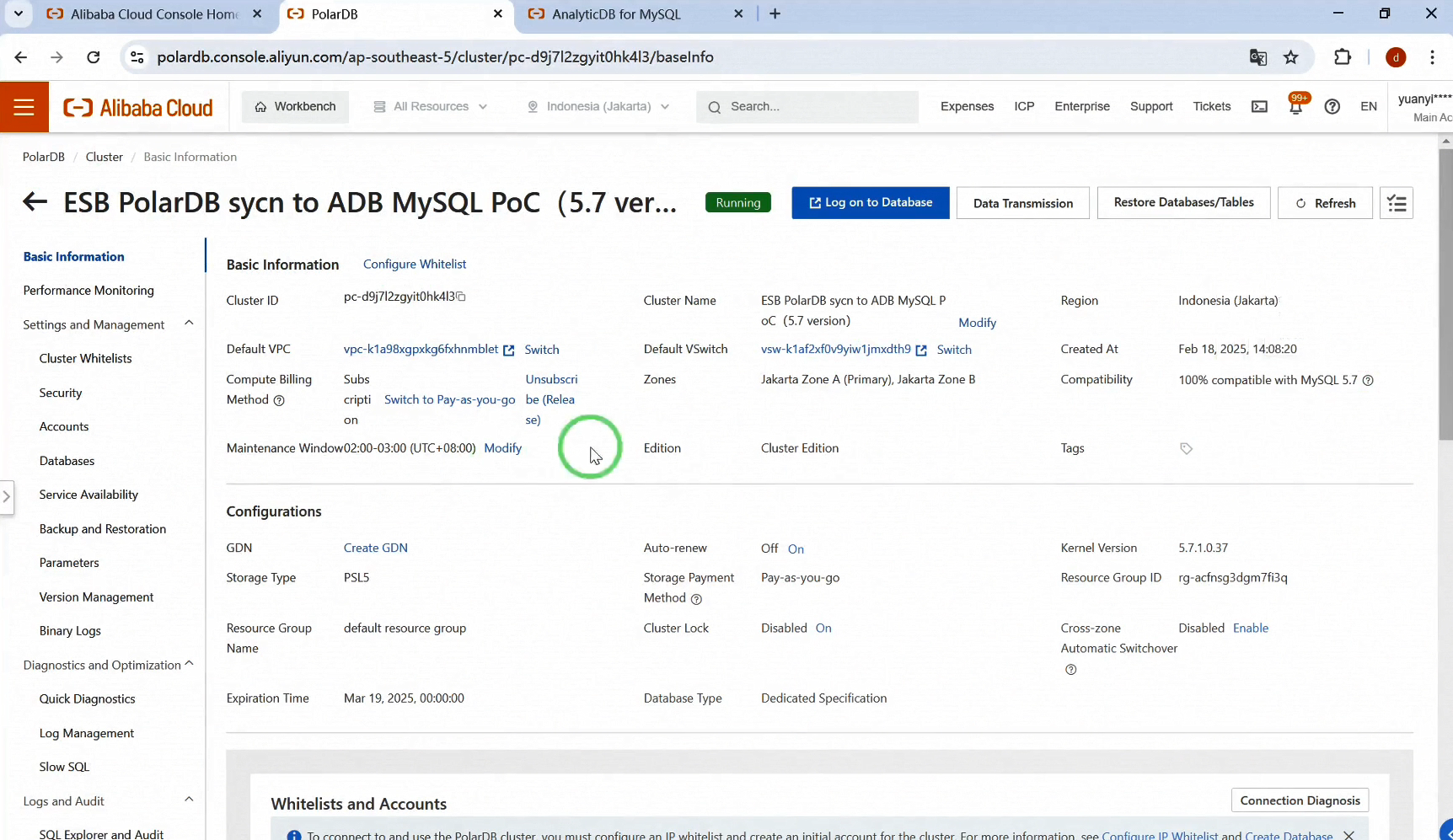
Now, let's log into PolarDB to review the test data prepared for this demo.
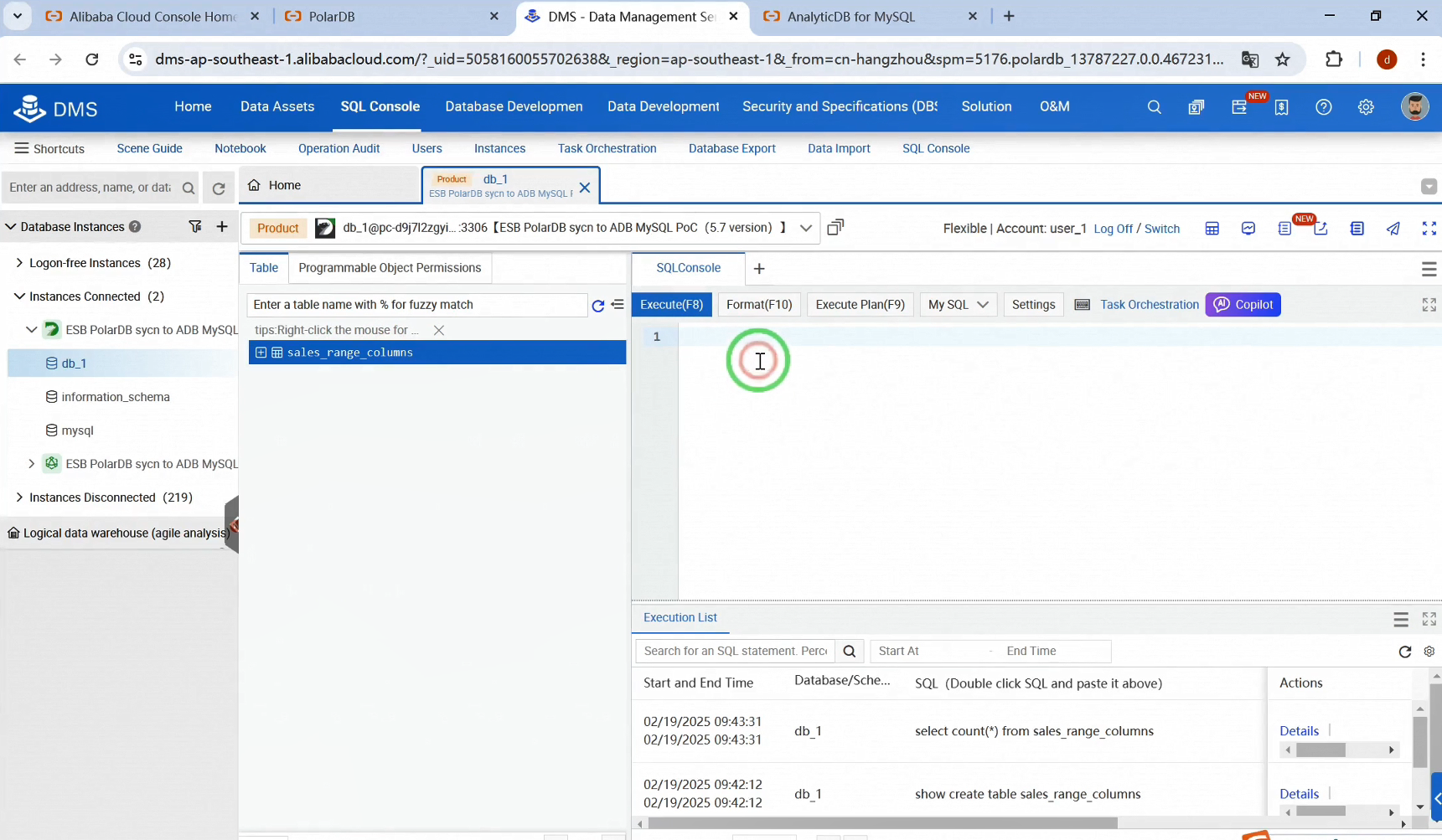
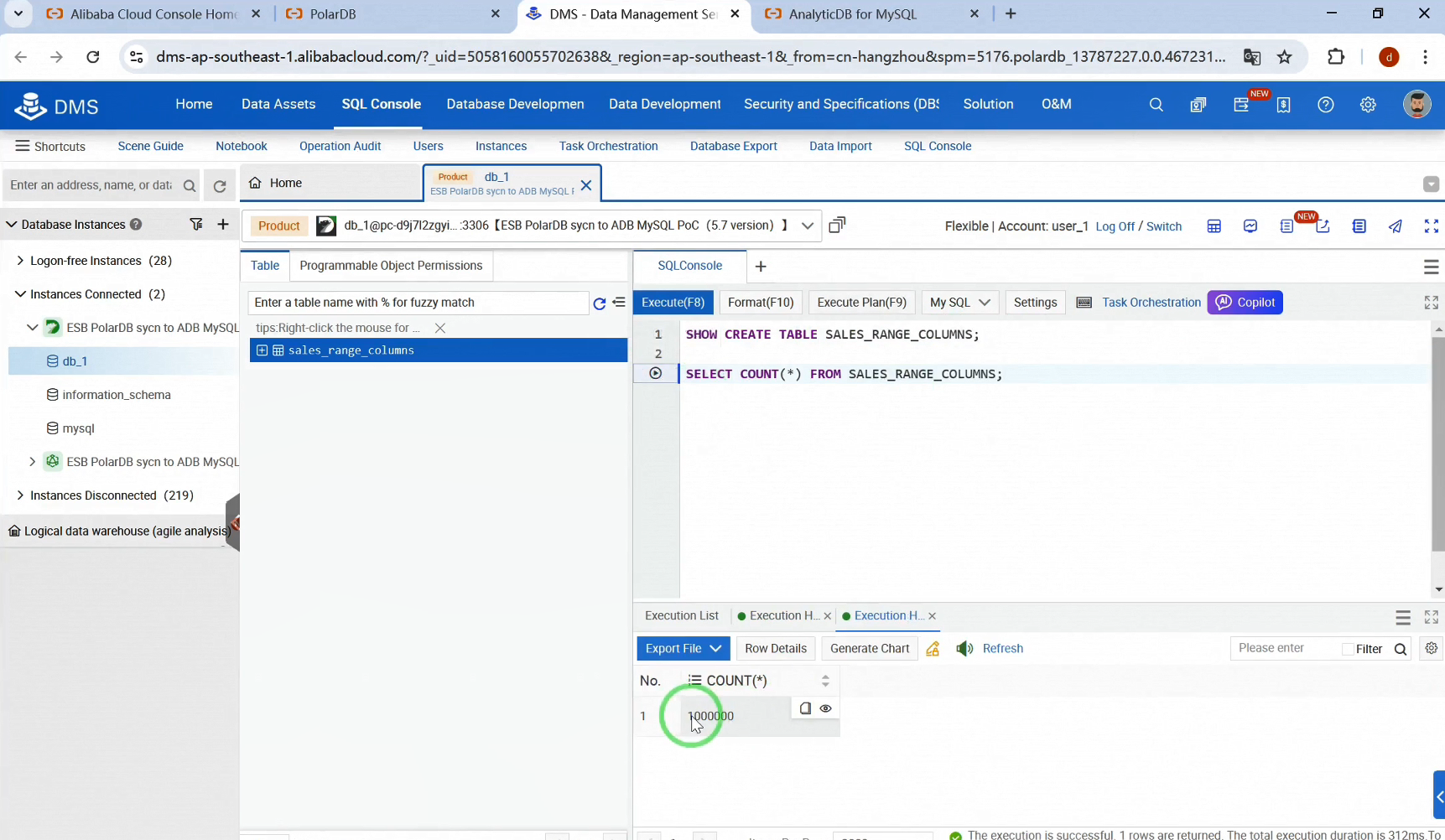
Here we have one database, db_1, and a table named sales_range_columns.
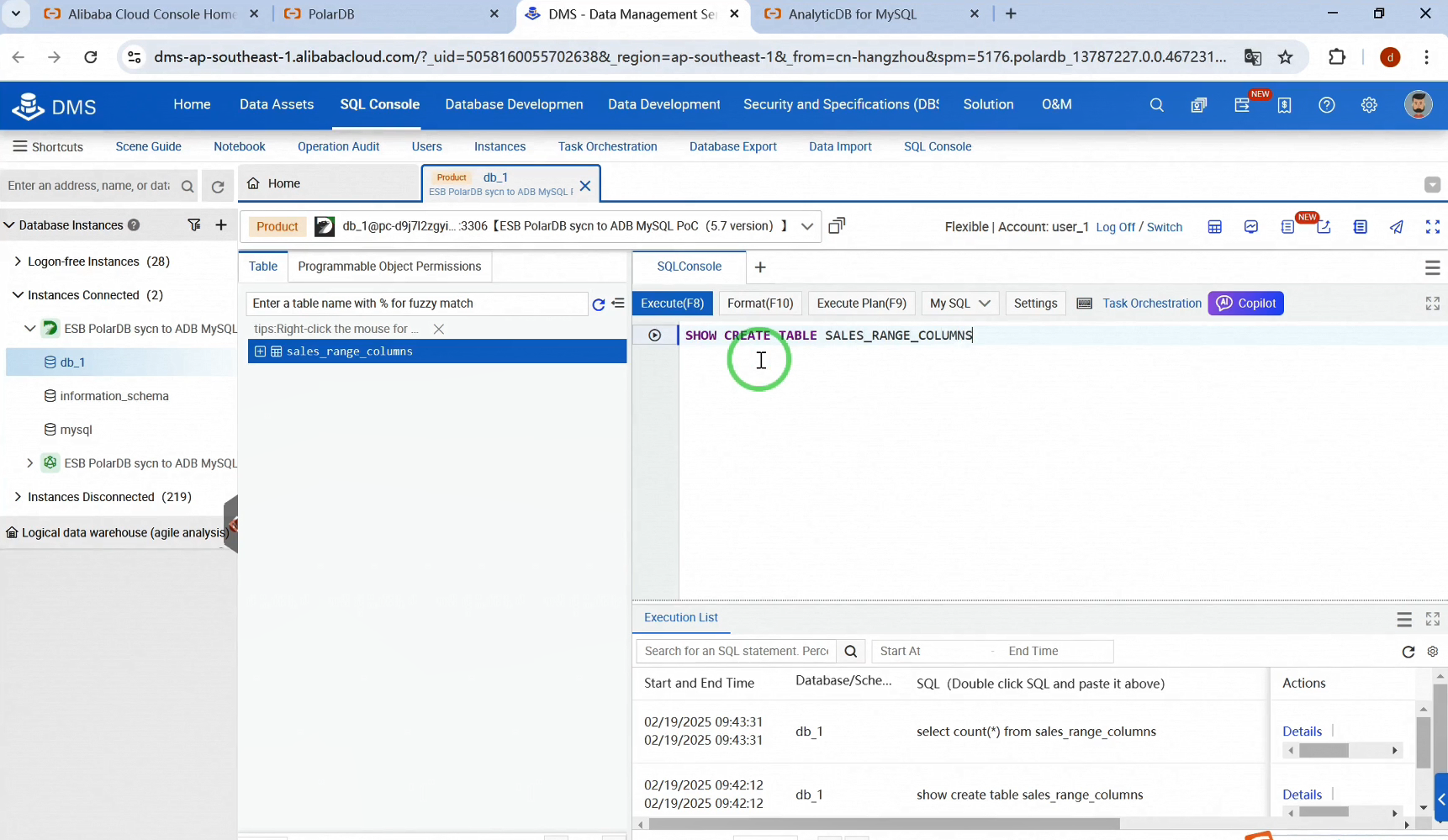
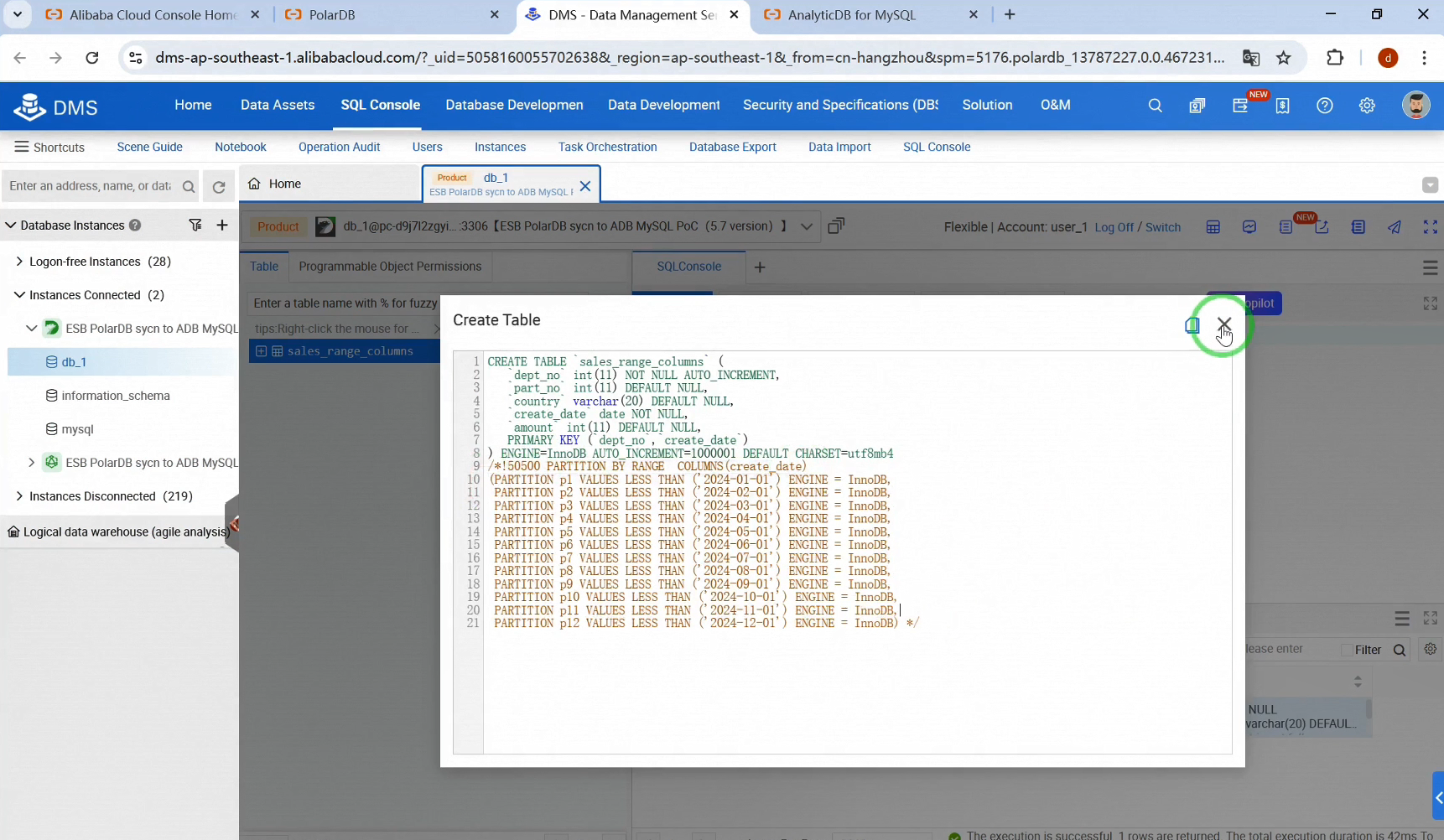
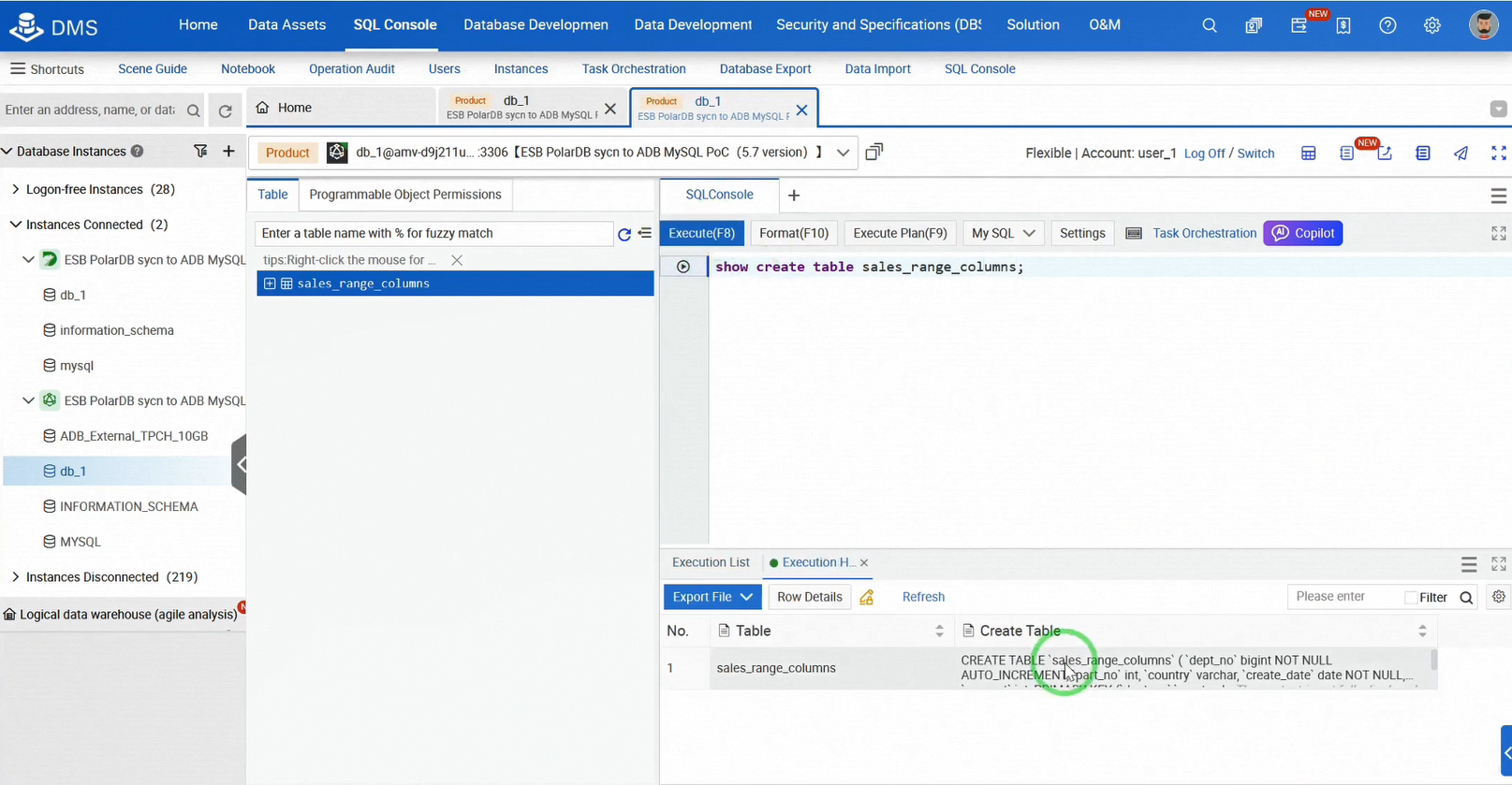
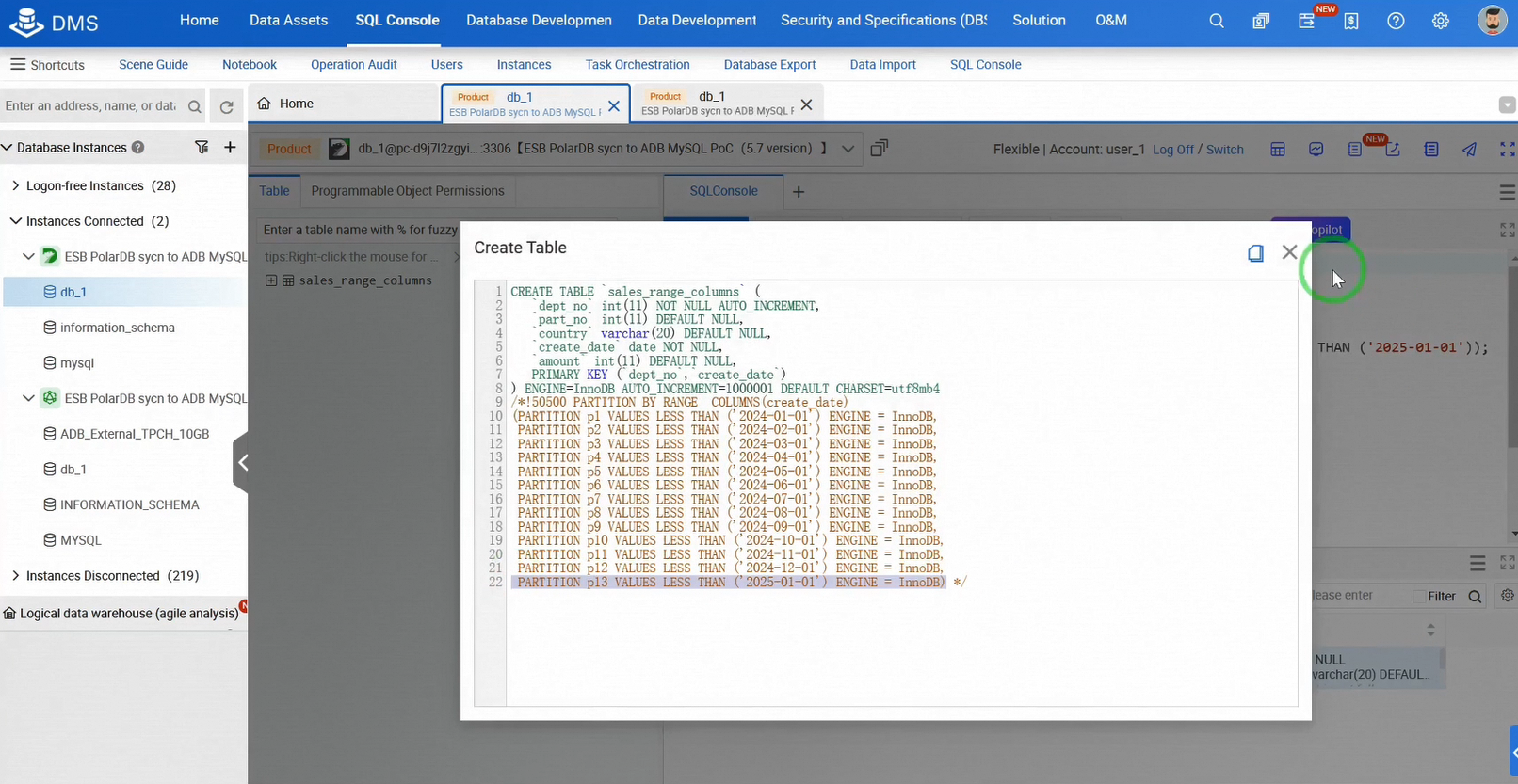
Let's check the table schema with a SHOW CREATE TABLE command. As you can see, it's a partitioned table with primary keys; the partition key is create_date, and there are currently 12 partitions.
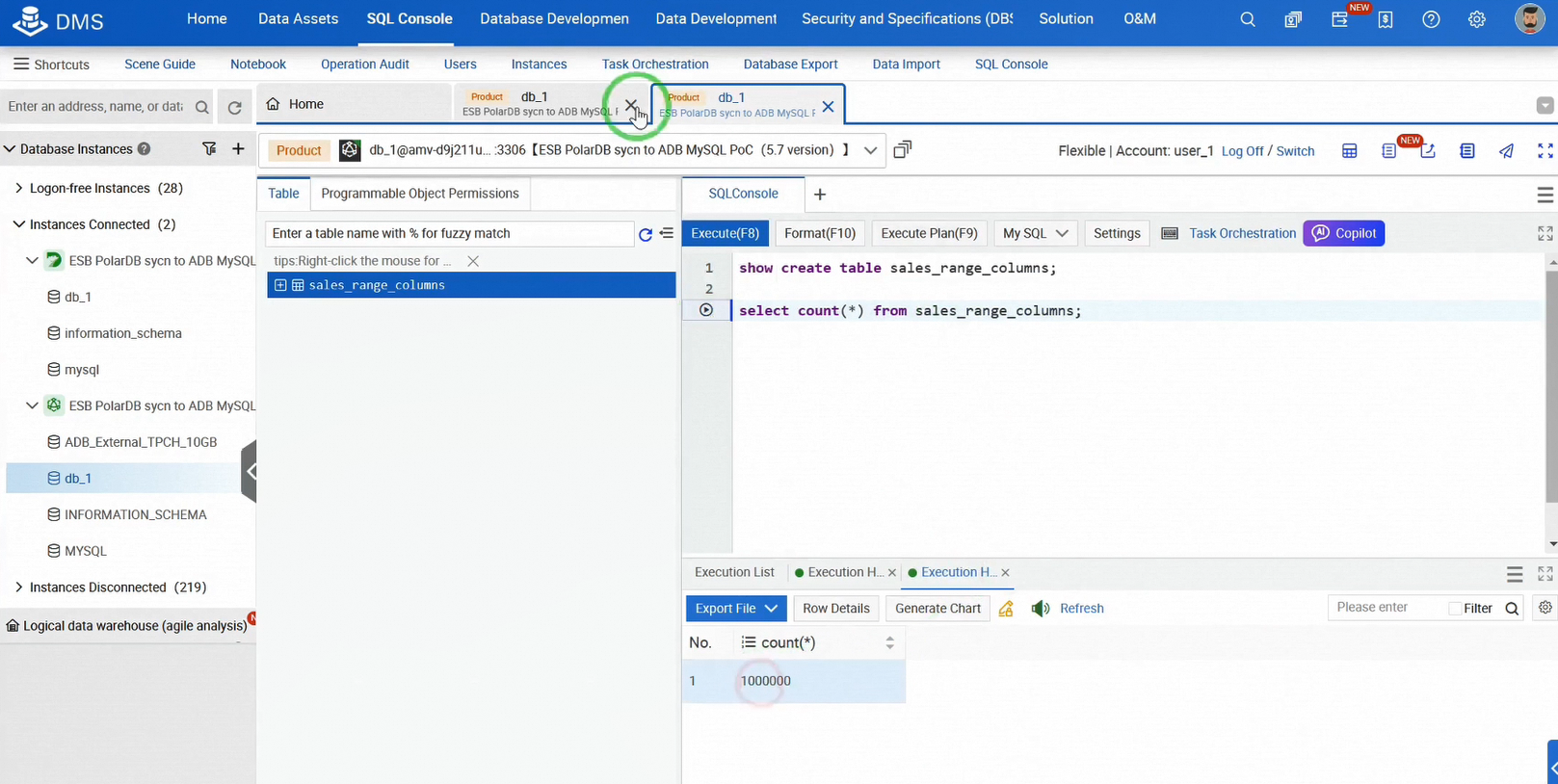
Let's check the number of records. The table contains 1 million records.
Next, we'll synchronize all the existing data, as well as any new data, into AnalyticDB for MySQL.
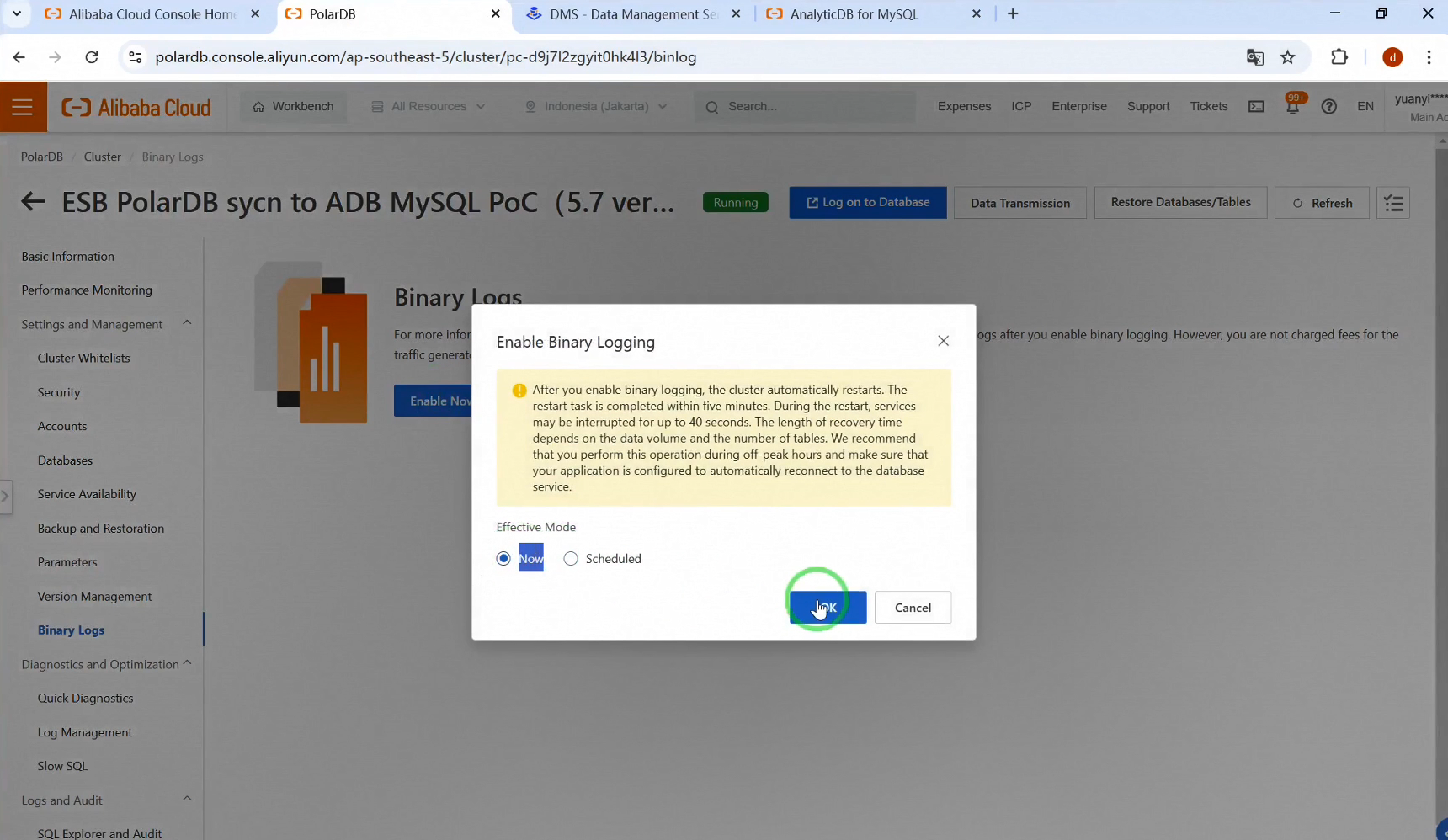
Return to the PolarDB console and enable binary logs, which are essential for real-time data synchronization using DTS. Keep in mind that enabling binary logs will restart the instance. It takes about 40 seconds, so make sure to do this during a safe period, especially in a production environment.
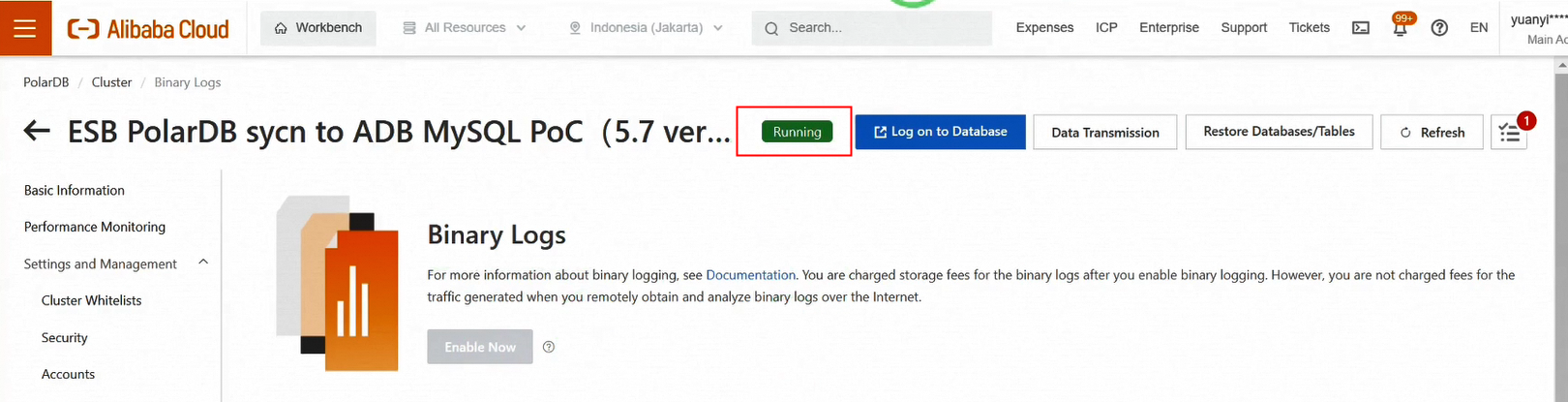
Once the instance is running again, head over to the AnalyticDB for MySQL console. We have set up an empty AnalyticDB for MySQL instance in the same region as PolarDB.
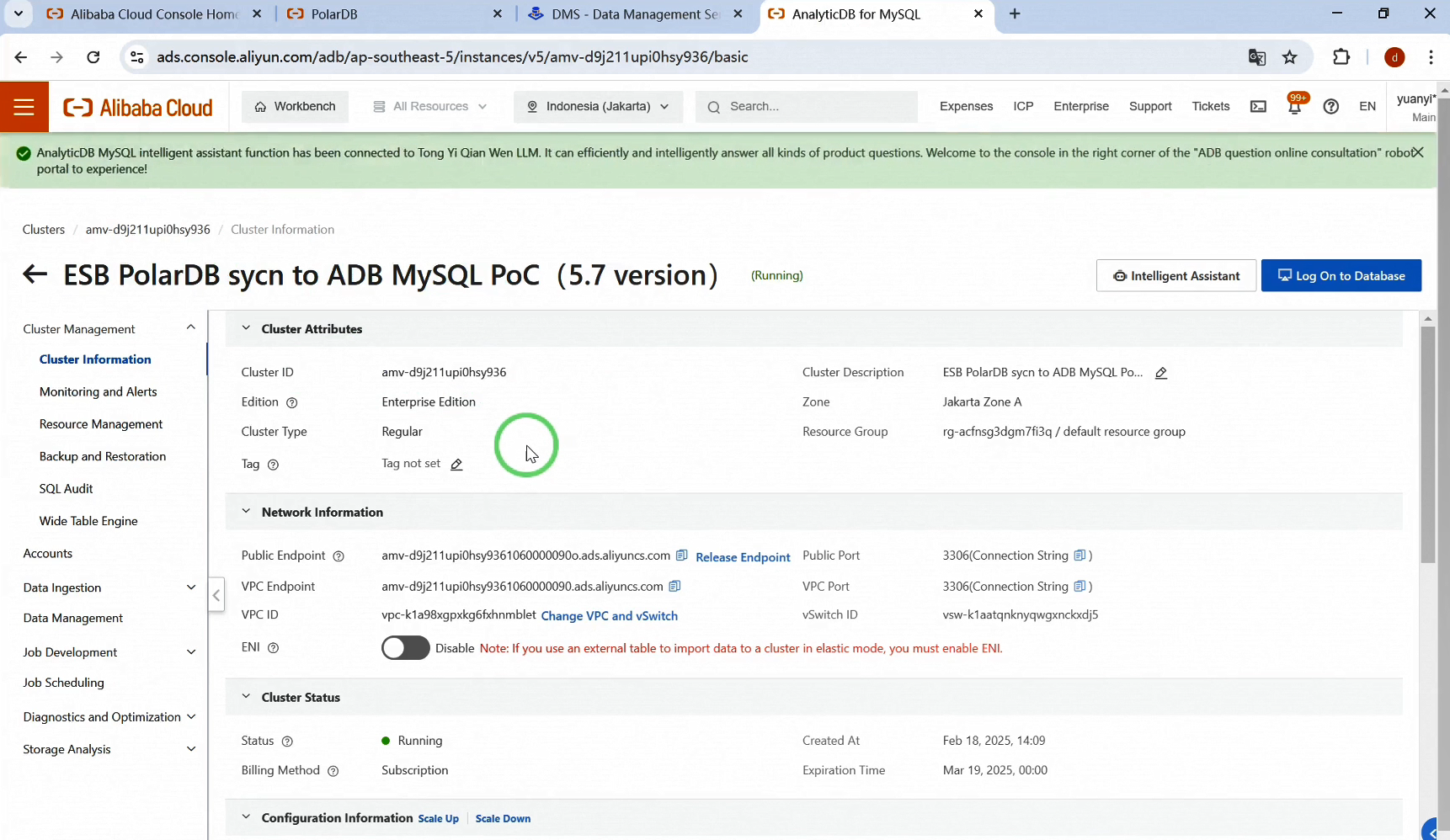
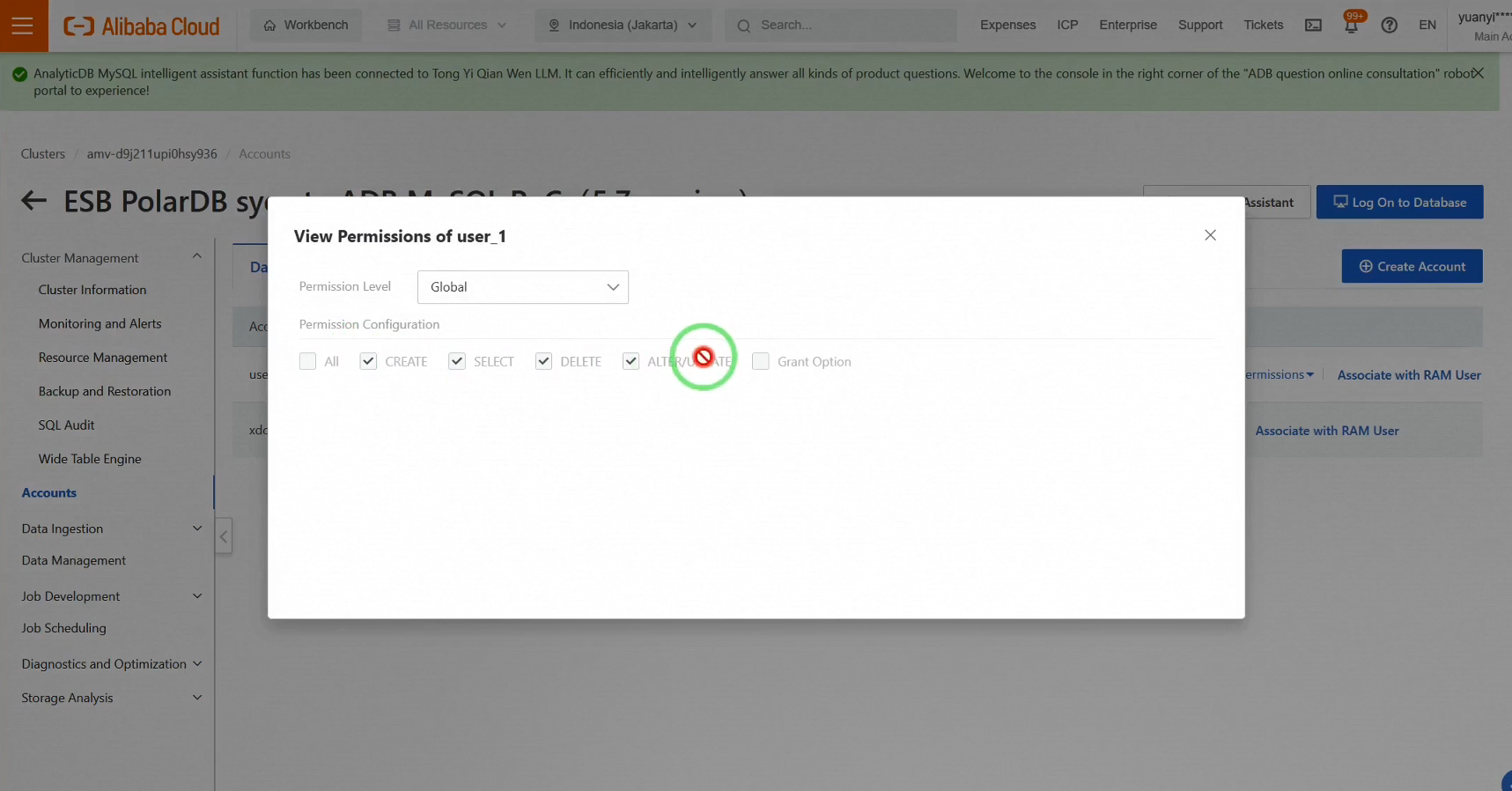
We created a database account, user_1, with permissions for creating, selecting, deleting, altering, and updating. This account will be used for real-time data synchronization.
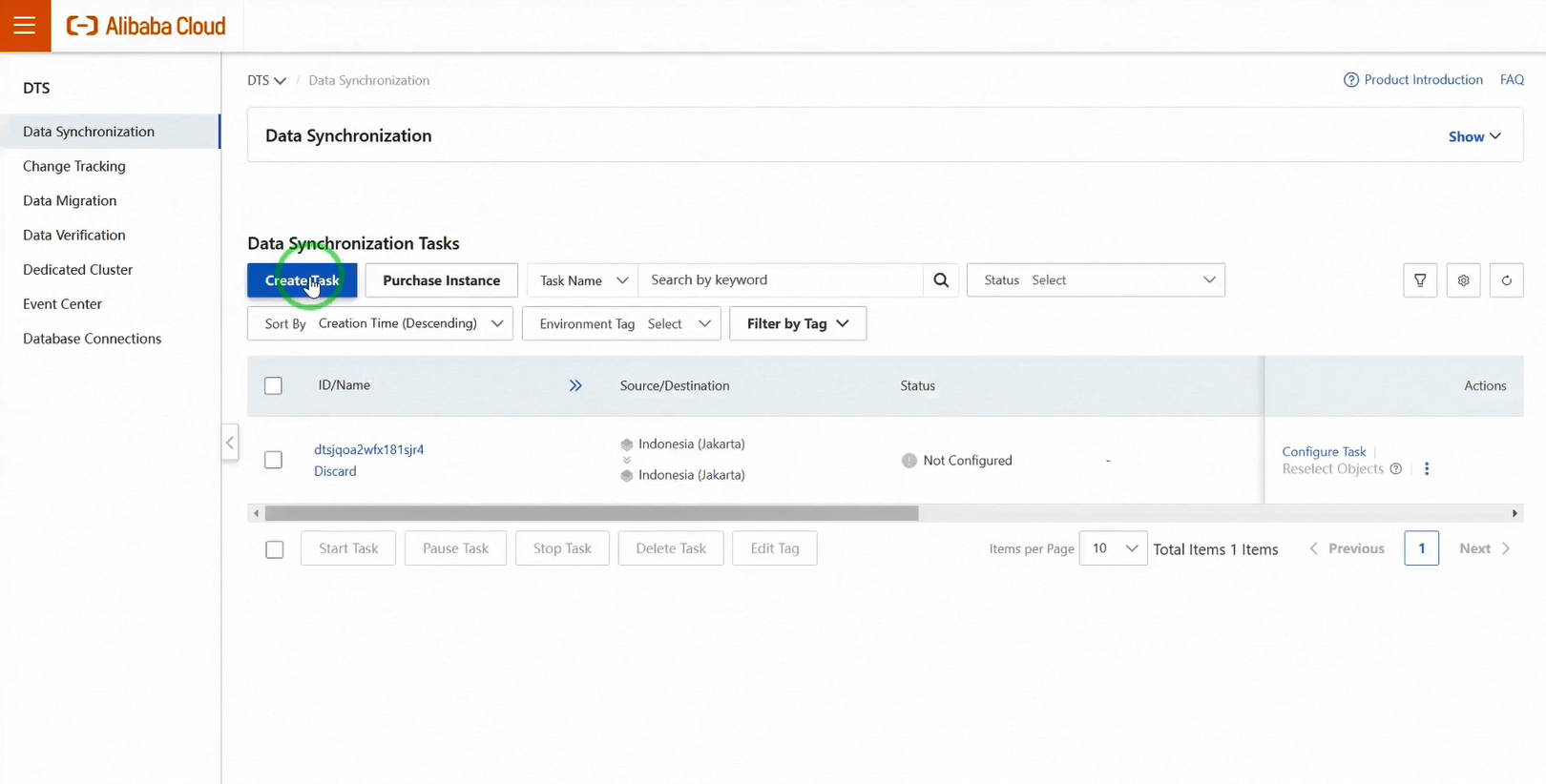
Now, navigate to the DTS console to configure a data synchronization task from PolarDB to AnalyticDB.
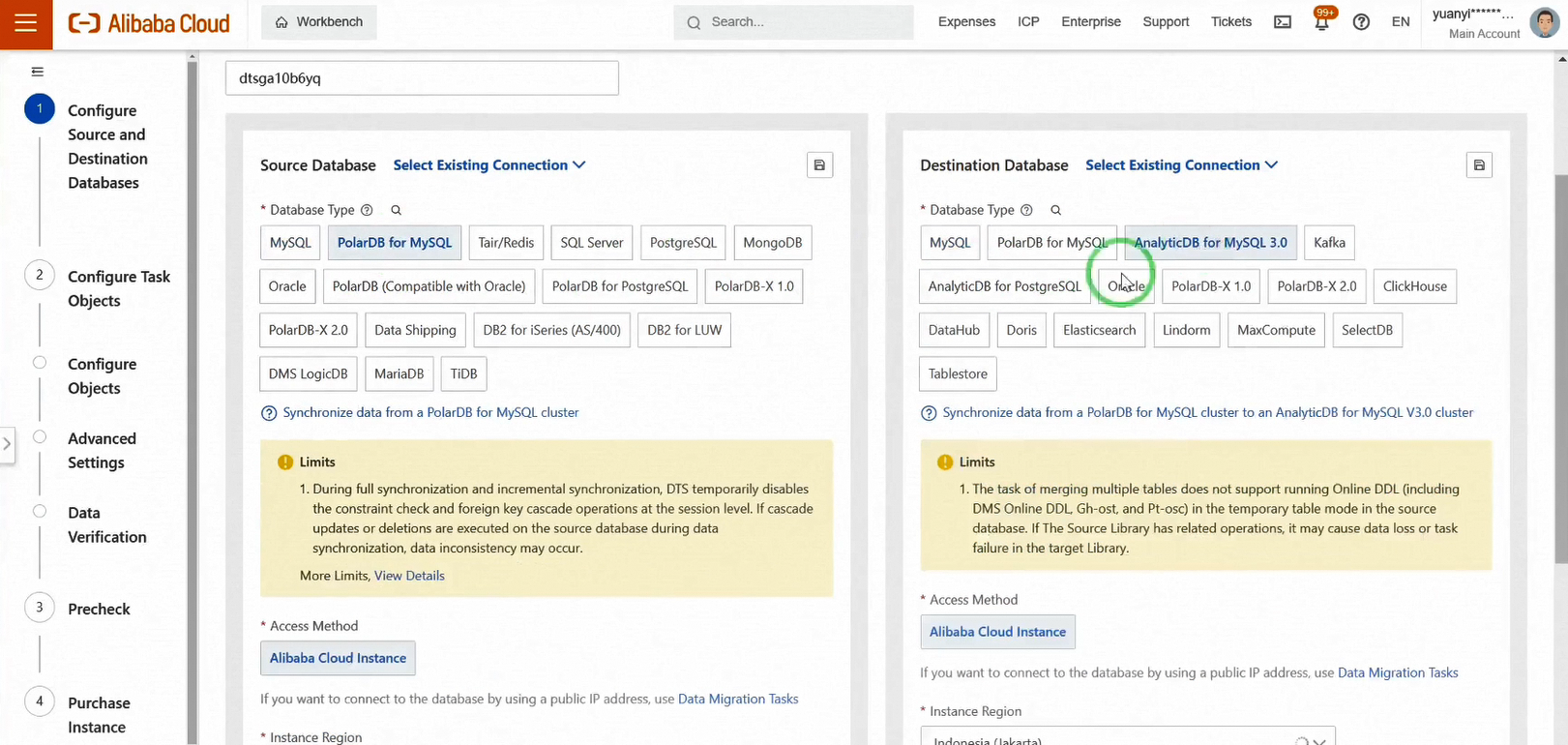
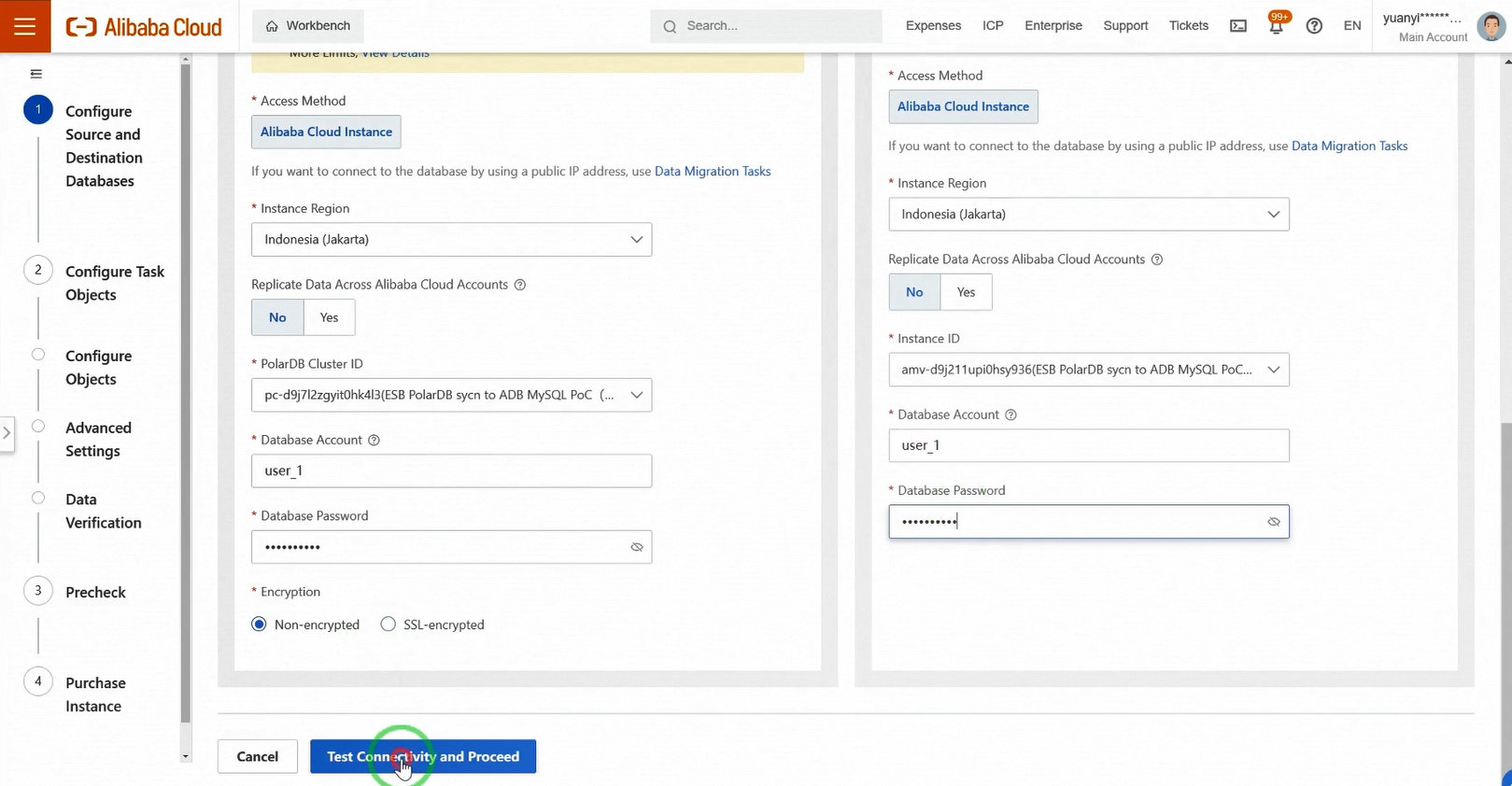
Click Create Task. Select PolarDB for MySQL as the source and AnalyticDB for MySQL as the target. Choose the relevant regions for both instances, and input the instance IDs and login credentials. Test the connectivity.
Configure the objects to be synchronized. Ensure all synchronization types are selected: Schema Synchronization, Full Data Synchronization, and Incremental Data Synchronization. Keep DDL and DML synchronization settings as default unless you have specific needs.
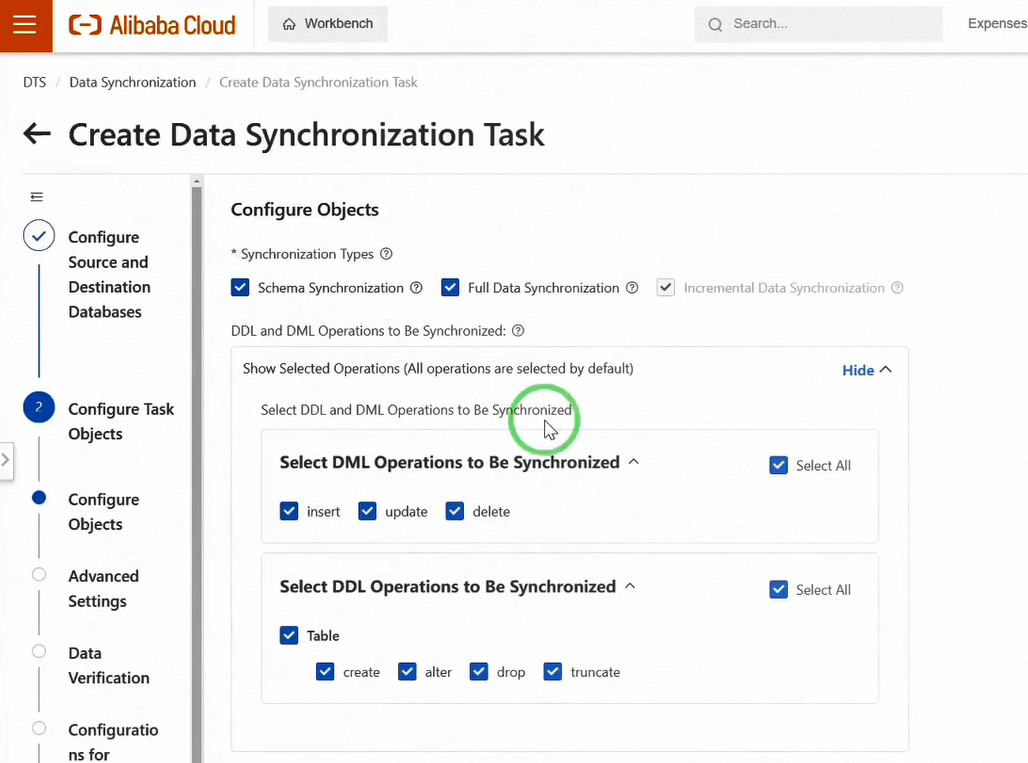
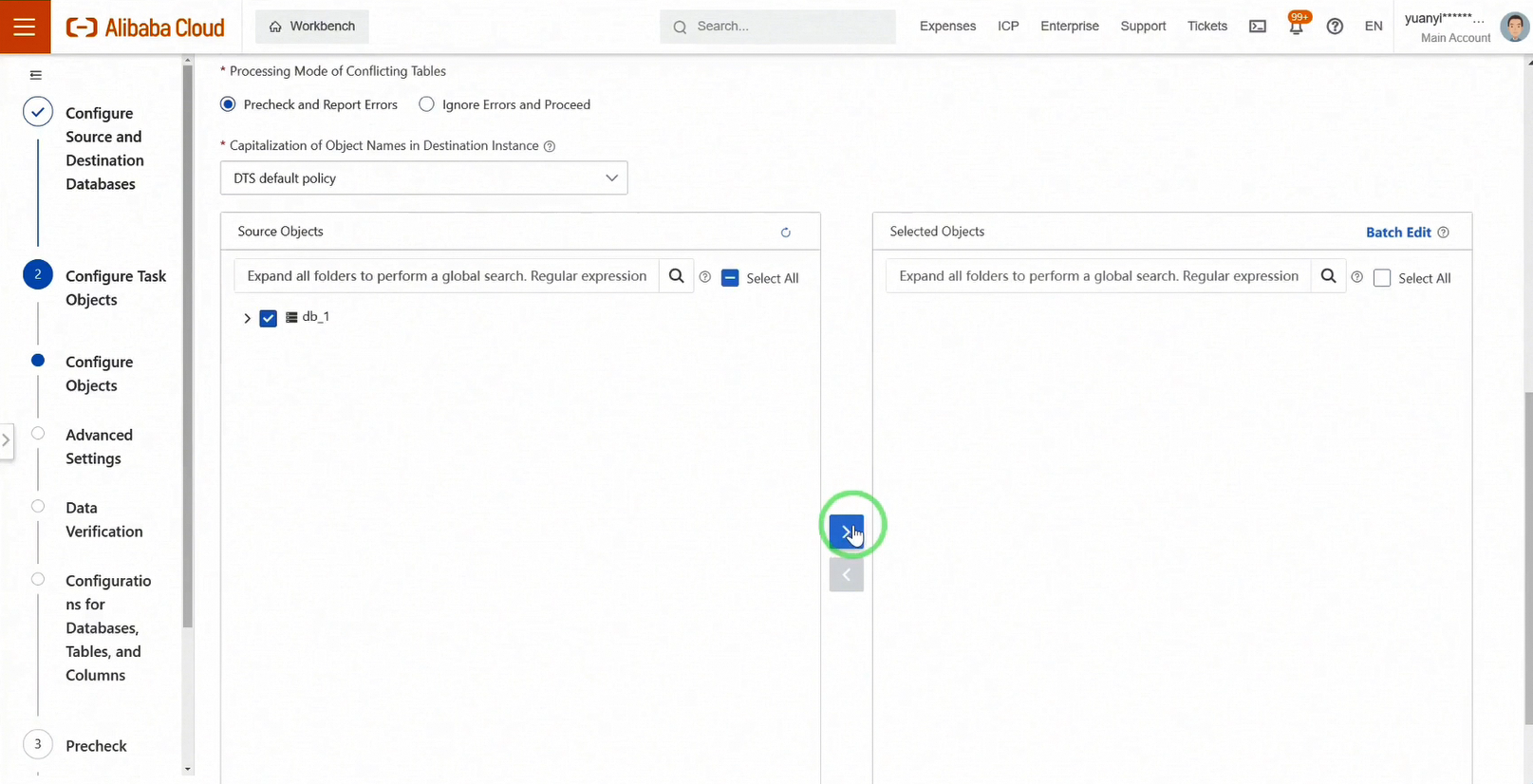
Select the database and table objects to synchronize and proceed.
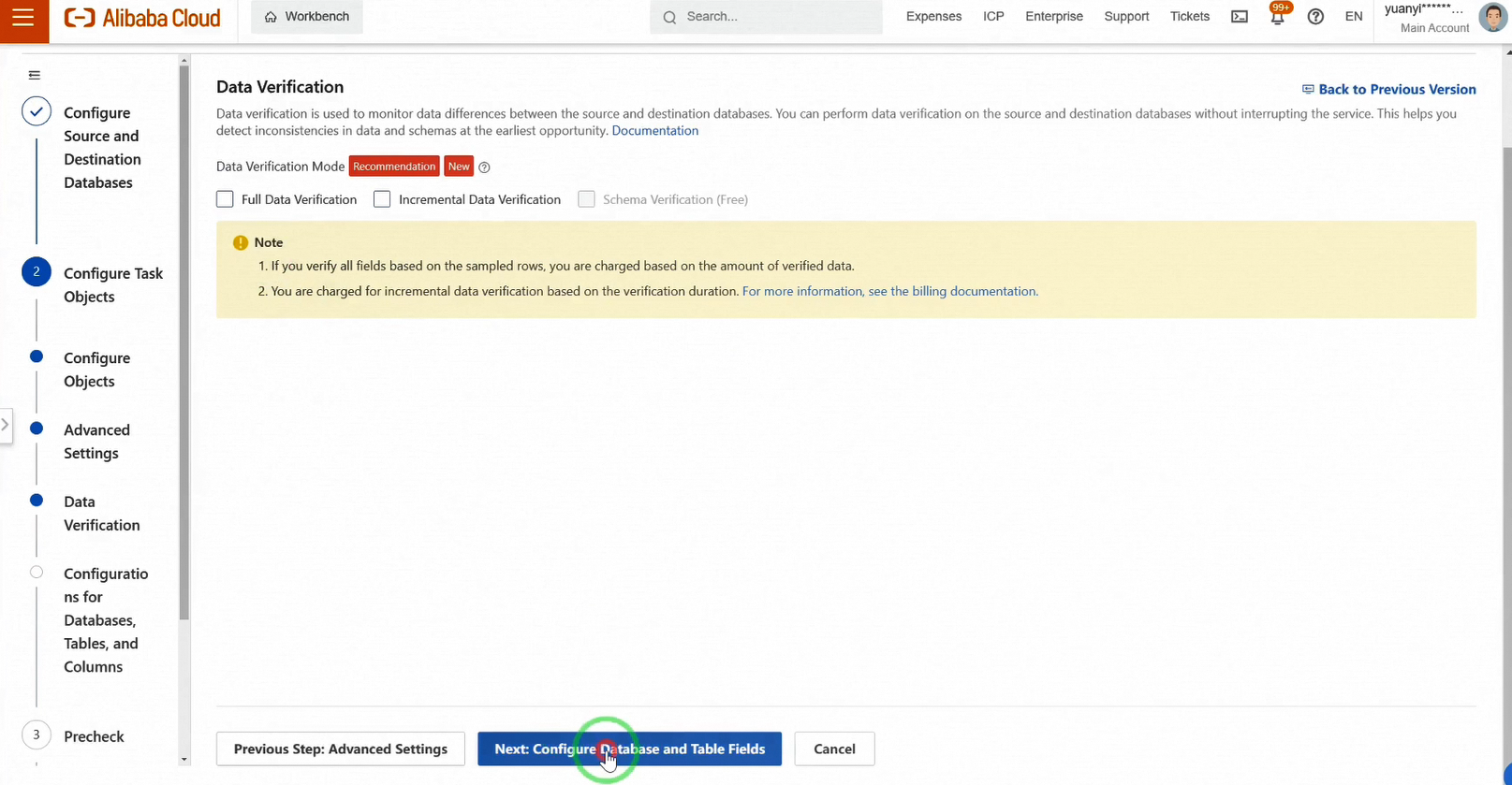
DTS offers various data verification modes to ensure data consistency, some of which are free. You can enable these during configuration or afterward based on your needs.
Next, configure table schema mappings. Verify settings like partition keys and methods to ensure consistency with the source table before moving to the next step.
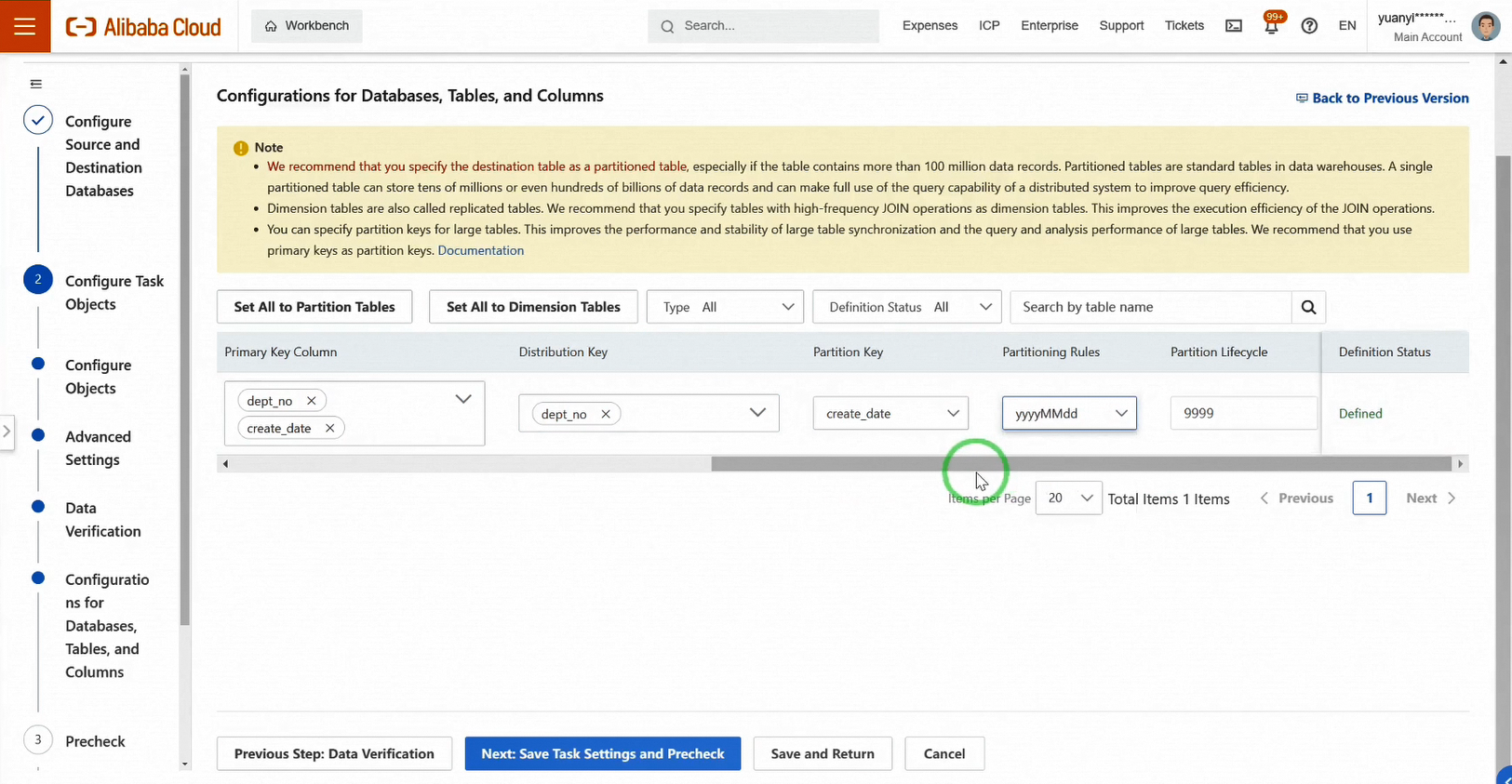
After configuring the table schema mapping, save the task and start the pre-check.
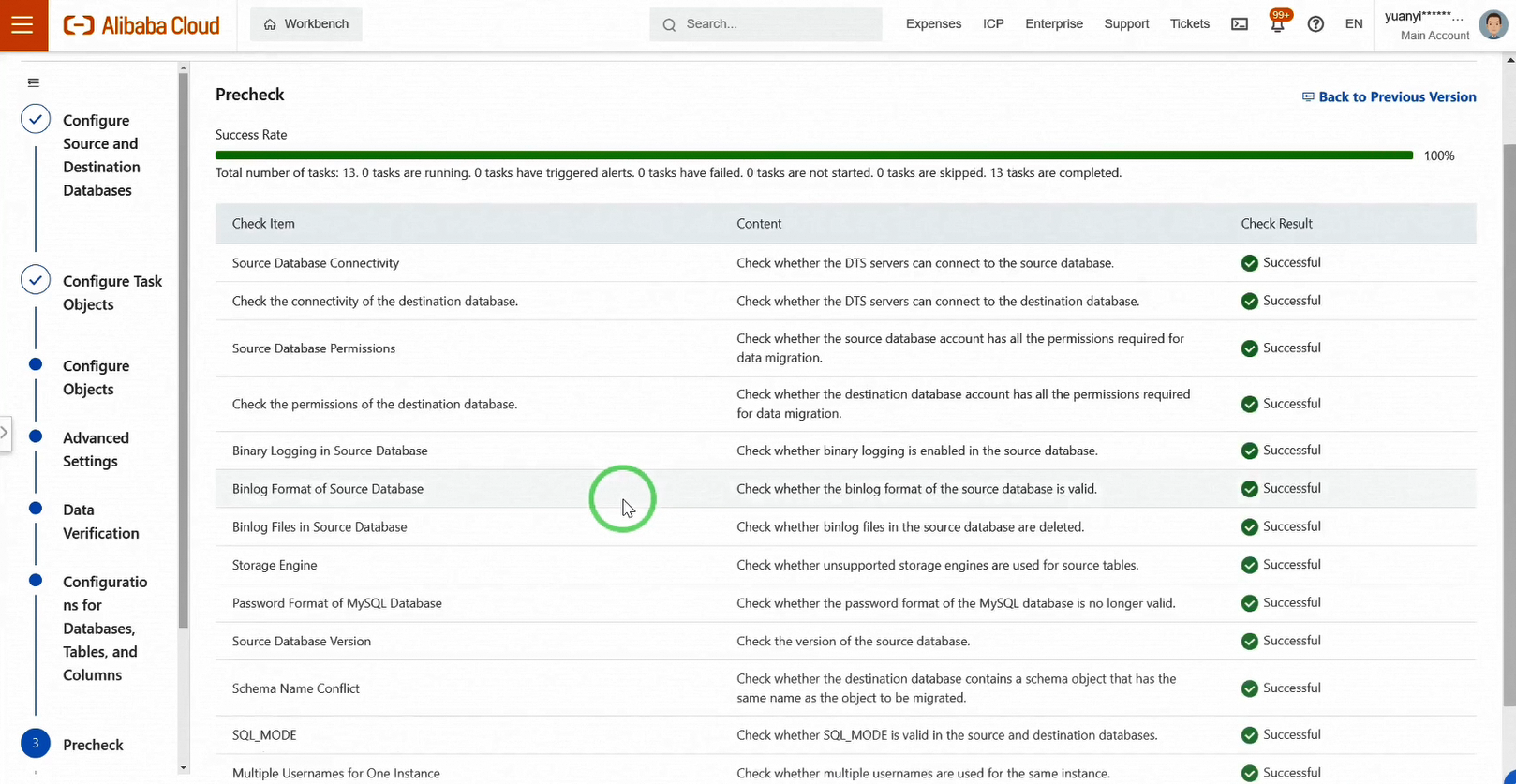
Everything looks good so far.
Next, purchase a DTS instance to maintain continuous data synchronization. By default, you’ll see DTS Serverless but you still can choose other billing methods such as pay-as-you-go and subscription as you want.
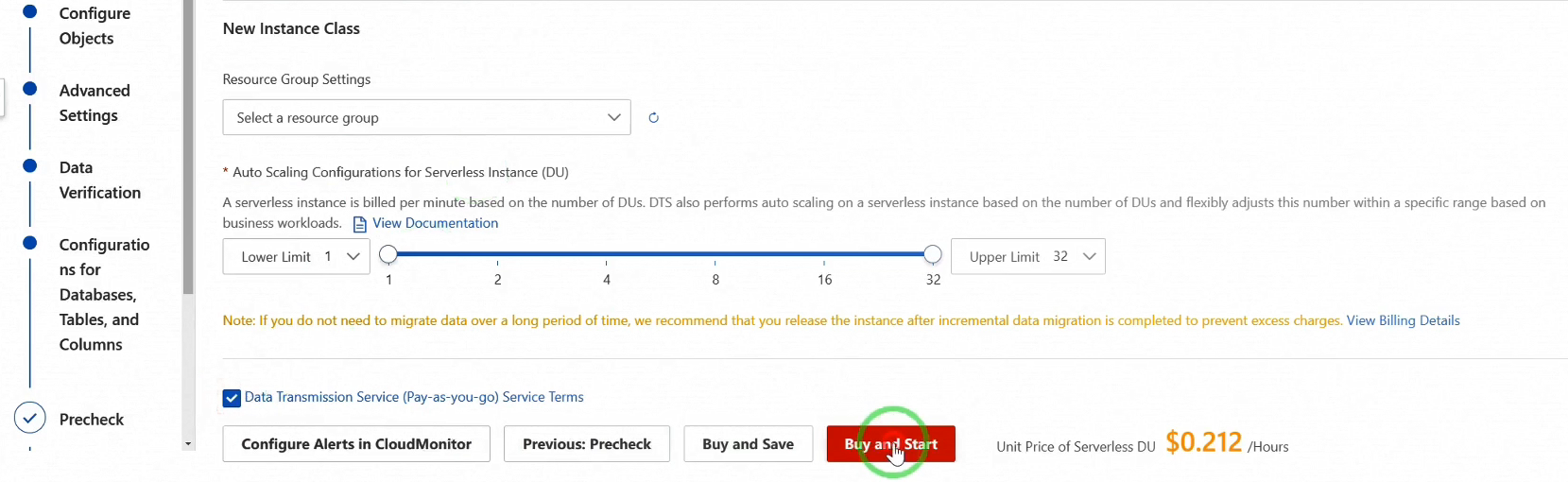

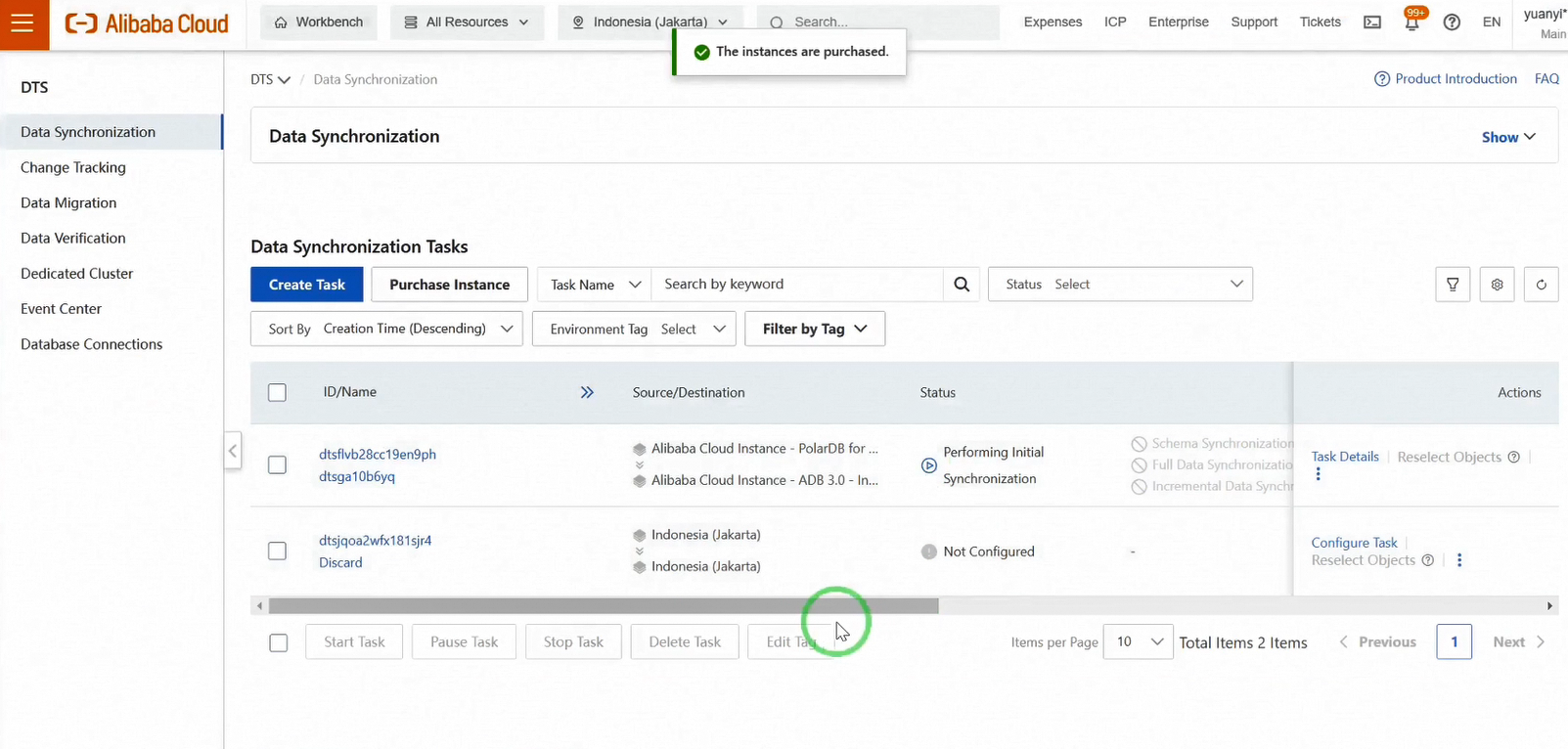
Complete the order, and the DTS task will start automatically.
As data synchronization progresses, the DTS task will transition from schema synchronization to full data synchronization, and finally to incremental data synchronization. Incremental synchronization indicates that all data has been loaded, signaling it's time to verify data in the target database and test incremental synchronization capabilities.
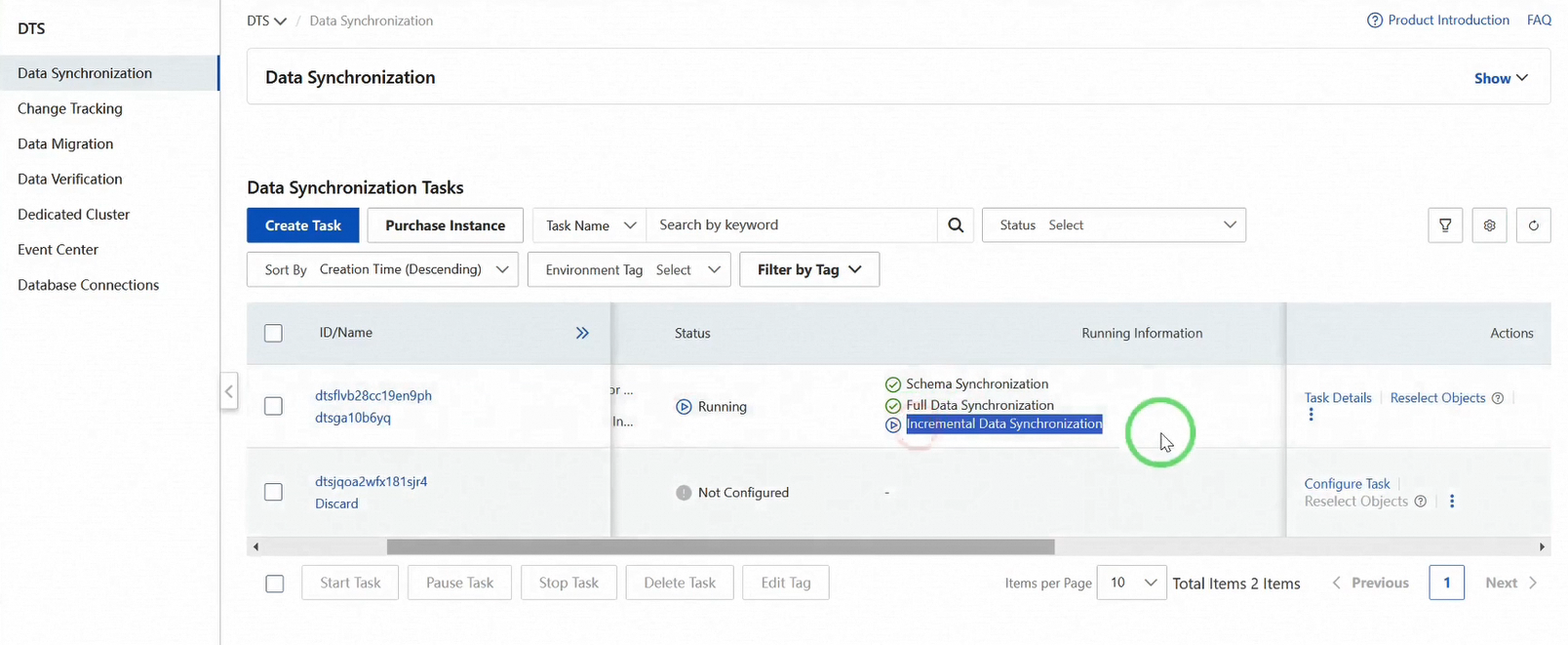
Log into the target database, AnalyticDB for MySQL, check the table schema and the total number of records to confirm data consistency with the source database. We find that the schema matches and the target database has received 1 million records, identical to the source database.
Now, let's test incremental data synchronization.
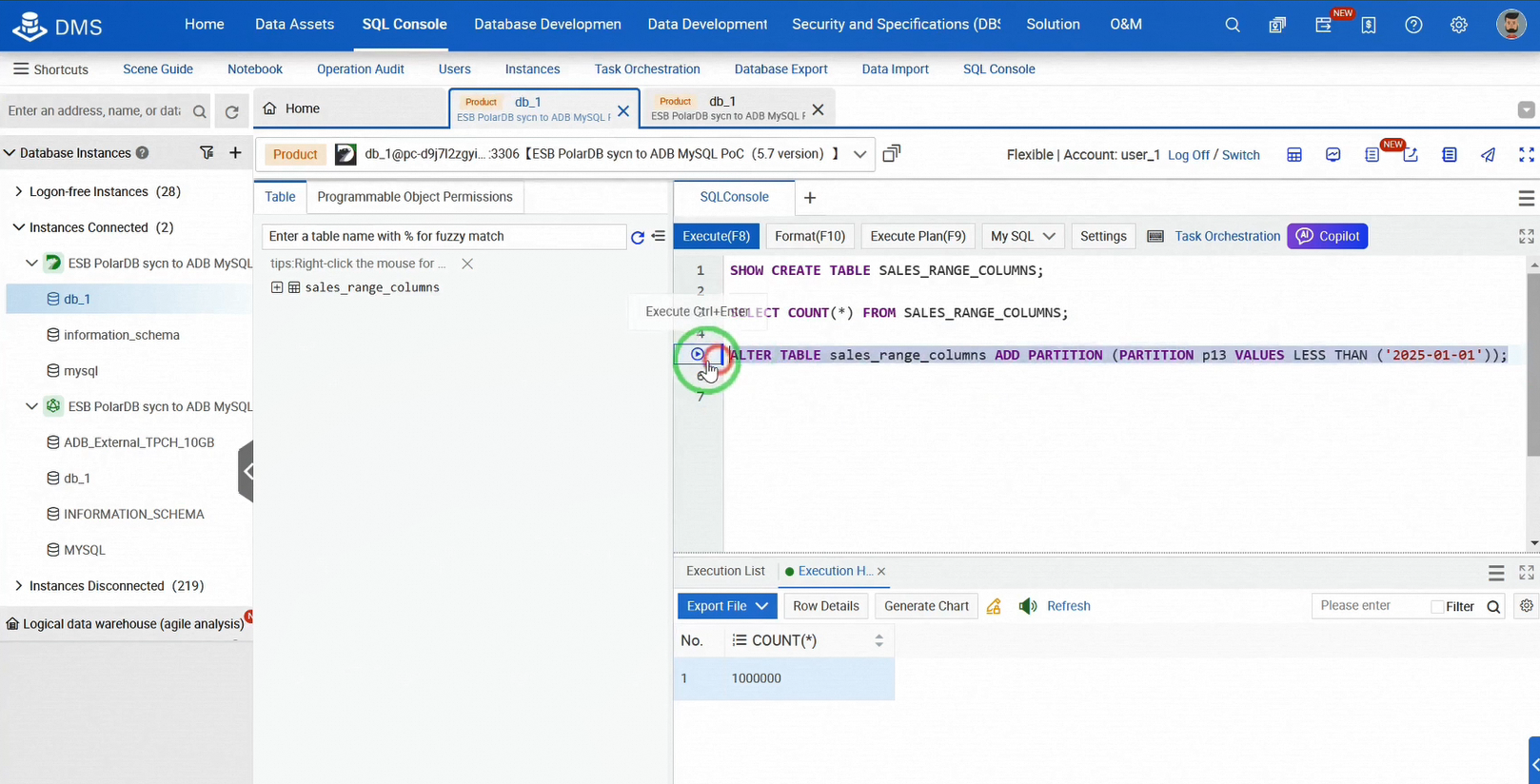
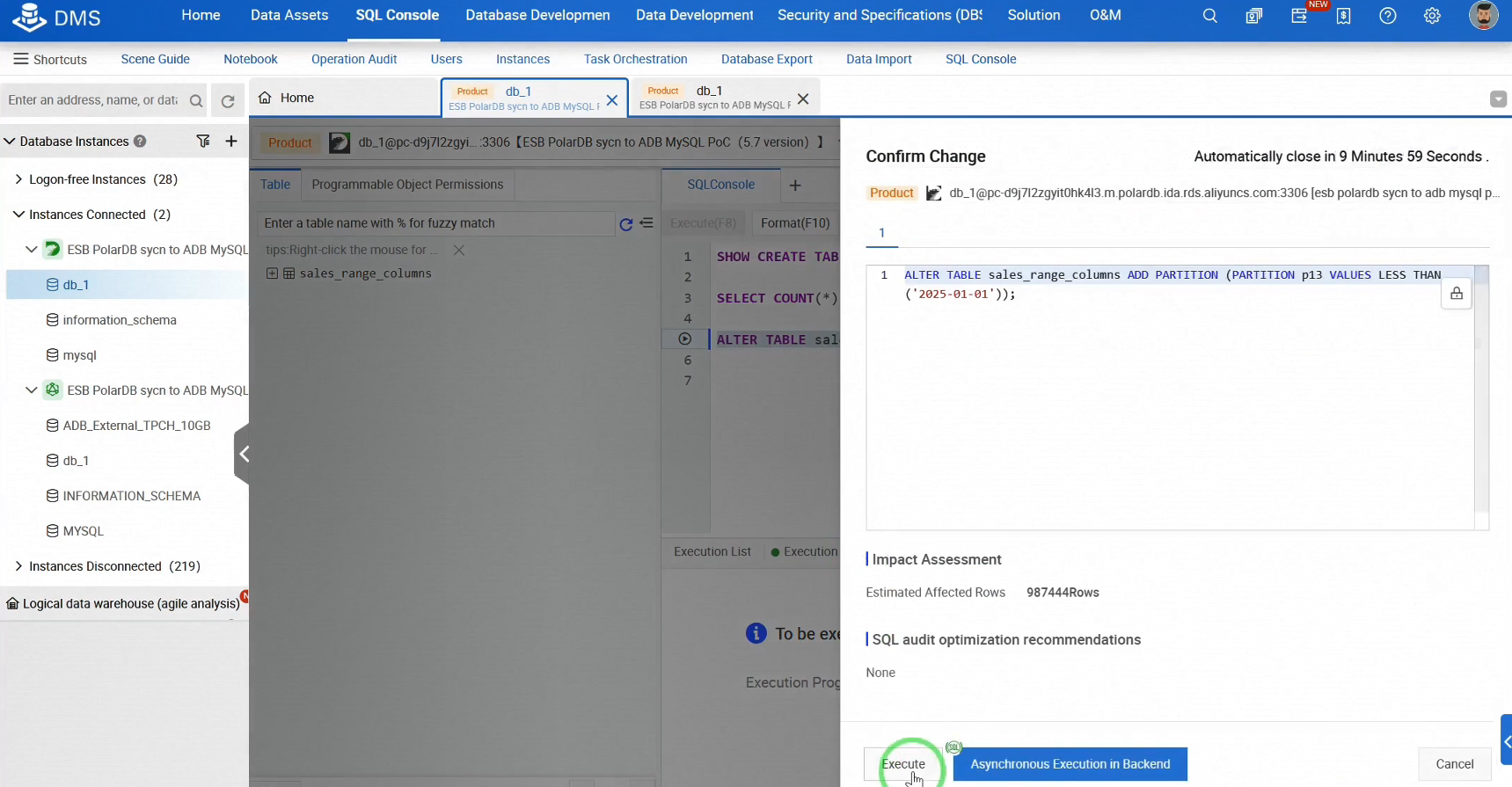
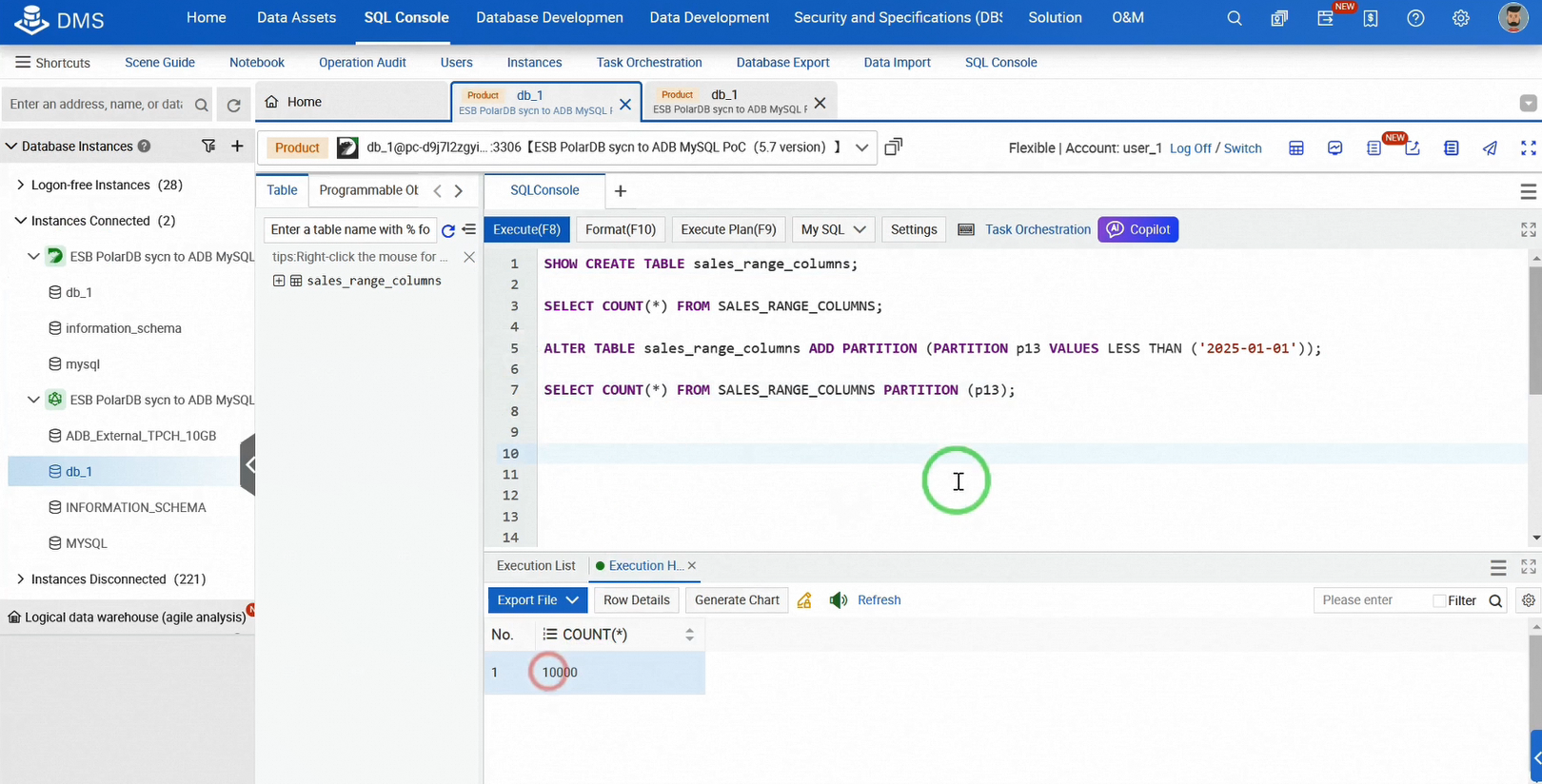
In the PolarDB SQL console, generate incremental data by adding a partition to the table, and verify the change using SHOW CREATE TABLE. The partition count changes from 12 to 13. Check the number of records in the new partition p13. There are 10,000 records.
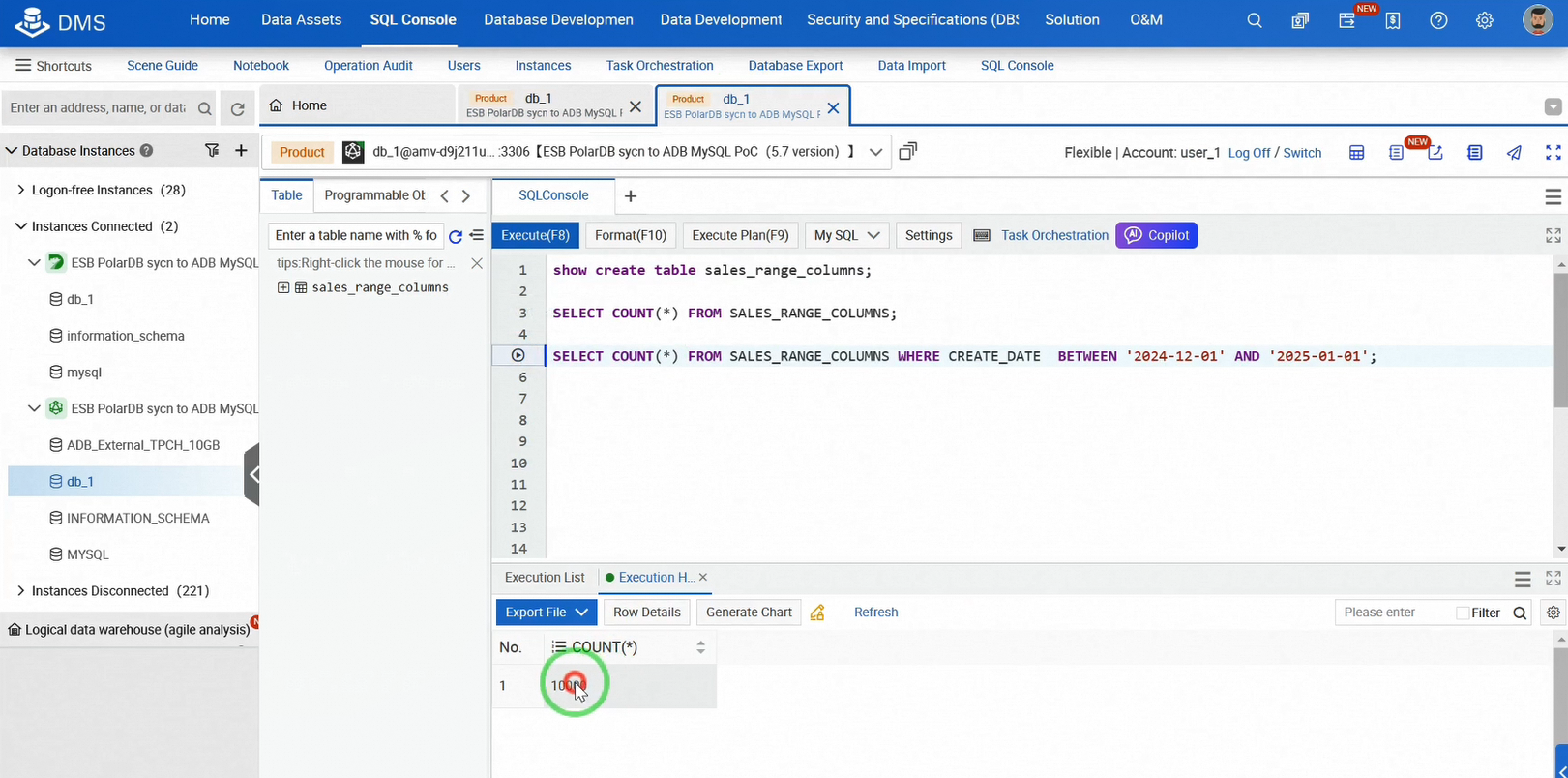
Switch to the AnalyticDB for MySQL SQL console to verify if the new partition is synced. You can see the new data in AnalyticDB, confirming that DTS successfully captured and synced it to the target database.
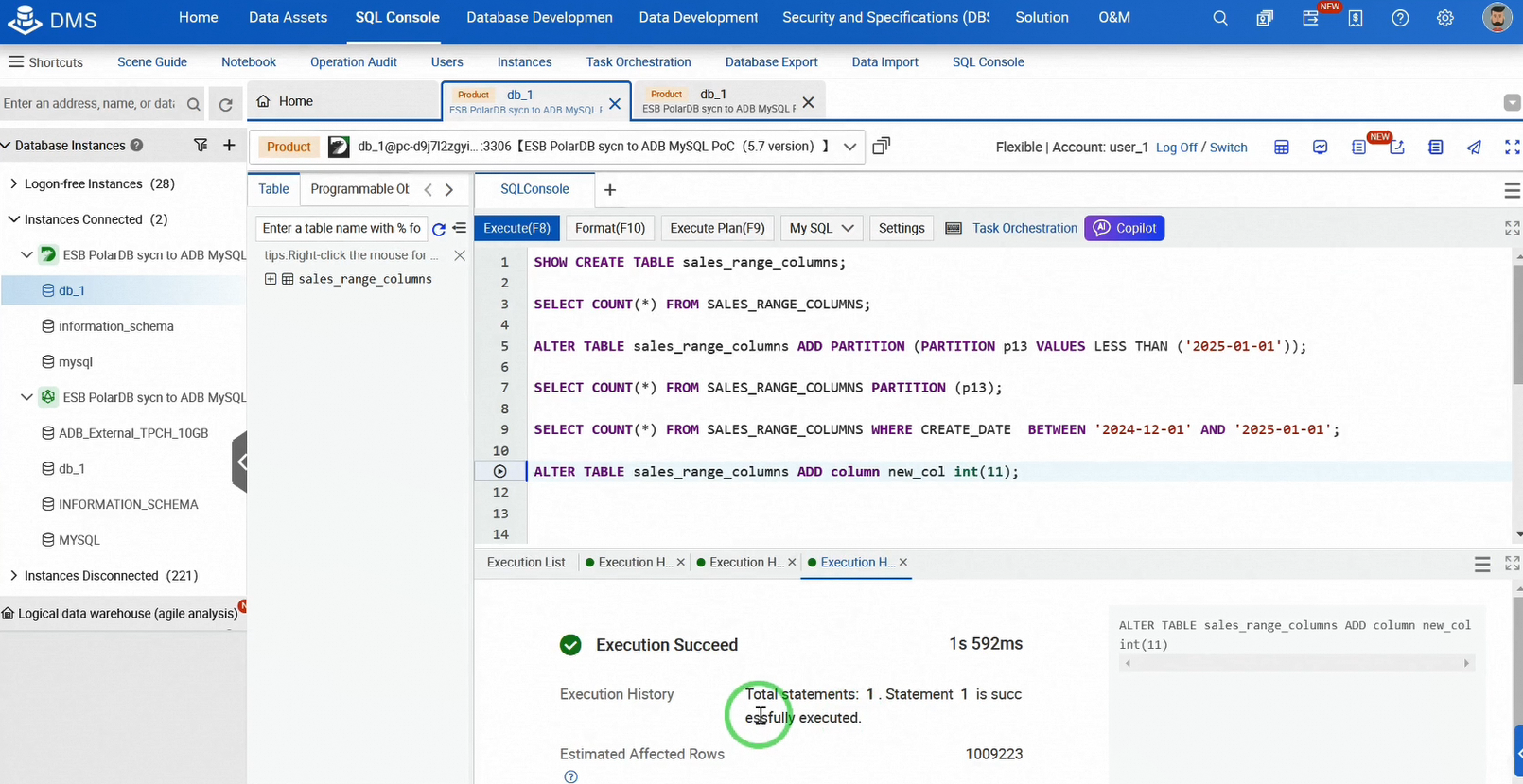
Next, let's add a column to the source table in PolarDB and verify if it syncs automatically. Perform the DDL operation to add a column to the table in the PolarDB SQL console. Check the table schema to ensure the change has been applied.
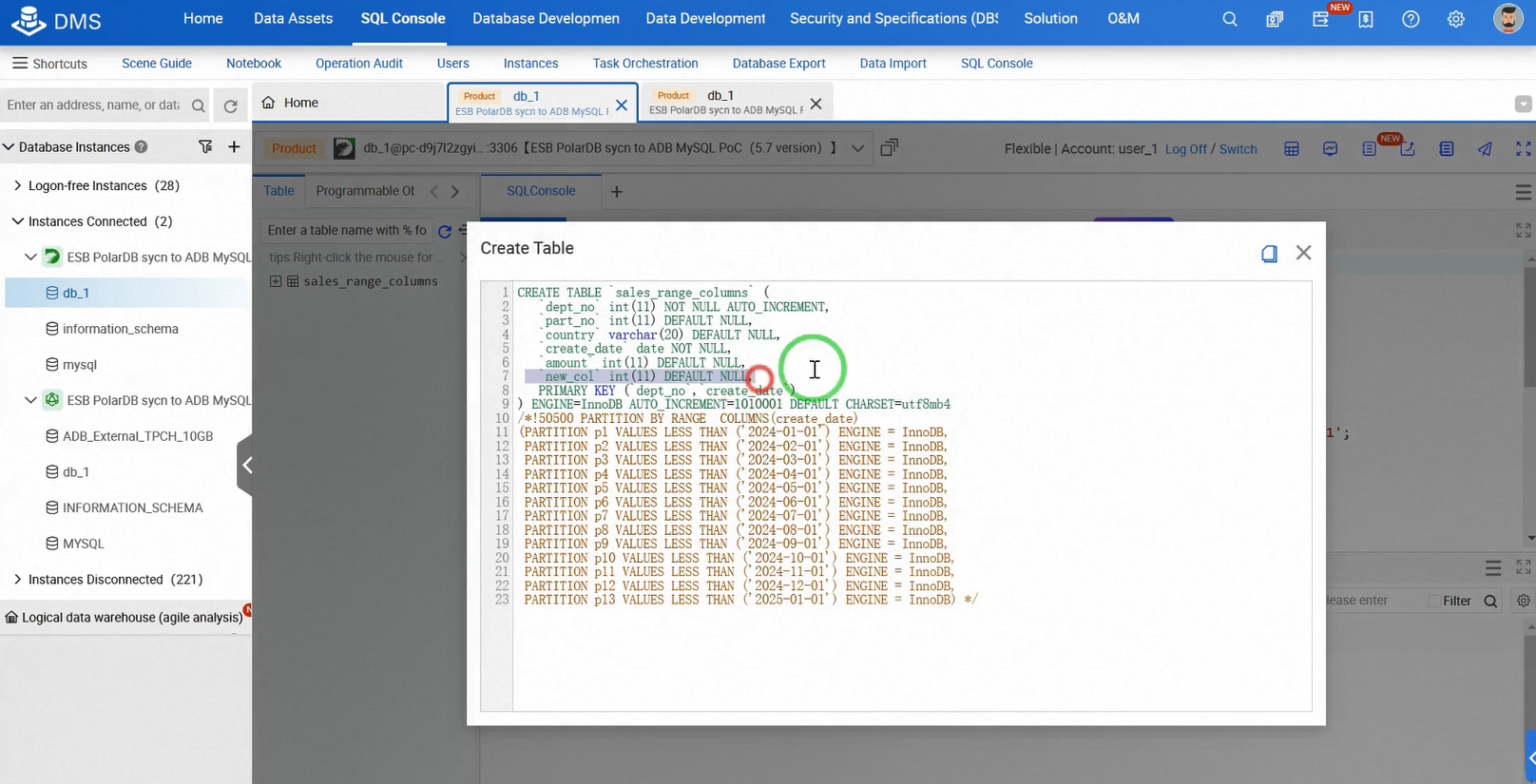
Switch to the AnalyticDB SQL console to check the table schema. The new column is present, confirming successful synchronization.
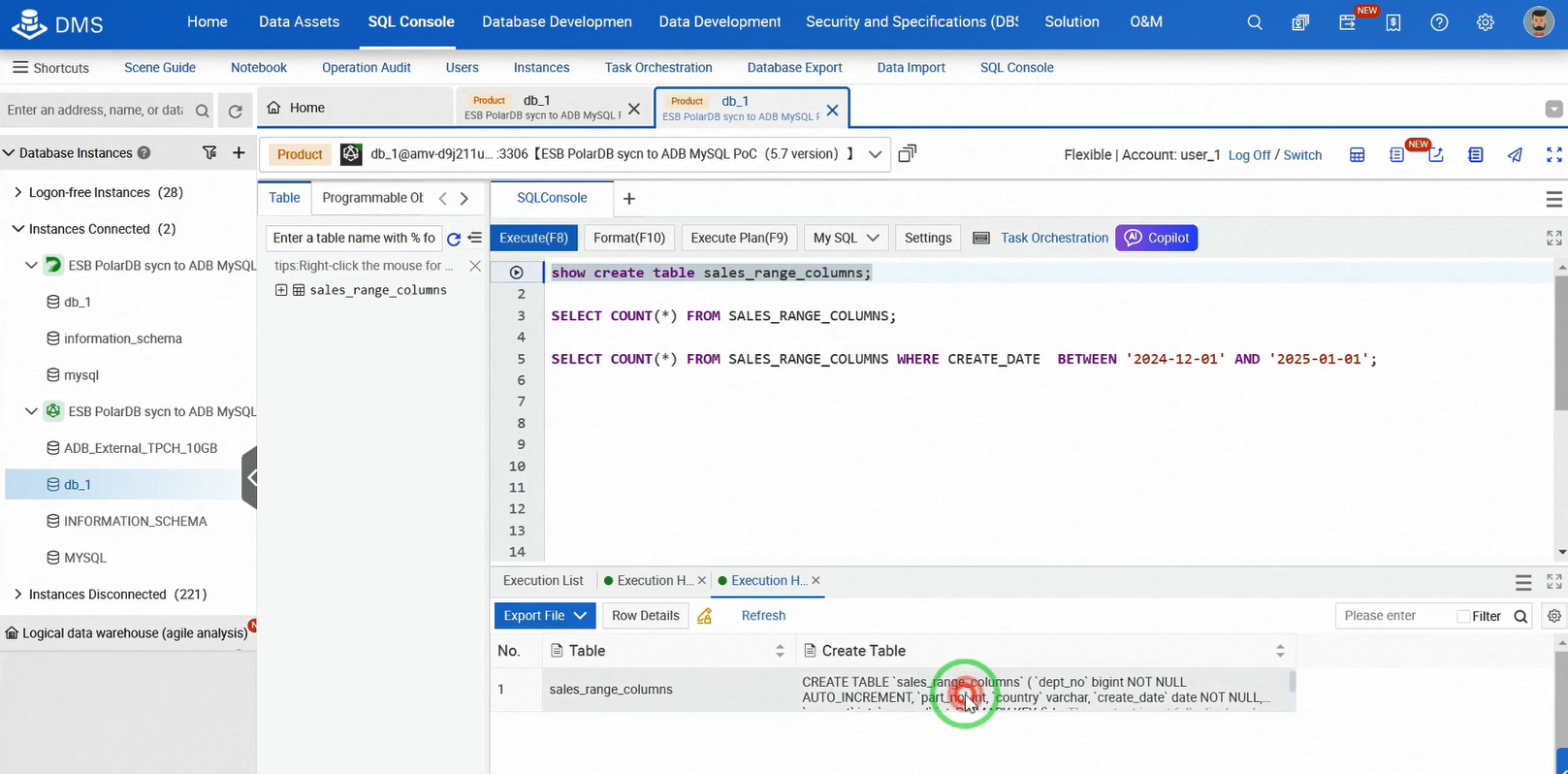
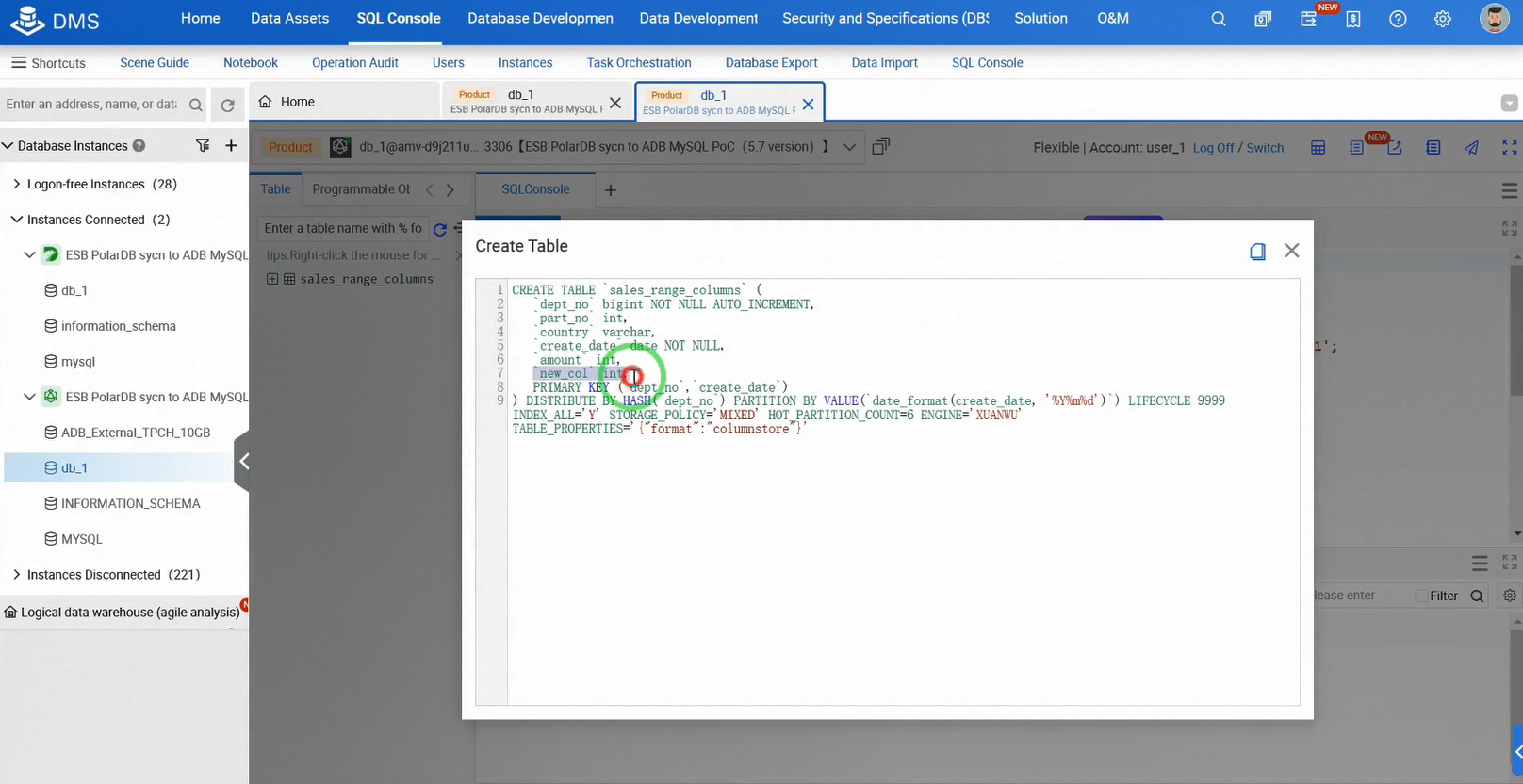
So far, we have established real-time data synchronization from the OLTP database PolarDB to the OLAP database AnalyticDB and completed incremental data synchronization tests.
Now, let's initiate hot/cold data tiering in AnalyticDB. This will be quick and straightforward.
Log into the AnalyticDB SQL console. Adjust the storage policy for the table to implement tiered storage and define the number of hot partitions. Records in hot partitions remain on hot storage, while others are automatically archived to OSS.
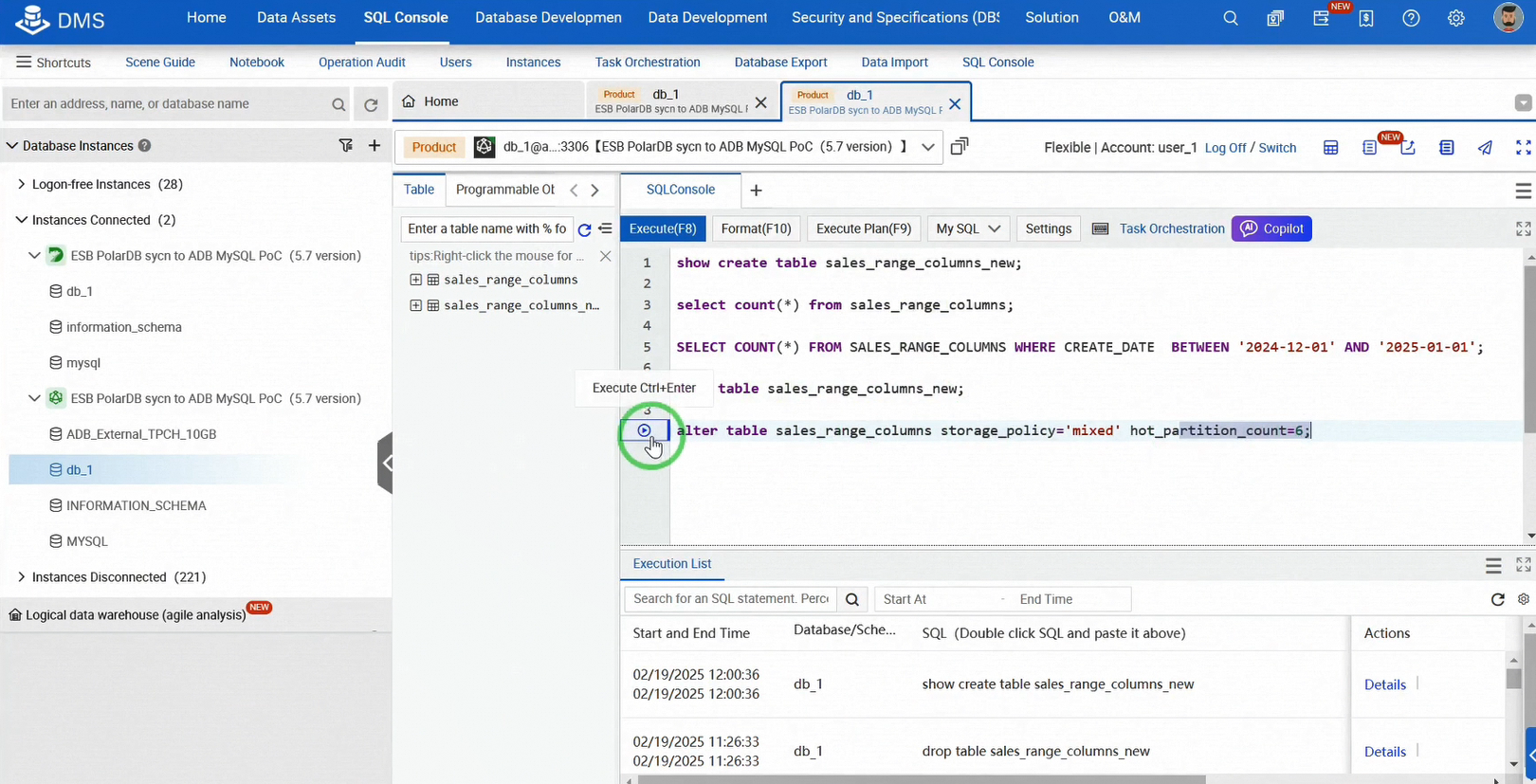
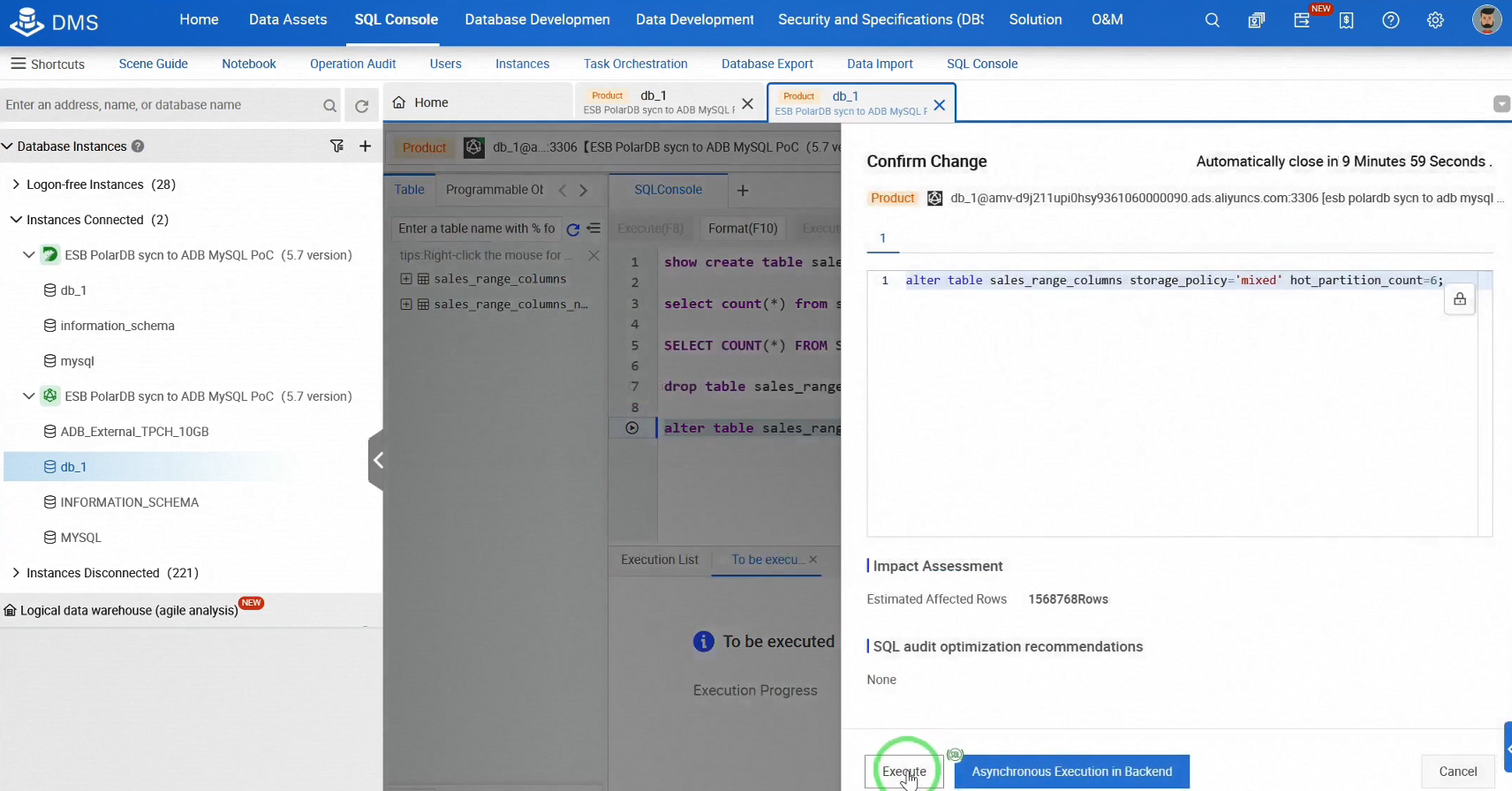
Query the data archiving progress. As progress reaches 100%, the task status changes from INIT to RUNNING to FINISH. Upon completion, use SHOW TABLE SCHEMA to view the storage policy differences and hot partition configurations. You can also check details like storage size for hot and cold storage.
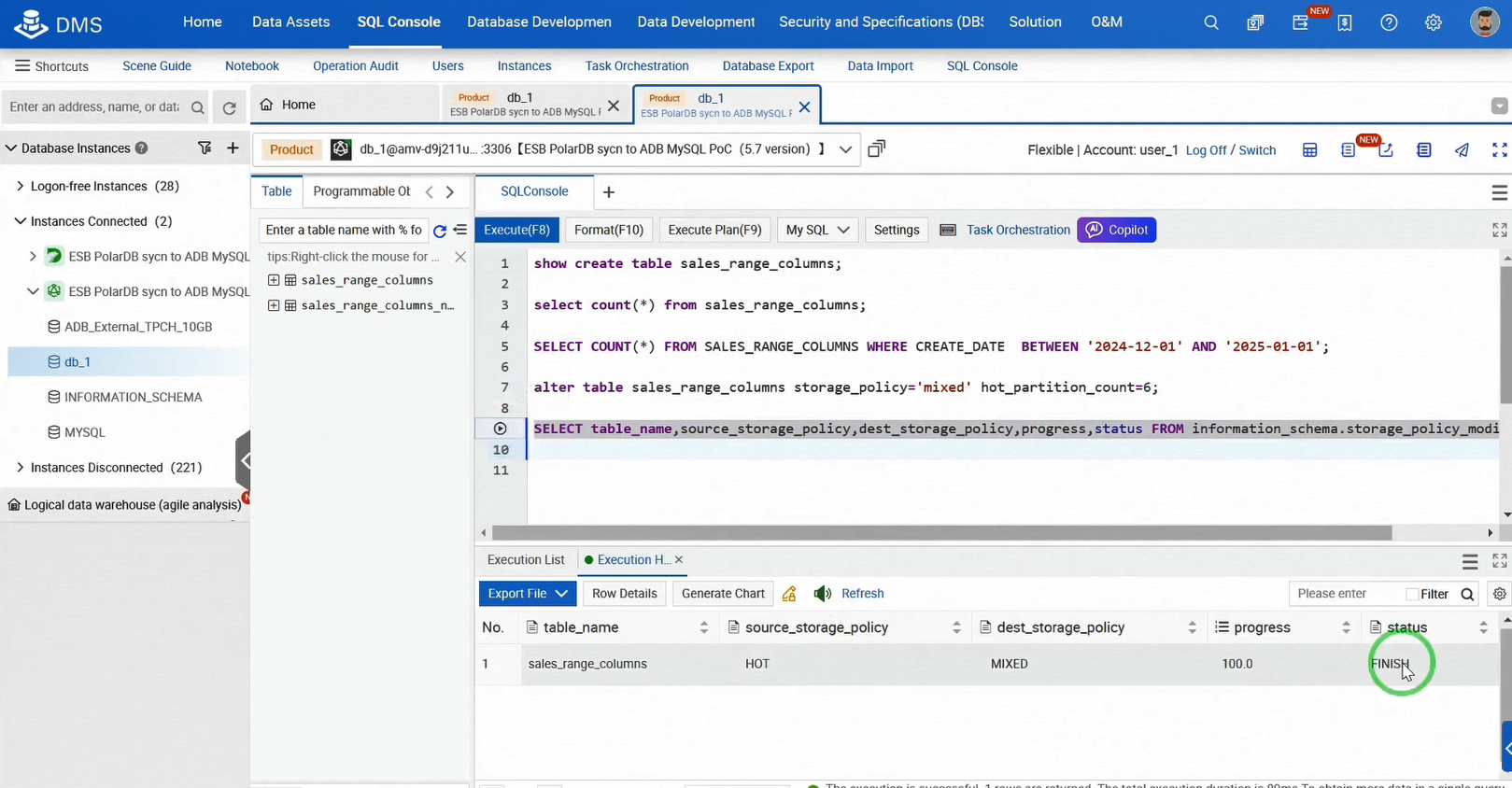
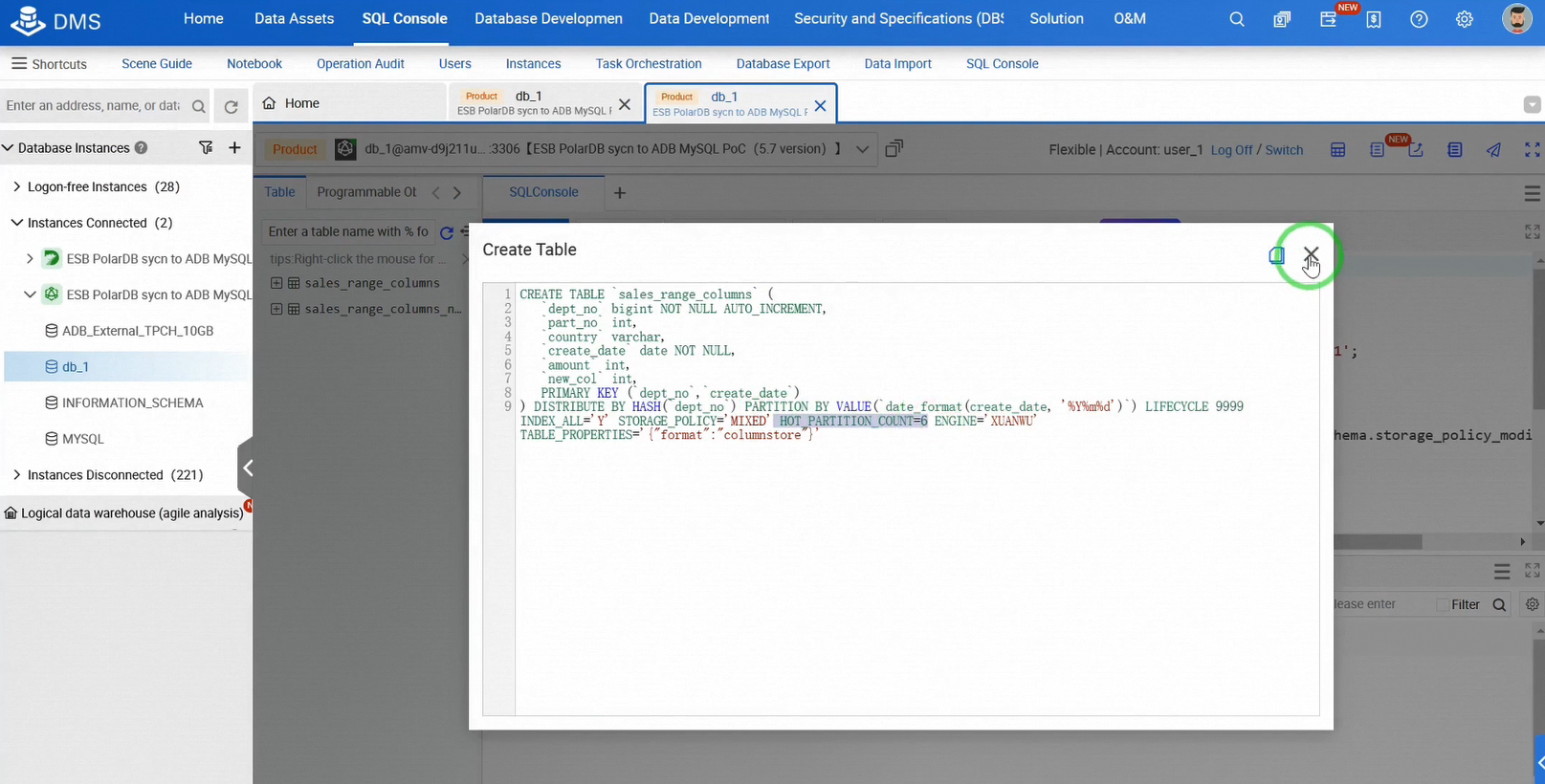
As data grows, hot partitions automatically rotate to cold archives. This automatic tiered storage significantly enhances efficiency.
One final concern you might have: does tiered storage lead to performance drops? Will it become slow?
Before ending the demo, let's address this with a mixed query example that reads from both hot and cold storage (OSS).
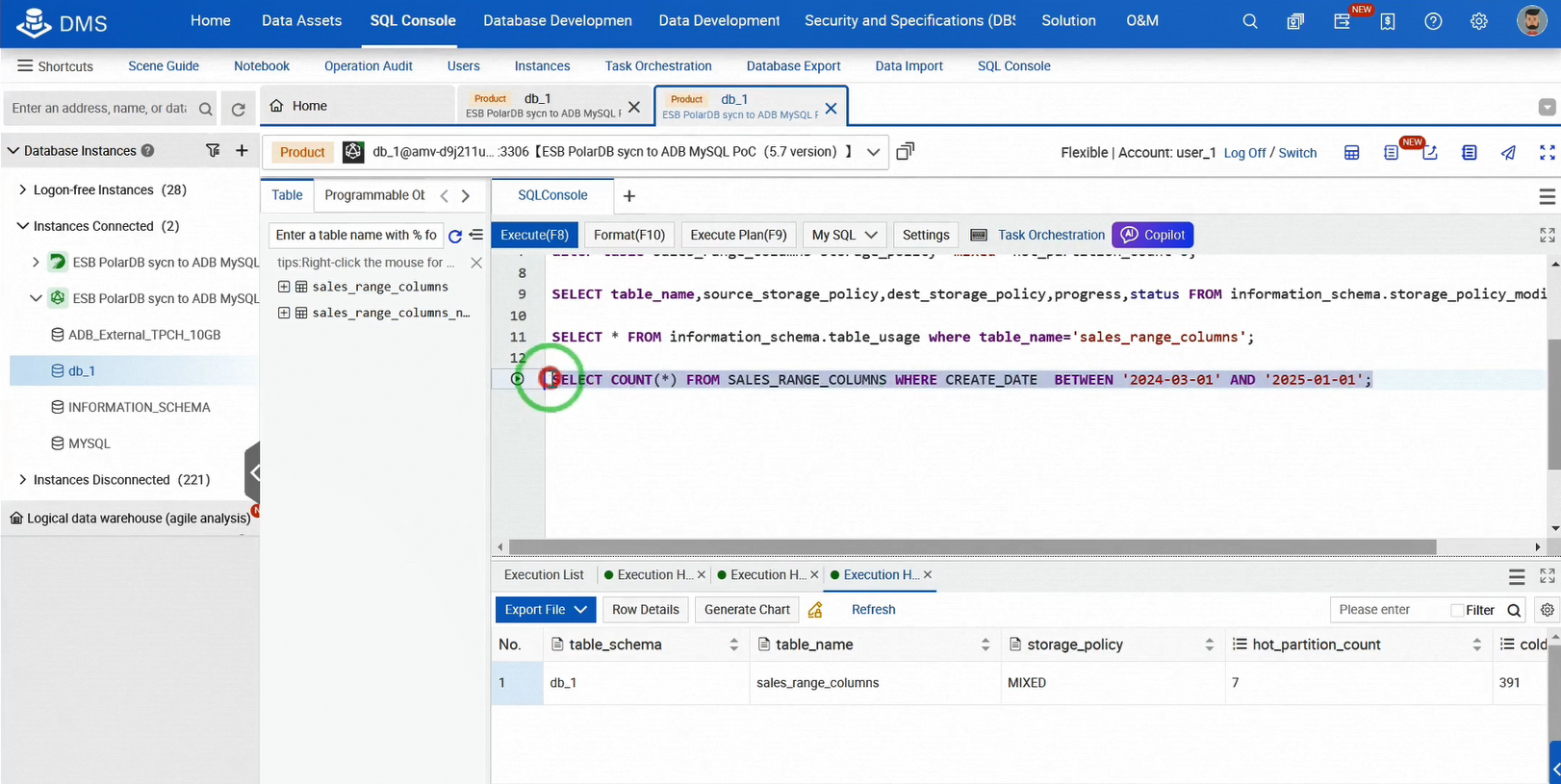
As you can see, it remains fast.
Thank you for watching our demo on creating an efficient real-time analytics solution with PolarDB and AnalyticDB.
Read previous post:
[Infographic] Highlights | Database New Features in January 2025
Read next post:

Comments
Related Products
-
 Big Data Consulting for Data Technology Solution
Alibaba Cloud provides big data consulting services to help enterprises leverage advanced data technology.
Learn More -
 Big Data Consulting Services for Retail Solution
Alibaba Cloud experts provide retailers with a lightweight and customized big data consulting service to help you assess your big data maturity and plan your big data journey.
Learn More -
 Data Transmission Service
Supports data migration and data synchronization between data engines, such as relational database, NoSQL and OLAP
Learn More -
 ApsaraDB for HBase
 is a NoSQL database engine that is highly optimized and 100% compatible with the community edition of HBase.
Learn More
More Posts by ApsaraDB
- Saying Goodbye to Write Stall: How Tair Serverless KV Keeps Latency Stable Under Extreme Write Pressure
- Enterprises Have AI Assistants Now. Why Are Office Workers Still So Drained?
- From Cloud Native to Agentic Native: PolarDB for PostgreSQL Rebuilds the Data Foundation for AI Agents
- Advanced Data Analytics in the AI Era: How Alibaba Cloud AIDBS Brings Specialized Models to Life
- Git for Your Database: PolarDB Lets Agents Experiment Safely
- AI Coding Context Keeps Getting More Expensive — Tair Built a Capability for That, and We Want You to Test It
- With PostgreSQL Firmly in Place as the Data Foundation, What Else Do Agents Need to Truly Run?
- The 6 Components of RAG, Actually Just Need 1 Database
- PolarDB-X Zero: Get an AI-Friendly Database in 30 Seconds with a Single Command
- HiCache Across Multi‑Parallelism and Distributed Serving