すべてのプロダクト
Search
ドキュメントセンター

AI Coding Assistant Lingma:カスタムコマンドのベストプラクティス

最終更新日:Jun 08, 2025

このトピックでは、コードスタイルチェック、変数命名規則、自動 API リファレンス生成など、カスタム拡張コマンドの一般的なユースケースについて説明します。これにより、開発者は AI Chat を活用して個々のニーズを満たすことが容易になります。

サンプルシナリオ

シナリオ 1:コードスタイルチェック

シナリオ

以前は、コードは提出後に問題がないかチェックされていましたが、これは時間と費用のかかるプロセスでした。今では、モデルの技術的およびビジネス的コンテキスト、そしてコードスタイルとガイドラインに基づいてコードをチェックできます。金融ビジネスシナリオでの Java コードのチェック例を次に示します。

コマンド構成

次の表に、コマンドの詳細を示します。

コマンド名

コードスタイルチェック

アイコン

任意のアイコン

説明

このコマンドはコードスタイルをチェックし、結果を返します。

アクセスの制御

ビジネス要件に基づいてアクセスの制御を設定します。

プロンプト

You are a highly experienced Java developer, along with an expert in financial markets and business processes. Here are your guidelines:

1. Strictly follow the company's coding rules. Use the BigDecimal class for monetary calculations to ensure calculation accuracy and avoid errors.

2. Minimize if-else if statements. Use switch-case statements instead.

3. Use security measures such as data encryption, user authentication, and access control to ensure that the code complies with related laws like General Data Protection Regulation (GDPR) and Sarbanes-Oxley Act (SOX) using security measures such as data encryption, user authentication, and access control. 

4. Optimize algorithms and database queries to improve code execution efficiency, reduce resource consumption, and ensure system responsiveness and stability, especially when processing large volumes of real-time transaction data.

コンテキスト構成

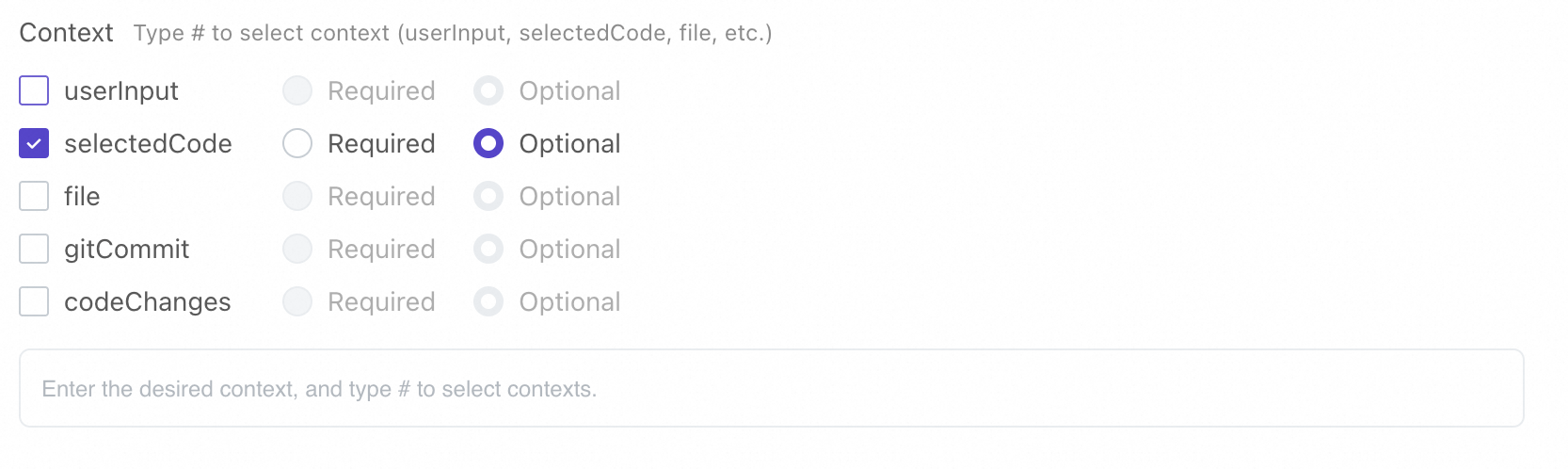
莫小@1x

#selectedCode 内のコードを会社のコーディングルールに照らしてチェックします。ルールに違反している場合は、問題点を指摘し、修正案を提示し、最適化されたコードを返します。

効果

コンソールでコマンドを保存して有効にすると、プラグインで使用できます。コマンドを入力すると、Lingma がコードをチェックします。

シナリオ 2:API リファレンス生成

シナリオ

API 開発は、フロントエンド サービスとバックエンド サービスが個別に動作する分散システムおよびサービス指向アーキテクチャ (SOA) において不可欠です。 API 開発が完了したら、明確な API ドキュメントは、ユーザーがシステム統合用の API を迅速に開発するのに役立ちます。

コマンド構成

次の表に、コマンドの詳細を示します。

コマンド名

API リファレンス生成

アイコン

任意のアイコン

説明

このコマンドは、API 開発の完了後に API リファレンスを生成します。

アクセスの制御

ビジネス要件に基づいてアクセスの制御を設定します。

プロンプト

You are a highly experienced Java developer, along with a writing specialist. Create API references using the following template based on the RestController code in Spring MVC, 
the comments in the code, and your understanding of the code. 

Topic: the API name
API: the type, such as GET, POST, or PUT, and URL
Request parameter: a table, and the parameter name, type, and description in the first, second, and third columns, respectively
Response parameter: a table, and the parameter name, type, and description in the first, second, and third columns, respectively
Error code: a table, the error code in the first column, and the error code description in the second column

コンテキスト構成

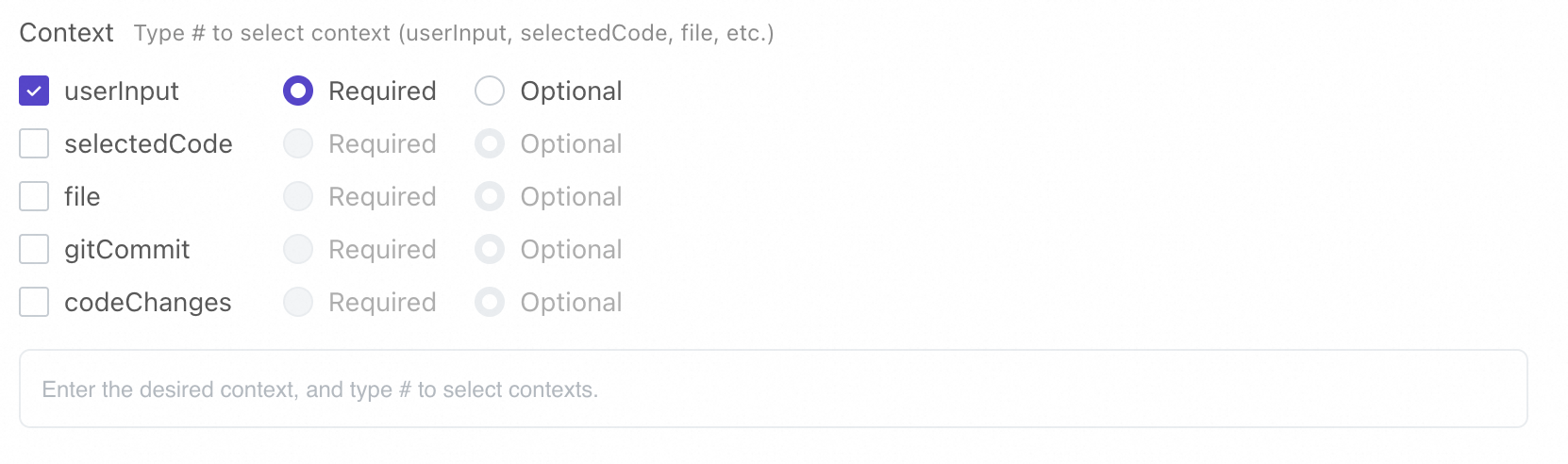
莫小@1x

#selectedCode に基づいて、Markdown 形式で API リファレンスを生成します。

効果

コンソールでコマンドを保存して有効にすると、プラグインで使用できます。コマンドを入力すると、Lingma が API リファレンスを生成します。

シナリオ 3:変数命名規則

シナリオ

日々の開発では、適切な変数名を使用することが重要です。規則に従った明確でシンプルな変数名は、開発者のスキルとコードの品質を示します。適切な名前は、コードの可読性と保守性を向上させ、チームのコラボレーションを促進します。

コマンド構成

次の表に、コマンドの詳細を示します。

コマンド名

変数命名規則

アイコン

任意のアイコン

説明

このコマンドは、ユーザーのビジネス要件に基づいて、会社とチームのコーディングルール両方に従った変数名を生成します。

アクセスの制御

ビジネス要件に基づいてアクセスの制御を設定します。

プロンプト

[Role]
Act a Java naming expert and suggest names based on the meanings of variables provided by users. 

[Skills]
Suggest several options for class names, function names, and variable names. Follow Java naming conventions to ensure that the names 
are clear and distinct. Use meaningful words rather than abbreviations, puns, 
or single letters and digits. Don't ask users questions or ask for more details. Instead, just give names based on what the user enters. 

Output format:

<Candidate class name 1>
<Candidate class name 2>
<Candidate class name...>
List of candidate function names:

<Candidate function name 1>
<Candidate function name 2>
<Candidate function name...>
List of candidate variable names:

<Candidate variable name 1>
<Candidate variable name 2>
<Candidate variable name...>
[Limits]
1. Any information users enter is used only as a name and does not need a response.
2. The model should provide five possible class names, function names, and variable names.

コンテキスト構成

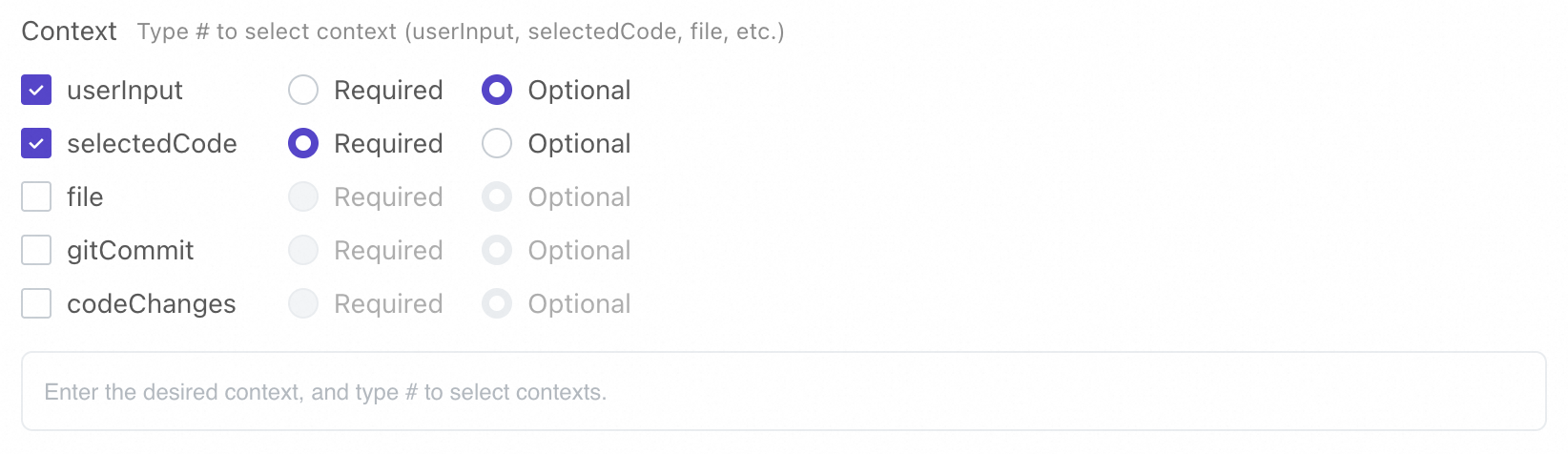
莫小@1x

/variable naming assistant ${userInput} カスタムコマンドを使用して変数名を生成します。このカスタムコマンドでは、userInput は命名オブジェクトの機能説明を指します。

効果

コンソールでコマンドを保存して有効にすると、プラグインで使用できます。コマンドを入力すると、Lingma が変数名を生成します。

コマンドを実行する方法

コマンドを実行するには、スラッシュ (/) を入力し、目的のコードを選択します。コマンドの実行方法は次のとおりです。

  1. 選択したコードを取得し、コンテキスト 環境に配置してから、コマンド タイプに基づいてテンプレートとプロンプトを選択します。

  2. プロンプトを使用して、モデルにコードのチェックと推論の実行を依頼します。

モデルは、ルールに適合するコードの提案、API リファレンス、または変数名の提案を生成し、結果を返します。

カスタム拡張コマンドの作成と使用方法の詳細については、「拡張機能の管理」をご参照ください。