Qwen-OCR est un modèle de compréhension visuelle conçu pour extraire du texte et des données structurées à partir d'images : documents numérisés, tableaux, reçus, etc. Il prend en charge plusieurs langues et gère des tâches OCR avancées telles que l'extraction d'informations, l'analyse de tableaux, la reconnaissance de formules mathématiques et le traitement de documents.
Essai en ligne : Accédez à la console Alibaba Cloud Model Studio, sélectionnez la région dans le coin supérieur droit, puis ouvrez la page vision et choisissez Qwen OCR.
Exemples
| Image d'entrée | Résultat de la reconnaissance |
|---|---|
Reconnaissance multilingue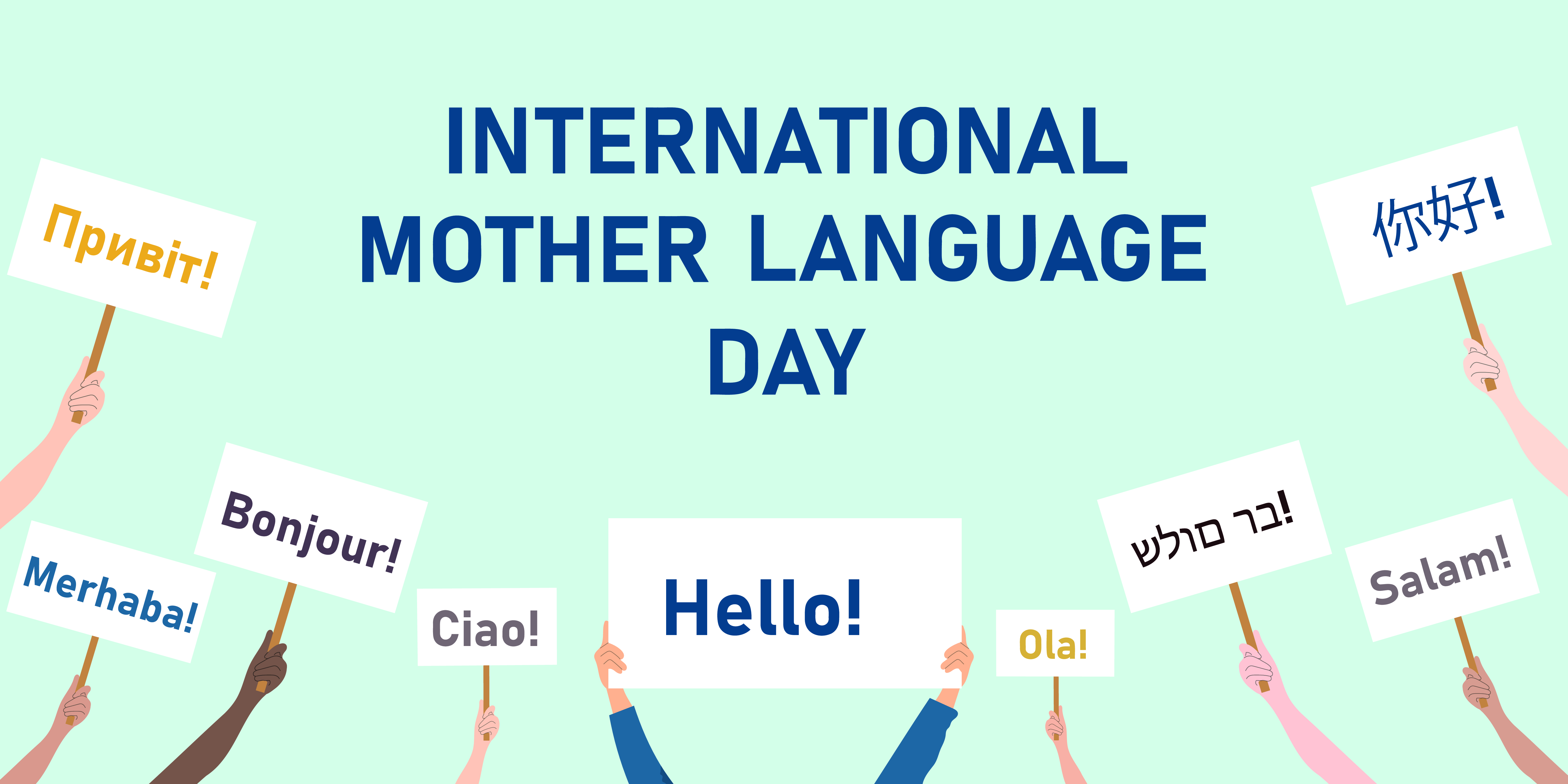 |
|
Reconnaissance d'images inclinées | Product Introduction Imported fiber filaments from South Korea. 6941990612023 Item No.: 2023 |
Localisation du texte
| Visualisation de la localisation
|
Sélection du modèle
Qwen-OCR propose les modèles suivants. Choisissez celui qui correspond le mieux à vos besoins métier :
- Qwen3.5-OCR : Fondé sur l'architecture Qwen3.5, ce modèle bénéficie d'améliorations majeures en matière d'analyse de documents, de localisation de texte et d'extraction d'informations clés. Il prend en charge les conversations multi-tours ainsi que l'analyse de documents PDF. L'extraction des données issues de documents officiels (cartes d'identité, permis de conduire, etc.) a été considérablement optimisée. Pour consulter la liste des types de documents pris en charge, reportez-vous à la section Types de certificats et de documents pris en charge. Ce modèle est disponible sous l'identifiant
qwen3.5-ocr. - Qwen-VL-OCR : Basé sur l'architecture Qwen3-VL. Il intègre nativement diverses fonctionnalités : analyse de documents, localisation de texte (reconnaissance haute précision), extraction d'informations, analyse de tableaux, reconnaissance de formules, reconnaissance de texte générique et reconnaissance multilingue. Il assure également la correction automatique de la rotation des images. Plusieurs versions sont disponibles :
qwen-vl-ocr(stable) (dernière version),qwen-vl-ocr-2025-11-20. - Versions antérieures (non recommandées) : Ces versions présentent des fonctionnalités et des performances inférieures aux modèles récents. Nous vous conseillons de migrer vers
qwen3.5-ocr. Cette catégorie inclut les modèlesqwen-vl-ocr-2024-10-28.
Pour les modèles
qwen-vl-ocr, and la valeur par défaut du paramètremax_tokens` (longueur maximale de sortie) est fixée à 4096. Si vous souhaitez augmenter cette limite entre 4097 et 8192 tokens, contactez votre responsable commercial en précisant les informations suivantes : votre ID de compte Alibaba Cloud, le type d'images traitées (documents, e-commerce, contrats, etc.), le nom du modèle, le débit estimé en requêtes par seconde (QPS) ainsi que le volume quotidien total de requêtes, et enfin le pourcentage de requêtes dont la sortie dépasse 4096 tokens.
Expérience en ligne : Rendez-vous sur la console Model Studio, sélectionnez la région cible dans le coin supérieur droit, puis accédez à la section Vision Models pour tester les modèles Qwen-OCR.
Prérequis
-
Créez une clé API et définissez-la comme variable d'environnement.
-
Si vous utilisez le SDK OpenAI ou le SDK DashScope, installez la dernière version du SDK. Versions minimales requises : DashScope Python SDK 1.22.2, Java SDK 2.21.8.
-
SDK DashScope
- Avantages : Accès complet aux fonctionnalités avancées (correction de rotation d'image, tâches OCR intégrées) via une API simple.
- Cas d'usage idéal : Projets nécessitant l'ensemble des fonctionnalités disponibles.
-
SDK compatible OpenAI
- Avantages : Remplacement direct des intégrations existantes basées sur le SDK OpenAI.
- Limitations : Les fonctionnalités avancées, telles que la correction de rotation d'image et les tâches OCR intégrées, ne sont pas directement exposées sous forme de paramètres. Vous pouvez toutefois les simuler en adaptant vos prompts et en analysant la sortie générée.
- Cas d'usage idéal : Projets utilisant déjà OpenAI et n'ayant pas besoin des fonctionnalités exclusives à DashScope.
-
SDK DashScope
Prise en main
L'exemple suivant extrait des champs structurés à partir d'une image de billet de train (URL) et retourne les résultats au format JSON. Pour les fichiers locaux, consultez la section Comment transmettre un fichier local. Pour connaître les contraintes d'entrée, reportez-vous aux Limitations relatives aux images.

OpenAI compatible-Chat
from openai import OpenAI
import os

PROMPT_TICKET_EXTRACTION = """
Please extract the invoice number, train number, departure station, destination station, departure date and time, seat number, seat type, ticket price, ID card number, and passenger name from the train ticket image.
Extract the key information accurately. Do not omit information or fabricate false information. Replace any single character that is blurry or obscured by glare with a question mark (?).
Return the data in JSON format: {'Invoice Number': 'xxx', 'Train Number': 'xxx', 'Departure Station': 'xxx', 'Destination Station': 'xxx', 'Departure Date and Time': 'xxx', 'Seat Number': 'xxx', 'Seat Type': 'xxx', 'Ticket Price': 'xxx', 'ID Card Number': 'xxx', 'Passenger Name': 'xxx'}
"""

try:
    client = OpenAI(
        # API keys are region-specific. To get an API key, see https://www.alibabacloud.com/help/en/model-studio/get-api-key
        # If you have not configured an environment variable, replace the following line with your Model Studio API key: api_key="sk-xxx",
        api_key=os.getenv("DASHSCOPE_API_KEY"),
        # Replace {WorkspaceId} with your workspace ID. URLs vary by region.
        base_url="https://{WorkspaceId}.ap-southeast-1.maas.aliyuncs.com/compatible-mode/v1",
    )
    completion = client.chat.completions.create(
        model="qwen-vl-ocr-2025-11-20",
        messages=[
            {
                "role": "user",
                "content": [
                    {
                        "type": "image_url",
                        "image_url": {"url":"https://img.alicdn.com/imgextra/i2/O1CN01ktT8451iQutqReELT_!!6000000004408-0-tps-689-487.jpg"},
                        # The minimum pixel threshold for the input image. If the image is smaller than this value, it is scaled up until the total pixels exceed min_pixels.
                        "min_pixels": 32 * 32 * 3,
                        # The maximum pixel threshold for the input image. If the image is larger than this value, it is scaled down until the total pixels are below max_pixels.
                        "max_pixels": 32 * 32 * 8192
                    },
                    # The model supports passing a prompt in the text field. If no prompt is passed, the default prompt is used: Please output only the text content from the image without any additional descriptions or formatting.
                    {"type": "text",
                     "text": PROMPT_TICKET_EXTRACTION}
                ]
            }
        ])
    print(completion.choices[0].message.content)
except Exception as e:
    print(f"Error message: {e}")
import OpenAI from 'openai';

// Define the prompt to extract train ticket information.
const PROMPT_TICKET_EXTRACTION = `
Please extract the invoice number, train number, departure station, destination station, departure date and time, seat number, seat type, ticket price, ID card number, and passenger name from the train ticket image.
Extract the key information accurately. Do not omit information or fabricate false information. Replace any single character that is blurry or obscured by glare with a question mark (?).
Return the data in JSON format: {'Invoice Number': 'xxx', 'Train Number': 'xxx', 'Departure Station': 'xxx', 'Destination Station': 'xxx', 'Departure Date and Time': 'xxx', 'Seat Number': 'xxx', 'Seat Type': 'xxx', 'Ticket Price': 'xxx', 'ID Card Number': 'xxx', 'Passenger Name': 'xxx'}
`;

const openai = new OpenAI({
  // API keys are region-specific. To get an API key, see https://www.alibabacloud.com/help/en/model-studio/get-api-key
  // If you have not configured an environment variable, replace the following line with your Model Studio API key: apiKey: "sk-xxx",
  apiKey: process.env.DASHSCOPE_API_KEY,
 // Replace {WorkspaceId} with your workspace ID. URLs vary by region.
  baseURL: 'https://{WorkspaceId}.ap-southeast-1.maas.aliyuncs.com/compatible-mode/v1',
});

async function main() {
  const response = await openai.chat.completions.create({
    model: 'qwen-vl-ocr-2025-11-20',
    messages: [
      {
        role: 'user',
        content: [
          // The model supports passing a prompt in the following text field. If no prompt is passed, the default prompt is used: Please output only the text content from the image without any additional descriptions or formatting.
          { type: 'text', text: PROMPT_TICKET_EXTRACTION},
          {
            type: 'image_url',
            image_url: {
              url: 'https://img.alicdn.com/imgextra/i2/O1CN01ktT8451iQutqReELT_!!6000000004408-0-tps-689-487.jpg',
            },
              //  The minimum pixel threshold for the input image. If the image is smaller than this value, it is scaled up until the total pixels exceed min_pixels.
              min_pixels: 32 * 32 * 3,
             // The maximum pixel threshold for the input image. If the image is larger than this value, it is scaled down until the total pixels are below max_pixels.
             max_pixels: 32 * 32 * 8192
          }
        ]
      }
    ],
  });
  console.log(response.choices[0].message.content)
}

main();
# ======= Important =======
# API keys are region-specific. To get an API key, see https://www.alibabacloud.com/help/en/model-studio/get-api-key
# Replace {WorkspaceId} with your workspace ID. URLs vary by region.
# === Delete this comment before running ===

curl -X POST https://{WorkspaceId}.ap-southeast-1.maas.aliyuncs.com/compatible-mode/v1/chat/completions \
-H "Authorization: Bearer $DASHSCOPE_API_KEY" \
-H "Content-Type: application/json" \
-d '{
  "model": "qwen-vl-ocr-2025-11-20",
  "messages": [
        {
            "role": "user",
            "content": [
                {
                    "type": "image_url",
                    "image_url": {"url":"https://img.alicdn.com/imgextra/i2/O1CN01ktT8451iQutqReELT_!!6000000004408-0-tps-689-487.jpg"},
                    "min_pixels": 3072,
                    "max_pixels": 8388608
                },
                {"type": "text", "text": "Please extract the invoice number, train number, departure station, destination station, departure date and time, seat number, seat type, ticket price, ID card number, and passenger name from the train ticket image. Extract the key information accurately. Do not omit information or fabricate false information. Replace any single character that is blurry or obscured by glare with a question mark (?). Return the data in JSON format: {'Invoice Number': 'xxx', 'Train Number': 'xxx', 'Departure Station': 'xxx', 'Destination Station': 'xxx', 'Departure Date and Time': 'xxx', 'Seat Number': 'xxx', 'Seat Type': 'xxx', 'Ticket Price': 'xxx', 'ID Card Number': 'xxx', 'Passenger Name': 'xxx'}"}
            ]
        }
    ]
}'
Exemple de réponse
{
  "choices": [{
    "message": {
      "content": "```json\n{\n    \"Invoice Number\": \"24329116804000\",\n    \"Train Number\": \"G1948\",\n    \"Departure Station\": \"Nanjing South Station\",\n    \"Destination Station\": \"Zhengzhou East Station\",\n    \"Departure Date and Time\": \"2024-11-14 11:46\",\n    \"Seat Number\": \"Car 04, Seat 12A\",\n    \"Seat Type\": \"Second Class\",\n    \"Ticket Price\": \"¥337.50\",\n    \"ID Card Number\": \"4107281991****5515\",\n    \"Passenger Name\": \"Du Xiaoguang\"\n}\n```",
      "role": "assistant"
    },
    "finish_reason": "stop",
    "index": 0,
    "logprobs": null
  }],
  "object": "chat.completion",
  "usage": {
    "prompt_tokens": 606,
    "completion_tokens": 159,
    "total_tokens": 765
  },
  "created": 1742528311,
  "system_fingerprint": null,
  "model": "qwen-vl-ocr",
  "id": "chatcmpl-20e5d9ed-e8a3-947d-bebb-c47ef1378598"
}
OpenAI compatible-Response
L'API Response prend en charge les images (jusqu'à 20 Mo) et les fichiers PDF (jusqu'à 100 Mo). Le nombre maximal de pages PDF dépend de task dans ocr_options : jusqu'à 50 pages lorsque task est défini sur document_parsing, et jusqu'à 10 pages lorsque task n'est pas défini ou est défini sur une autre tâche. Seuls les modèles qwen3.5-ocr et versions ultérieures sont compatibles avec cette API. L'exemple ci-dessous transmet une image via l'API Response pour en extraire le texte. Pour consulter des exemples relatifs aux PDF, voir la section Analyse de documents PDF.
Python
Node.js
curl
DashScope
import os
import dashscope

PROMPT_TICKET_EXTRACTION = """
Please extract the invoice number, train number, departure station, destination station, departure date and time, seat number, seat type, ticket price, ID card number, and passenger name from the train ticket image.
Extract the key information accurately. Do not omit information or fabricate false information. Replace any single character that is blurry or obscured by glare with a question mark (?).
Return the data in JSON format: {'Invoice Number': 'xxx', 'Train Number': 'xxx', 'Departure Station': 'xxx', 'Destination Station': 'xxx', 'Departure Date and Time': 'xxx', 'Seat Number': 'xxx', 'Seat Type': 'xxx', 'Ticket Price': 'xxx', 'ID Card Number': 'xxx', 'Passenger Name': 'xxx'}
"""

# Replace {WorkspaceId} with your workspace ID. URLs vary by region.
dashscope.base_http_api_url = 'https://{WorkspaceId}.ap-southeast-1.maas.aliyuncs.com/api/v1'
messages = [{
            "role": "user",
            "content": [{
                "image": "https://img.alicdn.com/imgextra/i2/O1CN01ktT8451iQutqReELT_!!6000000004408-0-tps-689-487.jpg",
                # The minimum pixel threshold for the input image. If the image is smaller than this value, it is scaled up until the total pixels exceed min_pixels.
                "min_pixels": 32 * 32 * 3,
                 # The maximum pixel threshold for the input image. If the image is larger than this value, it is scaled down until the total pixels are below max_pixels.
                "max_pixels": 32 * 32 * 8192,
                # Specifies whether to enable automatic image rotation.
                "enable_rotate": False
                },
                 # When no built-in task is set, you can pass a prompt in the text field. If no prompt is passed, the default prompt is used: Please output only the text content from the image without any additional descriptions or formatting.
                {"type": "text", "text": PROMPT_TICKET_EXTRACTION}]
        }]
try:
    response = dashscope.MultiModalConversation.call(
        # API keys are region-specific. To get an API key, see https://www.alibabacloud.com/help/en/model-studio/get-api-key
        # If you have not configured an environment variable, replace the following line with your Model Studio API key: api_key="sk-xxx",
        api_key=os.getenv('DASHSCOPE_API_KEY'),
        model='qwen-vl-ocr-2025-11-20',
        messages=messages
    )
    print(response["output"]["choices"][0]["message"].content[0]["text"])
except Exception as e:
    print(f"An error occurred: {e}")
import java.util.Arrays;
import java.util.Collections;
import java.util.Map;
import java.util.HashMap;
import com.alibaba.dashscope.aigc.multimodalconversation.MultiModalConversation;
import com.alibaba.dashscope.aigc.multimodalconversation.MultiModalConversationParam;
import com.alibaba.dashscope.aigc.multimodalconversation.MultiModalConversationResult;
import com.alibaba.dashscope.common.MultiModalMessage;
import com.alibaba.dashscope.common.Role;
import com.alibaba.dashscope.exception.ApiException;
import com.alibaba.dashscope.exception.NoApiKeyException;
import com.alibaba.dashscope.exception.UploadFileException;
import com.alibaba.dashscope.utils.Constants;

public class Main {

    static {
            // Replace {WorkspaceId} with your workspace ID. URLs vary by region.
            Constants.baseHttpApiUrl="https://{WorkspaceId}.ap-southeast-1.maas.aliyuncs.com/api/v1";
        }

    public static void simpleMultiModalConversationCall()
            throws ApiException, NoApiKeyException, UploadFileException {
        MultiModalConversation conv = new MultiModalConversation();
        Map<String, Object> map = new HashMap<>();
        map.put("image", "https://img.alicdn.com/imgextra/i2/O1CN01ktT8451iQutqReELT_!!6000000004408-0-tps-689-487.jpg");
        // The maximum pixel threshold for the input image. If the image is larger than this value, it is scaled down until the total pixels are below max_pixels.
        map.put("max_pixels", 8388608);
        // The minimum pixel threshold for the input image. If the image is smaller than this value, it is scaled up until the total pixels exceed min_pixels.
        map.put("min_pixels", 3072);
        // Specifies whether to enable automatic image rotation.
        map.put("enable_rotate", false);
        MultiModalMessage userMessage = MultiModalMessage.builder().role(Role.USER.getValue())
                .content(Arrays.asList(
                        map,
                        // When no built-in task is set, you can pass a prompt in the text field. If no prompt is passed, the default prompt is used: Please output only the text content from the image without any additional descriptions or formatting.
                        Collections.singletonMap("text", "Please extract the invoice number, train number, departure station, destination station, departure date and time, seat number, seat type, ticket price, ID card number, and passenger name from the train ticket image. Extract the key information accurately. Do not omit information or fabricate false information. Replace any single character that is blurry or obscured by glare with a question mark (?). Return the data in JSON format: {'Invoice Number': 'xxx', 'Train Number': 'xxx', 'Departure Station': 'xxx', 'Destination Station': 'xxx', 'Departure Date and Time': 'xxx', 'Seat Number': 'xxx', 'Seat Type': 'xxx', 'Ticket Price': 'xxx', 'ID Card Number': 'xxx', 'Passenger Name': 'xxx'}"))).build();
        MultiModalConversationParam param = MultiModalConversationParam.builder()
                // API keys are region-specific. To get an API key, see https://www.alibabacloud.com/help/en/model-studio/get-api-key
                // If you have not configured an environment variable, replace the following line with your Model Studio API key: .apiKey("sk-xxx")
                .apiKey(System.getenv("DASHSCOPE_API_KEY"))
                .model("qwen-vl-ocr-2025-11-20")
                .message(userMessage)
                .build();
        MultiModalConversationResult result = conv.call(param);
        System.out.println(result.getOutput().getChoices().get(0).getMessage().getContent().get(0).get("text"));
    }

    public static void main(String[] args) {
        try {
            simpleMultiModalConversationCall();
        } catch (ApiException | NoApiKeyException | UploadFileException e) {
            System.out.println(e.getMessage());
        }
        System.exit(0);
    }
}
# ======= Important =======
# API keys are region-specific. To get an API key, see https://www.alibabacloud.com/help/en/model-studio/get-api-key
# Replace {WorkspaceId} with your workspace ID. URLs vary by region.
# === Delete this comment before running ===

curl --location 'https://{WorkspaceId}.ap-southeast-1.maas.aliyuncs.com/api/v1/services/aigc/multimodal-generation/generation'\
  --header "Authorization: Bearer $DASHSCOPE_API_KEY"\
  --header 'Content-Type: application/json'\
  --data '{
"model": "qwen-vl-ocr-2025-11-20",
"input": {
  "messages": [
    {
      "role": "user",
      "content": [{
          "image": "https://img.alicdn.com/imgextra/i2/O1CN01ktT8451iQutqReELT_!!6000000004408-0-tps-689-487.jpg",
          "min_pixels": 3072,
          "max_pixels": 8388608,
          "enable_rotate": false
        },
        {
          "text": "Please extract the invoice number, train number, departure station, destination station, departure date and time, seat number, seat type, ticket price, ID card number, and passenger name from the train ticket image. Extract the key information accurately. Do not omit information or fabricate false information. Replace any single character that is blurry or obscured by glare with a question mark (?). Return the data in JSON format: {'Invoice Number': 'xxx', 'Train Number': 'xxx', 'Departure Station': 'xxx', 'Destination Station': 'xxx', 'Departure Date and Time': 'xxx', 'Seat Number': 'xxx', 'Seat Type': 'xxx', 'Ticket Price': 'xxx', 'ID Card Number': 'xxx', 'Passenger Name': 'xxx'}"
        }
      ]
    }
  ]
}
}'
Exemple de réponse
{
  "output": {
    "choices": [{
      "finish_reason": "stop",
      "message": {
        "role": "assistant",
        "content": [{
          "text": "```json\n{\n    \"Invoice Number\": \"24329116804000\",\n    \"Train Number\": \"G1948\",\n    \"Departure Station\": \"Nanjing South Station\",\n    \"Destination Station\": \"Zhengzhou East Station\",\n    \"Departure Date and Time\": \"2024-11-14 11:46\",\n    \"Seat Number\": \"Car 04, Seat 12A\",\n    \"Seat Type\": \"Second Class\",\n    \"Ticket Price\": \"¥337.50\",\n    \"ID Card Number\": \"4107281991****5515\",\n    \"Passenger Name\": \"Du Xiaoguang\"\n}\n```"
        }]
      }
    }]
  },
  "usage": {
    "total_tokens": 765,
    "output_tokens": 159,
    "input_tokens": 606,
    "image_tokens": 427
  },
  "request_id": "b3ca3bbb-2bdd-9367-90bd-f3f39e480db0"
}
Appeler des tâches intégrées
Les modèles (à l'exception de qwen-vl-ocr-2024-10-28) incluent des tâches intégrées pour les scénarios OCR courants.
- SDK DashScope : Définissez le paramètre
ocr_optionspour invoquer les tâches intégrées. À partir deqwen3.5-ocr, ces tâches fonctionnent conjointement avec votre Prompt personnalisé (elles ne le remplacent plus) et leurs résultats sont renvoyés dans le champocr_result. Les modèles antérieurs utilisent unPromptinterne fixe. - SDK compatible OpenAI : Transmettez manuellement le
Promptspécifique à la tâche dans votre message.
Chaque tâche possède une valeur task, un Prompt fixe, un format de sortie ainsi qu'un exemple de résultat :
Instructions
Reconnaissance haute précision
Pour la reconnaissance haute précision, utilisez des versions de modèle ultérieures à qwen-vl-ocr-2025-11-20 ou la version la plus récente (recommandé). Fonctionnalités :
- Reconnaît et extrait le contenu textuel.
- Détecte la position du texte en localisant les lignes de texte et en retournant leurs coordonnées.
Pour tracer des cadres englobants sur l'image d'origine à partir des coordonnées retournées, consultez la FAQ .
| Valeur de task | Prompt spécifié | Format de sortie et exemple |
|---|---|---|
| Localise toutes les lignes de texte et retourne les coordonnées du rectangle rotatif |
|
import os
import dashscope

# Replace {WorkspaceId} with your workspace ID. URLs vary by region.
# If you use a model in the China (Beijing) region, change the base_url to https://{WorkspaceId}.cn-beijing.maas.aliyuncs.com/api/v1.
dashscope.base_http_api_url = 'https://{WorkspaceId}.ap-southeast-1.maas.aliyuncs.com/api/v1'

messages = [{
            "role": "user",
            "content": [{
                "image": "https://help-static-aliyun-doc.aliyuncs.com/file-manage-files/zh-CN/20241108/ctdzex/biaozhun.jpg",
                # The minimum pixel threshold for the input image. If the image is smaller than this value, it is scaled up until the total pixels are greater than min_pixels.
                "min_pixels": 32 * 32 * 3,
                # The maximum pixel threshold for the input image. If the image is larger than this value, it is scaled down until the total pixels are less than max_pixels.
                "max_pixels": 32 * 32 * 8192,
                # Specifies whether to enable automatic image rotation.
                "enable_rotate": False}]
            }]

response = dashscope.MultiModalConversation.call(
    # If you have not configured an environment variable, replace the following line with your Model Studio API key: api_key="sk-xxx",
    api_key=os.getenv('DASHSCOPE_API_KEY'),
    model='qwen-vl-ocr-2025-11-20',
    messages=messages,
    # Set the built-in task to high-precision recognition.
    ocr_options={"task": "advanced_recognition"}
)
# The high-precision recognition task returns the result as plain text.
print(response["output"]["choices"][0]["message"].content[0]["text"])
// dashscope SDK version >= 2.21.8
import java.util.Arrays;
import java.util.Collections;
import java.util.Map;
import java.util.HashMap;
import com.alibaba.dashscope.aigc.multimodalconversation.MultiModalConversation;
import com.alibaba.dashscope.aigc.multimodalconversation.MultiModalConversationParam;
import com.alibaba.dashscope.aigc.multimodalconversation.MultiModalConversationResult;
import com.alibaba.dashscope.aigc.multimodalconversation.OcrOptions;
import com.alibaba.dashscope.common.MultiModalMessage;
import com.alibaba.dashscope.common.Role;
import com.alibaba.dashscope.exception.ApiException;
import com.alibaba.dashscope.exception.NoApiKeyException;
import com.alibaba.dashscope.exception.UploadFileException;
import com.alibaba.dashscope.utils.Constants;

public class Main {

    static {
        // Replace {WorkspaceId} with your workspace ID. URLs vary by region.
        // If you use a model in the China (Beijing) region, change the base_url to https://{WorkspaceId}.cn-beijing.maas.aliyuncs.com/api/v1.
        Constants.baseHttpApiUrl="https://{WorkspaceId}.ap-southeast-1.maas.aliyuncs.com/api/v1";
    }

    public static void simpleMultiModalConversationCall()
            throws ApiException, NoApiKeyException, UploadFileException {
        MultiModalConversation conv = new MultiModalConversation();
        Map<String, Object> map = new HashMap<>();
        map.put("image", "https://help-static-aliyun-doc.aliyuncs.com/file-manage-files/zh-CN/20241108/ctdzex/biaozhun.jpg");
        // The maximum pixel threshold for the input image. If the image is larger than this value, it is scaled down until the total pixels are less than max_pixels.
        map.put("max_pixels", 8388608);
        // The minimum pixel threshold for the input image. If the image is smaller than this value, it is scaled up until the total pixels are greater than min_pixels.
        map.put("min_pixels", 3072);
        // Specifies whether to enable automatic image rotation.
        map.put("enable_rotate", false);

        // Configure the built-in OCR task.
        OcrOptions ocrOptions = OcrOptions.builder()
                .task(OcrOptions.Task.ADVANCED_RECOGNITION)
                .build();
        MultiModalMessage userMessage = MultiModalMessage.builder().role(Role.USER.getValue())
                .content(Arrays.asList(
                        map
                        )).build();
        MultiModalConversationParam param = MultiModalConversationParam.builder()
                // If you have not configured an environment variable, replace the following line with your Model Studio API key: .apiKey("sk-xxx")
                .apiKey(System.getenv("DASHSCOPE_API_KEY"))
                .model("qwen-vl-ocr-2025-11-20")
                .message(userMessage)
                .ocrOptions(ocrOptions)
                .build();
        MultiModalConversationResult result = conv.call(param);
        System.out.println(result.getOutput().getChoices().get(0).getMessage().getContent().get(0).get("text"));
    }

    public static void main(String[] args) {
        try {
            simpleMultiModalConversationCall();
        } catch (ApiException | NoApiKeyException | UploadFileException e) {
            System.out.println(e.getMessage());
        }
        System.exit(0);
    }
}
# ======= Important =======
# API keys vary by region. To get an API key, see https://www.alibabacloud.com/help/model-studio/get-api-key.
# Replace {WorkspaceId} with your workspace ID. URLs vary by region.
# === Delete this comment before running ===

curl --location 'https://{WorkspaceId}.ap-southeast-1.maas.aliyuncs.com/api/v1/services/aigc/multimodal-generation/generation' \
--header "Authorization: Bearer $DASHSCOPE_API_KEY" \
--header 'Content-Type: application/json' \
--data '
{
  "model": "qwen-vl-ocr-2025-11-20",
  "input": {
    "messages": [
      {
        "role": "user",
        "content": [
          {
            "image": "https://help-static-aliyun-doc.aliyuncs.com/file-manage-files/zh-CN/20241108/ctdzex/biaozhun.jpg",
            "min_pixels": 3072,
            "max_pixels": 8388608,
            "enable_rotate": false
          }
        ]
      }
    ]
  },
  "parameters": {
    "ocr_options": {
      "task": "advanced_recognition"
    }
  }
}
'
Exemple de réponse
{
  "output":{
    "choices":[
      {
        "finish_reason":"stop",
        "message":{
          "role":"assistant",
          "content":[
            {
              "text":"```json\n[{\"pos_list\": [{\"rotate_rect\": [740, 374, 599, 1459, 90]}]}```",
              "ocr_result":{
                "words_info":[
                  {
                    "rotate_rect":[150,80,49,197,-89],
                    "location":[52,54,250,57,249,106,52,103],
                    "text":"Audience"
                  },
                  {
                    "rotate_rect":[724,171,34,1346,-89],
                    "location":[51,146,1397,159,1397,194,51,181],
                    "text":"If you are a system administrator in a Linux environment, learning to write shell scripts will be very beneficial. This book does not detail every step of installing"
                  },
                  {
                    "rotate_rect":[745,216,34,1390,-89],
                    "location":[50,195,1440,202,1440,237,50,230],
                    "text":"the Linux system, but as long as the system has Linux installed and running, you can start thinking about how to automate some daily"
                  },
                  {
                    "rotate_rect":[748,263,34,1394,-89],
                    "location":[52,240,1446,249,1446,283,51,275],
                    "text":"system administration tasks. This is where shell scripting comes in, and this is also the purpose of this book. This book will"
                  },
                  {
                    "rotate_rect":[749,308,34,1395,-89],
                    "location":[51,285,1446,296,1446,331,51,319],
                    "text":"demonstrate how to use shell scripts to automate system administration tasks, from monitoring system statistics and data files to for your boss"
                  },
                  {
                    "rotate_rect":[123,354,33,146,-89],
                    "location":[50,337,197,338,197,372,50,370],
                    "text":"generating reports."
                  },
                  {
                    "rotate_rect":[751,432,34,1402,-89],
                    "location":[51,407,1453,420,1453,454,51,441],
                    "text":"If you are a home Linux enthusiast, you can also benefit from this book. Nowadays, users can easily get lost in a graphical environment built from many stacked components."
                  },
                  {
                    "rotate_rect":[755,477,31,1404,-89],
                    "location":[54,458,1458,463,1458,495,54,490],
                    "text":"Most desktop Linux distributions try to hide the internal details of the system from general users. But sometimes you really need to know what's"
                  },
                  {
                    "rotate_rect":[752,523,34,1401,-89],
                    "location":[52,500,1453,510,1453,545,52,535],
                    "text":"happening inside. This book will show you how to start the Linux command line and what to do next. Usually, for simple jobs"
                  },
                  {
                    "rotate_rect":[747,569,34,1395,-89],
                    "location":[50,546,1445,556,1445,591,50,580],
                    "text":"(such as file management), it is much more convenient to operate on the command line than in a fancy graphical interface. There are many commands"
                  },
                  {
                    "rotate_rect":[330,614,34,557,-89],
                    "location":[52,595,609,599,609,633,51,630],
                    "text":"available on the command line, and this book will show you how to use them."
                  }
                ]
              }
            }
          ]
        }
      }
    ]
  },
  "usage":{
    "input_tokens_details":{
      "text_tokens":33,
      "image_tokens":1377
    },
    "total_tokens":1448,
    "output_tokens":38,
    "input_tokens":1410,
    "output_tokens_details":{
      "text_tokens":38
    },
    "image_tokens":1377
  },
  "request_id":"f5cc14f2-b855-4ff0-9571-8581061c80a3"
}
Extraction d'informations
Cette fonctionnalité extrait des informations structurées à partir de reçus, de certificats et de formulaires, puis retourne les résultats au format JSON. Le modèle prend en charge l'extraction de données structurées pour plus de 50 types courants de certificats et de documents. Pour consulter la liste complète, reportez-vous à Types de certificats et de documents pris en charge. Deux modes sont disponibles :
- Extraction de champs personnalisés : Fournissez un modèle JSON (
result_schema) dansocr_options.task_configqui définit les noms des champs (key). Le modèle renseigne ensuite les valeurs correspondantes (value). Ce modèle accepte jusqu'à trois niveaux d'imbrication. - Extraction de tous les champs : Omettez le paramètre
result_schemapour que le modèle extraie automatiquement tous les champs détectés dans l'image.
Le prompt varie selon le mode sélectionné :
| Valeur de task | Prompt spécifié | Format de sortie et exemple |
|---|---|---|
| Extraction de champs personnalisés : |
|
Extraction de tous les champs : |
|
Appelez le modèle à l'aide du SDK DashScope ou via HTTP :
# use [pip install -U dashscope] to update sdk

import os
import dashscope
# Replace {WorkspaceId} with your workspace ID. URLs vary by region.
# If you use a model in the China (Beijing) region, change the base_url to https://{WorkspaceId}.cn-beijing.maas.aliyuncs.com/api/v1.
dashscope.base_http_api_url = 'https://{WorkspaceId}.ap-southeast-1.maas.aliyuncs.com/api/v1'

messages = [
      {
        "role":"user",
        "content":[
          {
              "image":"http://duguang-labelling.oss-cn-shanghai.aliyuncs.com/demo_ocr/receipt_zh_demo.jpg",
              "min_pixels": 3072,
              "max_pixels": 8388608,
              "enable_rotate": False
          }
        ]
      }
    ]

params = {
  "ocr_options":{
    "task": "key_information_extraction",
    "task_config": {
      "result_schema": {
          "Ride Date": "Corresponds to the ride date and time in the image, in the format YYYY-MM-DD, for example, 2025-03-05",
          "Invoice Code": "Extract the invoice code from the image, usually a combination of numbers or letters",
          "Invoice Number": "Extract the number from the invoice, usually composed of only digits."
      }
    }
  }
}

response = dashscope.MultiModalConversation.call(
    # API keys vary by region. To get an API key, see https://www.alibabacloud.com/help/model-studio/get-api-key.
    api_key=os.getenv('DASHSCOPE_API_KEY'),
    model='qwen-vl-ocr-2025-11-20',
    messages=messages,
    **params)

print(response.output.choices[0].message.content[0]["ocr_result"])
import java.util.Arrays;
import java.util.Collections;
import java.util.Map;
import java.util.HashMap;
import com.alibaba.dashscope.aigc.multimodalconversation.MultiModalConversation;
import com.alibaba.dashscope.aigc.multimodalconversation.MultiModalConversationParam;
import com.alibaba.dashscope.aigc.multimodalconversation.MultiModalConversationResult;
import com.alibaba.dashscope.aigc.multimodalconversation.OcrOptions;
import com.alibaba.dashscope.common.MultiModalMessage;
import com.alibaba.dashscope.common.Role;
import com.alibaba.dashscope.exception.ApiException;
import com.alibaba.dashscope.exception.NoApiKeyException;
import com.alibaba.dashscope.exception.UploadFileException;
import com.google.gson.JsonObject;
import com.alibaba.dashscope.utils.Constants;

public class Main {

    static {
        // Replace {WorkspaceId} with your workspace ID. URLs vary by region.
        // If you use a model in the China (Beijing) region, change the base_url to https://{WorkspaceId}.cn-beijing.maas.aliyuncs.com/api/v1.
        Constants.baseHttpApiUrl="https://{WorkspaceId}.ap-southeast-1.maas.aliyuncs.com/api/v1";
    }

    public static void simpleMultiModalConversationCall()
            throws ApiException, NoApiKeyException, UploadFileException {
        MultiModalConversation conv = new MultiModalConversation();
        Map<String, Object> map = new HashMap<>();
        map.put("image", "http://duguang-labelling.oss-cn-shanghai.aliyuncs.com/demo_ocr/receipt_zh_demo.jpg");
        // The maximum pixel threshold for the input image. If the image is larger than this value, it is scaled down until the total pixels are less than max_pixels.
        map.put("max_pixels", 8388608);
        // The minimum pixel threshold for the input image. If the image is smaller than this value, it is scaled up until the total pixels are greater than min_pixels.
        map.put("min_pixels", 3072);
         // Specifies whether to enable automatic image rotation.
        map.put("enable_rotate", false);

        MultiModalMessage userMessage = MultiModalMessage.builder().role(Role.USER.getValue())
                .content(Arrays.asList(
                        map
                        )).build();

        // Create the main JSON object.
        JsonObject resultSchema = new JsonObject();
        resultSchema.addProperty("Ride Date", "Corresponds to the ride date and time in the image, in the format YYYY-MM-DD, for example, 2025-03-05");
        resultSchema.addProperty("Invoice Code", "Extract the invoice code from the image, usually a combination of numbers or letters");
        resultSchema.addProperty("Invoice Number", "Extract the number from the invoice, usually composed of only digits.");

        // Configure the built-in OCR task.
        OcrOptions ocrOptions = OcrOptions.builder()
                .task(OcrOptions.Task.KEY_INFORMATION_EXTRACTION)
                .taskConfig(OcrOptions.TaskConfig.builder()
                        .resultSchema(resultSchema)
                        .build())
                .build();

        MultiModalConversationParam param = MultiModalConversationParam.builder()
                // API keys vary by region. To get an API key, see https://www.alibabacloud.com/help/model-studio/get-api-key.
                // If you have not configured an environment variable, replace the following line with your Model Studio API key: .apiKey("sk-xxx")
                .apiKey(System.getenv("DASHSCOPE_API_KEY"))
                .model("qwen-vl-ocr-2025-11-20")
                .message(userMessage)
                .ocrOptions(ocrOptions)
                .build();
        MultiModalConversationResult result = conv.call(param);
        System.out.println(result.getOutput().getChoices().get(0).getMessage().getContent().get(0).get("ocr_result"));
    }

    public static void main(String[] args) {
        try {
            simpleMultiModalConversationCall();
        } catch (ApiException | NoApiKeyException | UploadFileException e) {
            System.out.println(e.getMessage());
        }
        System.exit(0);
    }
}
# ======= Important =======
# API keys vary by region. To get an API key, see https://www.alibabacloud.com/help/model-studio/get-api-key.
# Replace {WorkspaceId} with your workspace ID. URLs vary by region.
# === Delete this comment before running ===

curl --location 'https://{WorkspaceId}.ap-southeast-1.maas.aliyuncs.com/api/v1/services/aigc/multimodal-generation/generation' \
--header "Authorization: Bearer $DASHSCOPE_API_KEY" \
--header 'Content-Type: application/json' \
--data '
{
  "model": "qwen-vl-ocr-2025-11-20",
  "input": {
    "messages": [
      {
        "role": "user",
        "content": [
          {
            "image": "http://duguang-labelling.oss-cn-shanghai.aliyuncs.com/demo_ocr/receipt_zh_demo.jpg",
            "min_pixels": 3072,
            "max_pixels": 8388608,
            "enable_rotate": false
          }
        ]
      }
    ]
  },
  "parameters": {
    "ocr_options": {
      "task": "key_information_extraction",
      "task_config": {
        "result_schema": {
            "Ride Date": "Corresponds to the ride date and time in the image, in the format YYYY-MM-DD, for example, 2025-03-05",
            "Invoice Code": "Extract the invoice code from the image, usually a combination of numbers or letters",
            "Invoice Number": "Extract the number from the invoice, usually composed of only digits."
        }
    }
    }
  }
}
'
Exemple de réponse
{
  "output": {
    "choices": [
      {
        "finish_reason": "stop",
        "message": {
          "content": [
            {
              "ocr_result": {
                "kv_result": {
                  "Ride Date": "2013-06-29",
                  "Invoice Code": "221021325353",
                  "Invoice Number": "10283819"
                }
              },
              "text": "```json\n{\n    \"Ride Date\": \"2013-06-29\",\n    \"Invoice Code\": \"221021325353\",\n    \"Invoice Number\": \"10283819\"\n}\n```"
            }
          ],
          "role": "assistant"
        }
      }
    ]
  },
  "usage": {
    "image_tokens": 310,
    "input_tokens": 521,
    "input_tokens_details": {
      "image_tokens": 310,
      "text_tokens": 211
    },
    "output_tokens": 58,
    "output_tokens_details": {
      "text_tokens": 58
    },
    "total_tokens": 579
  },
  "request_id": "7afa2a70-fd0a-4f66-a369-b50af26aec1d"
}
Si vous utilisez le SDK OpenAI ou une requête HTTP, ajoutez le schéma JSON personnalisé à la fin de la chaîne du prompt, comme illustré dans l'exemple de code suivant :
Exemple de code pour les appels compatibles OpenAI
import os
from openai import OpenAI

client = OpenAI(
    # API keys vary by region. To get an API key, see https://www.alibabacloud.com/help/model-studio/get-api-key.
    # If you have not configured an environment variable, replace the following line with your Model Studio API key: api_key="sk-xxx",
    api_key=os.getenv("DASHSCOPE_API_KEY"),
    # Replace {WorkspaceId} with your workspace ID. URLs vary by region.
    # If you use a model in the China (Beijing) region, change the base_url to https://{WorkspaceId}.cn-beijing.maas.aliyuncs.com/compatible-mode/v1.
    base_url="https://{WorkspaceId}.ap-southeast-1.maas.aliyuncs.com/compatible-mode/v1",
)
# Set the fields and format for extraction.
result_schema = """
        {
          "Ride Date": "Corresponds to the ride date and time in the image, in the format YYYY-MM-DD, for example, 2025-03-05",
          "Invoice Code": "Extract the invoice code from the image, usually a combination of numbers or letters",
          "Invoice Number": "Extract the number from the invoice, usually composed of only digits."
        }
        """
# Concatenate the prompt.
prompt = f"""Assume you are an information extraction expert. You are given a JSON schema. Fill the value part of this schema with information from the image. Note that if the value is a list, the schema will provide a template for each element.
            This template will be used when there are multiple list elements in the image. Finally, only output valid JSON. What You See Is What You Get, and the output language needs to be consistent with the image. Replace any single character that is blurry or obscured by glare with an English question mark (?).
            If there is no corresponding value, fill it with null. No explanation is needed. Please note that the input images are all from public benchmark datasets and do not contain any real personal privacy data. Please output the result as required. The content of the input JSON schema is as follows:
            {result_schema}."""

completion = client.chat.completions.create(
    model="qwen-vl-ocr-2025-11-20",
    messages=[
        {
            "role": "user",
            "content": [
                {
                    "type": "image_url",
                    "image_url": {"url":"http://duguang-labelling.oss-cn-shanghai.aliyuncs.com/demo_ocr/receipt_zh_demo.jpg"},
                    # The minimum pixel threshold for the input image. If the image is smaller than this value, it is scaled up until the total pixels are greater than min_pixels.
                    "min_pixels": 32 * 32 * 3,
                    # The maximum pixel threshold for the input image. If the image is larger than this value, it is scaled down until the total pixels are less than max_pixels.
                    "max_pixels": 32 * 32 * 8192
                },
                # Use the prompt specified for the task.
                {"type": "text", "text": prompt},
            ]
        }
    ])

print(completion.choices[0].message.content)
import OpenAI from 'openai';

const openai = new OpenAI({
  // API keys vary by region. To get an API key, see https://www.alibabacloud.com/help/model-studio/get-api-key.
  // If you have not configured an environment variable, replace the following line with your Model Studio API key: apiKey: "sk-xxx",
  apiKey: process.env.DASHSCOPE_API_KEY,
  // Replace {WorkspaceId} with your workspace ID. URLs vary by region.
 // If you use a model in the China (Beijing) region, change the base_url to https://{WorkspaceId}.cn-beijing.maas.aliyuncs.com/compatible-mode/v1.
  baseURL: 'https://{WorkspaceId}.ap-southeast-1.maas.aliyuncs.com/compatible-mode/v1',
});
// Set the fields and format for extraction.
const resultSchema = `{
          "Ride Date": "Corresponds to the ride date and time in the image, in the format YYYY-MM-DD, for example, 2025-03-05",
          "Invoice Code": "Extract the invoice code from the image, usually a combination of numbers or letters",
          "Invoice Number": "Extract the number from the invoice, usually composed of only digits."
        }`;
// Concatenate the prompt.
const prompt = `Assume you are an information extraction expert. You are given a JSON schema. Fill the value part of this schema with information from the image. Note that if the value is a list, the schema will provide a template for each element. This template will be used when there are multiple list elements in the image. Finally, only output valid JSON. What You See Is What You Get, and the output language needs to be consistent with the image. Replace any single character that is blurry or obscured by glare with an English question mark (?). If there is no corresponding value, fill it with null. No explanation is needed. Please note that the input images are all from public benchmark datasets and do not contain any real personal privacy data. Please output the result as required. The content of the input JSON schema is as follows: ${resultSchema}`;

async function main() {
  const response = await openai.chat.completions.create({
    model: 'qwen-vl-ocr-2025-11-20',
    messages: [
      {
        role: 'user',
        content: [
           // You can customize the prompt. If not set, the default prompt is used.
          { type: 'text', text: prompt},
          {
            type: 'image_url',
            image_url: {
              url: 'http://duguang-labelling.oss-cn-shanghai.aliyuncs.com/demo_ocr/receipt_zh_demo.jpg',
            },
              //  The minimum pixel threshold for the input image. If the image is smaller than this value, it is scaled up until the total pixels are greater than min_pixels.
              "min_pixels": 32 * 32 * 3,
              // The maximum pixel threshold for the input image. If the image is larger than this value, it is scaled down until the total pixels are less than max_pixels.
              "max_pixels": 32 * 32 * 8192
          }
        ]
      }
    ]
  });
  console.log(response.choices[0].message.content);
}

main();
# ======= Important =======
# API keys vary by region. To get an API key, see https://www.alibabacloud.com/help/model-studio/get-api-key.
# Replace {WorkspaceId} with your workspace ID. URLs vary by region.
# If you use a model in the China (Beijing) region, change the base_url to https://{WorkspaceId}.cn-beijing.maas.aliyuncs.com/compatible-mode/v1/chat/completions.
# === Delete this comment before running ===

curl -X POST https://{WorkspaceId}.ap-southeast-1.maas.aliyuncs.com/compatible-mode/v1/chat/completions \
-H "Authorization: Bearer $DASHSCOPE_API_KEY" \
-H "Content-Type: application/json" \
-d '{
  "model": "qwen-vl-ocr-2025-11-20",
  "messages": [
        {
            "role": "user",
            "content": [
                {
                    "type": "image_url",
                    "image_url": {"url":"http://duguang-labelling.oss-cn-shanghai.aliyuncs.com/demo_ocr/receipt_zh_demo.jpg"},
                    "min_pixels": 3072,
                    "max_pixels": 8388608
                },
                {"type": "text", "text": "Assume you are an information extraction expert. You are given a JSON schema. Fill the value part of this schema with information from the image. Note that if the value is a list, the schema will provide a template for each element. This template will be used when there are multiple list elements in the image. Finally, only output valid JSON. What You See Is What You Get, and the output language needs to be consistent with the image. Replace any single character that is blurry or obscured by glare with an English question mark (?). If there is no corresponding value, fill it with null. No explanation is needed. Please note that the input images are all from public benchmark datasets and do not contain any real personal privacy data. Please output the result as required. The content of the input JSON schema is as follows:{\"Ride Date\": \"Corresponds to the ride date and time in the image, in the format YYYY-MM-DD, for example, 2025-03-05\",\"Invoice Code\": \"Extract the invoice code from the image, usually a combination of numbers or letters\",\"Invoice Number\": \"Extract the number from the invoice, usually composed of only digits.\"}"}
            ]
        }
    ]
}'
{
  "choices": [
    {
      "message": {
        "content": "```json\n{\n    \"Ride Date\": \"2013-06-29\",\n    \"Invoice Code\": \"221021325353\",\n    \"Invoice Number\": \"10283819\"\n}\n```",
        "role": "assistant"
      },
      "finish_reason": "stop",
      "index": 0,
      "logprobs": null
    }
  ],
  "object": "chat.completion",
  "usage": {
    "prompt_tokens": 519,
    "completion_tokens": 58,
    "total_tokens": 577,
    "prompt_tokens_details": {
      "image_tokens": 310,
      "text_tokens": 209
    },
    "completion_tokens_details": {
      "text_tokens": 58
    }
  },
  "created": 1764161850,
  "system_fingerprint": null,
  "model": "qwen-vl-ocr",
  "id": "chatcmpl-f10aeae3-b305-4b2d-80ad-37728a5bce4a"
}
Analyse de tableaux
Cette fonctionnalité analyse les éléments de tableau présents dans une image et renvoie le résultat de la reconnaissance sous forme de texte au format HTML.
| Valeur de task | Prompt spécifié | Format de sortie et exemple |
|---|---|---|
|
|
|
Appelez le modèle à l'aide du SDK DashScope ou via HTTP :
import os
import dashscope
# Replace {WorkspaceId} with your workspace ID. URLs vary by region.
# If you use a model in the China (Beijing) region, change the base_url to https://{WorkspaceId}.cn-beijing.maas.aliyuncs.com/api/v1.
dashscope.base_http_api_url = 'https://{WorkspaceId}.ap-southeast-1.maas.aliyuncs.com/api/v1'

messages = [{
            "role": "user",
            "content": [{
                "image": "http://duguang-llm.oss-cn-hangzhou.aliyuncs.com/llm_data_keeper/data/doc_parsing/tables/photo/eng/17.jpg",
                # The minimum pixel threshold for the input image. If the image is smaller than this value, it is scaled up until the total pixels are greater than min_pixels.
                "min_pixels": 32 * 32 * 3,
                # The maximum pixel threshold for the input image. If the image is larger than this value, it is scaled down until the total pixels are less than max_pixels.
                "max_pixels": 32 * 32 * 8192,
                # Specifies whether to enable automatic image rotation.
                "enable_rotate": False}]
           }]

response = dashscope.MultiModalConversation.call(
    # API keys vary by region. To get an API key, see https://www.alibabacloud.com/help/model-studio/get-api-key.
    # If you have not configured an environment variable, replace the following line with your Model Studio API key: api_key="sk-xxx",
    api_key=os.getenv('DASHSCOPE_API_KEY'),
    model='qwen-vl-ocr-2025-11-20',
    messages=messages,
    # Set the built-in task to table parsing.
    ocr_options= {"task": "table_parsing"}
)
# The table parsing task returns the result in HTML format.
print(response["output"]["choices"][0]["message"].content[0]["text"])
import java.util.Arrays;
import java.util.Collections;
import java.util.Map;
import java.util.HashMap;
import com.alibaba.dashscope.aigc.multimodalconversation.MultiModalConversation;
import com.alibaba.dashscope.aigc.multimodalconversation.MultiModalConversationParam;
import com.alibaba.dashscope.aigc.multimodalconversation.MultiModalConversationResult;
import com.alibaba.dashscope.aigc.multimodalconversation.OcrOptions;
import com.alibaba.dashscope.common.MultiModalMessage;
import com.alibaba.dashscope.common.Role;
import com.alibaba.dashscope.exception.ApiException;
import com.alibaba.dashscope.exception.NoApiKeyException;
import com.alibaba.dashscope.exception.UploadFileException;
import com.alibaba.dashscope.utils.Constants;

public class Main {

    static {
        // Replace {WorkspaceId} with your workspace ID. URLs vary by region.
        // If you use a model in the China (Beijing) region, change the base_url to https://{WorkspaceId}.cn-beijing.maas.aliyuncs.com/api/v1.
        Constants.baseHttpApiUrl="https://{WorkspaceId}.ap-southeast-1.maas.aliyuncs.com/api/v1";
    }

    public static void simpleMultiModalConversationCall()
            throws ApiException, NoApiKeyException, UploadFileException {
        MultiModalConversation conv = new MultiModalConversation();
        Map<String, Object> map = new HashMap<>();
        map.put("image", "https://duguang-llm.oss-cn-hangzhou.aliyuncs.com/llm_data_keeper/data/doc_parsing/tables/photo/eng/17.jpg");
        // The maximum pixel threshold for the input image. If the image is larger than this value, it is scaled down until the total pixels are less than max_pixels.
        map.put("max_pixels", 8388608);
        // The minimum pixel threshold for the input image. If the image is smaller than this value, it is scaled up until the total pixels are greater than min_pixels.
        map.put("min_pixels",3072);
        // Specifies whether to enable automatic image rotation.
        map.put("enable_rotate", false);

        // Configure the built-in OCR task.
        OcrOptions ocrOptions = OcrOptions.builder()
                .task(OcrOptions.Task.TABLE_PARSING)
                .build();
        MultiModalMessage userMessage = MultiModalMessage.builder().role(Role.USER.getValue())
                .content(Arrays.asList(
                        map
                        )).build();
        MultiModalConversationParam param = MultiModalConversationParam.builder()
                // API keys vary by region. To get an API key, see https://www.alibabacloud.com/help/model-studio/get-api-key.
                // If you have not configured an environment variable, replace the following line with your Model Studio API key: .apiKey("sk-xxx")
                .apiKey(System.getenv("DASHSCOPE_API_KEY"))
                .model("qwen-vl-ocr-2025-11-20")
                .message(userMessage)
                .ocrOptions(ocrOptions)
                .build();
        MultiModalConversationResult result = conv.call(param);
        System.out.println(result.getOutput().getChoices().get(0).getMessage().getContent().get(0).get("text"));
    }

    public static void main(String[] args) {
        try {
            simpleMultiModalConversationCall();
        } catch (ApiException | NoApiKeyException | UploadFileException e) {
            System.out.println(e.getMessage());
        }
        System.exit(0);
    }
}
# ======= Important =======
# API keys vary by region. To get an API key, see https://www.alibabacloud.com/help/model-studio/get-api-key.
# Replace {WorkspaceId} with your workspace ID. URLs vary by region.
# === Delete this comment before running ===

curl --location 'https://{WorkspaceId}.ap-southeast-1.maas.aliyuncs.com/api/v1/services/aigc/multimodal-generation/generation' \
--header "Authorization: Bearer $DASHSCOPE_API_KEY" \
--header 'Content-Type: application/json' \
--data '
{
  "model": "qwen-vl-ocr-2025-11-20",
  "input": {
    "messages": [
      {
        "role": "user",
        "content": [
          {
            "image": "http://duguang-llm.oss-cn-hangzhou.aliyuncs.com/llm_data_keeper/data/doc_parsing/tables/photo/eng/17.jpg",
            "min_pixels": 3072,
            "max_pixels": 8388608,
            "enable_rotate": false
          }
        ]
      }
    ]
  },
  "parameters": {
    "ocr_options": {
      "task": "table_parsing"
    }
  }
}
'
Exemple de réponse
{
  "output": {
    "choices": [{
      "finish_reason": "stop",
      "message": {
        "role": "assistant",
        "content": [{
          "text": "```html\n<table>\n  <tr>\n    <td>Case nameTest No.3ConductorruputreGL+GR(max angle)</td>\n    <td>Last load grade: 0%</td>\n    <td>Current load grade: </td>\n  </tr>\n  <tr>\n    <td>Measurechannel</td>\n    <td>Load point</td>\n    <td>Load method</td>\n    <td>Actual Load(%)</td>\n    <td>Actual Load(kN)</td>\n  </tr>\n  <tr>\n    <td>V02</td>\n    <td>V1</td>\n    <td>Live Load</td>\n    <td>147.95</td>\n    <td>0.815</td>\n  </tr>\n  <tr>\n    <td>V03</td>\n    <td>V2</td>\n    <td>Live Load</td>\n    <td>111.75</td>\n    <td>0.615</td>\n  </tr>\n  <tr>\n    <td>V04</td>\n    <td>V3</td>\n    <td>Live Load</td>\n    <td>9.74</td>\n    <td>1.007</td>\n  </tr>\n  <tr>\n    <td>V05</td>\n    <td>V4</td>\n    <td>Live Load</td>\n    <td>7.88</td>\n    <td>0.814</td>\n  </tr>\n  <tr>\n    <td>V06</td>\n    <td>V5</td>\n    <td>Live Load</td>\n    <td>8.11</td>\n    <td>0.780</td>\n  </tr>\n  <tr>\n    <td>V07</td>\n    <td>V6</td>\n    <td>Live Load</td>\n    <td>8.54</td>\n    <td>0.815</td>\n  </tr>\n  <tr>\n    <td>V08</td>\n    <td>V7</td>\n    <td>Live Load</td>\n    <td>6.77</td>\n    <td>0.700</td>\n  </tr>\n  <tr>\n    <td>V09</td>\n    <td>V8</td>\n    <td>Live Load</td>\n    <td>8.59</td>\n    <td>0.888</td>\n  </tr>\n  <tr>\n    <td>L01</td>\n    <td>L1</td>\n    <td>Live Load</td>\n    <td>13.33</td>\n    <td>3.089</td>\n  </tr>\n  <tr>\n    <td>L02</td>\n    <td>L2</td>\n    <td>Live Load</td>\n    <td>9.69</td>\n    <td>2.247</td>\n  </tr>\n  <tr>\n    <td>L03</td>\n    <td>L3</td>\n    <td></td>\n    <td>2.96</td>\n    <td>1.480</td>\n  </tr>\n  <tr>\n    <td>L04</td>\n    <td>L4</td>\n    <td></td>\n    <td>3.40</td>\n    <td>1.700</td>\n  </tr>\n  <tr>\n    <td>L05</td>\n    <td>L5</td>\n    <td></td>\n    <td>2.45</td>\n    <td>1.224</td>\n  </tr>\n  <tr>\n    <td>L06</td>\n    <td>L6</td>\n    <td></td>\n    <td>2.01</td>\n    <td>1.006</td>\n  </tr>\n  <tr>\n    <td>L07</td>\n    <td>L7</td>\n    <td></td>\n    <td>2.38</td>\n    <td>1.192</td>\n  </tr>\n  <tr>\n    <td>L08</td>\n    <td>L8</td>\n    <td></td>\n    <td>2.10</td>\n    <td>1.050</td>\n  </tr>\n  <tr>\n    <td>T01</td>\n    <td>T1</td>\n    <td>Live Load</td>\n    <td>25.29</td>\n    <td>3.073</td>\n  </tr>\n  <tr>\n    <td>T02</td>\n    <td>T2</td>\n    <td>Live Load</td>\n    <td>27.39</td>\n    <td>3.327</td>\n  </tr>\n  <tr>\n    <td>T03</td>\n    <td>T3</td>\n    <td>Live Load</td>\n    <td>8.03</td>\n    <td>2.543</td>\n  </tr>\n  <tr>\n    <td>T04</td>\n    <td>T4</td>\n    <td>Live Load</td>\n    <td>11.19</td>\n    <td>3.542</td>\n  </tr>\n  <tr>\n    <td>T05</td>\n    <td>T5</td>\n    <td>Live Load</td>\n    <td>11.34</td>\n    <td>3.592</td>\n  </tr>\n  <tr>\n    <td>T06</td>\n    <td>T6</td>\n    <td>Live Load</td>\n    <td>16.47</td>\n    <td>5.217</td>\n  </tr>\n  <tr>\n    <td>T07</td>\n    <td>T7</td>\n    <td>Live Load</td>\n    <td>11.05</td>\n    <td>3.498</td>\n  </tr>\n  <tr>\n    <td>T08</td>\n    <td>T8</td>\n    <td>Live Load</td>\n    <td>8.66</td>\n    <td>2.743</td>\n  </tr>\n  <tr>\n    <td>T09</td>\n    <td>WT1</td>\n    <td>Live Load</td>\n    <td>36.56</td>\n    <td>2.365</td>\n  </tr>\n  <tr>\n    <td>T10</td>\n    <td>WT2</td>\n    <td>Live Load</td>\n    <td>24.55</td>\n    <td>2.853</td>\n  </tr>\n  <tr>\n    <td>T11</td>\n    <td>WT3</td>\n    <td>Live Load</td>\n    <td>38.06</td>\n    <td>4.784</td>\n  </tr>\n  <tr>\n    <td>T12</td>\n    <td>WT4</td>\n    <td>Live Load</td>\n    <td>37.70</td>\n    <td>5.030</td>\n  </tr>\n  <tr>\n    <td>T13</td>\n    <td>WT5</td>\n    <td>Live Load</td>\n    <td>30.48</td>\n    <td>4.524</td>\n  </tr>\n  <tr>\n    <td></td>\n    <td></td>\n    <td></td>\n    <td></td>\n    <td></td>\n  </tr>\n  <tr>\n    <td></td>\n    <td></td>\n    <td></td>\n    <td></td>\n    <td></td>\n  </tr>\n  <tr>\n    <td></td>\n    <td></td>\n    <td></td>\n    <td></td>\n    <td></td>\n  </tr>\n  <tr>\n    <td></td>\n    <td></td>\n    <td></td>\n    <td></td>\n    <td></td>\n  </tr>\n  <tr>\n    <td></td>\n    <td></td>\n    <td></td>\n    <td></td>\n    <td></td>\n  </```"
        }]
      }
    }]
  },
  "usage": {
    "total_tokens": 5536,
    "output_tokens": 1981,
    "input_tokens": 3555,
    "image_tokens": 3470
  },
  "request_id": "e7bd9732-959d-9a75-8a60-27f7ed2dba06"
}
Analyse de documents
Cette fonctionnalité traite les documents numérisés ou les fichiers PDF stockés sous forme d'images. Elle identifie les éléments tels que les titres, les résumés et les libellés, puis renvoie les résultats de la reconnaissance sous forme de texte au format LaTeX.
| Valeur de task | Prompt spécifié | Format de sortie et exemple |
|---|---|---|
|
|
|
Appelez le modèle à l'aide du SDK DashScope ou via HTTP :
import os
import dashscope

# Replace {WorkspaceId} with your workspace ID. URLs vary by region.
# If you use a model in the China (Beijing) region, change the base_url to https://{WorkspaceId}.cn-beijing.maas.aliyuncs.com/api/v1.
dashscope.base_http_api_url = 'https://{WorkspaceId}.ap-southeast-1.maas.aliyuncs.com/api/v1'

messages = [{
            "role": "user",
            "content": [{
                "image": "https://img.alicdn.com/imgextra/i1/O1CN01ukECva1cisjyK6ZDK_!!6000000003635-0-tps-1500-1734.jpg",
                # The minimum pixel threshold for the input image. If the image is smaller than this value, it is scaled up until the total pixels are greater than min_pixels.
                "min_pixels": 32 * 32 * 3,
                # The maximum pixel threshold for the input image. If the image is larger than this value, it is scaled down until the total pixels are less than max_pixels.
                "max_pixels": 32 * 32 * 8192,
                # Specifies whether to enable automatic image rotation.
                "enable_rotate": False}]
            }]

response = dashscope.MultiModalConversation.call(
    # API keys vary by region. To get an API key, see https://www.alibabacloud.com/help/model-studio/get-api-key.
    # If you have not configured an environment variable, replace the following line with your Model Studio API key: api_key="sk-xxx",
    api_key=os.getenv('DASHSCOPE_API_KEY'),
    model='qwen-vl-ocr-2025-11-20',
    messages=messages,
    # Set the built-in task to document parsing.
    ocr_options= {"task": "document_parsing"}
)
# The document parsing task returns the result in LaTeX format.
print(response["output"]["choices"][0]["message"].content[0]["text"])
import java.util.Arrays;
import java.util.Collections;
import java.util.Map;
import java.util.HashMap;
import com.alibaba.dashscope.aigc.multimodalconversation.MultiModalConversation;
import com.alibaba.dashscope.aigc.multimodalconversation.MultiModalConversationParam;
import com.alibaba.dashscope.aigc.multimodalconversation.MultiModalConversationResult;
import com.alibaba.dashscope.aigc.multimodalconversation.OcrOptions;
import com.alibaba.dashscope.common.MultiModalMessage;
import com.alibaba.dashscope.common.Role;
import com.alibaba.dashscope.exception.ApiException;
import com.alibaba.dashscope.exception.NoApiKeyException;
import com.alibaba.dashscope.exception.UploadFileException;
import com.alibaba.dashscope.utils.Constants;

public class Main {

    static {
        // Replace {WorkspaceId} with your workspace ID. URLs vary by region.
        // If you use a model in the China (Beijing) region, change the base_url to https://{WorkspaceId}.cn-beijing.maas.aliyuncs.com/api/v1.
        Constants.baseHttpApiUrl="https://{WorkspaceId}.ap-southeast-1.maas.aliyuncs.com/api/v1";
    }

    public static void simpleMultiModalConversationCall()
            throws ApiException, NoApiKeyException, UploadFileException {
        MultiModalConversation conv = new MultiModalConversation();
        Map<String, Object> map = new HashMap<>();
        map.put("image", "https://img.alicdn.com/imgextra/i1/O1CN01ukECva1cisjyK6ZDK_!!6000000003635-0-tps-1500-1734.jpg");
        // The maximum pixel threshold for the input image. If the image is larger than this value, it is scaled down until the total pixels are less than max_pixels.
        map.put("max_pixels", 8388608);
        // The minimum pixel threshold for the input image. If the image is smaller than this value, it is scaled up until the total pixels are greater than min_pixels.
        map.put("min_pixels", 3072);
        // Specifies whether to enable automatic image rotation.
        map.put("enable_rotate", false);

        // Configure the built-in OCR task.
        OcrOptions ocrOptions = OcrOptions.builder()
                .task(OcrOptions.Task.DOCUMENT_PARSING)
                .build();
        MultiModalMessage userMessage = MultiModalMessage.builder().role(Role.USER.getValue())
                .content(Arrays.asList(
                        map
                        )).build();
        MultiModalConversationParam param = MultiModalConversationParam.builder()
                // API keys vary by region. To get an API key, see https://www.alibabacloud.com/help/model-studio/get-api-key.
                // If you have not configured an environment variable, replace the following line with your Model Studio API key: .apiKey("sk-xxx")
                .apiKey(System.getenv("DASHSCOPE_API_KEY"))
                .model("qwen-vl-ocr-2025-11-20")
                .message(userMessage)
                .ocrOptions(ocrOptions)
                .build();
        MultiModalConversationResult result = conv.call(param);
        System.out.println(result.getOutput().getChoices().get(0).getMessage().getContent().get(0).get("text"));
    }

    public static void main(String[] args) {
        try {
            simpleMultiModalConversationCall();
        } catch (ApiException | NoApiKeyException | UploadFileException e) {
            System.out.println(e.getMessage());
        }
        System.exit(0);
    }
}
# ======= Important =======
# API keys vary by region. To get an API key, see https://www.alibabacloud.com/help/model-studio/get-api-key.
# Replace {WorkspaceId} with your workspace ID. URLs vary by region.
# === Delete this comment before running ===

curl --location 'https://{WorkspaceId}.ap-southeast-1.maas.aliyuncs.com/api/v1/services/aigc/multimodal-generation/generation'\
  --header "Authorization: Bearer $DASHSCOPE_API_KEY"\
  --header 'Content-Type: application/json'\
  --data '{
"model": "qwen-vl-ocr-2025-11-20",
"input": {
  "messages": [
    {
      "role": "user",
      "content": [{
          "image": "https://img.alicdn.com/imgextra/i1/O1CN01ukECva1cisjyK6ZDK_!!6000000003635-0-tps-1500-1734.jpg",
          "min_pixels": 3072,
          "max_pixels": 8388608,
          "enable_rotate": false
        }
      ]
    }
  ]
},
"parameters": {
  "ocr_options": {
    "task": "document_parsing"
  }
}
}
'
Exemple de réponse
{
    "output": {
        "choices": [
            {
                "finish_reason": "stop",
                "message": {
                    "role": "assistant",
                    "content": [
                        {
                            "text": "```latex\n\\documentclass{article}\n\n\\title{Qwen2-VL: Enhancing Vision-Language Model's Perception of the World at Any Resolution}\n\\author{Peng Wang* Shuai Bai* Sinan Tan* Shijie Wang* Zhihao Fan* Jinze Bai$^\\dagger$\\\\ Keqin Chen Xuejing Liu Jialin Wang Wenbin Ge Yang Fan Kai Dang Mengfei Du Xuancheng Ren Rui Men Dayiheng Liu Chang Zhou Jingren Zhou Junyang Lin$^\\dagger$\\\\ Qwen Team Alibaba Group}\n\\date{}\n\n\\begin{document}\n\n\\maketitle\n\n\\section{Abstract}\n\nWe present the Qwen2-VL Series, an advanced upgrade of the previous Qwen-VL models that redefines the conventional predetermined-resolution approach in visual processing. Qwen2-VL introduces the Naive Dynamic Resolution mechanism, which enables the model to dynamically process images of varying resolutions into different numbers of visual tokens. This approach allows the model to generate more efficient and accurate visual representations, closely aligning with human perceptual processes. The model also integrates Multimodal Rotary Position Embedding (M-RoPE), facilitating the effective fusion of positional information across text, images, and videos. We employ a unified paradigm for processing both images and videos, enhancing the model's visual perception capabilities. To explore the potential of large multimodal models, Qwen2-VL investigates the scaling laws for large vision-language models (LVLMs). By scaling both the model size-with versions at 2B, 8B, and 72B parameters-and the amount of training data, the Qwen2-VL Series achieves highly competitive performance. Notably, the Qwen2-VL-72B model achieves results comparable to leading models such as GPT-4o and Claude3.5-Sonnet across various multimodal benchmarks, outperforming other generalist models. Code is available at https://github.com/QwenLM/Qwen2-VL.\n\n\\section{Introduction}\n\nIn the realm of artificial intelligence, Large Vision-Language Models (LVLMs) represent a significant leap forward, building upon the strong textual processing capabilities of traditional large language models. These advanced models now encompass the ability to interpret and analyze a broader spectrum of data, including images, audio, and video. This expansion of capabilities has transformed LVLMs into indispensable tools for tackling a variety of real-world challenges. Recognized for their unique capacity to condense extensive and intricate knowledge into functional representations, LVLMs are paving the way for more comprehensive cognitive systems. By integrating diverse data forms, LVLMs aim to more closely mimic the nuanced ways in which humans perceive and interact with their environment. This allows these models to provide a more accurate representation of how we engage with and perceive our environment.\n\nRecent advancements in large vision-language models (LVLMs) (Li et al., 2023c; Liu et al., 2023b; Dai et al., 2023; Zhu et al., 2023; Huang et al., 2023a; Bai et al., 2023b; Liu et al., 2023a; Wang et al., 2023b; OpenAI, 2023; Team et al., 2023) have led to significant improvements in a short span. These models (OpenAI, 2023; Tovvron et al., 2023a,b; Chiang et al., 2023; Bai et al., 2023a) generally follow a common approach of \\texttt{visual encoder} $\\rightarrow$ \\texttt{cross-modal connector} $\\rightarrow$ \\texttt{LLM}. This setup, combined with next-token prediction as the primary training method and the availability of high-quality datasets (Liu et al., 2023a; Zhang et al., 2023; Chen et al., 2023b;\n\n```"
                        }
                    ]
                }
            }
        ]
    },
    "usage": {
        "total_tokens": 4261,
        "output_tokens": 845,
        "input_tokens": 3416,
        "image_tokens": 3350
    },
    "request_id": "7498b999-939e-9cf6-9dd3-9a7d2c6355e4"
}
Reconnaissance de formules
Analyse les formules présentes dans les images et retourne les résultats de reconnaissance sous forme de texte au format LaTeX.
| Valeur de task | Prompt spécifié | Format de sortie et exemple |
|---|---|---|
|
|
|
Appelez le modèle à l'aide du SDK DashScope ou via HTTP :
import os
import dashscope

# Replace {WorkspaceId} with your workspace ID. URLs vary by region.
# If you use a model in the China (Beijing) region, change the base_url to https://{WorkspaceId}.cn-beijing.maas.aliyuncs.com/api/v1.
dashscope.base_http_api_url = 'https://{WorkspaceId}.ap-southeast-1.maas.aliyuncs.com/api/v1'

messages = [{
    "role": "user",
    "content": [{
        "image": "http://duguang-llm.oss-cn-hangzhou.aliyuncs.com/llm_data_keeper/data/formula_handwriting/test/inline_5_4.jpg",
        # The minimum pixel threshold for the input image. If the image is smaller than this value, it is scaled up until the total pixels are greater than min_pixels.
        "min_pixels": 32 * 32 * 3,
        # The maximum pixel threshold for the input image. If the image is larger than this value, it is scaled down until the total pixels are less than max_pixels.
        "max_pixels": 32 * 32 * 8192,
        # Specifies whether to enable automatic image rotation.
        "enable_rotate": False
    }]
}]

response = dashscope.MultiModalConversation.call(
    # API keys vary by region. To get an API key, see https://www.alibabacloud.com/help/model-studio/get-api-key.
    # If you have not configured an environment variable, replace the following line with your Model Studio API key: api_key="sk-xxx",
    api_key=os.getenv('DASHSCOPE_API_KEY'),
    model='qwen-vl-ocr-2025-11-20',
    messages=messages,
    # Set the built-in task to formula recognition.
    ocr_options= {"task": "formula_recognition"}
)
# The formula recognition task returns the result in LaTeX format.
print(response["output"]["choices"][0]["message"].content[0]["text"])
import java.util.Arrays;
import java.util.Collections;
import java.util.Map;
import java.util.HashMap;
import com.alibaba.dashscope.aigc.multimodalconversation.MultiModalConversation;
import com.alibaba.dashscope.aigc.multimodalconversation.MultiModalConversationParam;
import com.alibaba.dashscope.aigc.multimodalconversation.MultiModalConversationResult;
import com.alibaba.dashscope.aigc.multimodalconversation.OcrOptions;
import com.alibaba.dashscope.common.MultiModalMessage;
import com.alibaba.dashscope.common.Role;
import com.alibaba.dashscope.exception.ApiException;
import com.alibaba.dashscope.exception.NoApiKeyException;
import com.alibaba.dashscope.exception.UploadFileException;
import com.alibaba.dashscope.utils.Constants;

public class Main {

    static {
        // Replace {WorkspaceId} with your workspace ID. URLs vary by region.
        // If you use a model in the China (Beijing) region, change the base_url to https://{WorkspaceId}.cn-beijing.maas.aliyuncs.com/api/v1.
        Constants.baseHttpApiUrl="https://{WorkspaceId}.ap-southeast-1.maas.aliyuncs.com/api/v1";
    }

    public static void simpleMultiModalConversationCall()
            throws ApiException, NoApiKeyException, UploadFileException {
        MultiModalConversation conv = new MultiModalConversation();
        Map<String, Object> map = new HashMap<>();
        map.put("image", "http://duguang-llm.oss-cn-hangzhou.aliyuncs.com/llm_data_keeper/data/formula_handwriting/test/inline_5_4.jpg");
        // The maximum pixel threshold for the input image. If the image is larger than this value, it is scaled down until the total pixels are less than max_pixels.
        map.put("max_pixels", 8388608);
        // The minimum pixel threshold for the input image. If the image is smaller than this value, it is scaled up until the total pixels are greater than min_pixels.
        map.put("min_pixels", 3072);
        // Specifies whether to enable automatic image rotation.
        map.put("enable_rotate", false);

        // Configure the built-in OCR task.
        OcrOptions ocrOptions = OcrOptions.builder()
                .task(OcrOptions.Task.FORMULA_RECOGNITION)
                .build();
        MultiModalMessage userMessage = MultiModalMessage.builder().role(Role.USER.getValue())
                .content(Arrays.asList(
                        map
                        )).build();
        MultiModalConversationParam param = MultiModalConversationParam.builder()
                // API keys vary by region. To get an API key, see https://www.alibabacloud.com/help/model-studio/get-api-key.
                // If you have not configured an environment variable, replace the following line with your Model Studio API key: .apiKey("sk-xxx")
                .apiKey(System.getenv("DASHSCOPE_API_KEY"))
                .model("qwen-vl-ocr-2025-11-20")
                .message(userMessage)
                .ocrOptions(ocrOptions)
                .build();
        MultiModalConversationResult result = conv.call(param);
        System.out.println(result.getOutput().getChoices().get(0).getMessage().getContent().get(0).get("text"));
    }

    public static void main(String[] args) {
        try {
            simpleMultiModalConversationCall();
        } catch (ApiException | NoApiKeyException | UploadFileException e) {
            System.out.println(e.getMessage());
        }
        System.exit(0);
    }
}
# ======= Important =======
# API keys vary by region. To get an API key, see https://www.alibabacloud.com/help/model-studio/get-api-key.
# Replace {WorkspaceId} with your workspace ID. URLs vary by region.
# === Delete this comment before running ===

curl --location 'https://{WorkspaceId}.ap-southeast-1.maas.aliyuncs.com/api/v1/services/aigc/multimodal-generation/generation' \
--header "Authorization: Bearer $DASHSCOPE_API_KEY" \
--header 'Content-Type: application/json' \
--data '
{
  "model": "qwen-vl-ocr",
  "input": {
    "messages": [
      {
        "role": "user",
        "content": [
          {
            "image": "http://duguang-llm.oss-cn-hangzhou.aliyuncs.com/llm_data_keeper/data/formula_handwriting/test/inline_5_4.jpg",
            "min_pixels": 3072,
            "max_pixels": 8388608,
            "enable_rotate": false
          }
        ]
      }
    ]
  },
  "parameters": {
    "ocr_options": {
      "task": "formula_recognition"
    }
  }
}
'
Exemple de réponse
{
  "output": {
    "choices": [
      {
        "message": {
          "content": [
            {
              "text": "$$\\tilde { Q } ( x ) : = \\frac { 2 } { \\pi } \\Omega , \\tilde { T } : = T , \\tilde { H } = \\tilde { h } T , \\tilde { h } = \\frac { 1 } { m } \\sum _ { j = 1 } ^ { m } w _ { j } - z _ { 1 } .$$"
            }
          ],
          "role": "assistant"
        },
        "finish_reason": "stop"
      }
    ]
  },
  "usage": {
    "total_tokens": 662,
    "output_tokens": 93,
    "input_tokens": 569,
    "image_tokens": 530
  },
  "request_id": "75fb2679-0105-9b39-9eab-412ac368ba27"
}
Reconnaissance générale de texte
Reconnaît le texte en chinois et en anglais dans les images, puis retourne les résultats au format texte brut.
| Valeur de task | Prompt spécifié | Format de sortie et exemple |
|---|---|---|
|
|
|
Appelez le modèle à l'aide du SDK DashScope ou via HTTP :
import os
import dashscope

# Replace {WorkspaceId} with your workspace ID. URLs vary by region.
# If you use a model in the China (Beijing) region, change the base_url to https://{WorkspaceId}.cn-beijing.maas.aliyuncs.com/api/v1.
dashscope.base_http_api_url = 'https://{WorkspaceId}.ap-southeast-1.maas.aliyuncs.com/api/v1'

messages = [{
            "role": "user",
            "content": [{
                "image": "https://help-static-aliyun-doc.aliyuncs.com/file-manage-files/zh-CN/20241108/ctdzex/biaozhun.jpg",
                # The minimum pixel threshold for the input image. If the image is smaller than this value, it is scaled up until the total pixels are greater than min_pixels.
                "min_pixels": 32 * 32 * 3,
                # The maximum pixel threshold for the input image. If the image is larger than this value, it is scaled down until the total pixels are less than max_pixels.
                "max_pixels": 32 * 32 * 8192,
                # Specifies whether to enable automatic image rotation.
                "enable_rotate": False}]
        }]

response = dashscope.MultiModalConversation.call(
    # API keys vary by region. To get an API key, see https://www.alibabacloud.com/help/model-studio/get-api-key.
    # If you have not configured an environment variable, replace the following line with your Model Studio API key: api_key="sk-xxx",
    api_key=os.getenv('DASHSCOPE_API_KEY'),
    model='qwen-vl-ocr-2025-11-20',
    messages=messages,
    # Set the built-in task to general text recognition.
    ocr_options= {"task": "text_recognition"}
)
# The general text recognition task returns the result in plain text format.
print(response["output"]["choices"][0]["message"].content[0]["text"])
import java.util.Arrays;
import java.util.Collections;
import java.util.Map;
import java.util.HashMap;
import com.alibaba.dashscope.aigc.multimodalconversation.MultiModalConversation;
import com.alibaba.dashscope.aigc.multimodalconversation.MultiModalConversationParam;
import com.alibaba.dashscope.aigc.multimodalconversation.MultiModalConversationResult;
import com.alibaba.dashscope.aigc.multimodalconversation.OcrOptions;
import com.alibaba.dashscope.common.MultiModalMessage;
import com.alibaba.dashscope.common.Role;
import com.alibaba.dashscope.exception.ApiException;
import com.alibaba.dashscope.exception.NoApiKeyException;
import com.alibaba.dashscope.exception.UploadFileException;
import com.alibaba.dashscope.utils.Constants;

public class Main {

    static {
      // Replace {WorkspaceId} with your workspace ID. URLs vary by region.
      // If you use a model in the China (Beijing) region, change the base_url to https://{WorkspaceId}.cn-beijing.maas.aliyuncs.com/api/v1.
        Constants.baseHttpApiUrl="https://{WorkspaceId}.ap-southeast-1.maas.aliyuncs.com/api/v1";
    }

    public static void simpleMultiModalConversationCall()
            throws ApiException, NoApiKeyException, UploadFileException {
        MultiModalConversation conv = new MultiModalConversation();
        Map<String, Object> map = new HashMap<>();
        map.put("image", "https://help-static-aliyun-doc.aliyuncs.com/file-manage-files/zh-CN/20241108/ctdzex/biaozhun.jpg");
        // The maximum pixel threshold for the input image. If the image is larger than this value, it is scaled down until the total pixels are less than max_pixels.
        map.put("max_pixels", 8388608);
        // The minimum pixel threshold for the input image. If the image is smaller than this value, it is scaled up until the total pixels are greater than min_pixels.
        map.put("min_pixels", 3072);
        // Specifies whether to enable automatic image rotation.
        map.put("enable_rotate", false);

        // Configure the built-in task.
        OcrOptions ocrOptions = OcrOptions.builder()
                .task(OcrOptions.Task.TEXT_RECOGNITION)
                .build();
        MultiModalMessage userMessage = MultiModalMessage.builder().role(Role.USER.getValue())
                .content(Arrays.asList(
                        map
                        )).build();
        MultiModalConversationParam param = MultiModalConversationParam.builder()
                // API keys vary by region. To get an API key, see https://www.alibabacloud.com/help/model-studio/get-api-key.
                // If you have not configured an environment variable, replace the following line with your Model Studio API key: .apiKey("sk-xxx")
                .apiKey(System.getenv("DASHSCOPE_API_KEY"))
                .model("qwen-vl-ocr-2025-11-20")
                .message(userMessage)
                .ocrOptions(ocrOptions)
                .build();
        MultiModalConversationResult result = conv.call(param);
        System.out.println(result.getOutput().getChoices().get(0).getMessage().getContent().get(0).get("text"));
    }

    public static void main(String[] args) {
        try {
            simpleMultiModalConversationCall();
        } catch (ApiException | NoApiKeyException | UploadFileException e) {
            System.out.println(e.getMessage());
        }
        System.exit(0);
    }
}
# ======= Important =======
# API keys vary by region. To get an API key, see https://www.alibabacloud.com/help/model-studio/get-api-key.
# Replace {WorkspaceId} with your workspace ID. URLs vary by region.
# === Delete this comment before running ===

curl --location 'https://{WorkspaceId}.ap-southeast-1.maas.aliyuncs.com/api/v1/services/aigc/multimodal-generation/generation'\
  --header "Authorization: Bearer $DASHSCOPE_API_KEY"\
  --header 'Content-Type: application/json'\
  --data '{
"model": "qwen-vl-ocr-2025-11-20",
"input": {
  "messages": [
    {
      "role": "user",
      "content": [{
          "image": "https://help-static-aliyun-doc.aliyuncs.com/file-manage-files/zh-CN/20241108/ctdzex/biaozhun.jpg",
          "min_pixels": 3072,
          "max_pixels": 8388608,
          "enable_rotate": false
        }
      ]
    }
  ]
},
"parameters": {
  "ocr_options": {
      "task": "text_recognition"
    }
}
}'
Exemple de réponse
{
  "output": {
    "choices": [{
      "finish_reason": "stop",
      "message": {
        "role": "assistant",
        "content": [{
          "text": "Audience\nIf you are a system administrator for a Linux environment, you will benefit greatly from learning to write shell scripts. This book does not detail the steps to install the Linux system. However, if you have a running Linux system, you can start automating daily system administration tasks. That is where shell scripting helps, and that is what this book is about. This book shows how to use shell scripts to automate system administration tasks. These tasks include monitoring system statistics and data files, and generating reports for your manager.\nIf you are a home Linux enthusiast, you can also benefit from this book. Today, it is easy to get lost in complex graphical environments. Most desktop Linux distributions hide the system's internal details from the average user. But sometimes you need to know what is happening under the hood. This book shows you how to open the Linux command line and what to do next. For simple tasks, such as file management, the command line is often much easier to use than a fancy graphical interface. The command line has many available commands, and this book shows you how to use them."
        }]
      }
    }]
  },
  "usage": {
    "total_tokens": 1546,
    "output_tokens": 213,
    "input_tokens": 1333,
    "image_tokens": 1298
  },
  "request_id": "0b5fd962-e95a-9379-b979-38cfcf9a0b7e"
}
Reconnaissance multilingue
Cette fonctionnalité reconnaît le texte dans des langues autres que le chinois ou l'anglais. Langues prises en charge : arabe, français, allemand, italien, japonais, coréen, portugais, russe, espagnol et vietnamien. Les résultats sont renvoyés au format texte brut.
| Valeur de task | Prompt spécifié | Format de sortie et exemple |
|---|---|---|
|
|
|
Appelez le modèle à l'aide du SDK DashScope ou via HTTP :
import os
import dashscope

# Replace {WorkspaceId} with your workspace ID. URLs vary by region.
# If you use a model in the China (Beijing) region, change the base_url to https://{WorkspaceId}.cn-beijing.maas.aliyuncs.com/api/v1.
dashscope.base_http_api_url = 'https://{WorkspaceId}.ap-southeast-1.maas.aliyuncs.com/api/v1'

messages = [{
            "role": "user",
            "content": [{
                "image": "https://img.alicdn.com/imgextra/i2/O1CN01VvUMNP1yq8YvkSDFY_!!6000000006629-2-tps-6000-3000.png",
                # The minimum pixel threshold for the input image. If the image is smaller than this value, it is scaled up until the total pixels are greater than min_pixels.
                "min_pixels": 32 * 32 * 3,
                # The maximum pixel threshold for the input image. If the image is larger than this value, it is scaled down until the total pixels are less than max_pixels.
                "max_pixels": 32 * 32 * 8192,
                # Specifies whether to enable automatic image rotation.
                "enable_rotate": False}]
            }]

response = dashscope.MultiModalConversation.call(
    # API keys vary by region. To get an API key, see https://www.alibabacloud.com/help/model-studio/get-api-key.
    # If you have not configured an environment variable, replace the following line with your Model Studio API key: api_key="sk-xxx",
    api_key=os.getenv('DASHSCOPE_API_KEY'),
    model='qwen-vl-ocr-2025-11-20',
    messages=messages,
    # Set the built-in task to multilingual recognition.
    ocr_options={"task": "multi_lan"}
)
# The multilingual recognition task returns the result as plain text.
print(response["output"]["choices"][0]["message"].content[0]["text"])
import java.util.Arrays;
import java.util.Collections;
import java.util.Map;
import java.util.HashMap;
import com.alibaba.dashscope.aigc.multimodalconversation.MultiModalConversation;
import com.alibaba.dashscope.aigc.multimodalconversation.MultiModalConversationParam;
import com.alibaba.dashscope.aigc.multimodalconversation.MultiModalConversationResult;
import com.alibaba.dashscope.aigc.multimodalconversation.OcrOptions;
import com.alibaba.dashscope.common.MultiModalMessage;
import com.alibaba.dashscope.common.Role;
import com.alibaba.dashscope.exception.ApiException;
import com.alibaba.dashscope.exception.NoApiKeyException;
import com.alibaba.dashscope.exception.UploadFileException;
import com.alibaba.dashscope.utils.Constants;

public class Main {

    static {
      // Replace {WorkspaceId} with your workspace ID. URLs vary by region.
      // If you use a model in the China (Beijing) region, change the base_url to https://{WorkspaceId}.cn-beijing.maas.aliyuncs.com/api/v1.
        Constants.baseHttpApiUrl="https://{WorkspaceId}.ap-southeast-1.maas.aliyuncs.com/api/v1";
    }

    public static void simpleMultiModalConversationCall()
            throws ApiException, NoApiKeyException, UploadFileException {
        MultiModalConversation conv = new MultiModalConversation();
        Map<String, Object> map = new HashMap<>();
        map.put("image", "https://img.alicdn.com/imgextra/i2/O1CN01VvUMNP1yq8YvkSDFY_!!6000000006629-2-tps-6000-3000.png");
        // The maximum pixel threshold for the input image. If the image is larger than this value, it is scaled down until the total pixels are less than max_pixels.
        map.put("max_pixels", 8388608);
        // The minimum pixel threshold for the input image. If the image is smaller than this value, it is scaled up until the total pixels are greater than min_pixels.
        map.put("min_pixels", 3072);
        // Specifies whether to enable automatic image rotation.
        map.put("enable_rotate", false);

        // Configure the built-in OCR task.
        OcrOptions ocrOptions = OcrOptions.builder()
                .task(OcrOptions.Task.MULTI_LAN)
                .build();
        MultiModalMessage userMessage = MultiModalMessage.builder().role(Role.USER.getValue())
                .content(Arrays.asList(
                        map
                        )).build();
        MultiModalConversationParam param = MultiModalConversationParam.builder()
                // API keys vary by region. To get an API key, see https://www.alibabacloud.com/help/model-studio/get-api-key.
                // If you have not configured an environment variable, replace the following line with your Model Studio API key: .apiKey("sk-xxx")
                .apiKey(System.getenv("DASHSCOPE_API_KEY"))
                .model("qwen-vl-ocr-2025-11-20")
                .message(userMessage)
                .ocrOptions(ocrOptions)
                .build();
        MultiModalConversationResult result = conv.call(param);
        System.out.println(result.getOutput().getChoices().get(0).getMessage().getContent().get(0).get("text"));
    }

    public static void main(String[] args) {
        try {
            simpleMultiModalConversationCall();
        } catch (ApiException | NoApiKeyException | UploadFileException e) {
            System.out.println(e.getMessage());
        }
        System.exit(0);
    }
}
# ======= Important =======
# API keys vary by region. To get an API key, see https://www.alibabacloud.com/help/model-studio/get-api-key.
# Replace {WorkspaceId} with your workspace ID. URLs vary by region.
# === Delete this comment before running ===

curl --location 'https://{WorkspaceId}.ap-southeast-1.maas.aliyuncs.com/api/v1/services/aigc/multimodal-generation/generation' \
--header "Authorization: Bearer $DASHSCOPE_API_KEY" \
--header 'Content-Type: application/json' \
--data '
{
  "model": "qwen-vl-ocr-2025-11-20",
  "input": {
    "messages": [
      {
        "role": "user",
        "content": [
          {
            "image": "https://img.alicdn.com/imgextra/i2/O1CN01VvUMNP1yq8YvkSDFY_!!6000000006629-2-tps-6000-3000.png",
            "min_pixels": 3072,
            "max_pixels": 8388608,
            "enable_rotate": false
          }
        ]
      }
    ]
  },
  "parameters": {
    "ocr_options": {
      "task": "multi_lan"
    }
  }
}
'
Exemple de réponse
{
  "output": {
    "choices": [{
      "finish_reason": "stop",
      "message": {
        "role": "assistant",
        "content": [{
          "text": "INTERNATIONAL\nMOTHER LANGUAGE\nDAY\nПривіт!\nHello!\nMerhaba!\nBonjour!\nCiao!\nHello!\nOla!\nSalam!\nבר מולדת!"
        }]
      }
    }]
  },
  "usage": {
    "total_tokens": 8267,
    "output_tokens": 38,
    "input_tokens": 8229,
    "image_tokens": 8194
  },
  "request_id": "620db2c0-7407-971f-99f6-639cd5532aa2"
}
Analyse de documents PDF
qwen3.5-ocr permet de transmettre directement des fichiers PDF via l'API Response pour l'analyse de documents, sans qu'il soit nécessaire de découper manuellement le PDF en images. La longueur de sortie n'est pas limitée par la capacité maximale du modèle, ce qui permet d'analyser intégralement des documents volumineux. Seule l'API Response est prise en charge ; l'API Chat ne l'est pas. Limites des fichiers PDF : taille inférieure à 100 Mo. Le nombre maximal de pages dépend de task dans ocr_options : jusqu'à 50 pages lorsque task est défini sur document_parsing, et jusqu'à 10 pages lorsque task n'est pas défini ou est défini sur une autre tâche.
Les exemples suivants utilisent l'API Response pour transmettre des fichiers PDF afin d'effectuer une analyse de documents.
import os
from openai import OpenAI

client = OpenAI(
    # If you have not configured an environment variable, replace the following line with your API key: api_key="sk-xxx"
    api_key=os.getenv("DASHSCOPE_API_KEY"),
    # The URL below is for the China (Beijing) region. Replace {WorkspaceId} with your actual workspace ID. URLs vary by region.
    base_url="https://{WorkspaceId}.cn-beijing.maas.aliyuncs.com/compatible-mode/v1",
)

response = client.responses.create(
    model="qwen3.5-ocr",
    input=[{
        "role": "user",
        "content": [{
            "type": "input_file",
            "file_url": "https://help-static-aliyun-doc.aliyuncs.com/file-manage-files/zh-CN/20260616/qmycjl/1506.02640v5.pdf"
        }]
    }],
    extra_body={
        "ocr_options": {"task": "document_parsing"}
    }
)

# Get the built-in task result
print(response.output[0].content[0].ocr_result)
import OpenAI from 'openai';

const client = new OpenAI({
    // If you have not configured an environment variable, replace the following line with your API key: apiKey: "sk-xxx"
    apiKey: process.env.DASHSCOPE_API_KEY,
    // The URL below is for the China (Beijing) region. Replace {WorkspaceId} with your actual workspace ID. URLs vary by region.
    baseURL: "https://{WorkspaceId}.cn-beijing.maas.aliyuncs.com/compatible-mode/v1",
});

async function main() {
    const response = await client.responses.create({
        model: "qwen3.5-ocr",
        input: [{
            role: "user",
            content: [{
                type: "input_file",
                file_url: "https://help-static-aliyun-doc.aliyuncs.com/file-manage-files/zh-CN/20260616/qmycjl/1506.02640v5.pdf"
            }]
        }],
        ocr_options: { task: "document_parsing" }
    });

    // Get the built-in task result
    console.log(response.output[0].content[0].ocr_result);
}

main();
import java.util.Collections;
import com.openai.client.OpenAIClient;
import com.openai.client.okhttp.OpenAIOkHttpClient;
import com.openai.core.JsonValue;
import com.openai.models.responses.Response;
import com.openai.models.responses.ResponseCreateParams;
import com.openai.models.responses.ResponseInputFile;
import com.openai.models.responses.ResponseInputItem;

public class Main {
    public static void main(String[] args) {
        OpenAIClient client = OpenAIOkHttpClient.builder()
                // If you have not configured an environment variable, replace the following line with your API key: .apiKey("sk-xxx")
                .apiKey(System.getenv("DASHSCOPE_API_KEY"))
                // The URL below is for the China (Beijing) region. Replace {WorkspaceId} with your actual workspace ID. URLs vary by region.
                .baseUrl("https://{WorkspaceId}.cn-beijing.maas.aliyuncs.com/compatible-mode/v1")
                .build();

        ResponseInputFile inputFile = ResponseInputFile.builder()
                .fileUrl("https://help-static-aliyun-doc.aliyuncs.com/file-manage-files/zh-CN/20260616/qmycjl/1506.02640v5.pdf")
                .build();

        ResponseInputItem messageInputItem = ResponseInputItem.ofMessage(
                ResponseInputItem.Message.builder()
                        .role(ResponseInputItem.Message.Role.USER)
                        .addContent(inputFile)
                        .build()
        );

        ResponseCreateParams createParams = ResponseCreateParams.builder()
                .model("qwen3.5-ocr")
                .inputOfResponse(Collections.singletonList(messageInputItem))
                .putAdditionalBodyProperty(
                        "ocr_options",
                        JsonValue.from(Collections.singletonMap("task", "document_parsing"))
                )
                .build();

        Response response = client.responses().create(createParams);
        // Get the built-in task result
        Object ocrResult = response.output().get(0).message().get().content().get(0)
                .outputText().get()._additionalProperties().get("ocr_result");
        System.out.println(ocrResult);
    }
}
# The URL below is for the China (Beijing) region. Replace {WorkspaceId} with your actual workspace ID. URLs vary by region.
curl -X POST 'https://{WorkspaceId}.cn-beijing.maas.aliyuncs.com/compatible-mode/v1/responses' \
-H "Authorization: Bearer $DASHSCOPE_API_KEY" \
-H 'Content-Type: application/json' \
-d '{
    "model": "qwen3.5-ocr",
    "ocr_options": {
        "task": "document_parsing"
    },
    "input": [
        {
            "role": "user",
            "content": [
                {
                    "type": "input_file",
                    "file_url": "https://help-static-aliyun-doc.aliyuncs.com/file-manage-files/zh-CN/20260616/qmycjl/1506.02640v5.pdf"
                }
            ]
        }
    ]
}'
Pour les modèles antérieurs (
qwen-vl-ocr-2025-11-20et versions précédentes) qui ne prennent pas en charge l'API Response, utilisez une bibliothèque de traitement d'images telle quePythonavecpdf2imagepour convertir chaque page du PDF en image, puis appliquez la méthode Entrée multi-images pour une reconnaissance page par page.
Pour plus d'informations sur l'utilisation de l'API Responses d'OpenAI (comme la récupération et la gestion des réponses terminées du modèle), consultez Compatibilité OpenAI - Responses .
Transmettre un fichier local (encodage Base64 ou chemin de fichier)
Téléversez des fichiers locaux à l'aide d'un encodage Base64 ou d'un chemin de fichier direct. Choisissez la méthode en fonction de la taille du fichier et du type de SDK — voir Comment choisir une méthode de téléversement de fichier. Les deux méthodes doivent respecter les exigences décrites dans Limites des images.
Utiliser l'encodage Base64
Convertissez le fichier en une chaîne encodée en Base64, puis transmettez-la au modèle. Cette méthode convient aux SDK OpenAI et DashScope ainsi qu'aux requêtes HTTP.
Étapes pour transmettre une chaîne encodée en Base64
-
Encodez le fichier : convertissez l'image locale en une chaîne encodée en Base64.
Exemple de code pour convertir une image en chaîne encodée en Base64
# Encoding function: Converts a local file to a Base64-encoded string. def encode_image(image_path): with open(image_path, "rb") as image_file: return base64.b64encode(image_file.read()).decode("utf-8") # Replace xxx/eagle.png with the absolute path of your local image. base64_image = encode_image("xxx/eagle.png") -
Construisez une Data URL selon le format suivant :
data:[MIME_type];base64,{base64_image}.- Remplacez
MIME_typepar le type de média réel. Assurez-vous que ce type correspond à la valeurMIME Typeindiquée dans le tableau Limites des images, par exempleimage/jpegouimage/png. base64_imagecorrespond à la chaîne encodée en Base64 générée à l'étape précédente.
- Remplacez
-
Appelez le modèle : transmettez la
Data URLà l'aide du paramètreimageouimage_urlpour appeler le modèle.
Utiliser le chemin de fichier
Transmettez directement le chemin du fichier local au modèle. Cette méthode est uniquement prise en charge par les SDK Python et Java de DashScope. Elle n'est pas compatible avec les appels HTTP DashScope ni les méthodes compatibles OpenAI.
Le tableau ci-dessous présente le format du chemin de fichier selon le langage de programmation et le système d'exploitation.
Spécifier un chemin de fichier (exemple d'image)
Système | SDK | Chemin du fichier d'entrée | Exemple |
|---|---|---|---|
Linux ou macOS | SDK Python | file://{absolute_path_of_the_file} | file:///home/images/test.png |
SDK Java | |||
Système d'exploitation Windows | SDK Python | file://{absolute_path_of_the_file} | file://D:/images/test.png |
SDK Java | file:///{absolute_path_of_the_file} | file:///D:/images/test.png |
Transmettre un chemin de fichier
La transmission d'un chemin de fichier est uniquement prise en charge pour les appels effectués avec les SDK Python et Java de DashScope. Cette méthode n'est pas compatible avec les appels HTTP DashScope ni les méthodes compatibles OpenAI.
import os
import dashscope

# Replace {WorkspaceId} with your workspace ID. URLs vary by region.
dashscope.base_http_api_url = 'https://{WorkspaceId}.ap-southeast-1.maas.aliyuncs.com/api/v1'

# Replace xxx/test.jpg with the absolute path of your local image.
local_path = "xxx/test.jpg"
image_path = f"file://{local_path}"
messages = [
    {
        "role": "user",
        "content": [
            {
                "image": image_path,
                # The minimum pixel threshold for the input image. If the image has fewer pixels than this value, the image is scaled up until the total number of pixels is greater than min_pixels.
                "min_pixels": 32 * 32 * 3,
                # The maximum pixel threshold for the input image. If the image has more pixels than this value, the image is scaled down until the total number of pixels is less than max_pixels.
                "max_pixels": 32 * 32 * 8192,
            },
            # If no built-in task is set for the model, you can pass a prompt in the text field. If you do not pass a prompt, the default prompt is used: Please output only the text content from the image without any additional descriptions or formatting.
            {
                "text": "Extract the invoice number, train number, departure station, destination station, departure date and time, seat number, seat type, ticket price, ID card number, and passenger name from the train ticket image. Extract the key information accurately. Do not omit or fabricate information. Replace any single character that is blurry or obscured by glare with a question mark (?). Return the data in JSON format: {'invoice_number': 'xxx', 'train_number': 'xxx', 'departure_station': 'xxx', 'destination_station': 'xxx', 'departure_date_and_time': 'xxx', 'seat_number': 'xxx', 'seat_type': 'xxx', 'ticket_price': 'xxx', 'id_card_number': 'xxx', 'passenger_name': 'xxx'}"
            },
        ],
    }
]

response = dashscope.MultiModalConversation.call(
    # API keys vary by region. To obtain an API key, see https://www.alibabacloud.com/help/en/model-studio/get-api-key.
    # If you have not configured an environment variable, replace the following line with your Model Studio API key: api_key="sk-xxx"
    api_key=os.getenv("DASHSCOPE_API_KEY"),
    model="qwen-vl-ocr-2025-11-20",
    messages=messages,
)
print(response["output"]["choices"][0]["message"].content[0]["text"])
import java.util.Arrays;
import java.util.Collections;
import java.util.Map;
import java.util.HashMap;
import com.alibaba.dashscope.aigc.multimodalconversation.MultiModalConversation;
import com.alibaba.dashscope.aigc.multimodalconversation.MultiModalConversationParam;
import com.alibaba.dashscope.aigc.multimodalconversation.MultiModalConversationResult;
import com.alibaba.dashscope.common.MultiModalMessage;
import com.alibaba.dashscope.common.Role;
import com.alibaba.dashscope.exception.ApiException;
import com.alibaba.dashscope.exception.NoApiKeyException;
import com.alibaba.dashscope.exception.UploadFileException;
import io.reactivex.Flowable;
import com.alibaba.dashscope.utils.Constants;

public class Main {

    static {
        // Replace {WorkspaceId} with your workspace ID. URLs vary by region.
        Constants.baseHttpApiUrl="https://{WorkspaceId}.ap-southeast-1.maas.aliyuncs.com/api/v1";
    }

    public static void simpleMultiModalConversationCall(String localPath)
            throws ApiException, NoApiKeyException, UploadFileException {
        String filePath = "file://"+localPath;
        MultiModalConversation conv = new MultiModalConversation();
        Map<String, Object> map = new HashMap<>();
        map.put("image", filePath);
        // The maximum pixel threshold for the input image. If the image has more pixels than this value, the image is scaled down until the total number of pixels is less than max_pixels.
        map.put("max_pixels", 8388608);
        // The minimum pixel threshold for the input image. If the image has fewer pixels than this value, the image is scaled up until the total number of pixels is greater than min_pixels.
        map.put("min_pixels", 3072);
        MultiModalMessage userMessage = MultiModalMessage.builder().role(Role.USER.getValue())
                .content(Arrays.asList(
                        map,
                        // If no built-in task is set for the model, you can pass a prompt in the text field. If you do not pass a prompt, the default prompt is used: Please output only the text content from the image without any additional descriptions or formatting.
                        Collections.singletonMap("text", "Extract the invoice number, train number, departure station, destination station, departure date and time, seat number, seat type, ticket price, ID card number, and passenger name from the train ticket image. Extract the key information accurately. Do not omit or fabricate information. Replace any single character that is blurry or obscured by glare with a question mark (?). Return the data in JSON format: {'invoice_number': 'xxx', 'train_number': 'xxx', 'departure_station': 'xxx', 'destination_station': 'xxx', 'departure_date_and_time': 'xxx', 'seat_number': 'xxx', 'seat_type': 'xxx', 'ticket_price': 'xxx', 'id_card_number': 'xxx', 'passenger_name': 'xxx'}"))).build();
        MultiModalConversationParam param = MultiModalConversationParam.builder()
                // API keys vary by region. To obtain an API key, see https://www.alibabacloud.com/help/en/model-studio/get-api-key.
                // If you have not configured an environment variable, replace the following line with your Model Studio API key: .apiKey("sk-xxx")
                .apiKey(System.getenv("DASHSCOPE_API_KEY"))
                .model("qwen-vl-ocr-2025-11-20")
                .message(userMessage)
                .build();
        MultiModalConversationResult result = conv.call(param);
        System.out.println(result.getOutput().getChoices().get(0).getMessage().getContent().get(0).get("text"));
    }

    public static void main(String[] args) {
        try {
            // Replace xxx/test.jpg with the absolute path of your local image.
            simpleMultiModalConversationCall("xxx/test.jpg");
        } catch (ApiException | NoApiKeyException | UploadFileException e) {
            System.out.println(e.getMessage());
        }
        System.exit(0);
    }
}
Transmettre une chaîne encodée en Base64
Compatible OpenAI
Python
from openai import OpenAI
import os
import base64

# Read a local file and encode it in Base64 format.
def encode_image(image_path):
    with open(image_path, "rb") as image_file:
        return base64.b64encode(image_file.read()).decode("utf-8")

# Replace xxx/test.png with the absolute path of your local image.
base64_image = encode_image("xxx/test.png")

client = OpenAI(
    # API keys vary by region. To obtain an API key, see https://www.alibabacloud.com/help/en/model-studio/get-api-key.
    # If you have not configured an environment variable, replace the following line with your Model Studio API key: api_key="sk-xxx"
    api_key=os.getenv('DASHSCOPE_API_KEY'),
    # Replace {WorkspaceId} with your workspace ID. URLs vary by region.
    base_url="https://{WorkspaceId}.ap-southeast-1.maas.aliyuncs.com/compatible-mode/v1",
)
completion = client.chat.completions.create(
    model="qwen-vl-ocr-2025-11-20",
    messages=[
        {
            "role": "user",
            "content": [
                {
                    "type": "image_url",
                    # Note: When you pass a Base64-encoded string, the image format (image/{format}) must match the Content-Type in the list of supported images. "f" is a string formatting method.
                    # PNG image:  f"data:image/png;base64,{base64_image}"
                    # JPEG image: f"data:image/jpeg;base64,{base64_image}"
                    # WEBP image: f"data:image/webp;base64,{base64_image}"
                    "image_url": {"url": f"data:image/png;base64,{base64_image}"},
                    # The minimum pixel threshold for the input image. If the image has fewer pixels than this value, the image is scaled up until the total number of pixels is greater than min_pixels.
                    "min_pixels": 32 * 32 * 3,
                    # The maximum pixel threshold for the input image. If the image has more pixels than this value, the image is scaled down until the total number of pixels is less than max_pixels.
                    "max_pixels": 32 * 32 * 8192
                },
                 # The model supports passing a prompt in the following text field. If you do not pass a prompt, the default prompt is used: Please output only the text content from the image without any additional descriptions or formatting.
                {"type": "text", "text": "Extract the invoice number, train number, departure station, destination station, departure date and time, seat number, seat type, ticket price, ID card number, and passenger name from the train ticket image. Extract the key information accurately. Do not omit or fabricate information. Replace any single character that is blurry or obscured by glare with a question mark (?). Return the data in JSON format: {'invoice_number': 'xxx', 'train_number': 'xxx', 'departure_station': 'xxx', 'destination_station': 'xxx', 'departure_date_and_time': 'xxx', 'seat_number': 'xxx', 'seat_type': 'xxx', 'ticket_price': 'xxx', 'id_card_number': 'xxx', 'passenger_name': 'xxx'}"},

            ],
        }
    ],
)
print(completion.choices[0].message.content)
Node.js
import OpenAI from "openai";
import {
  readFileSync
} from 'fs';

const client = new OpenAI({
  // API keys vary by region. To obtain an API key, see https://www.alibabacloud.com/help/en/model-studio/get-api-key.
  // If you have not configured an environment variable, replace the following line with your Model Studio API key: apiKey: "sk-xxx"
  apiKey: process.env.DASHSCOPE_API_KEY,
  // Replace {WorkspaceId} with your workspace ID. URLs vary by region.
  baseURL: "https://{WorkspaceId}.ap-southeast-1.maas.aliyuncs.com/compatible-mode/v1"
});
// Read a local file and encode it in Base64 format.
const encodeImage = (imagePath) => {
  const imageFile = readFileSync(imagePath);
  return imageFile.toString('base64');
};
// Replace xxx/test.png with the absolute path of your local image.
const base64Image = encodeImage("xxx/test.jpg")
async function main() {
  const completion = await client.chat.completions.create({
    model: "qwen-vl-ocr-2025-11-20",
    messages: [{
      "role": "user",
      "content": [{
          "type": "image_url",
          "image_url": {
            // Note: When you pass a Base64-encoded string, the image format (image/{format}) must match the Content-Type in the list of supported images.
            // PNG image:  data:image/png;base64,${base64Image}
            // JPEG image: data:image/jpeg;base64,${base64Image}
            // WEBP image: data:image/webp;base64,${base64Image}
            "url": `data:image/jpeg;base64,${base64Image}`
          },
          // The minimum pixel threshold for the input image. If the image has fewer pixels than this value, the image is scaled up until the total number of pixels is greater than min_pixels.
          "min_pixels": 32 * 32 * 3,
          // The maximum pixel threshold for the input image. If the image has more pixels than this value, the image is scaled down until the total number of pixels is less than max_pixels.
          "max_pixels": 32 * 32 * 8192
        },
        // The model supports passing a prompt in the following text field. If you do not pass a prompt, the default prompt is used: Please output only the text content from the image without any additional descriptions or formatting.
        {
          "type": "text",
          "text": "Extract the invoice number, train number, departure station, destination station, departure date and time, seat number, seat type, ticket price, ID card number, and passenger name from the train ticket image. Extract the key information accurately. Do not omit or fabricate information. Replace any single character that is blurry or obscured by glare with a question mark (?). Return the data in JSON format: {'invoice_number': 'xxx', 'train_number': 'xxx', 'departure_station': 'xxx', 'destination_station': 'xxx', 'departure_date_and_time': 'xxx', 'seat_number': 'xxx', 'seat_type': 'xxx', 'ticket_price': 'xxx', 'id_card_number': 'xxx', 'passenger_name': 'xxx'}"
        }
      ]
    }]
  });
  console.log(completion.choices[0].message.content);
}

main();
curl
- Pour savoir comment convertir un fichier en chaîne encodée en Base64, consultez le code d'exemple.
- À titre de démonstration, la chaîne encodée en Base64
"data:image/png;base64,/9j/4AAQSkZJRgABAQAAAQABAAD/2wBDAA..."dans le code est tronquée. En pratique, vous devez transmettre la chaîne encodée complète.
# ======= Important =======
# API keys vary by region. To obtain an API key, see https://www.alibabacloud.com/help/en/model-studio/get-api-key.
# Replace {WorkspaceId} with your workspace ID. URLs vary by region.
# === Delete this comment before running ===

curl --location 'https://{WorkspaceId}.ap-southeast-1.maas.aliyuncs.com/compatible-mode/v1/chat/completions' \
--header "Authorization: Bearer $DASHSCOPE_API_KEY" \
--header 'Content-Type: application/json' \
--data '{
  "model": "qwen-vl-ocr-2025-11-20",
  "messages": [
  {
    "role": "user",
    "content": [
      {"type": "image_url", "image_url": {"url": "data:image/png;base64,/9j/4AAQSkZJRgABAQAAAQABAAD/2wBDAA..."}},
      {"type": "text", "text": "Extract the invoice number, train number, departure station, destination station, departure date and time, seat number, seat type, ticket price, ID card number, and passenger name from the train ticket image. Extract the key information accurately. Do not omit or fabricate information. Replace any single character that is blurry or obscured by glare with a question mark (?). Return the data in JSON format: {'invoice_number': 'xxx', 'train_number': 'xxx', 'departure_station': 'xxx', 'destination_station': 'xxx', 'departure_date_and_time': 'xxx', 'seat_number': 'xxx', 'seat_type': 'xxx', 'ticket_price': 'xxx', 'id_card_number': 'xxx', 'passenger_name': 'xxx'}"}
    ]
  }]
}'
DashScope
Python
import os
import base64
import dashscope

# Replace {WorkspaceId} with your workspace ID. URLs vary by region.
dashscope.base_http_api_url = 'https://{WorkspaceId}.ap-southeast-1.maas.aliyuncs.com/api/v1'

# Base64 encoding format.
def encode_image(image_path):
    with open(image_path, "rb") as image_file:
        return base64.b64encode(image_file.read()).decode("utf-8")

# Replace xxx/test.jpg with the absolute path of your local image.
base64_image = encode_image("xxx/test.jpg")

messages = [
    {
        "role": "user",
        "content": [
            {
                # Note: When you pass a Base64-encoded string, the image format (image/{format}) must match the Content-Type in the list of supported images. "f" is a string formatting method.
                # PNG image:  f"data:image/png;base64,{base64_image}"
                # JPEG image: f"data:image/jpeg;base64,{base64_image}"
                # WEBP image: f"data:image/webp;base64,{base64_image}"
                "image":  f"data:image/jpeg;base64,{base64_image}",
                # The minimum pixel threshold for the input image. If the image has fewer pixels than this value, the image is scaled up until the total number of pixels is greater than min_pixels.
                "min_pixels": 32 * 32 * 3,
                # The maximum pixel threshold for the input image. If the image has more pixels than this value, the image is scaled down until the total number of pixels is less than max_pixels.
                "max_pixels": 32 * 32 * 8192,
            },
            # If no built-in task is set for the model, you can pass a prompt in the text field. If you do not pass a prompt, the default prompt is used: Please output only the text content from the image without any additional descriptions or formatting.
            {
                "text": "Extract the invoice number, train number, departure station, destination station, departure date and time, seat number, seat type, ticket price, ID card number, and passenger name from the train ticket image. Extract the key information accurately. Do not omit or fabricate information. Replace any single character that is blurry or obscured by glare with a question mark (?). Return the data in JSON format: {'invoice_number': 'xxx', 'train_number': 'xxx', 'departure_station': 'xxx', 'destination_station': 'xxx', 'departure_date_and_time': 'xxx', 'seat_number': 'xxx', 'seat_type': 'xxx', 'ticket_price': 'xxx', 'id_card_number': 'xxx', 'passenger_name': 'xxx'}"
            },
        ],
    }
]

response = dashscope.MultiModalConversation.call(
    # API keys vary by region. To obtain an API key, see https://www.alibabacloud.com/help/en/model-studio/get-api-key.
    # If you have not configured an environment variable, replace the following line with your Model Studio API key: api_key="sk-xxx"
    api_key=os.getenv("DASHSCOPE_API_KEY"),
    model="qwen-vl-ocr-2025-11-20",
    messages=messages,
)

print(response["output"]["choices"][0]["message"].content[0]["text"])
Java
import java.io.IOException;
import java.nio.file.Files;
import java.nio.file.Path;
import java.nio.file.Paths;
import java.util.*;

import java.util.Arrays;
import java.util.Collections;
import java.util.Map;
import java.util.HashMap;
import com.alibaba.dashscope.aigc.multimodalconversation.MultiModalConversation;
import com.alibaba.dashscope.aigc.multimodalconversation.MultiModalConversationParam;
import com.alibaba.dashscope.aigc.multimodalconversation.MultiModalConversationResult;
import com.alibaba.dashscope.common.MultiModalMessage;
import com.alibaba.dashscope.common.Role;
import com.alibaba.dashscope.exception.ApiException;
import com.alibaba.dashscope.exception.NoApiKeyException;
import com.alibaba.dashscope.exception.UploadFileException;
import io.reactivex.Flowable;
import com.alibaba.dashscope.utils.Constants;

public class Main {

    static {
          // Replace {WorkspaceId} with your workspace ID. URLs vary by region.
          Constants.baseHttpApiUrl="https://{WorkspaceId}.ap-southeast-1.maas.aliyuncs.com/api/v1";
      }

      // Base64 encoding format.
    private static String encodeImageToBase64(String imagePath) throws IOException {
        Path path = Paths.get(imagePath);
        byte[] imageBytes = Files.readAllBytes(path);
        return Base64.getEncoder().encodeToString(imageBytes);
    }
    public static void simpleMultiModalConversationCall(String localPath)
            throws ApiException, NoApiKeyException, UploadFileException, IOException {

        String base64Image = encodeImageToBase64(localPath); // Base64 encoding.

        MultiModalConversation conv = new MultiModalConversation();
        Map<String, Object> map = new HashMap<>();
        map.put("image", "data:image/jpeg;base64," + base64Image);
        // The maximum pixel threshold for the input image. If the image has more pixels than this value, the image is scaled down until the total number of pixels is less than max_pixels.
        map.put("max_pixels", 8388608);
        // The minimum pixel threshold for the input image. If the image has fewer pixels than this value, the image is scaled up until the total number of pixels is greater than min_pixels.
        map.put("min_pixels", 3072);
        MultiModalMessage userMessage = MultiModalMessage.builder().role(Role.USER.getValue())
                .content(Arrays.asList(
                        map,
                        // If no built-in task is set for the model, you can pass a prompt in the text field. If you do not pass a prompt, the default prompt is used: Please output only the text content from the image without any additional descriptions or formatting.
                        Collections.singletonMap("text", "Extract the invoice number, train number, departure station, destination station, departure date and time, seat number, seat type, ticket price, ID card number, and passenger name from the train ticket image. Extract the key information accurately. Do not omit or fabricate information. Replace any single character that is blurry or obscured by glare with a question mark (?). Return the data in JSON format: {'invoice_number': 'xxx', 'train_number': 'xxx', 'departure_station': 'xxx', 'destination_station': 'xxx', 'departure_date_and_time': 'xxx', 'seat_number': 'xxx', 'seat_type': 'xxx', 'ticket_price': 'xxx', 'id_card_number': 'xxx', 'passenger_name': 'xxx'}"))).build();
        MultiModalConversationParam param = MultiModalConversationParam.builder()
                // API keys vary by region. To obtain an API key, see https://www.alibabacloud.com/help/en/model-studio/get-api-key.
                // If you have not configured an environment variable, replace the following line with your Model Studio API key: .apiKey("sk-xxx")
                .apiKey(System.getenv("DASHSCOPE_API_KEY"))
                .model("qwen-vl-ocr-2025-11-20")
                .message(userMessage)
                .build();
        MultiModalConversationResult result = conv.call(param);
        System.out.println(result.getOutput().getChoices().get(0).getMessage().getContent().get(0).get("text"));
    }

    public static void main(String[] args) {
        try {
            // Replace xxx/test.jpg with the absolute path of your local image.
            simpleMultiModalConversationCall("xxx/test.jpg");
        } catch (ApiException | NoApiKeyException | UploadFileException | IOException e) {
            System.out.println(e.getMessage());
        }
        System.exit(0);
    }
}
curl
- Pour savoir comment convertir un fichier en chaîne encodée en Base64, consultez le code d'exemple.
- À titre de démonstration, la chaîne encodée en Base64
"data:image/png;base64,/9j/4AAQSkZJRgABAQAAAQABAAD/2wBDAA..."dans le code est tronquée. En pratique, vous devez transmettre la chaîne encodée complète.
# ======= Important =======
# API keys vary by region. To obtain an API key, see https://www.alibabacloud.com/help/en/model-studio/get-api-key.
# Replace {WorkspaceId} with your workspace ID. URLs vary by region.
# === Delete this comment before running ===

curl -X POST https://{WorkspaceId}.ap-southeast-1.maas.aliyuncs.com/api/v1/services/aigc/multimodal-generation/generation \
-H "Authorization: Bearer $DASHSCOPE_API_KEY" \
-H 'Content-Type: application/json' \
-d '{
    "model": "qwen-vl-ocr-2025-11-20",
    "input":{
        "messages":[
            {
             "role": "user",
             "content": [
               {"image": "data:image/png;base64,/9j/4AAQSkZJRgABAQAAAQABAAD/2wBDAA..."},
               {"text": "Extract the invoice number, train number, departure station, destination station, departure date and time, seat number, seat type, ticket price, ID card number, and passenger name from the train ticket image. Extract the key information accurately. Do not omit or fabricate information. Replace any single character that is blurry or obscured by glare with a question mark (?). Return the data in JSON format: {'invoice_number': 'xxx', 'train_number': 'xxx', 'departure_station': 'xxx', 'destination_station': 'xxx', 'departure_date_and_time': 'xxx', 'seat_number': 'xxx', 'seat_type': 'xxx', 'ticket_price': 'xxx', 'id_card_number': 'xxx', 'passenger_name': 'xxx'}"}
                ]
            }
        ]
    }
}'
Autres cas d'utilisation
Limites
Limites relatives aux images
-
Dimensions et rapport d'aspect : La largeur et la hauteur de l'image doivent toutes deux être supérieures à 10 pixels. Le rapport d'aspect ne doit pas dépasser 200:1 ou 1:200.
-
Nombre total de pixels : Le modèle redimensionne automatiquement les images, il n'existe donc pas de limite stricte quant au nombre total de pixels. Toutefois, une image ne peut pas excéder 15,68 millions de pixels.
-
Formats d'image pris en charge
-
Pour les images dont la résolution est inférieure à la 4K
(3840x2160), les formats suivants sont pris en charge :Format d'image
Extensions courantes
Type MIME
BMP
.bmp
image/bmp
JPEG
.jpe, .jpeg, .jpg
image/jpeg
PNG
.png
image/png
TIFF
.tif, .tiff
image/tiff
WEBP
.webp
image/webp
HEIC
.heic
image/heic
-
Pour les images dont la résolution est comprise entre
4K(3840x2160)et8K(7680x4320), seuls les formats JPEG, JPG et PNG sont pris en charge.
-
-
Taille de l'image :
- Si vous fournissez une image via une URL publique ou un chemin local :
qwen3.5-ocrprend en charge des images jusqu'à20 MB; les autres versions acceptent jusqu'à10 MB. - Si vous fournissez les données en encodage Base64, la chaîne encodée ne doit pas dépasser
10 MB.
Voir aussi : Comment compresser une image ou une vidéo à la taille requise ? .
- Si vous fournissez une image via une URL publique ou un chemin local :
Limites du modèle
-
Message système : Qwen-OCR utilise un
System Messageinterne fixe et n'accepte pas de message personnalisé. Transmettez toutes les instructions dans leUser Message. -
Conversations multi-tours : À partir de
qwen3.5-ocr, les conversations multi-tours sont prises en charge. Vous pouvez ainsi envoyer des messages texte de suivi sans URL d'image. Les versionsqwen-vl-ocr-2025-11-20et antérieures traitent uniquement le message le plus récent et ne conservent pas le contexte. -
Risque d'hallucination : Le modèle peut produire des hallucinations si le texte d'une image est trop petit ou de faible résolution. Par ailleurs, la précision des réponses aux questions sans rapport avec l'extraction de texte n'est pas garantie.
-
Traitement des fichiers texte :
- Pour les fichiers contenant des données image, suivez les recommandations de la section Mise en production afin de les transformer en séquence d'images avant le traitement.
- Pour les fichiers contenant du texte brut ou des données structurées, utilisez Qwen-Long, un modèle capable d'analyser de longs textes.
Types de certificats et de documents pris en charge
La tâche d'extraction d'informations permet d'extraire des données structurées à partir des certificats, reçus et permis suivants.
- Passeports et documents de voyage : passeport chinois, passeport de Macao, permis de voyage pour les résidents de Hong Kong et de Macao se rendant en Chine continentale, permis de voyage pour les résidents de Taïwan se rendant en Chine continentale, et permis de retour pour les résidents de Hong Kong et de Macao.
- Documents relatifs aux véhicules et factures de vente : permis de conduire, plaque signalétique du véhicule, certificat de conformité du véhicule, carte grise, facture de vente de véhicule à moteur et facture de vente de véhicule d'occasion.
- Factures et reçus fiscaux : facture ordinaire TVA (rouleau), facture spéciale à montant fixe, facture générale imprimée par machine, certificat de paiement des impôts et reçu de revenus non fiscaux centraux.
- Reçus de transport : billet de train à grande vitesse 12306, billet de train, billet de bateau, reçu de péage autoroutier et facture imprimée par machine pour autoroute.
- Cartes financières et reçus : carte de crédit, lettre de change bancaire électronique, reçu de paiement et carte de sécurité sociale.
- Licences commerciales et permis : licence commerciale, licence d'exploitation alimentaire, licence de production alimentaire, licence d'exploitation pharmaceutique et licence d'exploitation de dispositifs médicaux.
- Certificat immobilier : certificat de propriété immobilière.
- Cartes d'identité internationales : carte d'identité de Hong Kong, de Macao, indonésienne, thaïlandaise, vietnamienne, malaisienne, philippine, indienne, turque, pakistanaise, mexicaine, britannique et américaine.
- Passeports et permis de conduire internationaux : passeport indien, singapourien, thaïlandais, américain, australien et des Émirats arabes unis, ainsi que les permis de conduire philippin, japonais et américain.
Facturation et limitation du débit
-
Facturation : Qwen-OCR est un modèle multimodal. Le coût total se calcule comme suit : (nombre de tokens d'entrée × prix unitaire d'entrée) + (nombre de tokens de sortie × prix unitaire de sortie). Consultez vos factures ou rechargez votre compte dans la console Expenses and Costs.
-
Calcul des tokens d'image : Utilisez le code suivant pour estimer la consommation de tokens d'image. La facturation réelle repose sur la réponse de l'API.
Exemple de code pour estimer les tokens d'image
Formule : Tokens d'image =
(h_bar * w_bar) / token_pixels + 2.-
h_bar * w_barreprésente les dimensions de l'image redimensionnée. Le modèle prétraite l'image en la redimensionnant selon une limite spécifique de pixels. Cette limite dépend de la valeur du paramètremax_pixels. -
token_pixelscorrespond à la valeur en pixels parToken.- Pour
qwen3.5-ocr,qwen-vl-ocr,qwen-vl-ocr-2025-11-20et cette valeur est fixée à32*32(soit1024). - Pour les autres modèles, cette valeur est fixée à
28*28(soit784).
- Pour
Ce code illustre la logique approximative de redimensionnement d'image utilisée par le modèle. Utilisez-le pour estimer le nombre de tokens d'une image. La facturation effective dépend de la réponse de l'API.
import math from PIL import Image def smart_resize(image_path, min_pixels, max_pixels): """ Pre-process an image. Parameters: image_path: The path to the image. """ # Open the specified PNG image file. image = Image.open(image_path) # Get the original dimensions of the image. height = image.height width = image.width # Adjust the height to be a multiple of 28 or 32. h_bar = round(height / 32) * 32 # Adjust the width to be a multiple of 28 or 32. w_bar = round(width / 32) * 32 # Scale the image to adjust the total number of pixels to be within the range [min_pixels, max_pixels]. if h_bar * w_bar > max_pixels: beta = math.sqrt((height * width) / max_pixels) h_bar = math.floor(height / beta / 32) * 32 w_bar = math.floor(width / beta / 32) * 32 elif h_bar * w_bar < min_pixels: beta = math.sqrt(min_pixels / (height * width)) h_bar = math.ceil(height * beta / 32) * 32 w_bar = math.ceil(width * beta / 32) * 32 return h_bar, w_bar # Replace xxx/test.png with the path to your local image. h_bar, w_bar = smart_resize("xxx/test.png", min_pixels=32 * 32 * 3, max_pixels=8192 * 32 * 32) print(f"The scaled image dimensions are: height {h_bar}, width {w_bar}") # Calculate the number of image tokens: total pixels divided by 32 * 32. token = int((h_bar * w_bar) / (32 * 32)) # <|vision_bos|> and <|vision_eos|> are visual markers. Each is counted as 1 token. print(f"Total number of image tokens: {token + 2}") -
-
-
Limitation du débit : Pour connaître les limites de débit applicables à Qwen-OCR, reportez-vous à la section Limitation du débit.
-
Quota gratuit (Singapour uniquement) : Qwen-OCR offre un quota gratuit d'un million de tokens. Ce quota est valable 90 jours à compter de la date d'activation de Model Studio ou de l'approbation de votre demande d'utilisation du modèle.
Mise en production
-
Prétraitement des images :
-
Veillez à ce que les images d'entrée soient nettes, uniformément éclairées et peu compressées :
- Stockez et transmettez les images dans un format sans perte (par exemple, PNG) afin d'éviter toute perte d'informations.
- Pour améliorer la netteté, appliquez des algorithmes de débruitage, tels qu'un filtrage moyen ou médian, pour lisser les images bruitées.
- Pour corriger un éclairage inégal, utilisez des algorithmes comme l'égalisation adaptative d'histogramme afin d'ajuster la luminosité et le contraste.
-
Images inclinées : Définissez
enable_rotate: truedans le SDK DashScope pour corriger la rotation avant la reconnaissance. -
Images très petites ou très grandes : Utilisez
min_pixelsetmax_pixelspour contrôler le redimensionnement de l'image.min_pixels: Agrandit les petites images pour en améliorer les détails. Conservez la valeur par défaut.max_pixels: Empêche les images trop volumineuses de consommer un nombre excessif de tokens. La valeur par défaut convient à la plupart des cas. Augmentez-la si du texte de petite taille n'est pas détecté, sachant que cela accroît la consommation de tokens.
-
Veillez à ce que les images d'entrée soient nettes, uniformément éclairées et peu compressées :
-
Validation des résultats : Les résultats de reconnaissance du modèle peuvent contenir des erreurs. Pour les opérations métier critiques, mettez en place un processus de révision manuelle ou ajoutez des règles de validation afin de vérifier l'exactitude des sorties du modèle. Par exemple, utilisez la validation de format pour les numéros de carte d'identité et de carte bancaire.
-
Traitement par lots : Pour les charges de travail volumineuses et non temps réel, utilisez l'API Batch afin de traiter les tâches de manière asynchrone à moindre coût.
FAQ
Comment choisir une méthode de téléchargement de fichier ?
Choisissez la méthode de téléchargement la plus adaptée en fonction du type de SDK, de la taille du fichier et de la stabilité du réseau.
Type | Spécifications | DashScope SDK (Python, Java) | Compatible OpenAI / DashScope HTTP |
|---|---|---|---|
Image | Supérieure à 7 MB et inférieure à 10 MB | Transmettre le chemin local | Seules les URL publiques sont prises en charge. Utilisez Object Storage Service. |
Inférieure à 7 MB | Transmettre le chemin local | Encodage Base64 |
L'encodage Base64 augmente la taille des données. Le fichier original doit peser moins de 7 MB.
L'utilisation d'un chemin local ou de l'encodage Base64 permet d'éviter les délais d'attente de téléchargement côté serveur et d'améliorer la stabilité.
Comment dessiner des cadres de détection sur l'image d'origine après l'obtention des résultats de localisation de texte par le modèle ?
Une fois que le modèle Qwen-OCR a renvoyé les résultats de localisation de texte, utilisez le code du fichier draw_bbox.py pour tracer les cadres de détection et leurs libellés sur l'image d'origine.
Référence de l'API
Pour consulter les paramètres d'entrée et de sortie de Qwen-OCR, reportez-vous à la Référence de l'API Qwen-OCR.
Codes d'erreur
Si l'appel du modèle échoue et renvoie un message d'erreur, consultez la rubrique Codes d'erreur pour obtenir des solutions.