Le modèle Wan Image-to-Video accepte une entrée multimodale (texte, image ou audio) et génère des vidéos d'une durée maximale de 15 secondes en résolution 1080P.
- Paramètres de base : Prend en charge des durées vidéo entières de 2 à 15 secondes, une résolution vidéo configurable (480P, 720P ou 1080P), la réécriture intelligente des prompts et l'ajout optionnel d'un filigrane.
- Capacités audio : Permet le doublage automatique ou l'importation d'un fichier audio pour assurer une synchronisation audiovisuelle.(Pris en charge par Wan 2.5 et Wan 2.6)
- Narration multi-plans : Génère des vidéos à plans multiples tout en préservant la cohérence du sujet lors des transitions. (Pris en charge uniquement par Wan 2.6)
Accès rapide : Expérience en ligne (Singapore|Virginia|Beijing)|Référence API
Premiers pas
| Prompt d'entrée | Image de la première trame d'entrée | Vidéo de sortie (Multi-plans, Vidéo avec audio) |
La caméra monte lentement depuis le dessous de la tortue, qui nage avec grâce, laissant apparaître clairement les détails de son ventre. | 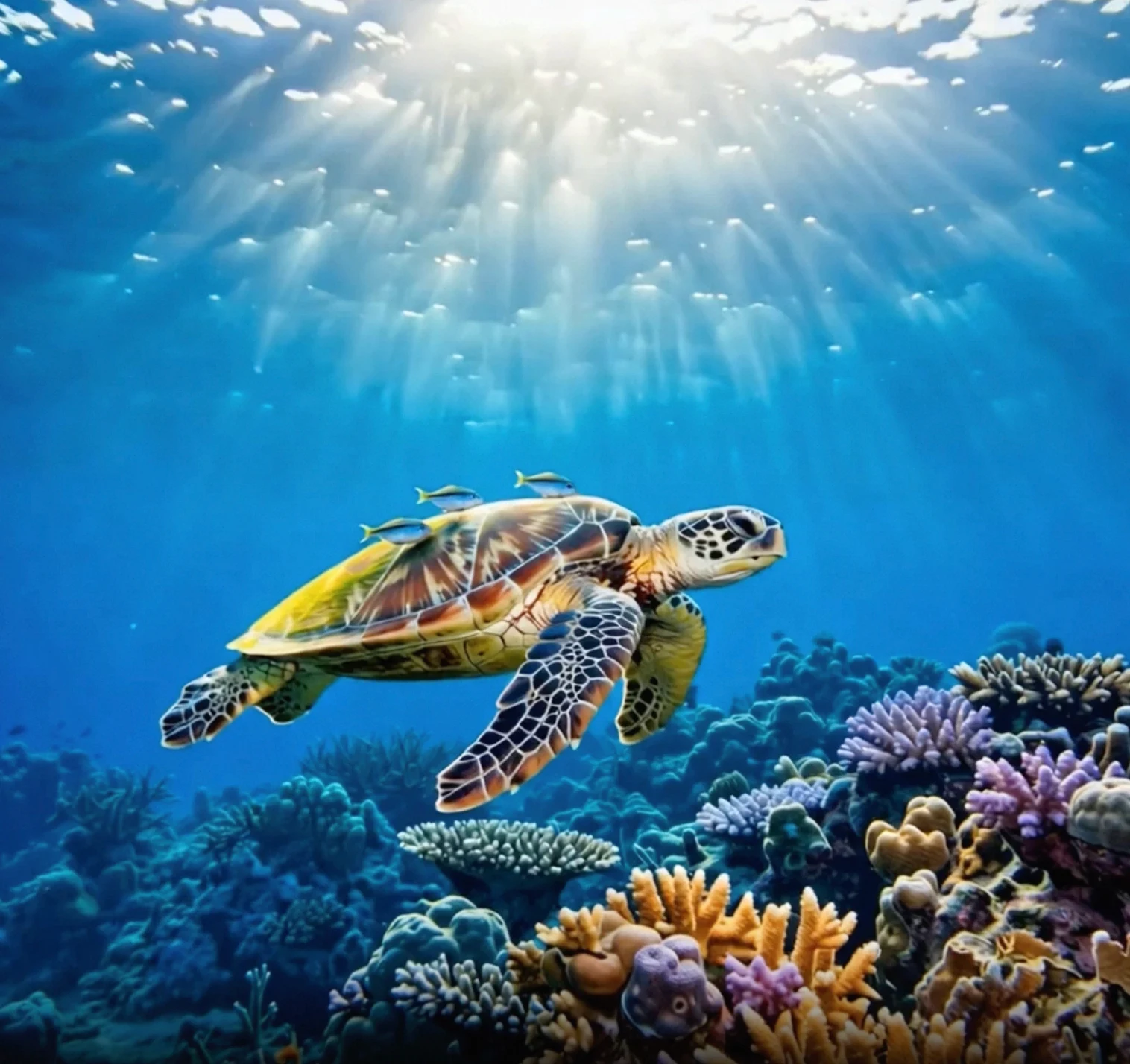 |
Avant d'appeler l'API, commencez par obtenir votre clé API et votre hôte API, puis configurez la clé API comme variable d'environnement (cette méthode est obsolète et a été intégrée à la configuration de la clé API). Pour appeler l'API via le SDK, installez le SDK DashScope.
Remplacez {WorkspaceId} par votre véritable ID d'espace de travail.
Python SDK
ImportantAssurez-vous que la version du SDK Python DashScope est au moins 1.25.8 avant d'exécuter le code suivant.
Une version trop ancienne peut déclencher des erreurs telles que « url error, please check url! ». Consultez la rubrique Installer le SDK pour effectuer la mise à jour.
import os
from http import HTTPStatus
from dashscope import VideoSynthesis
import dashscope

# The following URL is for the Singapore region. Replace {WorkspaceId} with your actual workspace ID. URLs differ by region.
dashscope.base_http_api_url = 'https://{WorkspaceId}.ap-southeast-1.maas.aliyuncs.com/api/v1'
# API keys vary by region. Get an API key: https://www.alibabacloud.com/help/en/model-studio/get-api-key
api_key = os.getenv("DASHSCOPE_API_KEY", "YOUR_API_KEY")

print('please wait...')
rsp = VideoSynthesis.call(api_key=api_key,
                          model='wan2.6-i2v-flash',
                          prompt='The camera slowly moves up from below the turtle, which swims gracefully, its belly details clearly visible.',
                          img_url="https://help-static-aliyun-doc.aliyuncs.com/file-manage-files/zh-CN/20260121/zlpocv/wan-i2v-haigui.webp",
                          resolution="720P",
                          duration=10,
                          shot_type="multi",
                          prompt_extend=True,
                          watermark=True)
print(rsp)
if rsp.status_code == HTTPStatus.OK:
    print("video_url:", rsp.output.video_url)
else:
    print('Failed, status_code: %s, code: %s, message: %s' % (rsp.status_code, rsp.code, rsp.message))
Java SDK
ImportantVérifiez que la version du SDK Java DashScope est au moins 2.22.6 avant d'exécuter le code ci-dessous.
Une version trop ancienne peut déclencher des erreurs telles que « url error, please check url! ». Consultez la rubrique Installer le SDK pour effectuer la mise à jour.
import com.alibaba.dashscope.aigc.videosynthesis.VideoSynthesis;
import com.alibaba.dashscope.aigc.videosynthesis.VideoSynthesisParam;
import com.alibaba.dashscope.aigc.videosynthesis.VideoSynthesisResult;
import com.alibaba.dashscope.exception.ApiException;
import com.alibaba.dashscope.exception.InputRequiredException;
import com.alibaba.dashscope.exception.NoApiKeyException;
import com.alibaba.dashscope.utils.JsonUtils;
import com.alibaba.dashscope.utils.Constants;

public class Image2Video {

    static {
        // The following URL is for the Singapore region. Replace {WorkspaceId} with your actual workspace ID. URLs differ by region.
        Constants.baseHttpApiUrl = "https://{WorkspaceId}.ap-southeast-1.maas.aliyuncs.com/api/v1";
    }

    // If you have not configured the environment variable, replace the following line with your Model Studio API key: apiKey="sk-xxx"
    // API keys vary by region. Get an API key: https://www.alibabacloud.com/help/en/model-studio/get-api-key
    static String apiKey = System.getenv("DASHSCOPE_API_KEY");

    public static void image2video() throws ApiException, NoApiKeyException, InputRequiredException {
        VideoSynthesis vs = new VideoSynthesis();
        VideoSynthesisParam param =
                VideoSynthesisParam.builder()
                        .apiKey(apiKey)
                        .model("wan2.6-i2v-flash")
                        .prompt("The camera slowly moves up from below the turtle, which swims gracefully, its belly details clearly visible.")
                        .imgUrl("https://help-static-aliyun-doc.aliyuncs.com/file-manage-files/zh-CN/20260121/zlpocv/wan-i2v-haigui.webp")
                        .duration(10)
                        .resolution("720P")
                        .shotType("multi")
                        .promptExtend(true)
                        .watermark(true)
                        .build();
        System.out.println("please wait...");
        VideoSynthesisResult result = vs.call(param);
        System.out.println(JsonUtils.toJson(result));
    }

    public static void main(String[] args) {
        try {
            image2video();
        } catch (ApiException | NoApiKeyException | InputRequiredException e) {
            System.out.println(e.getMessage());
        }
        System.exit(0);
    }
}
curl
Étape 1 : Créer une tâche pour obtenir l'ID de tâchecurl --location 'https://{WorkspaceId}.ap-southeast-1.maas.aliyuncs.com/api/v1/services/aigc/video-generation/video-synthesis' \
-H 'X-DashScope-Async: enable' \
-H "Authorization: Bearer $DASHSCOPE_API_KEY" \
-H 'Content-Type: application/json' \
-d '{
"model": "wan2.6-i2v-flash",
"input": {
"prompt": "The camera slowly moves up from below the turtle, which swims gracefully, its belly details clearly visible.",
"img_url": "https://help-static-aliyun-doc.aliyuncs.com/file-manage-files/zh-CN/20260121/zlpocv/wan-i2v-haigui.webp"
},
"parameters": {
"resolution": "720P",
"prompt_extend": true,
"watermark": true,
"duration": 10,
"shot_type":"multi"
}
}'
Remplacez {task_id} par la valeur task_id renvoyée par l'appel API précédent. La valeur task_id reste valide pour les requêtes pendant 24 heures. Remplacez {WorkspaceId} par votre véritable ID d'espace de travail.
curl -X GET https://{WorkspaceId}.ap-southeast-1.maas.aliyuncs.com/api/v1/tasks/{task_id} \
--header "Authorization: Bearer $DASHSCOPE_API_KEY"
L'URL
video_urlest valide pendant 24 heures. Téléchargez la vidéo rapidement.
{
    "request_id": "c1209113-8437-424f-a386-xxxxxx",
    "output": {
        "task_id": "966cebcd-dedc-4962-af88-xxxxxx",
        "task_status": "SUCCEEDED",
        "video_url": "https://dashscope-result-sh.oss-accelerate.aliyuncs.com/xxx.mp4?Expires=xxx",
         ...
    },
    ...
}
Périmètre
- Les modèles pris en charge varient selon la région. Les ressources sont isolées entre les régions. Pour connaître les modèles disponibles dans chaque région, consultez la console Model Studio.
- Lors d'un appel, assurez-vous que votre modèle, votre URL d'endpoint et votre clé API appartiennent tous à la même région. Les appels interrégionaux échouent systématiquement.
RemarqueLe code d'exemple de cette rubrique s'applique à la région de Singapour.
Fonctionnalités principales
Créer des vidéos multi-plans
Modèles pris en charge : Série de modèles Wan 2.6.
Présentation de la fonctionnalité : Le modèle bascule automatiquement entre les plans (par exemple, du plan large au gros plan), ce qui le rend idéal pour la production de clips musicaux.
Configuration des paramètres :
shot_type: Doit être défini sur"multi".prompt_extend: Doit être défini surtrue(active la réécriture intelligente pour optimiser les descriptions de plans).
| Prompt d'entrée | Image de la première trame d'entrée | Vidéo de sortie (Wan 2.6, Vidéo multi-plans) |
Une scène d'art fantastique urbain. Un personnage de graffiti dynamique. Un garçon fait de peinture en bombe prend vie sur un mur de béton. Il rappe une chanson anglaise à un rythme très rapide, adoptant une pose classique et énergique de rappeur. La scène se déroule la nuit sous un pont ferroviaire urbain. L'éclairage provient d'un seul lampadaire, créant une atmosphère cinématographique, pleine d'énergie et de détails époustouflants. La partie audio de la vidéo consiste entièrement en du rap, sans autre dialogue ni bruit de fond. | 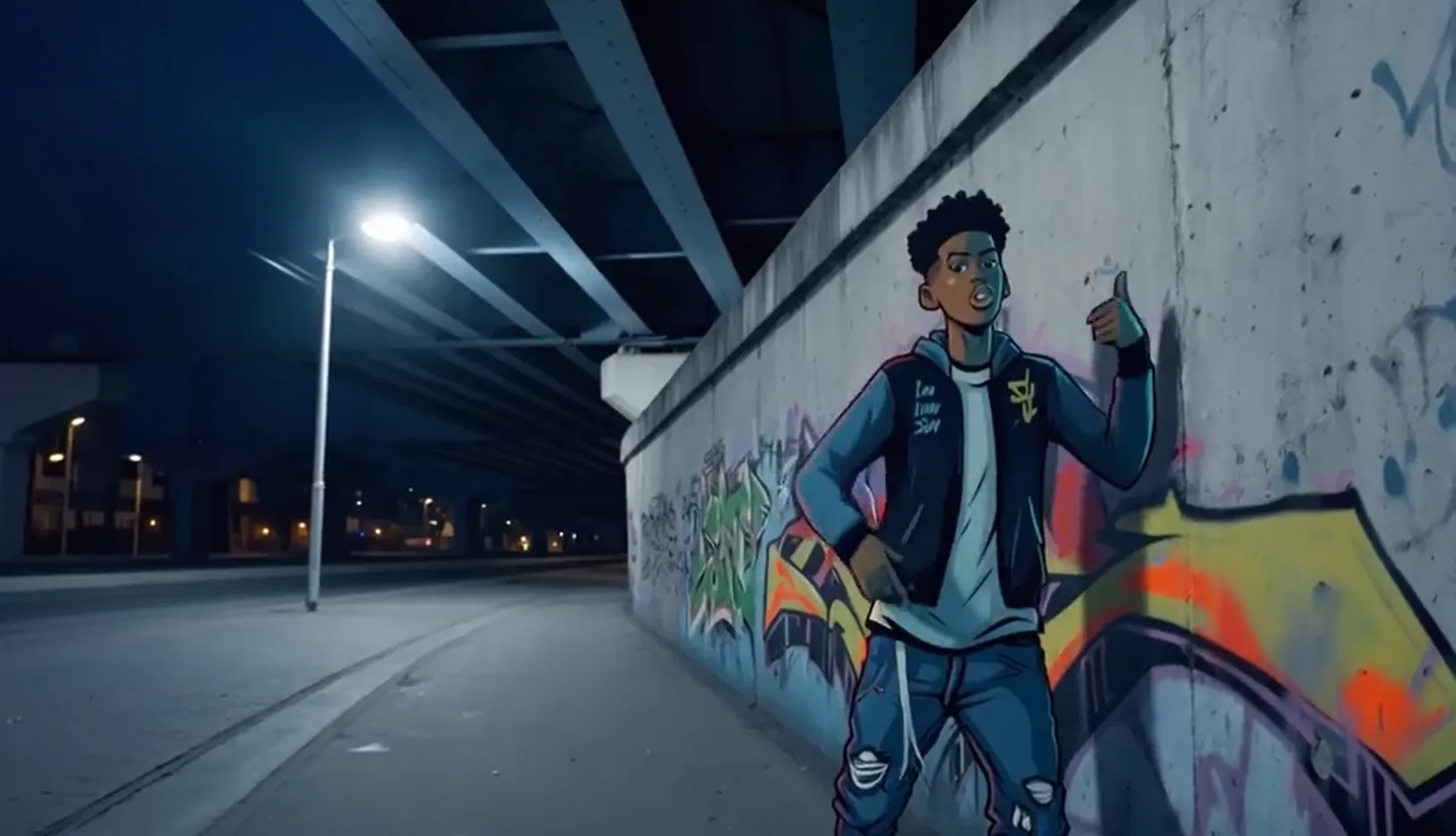 Audio d'entrée : |
Remplacez {WorkspaceId} par votre véritable ID d'espace de travail.
Python SDK
Assurez-vous que la version du SDK DashScope pour Python est au moins
1.25.8. Pour savoir comment effectuer la mise à jour, consultez Installation du SDK .
import os
from http import HTTPStatus
from dashscope import VideoSynthesis
import dashscope

# The following URL is for the Singapore region. Replace {WorkspaceId} with your actual workspace ID. URLs differ by region.
dashscope.base_http_api_url = 'https://{WorkspaceId}.ap-southeast-1.maas.aliyuncs.com/api/v1'

# If you have not configured the environment variable, replace the following line with your Model Studio API key: api_key="sk-xxx"
# API keys vary by region. Get an API key: https://www.alibabacloud.com/help/en/model-studio/get-api-key
api_key = os.getenv("DASHSCOPE_API_KEY")

def sample_async_call_i2v():
    # Asynchronous invocation returns a task ID
    rsp = VideoSynthesis.async_call(api_key=api_key,
                                    model='wan2.6-i2v-flash',
                                    prompt='An urban fantasy art scene. A dynamic graffiti art character. A boy made of spray paint comes to life from a concrete wall. He raps an English song at a very fast pace, striking a classic, energetic rapper pose. The scene is set at night under an urban railway bridge. The lighting comes from a single street lamp, creating a cinematic atmosphere, full of high energy and amazing detail. The audio part of the video consists entirely of rap, with no other dialogue or background noise.',
                                    img_url="https://help-static-aliyun-doc.aliyuncs.com/file-manage-files/zh-CN/20250925/wpimhv/rap.png",
                                    audio_url="https://help-static-aliyun-doc.aliyuncs.com/file-manage-files/zh-CN/20250925/ozwpvi/rap.mp3",
                                    resolution="720P",
                                    duration=10,
                                    shot_type="multi", # Multi-shot
                                    prompt_extend=True,
                                    watermark=True,
                                    negative_prompt="",
                                    seed=12345)
    print(rsp)
    if rsp.status_code == HTTPStatus.OK:
        print("task_id: %s" % rsp.output.task_id)
    else:
        print('Failed, status_code: %s, code: %s, message: %s' % (rsp.status_code, rsp.code, rsp.message))

    # Wait for the asynchronous task to complete
    rsp = VideoSynthesis.wait(task=rsp, api_key=api_key)
    print(rsp)
    if rsp.status_code == HTTPStatus.OK:
        print(rsp.output.video_url)
    else:
        print('Failed, status_code: %s, code: %s, message: %s' % (rsp.status_code, rsp.code, rsp.message))

if __name__ == '__main__':
    sample_async_call_i2v()
Java SDK
Vérifiez que la version du SDK Java DashScope est au moins
2.22.6. Pour mettre à jour le SDK, consultez Installer le SDK .
import com.alibaba.dashscope.aigc.videosynthesis.VideoSynthesis;
import com.alibaba.dashscope.aigc.videosynthesis.VideoSynthesisParam;
import com.alibaba.dashscope.aigc.videosynthesis.VideoSynthesisResult;
import com.alibaba.dashscope.exception.ApiException;
import com.alibaba.dashscope.exception.InputRequiredException;
import com.alibaba.dashscope.exception.NoApiKeyException;
import com.alibaba.dashscope.utils.JsonUtils;
import com.alibaba.dashscope.utils.Constants;

public class Image2Video {
    static {
        // The following URL is for the Singapore region. Replace {WorkspaceId} with your actual workspace ID. URLs differ by region.
        Constants.baseHttpApiUrl = "https://{WorkspaceId}.ap-southeast-1.maas.aliyuncs.com/api/v1";
    }

    // If you have not configured the environment variable, replace the following line with your Model Studio API key: apiKey="sk-xxx"
    // API keys vary by region. Get an API key: https://www.alibabacloud.com/help/en/model-studio/get-api-key
    static String apiKey = System.getenv("DASHSCOPE_API_KEY");

    // Set input image URL
    static String imgUrl = "https://help-static-aliyun-doc.aliyuncs.com/file-manage-files/zh-CN/20250925/wpimhv/rap.png";
    // Set audio URL
    static String audioUrl = "https://help-static-aliyun-doc.aliyuncs.com/file-manage-files/zh-CN/20250925/ozwpvi/rap.mp3";

    public static void image2video() throws ApiException, NoApiKeyException, InputRequiredException {
        VideoSynthesis vs = new VideoSynthesis();
        VideoSynthesisParam param =
                VideoSynthesisParam.builder()
                        .apiKey(apiKey)
                        .model("wan2.6-i2v-flash")
                        .prompt("An urban fantasy art scene. A dynamic graffiti art character. A boy made of spray paint comes to life from a concrete wall. He raps an English song at a very fast pace, striking a classic, energetic rapper pose. The scene is set at night under an urban railway bridge. The lighting comes from a single street lamp, creating a cinematic atmosphere, full of high energy and amazing detail. The audio part of the video consists entirely of rap, with no other dialogue or background noise.")
                        .imgUrl(imgUrl)
                        .audioUrl(audioUrl)
                        .shotType("multi")
                        .duration(10)
                        .resolution("720P")
                        .negativePrompt("")
                        .promptExtend(true)
                        .watermark(true)
                        .seed(12345)
                        .build();
        // Asynchronous invocation
        VideoSynthesisResult task = vs.asyncCall(param);
        System.out.println(JsonUtils.toJson(task));
        System.out.println("please wait...");

        // Get results
        VideoSynthesisResult result = vs.wait(task, apiKey);
        System.out.println(JsonUtils.toJson(result));
    }

    public static void main(String[] args) {
        try {
            image2video();
        } catch (ApiException | NoApiKeyException | InputRequiredException e) {
            System.out.println(e.getMessage());
        }
        System.exit(0);
    }
}
curl
Étape 1 : Créer une tâche pour obtenir l'ID de tâche# The following URL is for the Singapore region. Replace {WorkspaceId} with your actual workspace ID. URLs differ by region.
curl --location 'https://{WorkspaceId}.ap-southeast-1.maas.aliyuncs.com/api/v1/services/aigc/video-generation/video-synthesis' \
-H 'X-DashScope-Async: enable' \
-H "Authorization: Bearer $DASHSCOPE_API_KEY" \
-H 'Content-Type: application/json' \
-d '{
"model": "wan2.6-i2v-flash",
"input": {
"prompt": "A scene of urban fantasy art. A dynamic graffiti art character. A boy made of spray paint comes to life from a concrete wall. He raps an English song at high speed while striking a classic, energetic rapper pose. The scene is set under an urban railway bridge at night. The lighting comes from a single street lamp, creating a cinematic atmosphere full of high energy and amazing detail. The audio of the video consists entirely of his rap, with no other dialogue or noise.",
"img_url": "https://help-static-aliyun-doc.aliyuncs.com/file-manage-files/zh-CN/20250925/wpimhv/rap.png",
"audio_url": "https://help-static-aliyun-doc.aliyuncs.com/file-manage-files/zh-CN/20250925/ozwpvi/rap.mp3"
},
"parameters": {
"resolution": "720P",
"prompt_extend": true,
"duration": 10,
"shot_type":"multi"
}
}'
Remplacez {task_id} par la valeur task_id renvoyée par l'appel API précédent. La valeur task_id reste valide pour les requêtes pendant 24 heures. Remplacez {WorkspaceId} par votre véritable ID d'espace de travail.
curl -X GET https://{WorkspaceId}.ap-southeast-1.maas.aliyuncs.com/api/v1/tasks/{task_id} \
--header "Authorization: Bearer $DASHSCOPE_API_KEY"
Réaliser une synchronisation audiovisuelle
Modèles pris en charge : Séries de modèles wan2.5 et wan2.6.
Présentation de la fonctionnalité : Fait parler ou chanter les personnages des photos avec des mouvements de lèvres synchronisés sur l'audio. Pour plus d'exemples, consultez Génération sonore vidéo.
Configuration des paramètres :- Fichier audio d'entrée : Fournissez une
audio_url. Le modèle synchronise les mouvements des lèvres en fonction du fichier audio. - Doublage automatique : Ne fournissez pas d'
audio_url. Par défaut, la sortie est une vidéo avec du son. Le modèle génère automatiquement des effets sonores d'ambiance, de la musique ou des voix en fonction des éléments visuels.
| Prompt d'entrée | Image de la première trame d'entrée | Vidéo de sortie (Vidéo avec son) |
Une scène d'art fantastique urbain. Un personnage de graffiti dynamique. Un adolescent peint à la bombe prend vie sur un mur de béton. Il rappe en anglais à un rythme très rapide, adoptant une pose classique et énergique de rappeur. La scène se déroule la nuit sous un pont ferroviaire urbain. La lumière d'un lampadaire solitaire crée une atmosphère cinématographique, pleine d'énergie et de détails époustouflants. La partie audio de la vidéo consiste entièrement en du rap, sans autre dialogue ni bruit. | Audio d'entrée : |
Remplacez {WorkspaceId} par votre véritable ID d'espace de travail.
Python SDK
Assurez-vous que la version du SDK DashScope pour Python est au moins
1.25.8. Pour savoir comment effectuer la mise à jour, consultez Installation du SDK .
import os
from http import HTTPStatus
from dashscope import VideoSynthesis
import dashscope

# The following URL is for the Singapore region. Replace {WorkspaceId} with your actual workspace ID. URLs differ by region.
dashscope.base_http_api_url = 'https://{WorkspaceId}.ap-southeast-1.maas.aliyuncs.com/api/v1'

# If you have not configured the environment variable, replace the following line with: api_key="sk-xxx" using your Model Studio API key.
# API keys vary by region. Get your API key: https://www.alibabacloud.com/help/en/model-studio/get-api-key
api_key = os.getenv("DASHSCOPE_API_KEY")

def sample_async_call_i2v():
    # Asynchronous invocation, returns a task_id
    rsp = VideoSynthesis.async_call(api_key=api_key,
                                    model='wan2.6-i2v-flash',
                                    prompt='A scene of urban fantasy art. A dynamic graffiti character. A teenager painted with spray paint comes to life from a concrete wall. He raps in English at a very fast pace, striking a classic, energetic rapper pose. The scene is set at night under an urban railway bridge. Light from a solitary streetlamp creates a cinematic atmosphere, full of high energy and stunning detail. The audio portion of the video consists entirely of rap, with no other dialogue or noise.',
                                    img_url="https://help-static-aliyun-doc.aliyuncs.com/file-manage-files/zh-CN/20250925/wpimhv/rap.png",
                                    audio_url="https://help-static-aliyun-doc.aliyuncs.com/file-manage-files/zh-CN/20250925/ozwpvi/rap.mp3",
                                    resolution="720P",
                                    duration=10,
                                    prompt_extend=True,
                                    watermark=True,
                                    negative_prompt="",
                                    seed=12345)
    print(rsp)
    if rsp.status_code == HTTPStatus.OK:
        print("task_id: %s" % rsp.output.task_id)
    else:
        print('Failed, status_code: %s, code: %s, message: %s' % (rsp.status_code, rsp.code, rsp.message))

    # Wait for the asynchronous task to complete
    rsp = VideoSynthesis.wait(task=rsp, api_key=api_key)
    print(rsp)
    if rsp.status_code == HTTPStatus.OK:
        print(rsp.output.video_url)
    else:
        print('Failed, status_code: %s, code: %s, message: %s' % (rsp.status_code, rsp.code, rsp.message))

if __name__ == '__main__':
    sample_async_call_i2v()
Java SDK
Vérifiez que la version du SDK Java DashScope est au moins
2.22.6. Pour mettre à jour le SDK, consultez Installer le SDK .
import com.alibaba.dashscope.aigc.videosynthesis.VideoSynthesis;
import com.alibaba.dashscope.aigc.videosynthesis.VideoSynthesisParam;
import com.alibaba.dashscope.aigc.videosynthesis.VideoSynthesisResult;
import com.alibaba.dashscope.exception.ApiException;
import com.alibaba.dashscope.exception.InputRequiredException;
import com.alibaba.dashscope.exception.NoApiKeyException;
import com.alibaba.dashscope.utils.JsonUtils;
import com.alibaba.dashscope.utils.Constants;

public class Image2Video {
    static {
        // The following URL is for the Singapore region. Replace {WorkspaceId} with your actual workspace ID. URLs differ by region.
        Constants.baseHttpApiUrl = "https://{WorkspaceId}.ap-southeast-1.maas.aliyuncs.com/api/v1";
    }

    // If you have not configured the environment variable, replace the following line with: apiKey="sk-xxx" using your Model Studio API key.
    // API keys vary by region. Get your API key: https://www.alibabacloud.com/help/en/model-studio/get-api-key
    static String apiKey = System.getenv("DASHSCOPE_API_KEY");

    // Set input image URL
    static String imgUrl = "https://help-static-aliyun-doc.aliyuncs.com/file-manage-files/zh-CN/20250925/wpimhv/rap.png";
    // Set audio URL
    static String audioUrl = "https://help-static-aliyun-doc.aliyuncs.com/file-manage-files/zh-CN/20250925/ozwpvi/rap.mp3";

    public static void image2video() throws ApiException, NoApiKeyException, InputRequiredException {
        VideoSynthesis vs = new VideoSynthesis();
        VideoSynthesisParam param =
                VideoSynthesisParam.builder()
                        .apiKey(apiKey)
                        .model("wan2.6-i2v-flash")
                        .prompt("A scene of urban fantasy art. A dynamic graffiti character. A teenager painted with spray paint comes to life from a concrete wall. He raps in English at a very fast pace, striking a classic, energetic rapper pose. The scene is set at night under an urban railway bridge. Light from a solitary streetlamp creates a cinematic atmosphere, full of high energy and stunning detail. The audio portion of the video consists entirely of rap, with no other dialogue or noise.")
                        .imgUrl(imgUrl)
                        .audioUrl(audioUrl)
                        .duration(10)
                        .resolution("720P")
                        .negativePrompt("")
                        .promptExtend(true)
                        .watermark(true)
                        .seed(12345)
                        .build();
        // Asynchronous invocation
        VideoSynthesisResult task = vs.asyncCall(param);
        System.out.println(JsonUtils.toJson(task));
        System.out.println("please wait...");

        // Get result
        VideoSynthesisResult result = vs.wait(task, apiKey);
        System.out.println(JsonUtils.toJson(result));
    }

    public static void main(String[] args) {
        try {
            image2video();
        } catch (ApiException | NoApiKeyException | InputRequiredException e) {
            System.out.println(e.getMessage());
        }
        System.exit(0);
    }
}
curl
Étape 1 : Créer une tâche pour obtenir l'ID de tâche# The following URL is for the Singapore region. Replace {WorkspaceId} with your actual workspace ID. URLs differ by region.
curl --location 'https://{WorkspaceId}.ap-southeast-1.maas.aliyuncs.com/api/v1/services/aigc/video-generation/video-synthesis' \
-H 'X-DashScope-Async: enable' \
-H "Authorization: Bearer $DASHSCOPE_API_KEY" \
-H 'Content-Type: application/json' \
-d '{
"model": "wan2.5-i2v-preview",
"input": {
"prompt": "A scene of urban fantasy art. A dynamic graffiti art character. A boy made of spray paint comes to life from a concrete wall. He raps an English song at high speed while striking a classic, energetic rapper pose. The scene is set under an urban railway bridge at night. The lighting comes from a single street lamp, creating a cinematic atmosphere full of high energy and amazing detail. The audio of the video consists entirely of his rap, with no other dialogue or noise.",
"img_url": "https://help-static-aliyun-doc.aliyuncs.com/file-manage-files/zh-CN/20250925/wpimhv/rap.png",
"audio_url": "https://help-static-aliyun-doc.aliyuncs.com/file-manage-files/zh-CN/20250925/ozwpvi/rap.mp3"
},
"parameters": {
"resolution": "480P",
"prompt_extend": true,
"duration": 10
}
}'
# The following URL is for the Singapore region. Replace {WorkspaceId} with your actual workspace ID. URLs differ by region.

curl --location 'https://{WorkspaceId}.ap-southeast-1.maas.aliyuncs.com/api/v1/services/aigc/video-generation/video-synthesis' \
    -H 'X-DashScope-Async: enable' \
    -H "Authorization: Bearer $DASHSCOPE_API_KEY" \
    -H 'Content-Type: application/json' \
    -d '{
    "model": "wan2.5-i2v-preview",
    "input": {
        "prompt": "A scene of urban fantasy art. A dynamic graffiti art character. A boy made of spray paint comes to life from a concrete wall. He raps an English song at high speed while striking a classic, energetic rapper pose. The scene is set under an urban railway bridge at night. The lighting comes from a single street lamp, creating a cinematic atmosphere full of high energy and amazing detail. The audio of the video consists entirely of his rap, with no other dialogue or noise.",
        "img_url": "https://help-static-aliyun-doc.aliyuncs.com/file-manage-files/zh-CN/20250925/wpimhv/rap.png"
    },
    "parameters": {
        "resolution": "480P",
        "prompt_extend": true,
        "duration": 10
    }
}'
Remplacez {task_id} par la valeur task_id renvoyée par l'appel API précédent. La valeur task_id reste valide pour les requêtes pendant 24 heures. Remplacez {WorkspaceId} par votre véritable ID d'espace de travail.
curl -X GET https://{WorkspaceId}.ap-southeast-1.maas.aliyuncs.com/api/v1/tasks/{task_id} \
--header "Authorization: Bearer $DASHSCOPE_API_KEY"
Step 1: Create a task to get the task ID
Automatic Dubbing
Input Audio File
Tab 2 Body
Step 2: Get results based on the task ID
Générer des vidéos muettes
Modèles pris en charge : wan2.6-i2v-flash, Série de modèles wan2.2, Série de modèles wan2.1.
Présentation de la fonctionnalité : Utilisez des vidéos muettes pour des scénarios purement visuels ne nécessitant pas d'audio, tels que des affiches animées ou de courtes vidéos silencieuses.
Configuration des paramètres :
wan2.6-i2v-flash: Génère par défaut des vidéos avec audio. Pour générer une vidéo muette, définissez explicitementaudio=false. Même si vous transmettez uneaudio_url, la sortie reste muette lorsqueaudio=false. Vous êtes facturé pour les vidéos muettes.wan2.2 et modèles antérieurs: Génèrent par défaut des vidéos muettes. Aucune configuration supplémentaire n'est nécessaire.
| Prompt | Image de la première trame d'entrée | Vidéo de sortie (vidéo muette) |
Un chat court sur l'herbe | 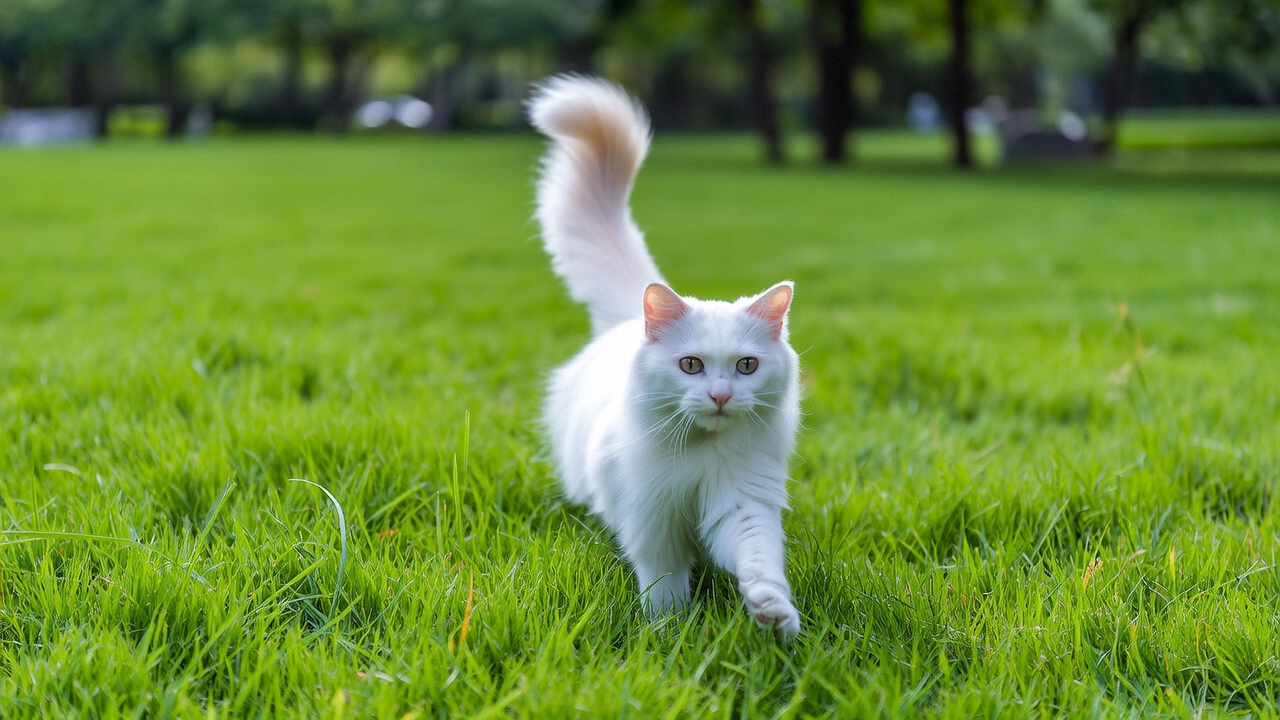 |
Remplacez {WorkspaceId} par votre véritable ID d'espace de travail.
Python SDK
Assurez-vous que la version du SDK DashScope pour Python est au moins
1.25.8. Pour savoir comment effectuer la mise à jour, consultez Installation du SDK .
import os
from http import HTTPStatus
from dashscope import VideoSynthesis
import dashscope

# The following URL is for the Singapore region. Replace {WorkspaceId} with your actual workspace ID. URLs differ by region.
dashscope.base_http_api_url = 'https://{WorkspaceId}.ap-southeast-1.maas.aliyuncs.com/api/v1'

# If you have not set an environment variable, replace the next line with: api_key="sk-xxx"
# API keys differ by region. Get your API key: https://www.alibabacloud.com/help/en/model-studio/get-api-key
api_key = os.getenv("DASHSCOPE_API_KEY")

def sample_async_call_i2v():
    # Call asynchronously. Returns a task_id.
    rsp = VideoSynthesis.async_call(api_key=api_key,
                                    model='wan2.6-i2v-flash',
                                    prompt='A cat runs on grass',
                                    img_url="https://cdn.translate.alibaba.com/r/wanx-demo-1.png",
                                    audio=False,   # Set to False to generate a silent video.
                                    resolution="720P",
                                    duration=5,
                                    prompt_extend=True,
                                    watermark=True,
                                    negative_prompt="",
                                    seed=12345)
    print(rsp)
    if rsp.status_code == HTTPStatus.OK:
        print("task_id: %s" % rsp.output.task_id)
    else:
        print('Failed, status_code: %s, code: %s, message: %s' % (rsp.status_code, rsp.code, rsp.message))

    # Wait for the asynchronous task to complete.
    rsp = VideoSynthesis.wait(task=rsp, api_key=api_key)
    print(rsp)
    if rsp.status_code == HTTPStatus.OK:
        print(rsp.output.video_url)
    else:
        print('Failed, status_code: %s, code: %s, message: %s' % (rsp.status_code, rsp.code, rsp.message))

if __name__ == '__main__':
    sample_async_call_i2v()
Java SDK
Vérifiez que la version du SDK Java DashScope est au moins
2.22.6. Pour mettre à jour le SDK, consultez Installer le SDK .
import com.alibaba.dashscope.aigc.videosynthesis.VideoSynthesis;
import com.alibaba.dashscope.aigc.videosynthesis.VideoSynthesisParam;
import com.alibaba.dashscope.aigc.videosynthesis.VideoSynthesisResult;
import com.alibaba.dashscope.exception.ApiException;
import com.alibaba.dashscope.exception.InputRequiredException;
import com.alibaba.dashscope.exception.NoApiKeyException;
import com.alibaba.dashscope.utils.JsonUtils;
import com.alibaba.dashscope.utils.Constants;

public class Image2Video {
    static {
        // The following URL is for the Singapore region. Replace {WorkspaceId} with your actual workspace ID. URLs differ by region.
        Constants.baseHttpApiUrl = "https://{WorkspaceId}.ap-southeast-1.maas.aliyuncs.com/api/v1";
    }

    // If you have not set an environment variable, replace the next line with: apiKey="sk-xxx"
    // API keys differ by region. Get your API key: https://www.alibabacloud.com/help/en/model-studio/get-api-key
    static String apiKey = System.getenv("DASHSCOPE_API_KEY");

    public static void image2video() throws ApiException, NoApiKeyException, InputRequiredException {
        VideoSynthesis vs = new VideoSynthesis();
        VideoSynthesisParam param =
                VideoSynthesisParam.builder()
                        .apiKey(apiKey)
                        .model("wan2.6-i2v-flash")
                        .prompt("A cat runs on grass")
                        .imgUrl("https://cdn.translate.alibaba.com/r/wanx-demo-1.png")
                        .audio(false)   /*Set to false to generate a silent video.*/
                        .duration(10)
                        .resolution("720P")
                        .negativePrompt("")
                        .promptExtend(true)
                        .watermark(true)
                        .seed(12345)
                        .build();
        // Call asynchronously.
        VideoSynthesisResult task = vs.asyncCall(param);
        System.out.println(JsonUtils.toJson(task));
        System.out.println("please wait...");

        // Get the result.
        VideoSynthesisResult result = vs.wait(task, apiKey);
        System.out.println(JsonUtils.toJson(result));
    }

    public static void main(String[] args) {
        try {
            image2video();
        } catch (ApiException | NoApiKeyException | InputRequiredException e) {
            System.out.println(e.getMessage());
        }
        System.exit(0);
    }
}
curl
Étape 1 : Créer une tâche pour obtenir un ID de tâchecurl --location 'https://{WorkspaceId}.ap-southeast-1.maas.aliyuncs.com/api/v1/services/aigc/video-generation/video-synthesis' \
-H 'X-DashScope-Async: enable' \
-H "Authorization: Bearer $DASHSCOPE_API_KEY" \
-H 'Content-Type: application/json' \
-d '{
"model": "wan2.6-i2v-flash",
"input": {
"prompt": "A cat runs on grass",
"img_url": "https://cdn.translate.alibaba.com/r/wanx-demo-1.png"
},
"parameters": {
"audio": false,
"resolution": "720P",
"prompt_extend": true,
"watermark": true,
"duration": 5
}
}'
# The following URL is for the Singapore region. Replace {WorkspaceId} with your actual workspace ID. URLs differ by region.

curl --location 'https://{WorkspaceId}.ap-southeast-1.maas.aliyuncs.com/api/v1/services/aigc/video-generation/video-synthesis' \
    -H 'X-DashScope-Async: enable' \
    -H "Authorization: Bearer $DASHSCOPE_API_KEY" \
    -H 'Content-Type: application/json' \
    -d '{
    "model": "wan2.2-i2v-plus",
    "input": {
        "prompt": "A cat running on the grass",
        "img_url": "https://cdn.translate.alibaba.com/r/wanx-demo-1.png"
    },
    "parameters": {
        "resolution": "480P",
        "prompt_extend": true
    }
}'
Remplacez {task_id} par la valeur task_id renvoyée par l'appel API précédent. La valeur task_id reste valide pour les requêtes pendant 24 heures. Remplacez {WorkspaceId} par votre véritable ID d'espace de travail.
curl -X GET https://{WorkspaceId}.ap-southeast-1.maas.aliyuncs.com/api/v1/tasks/{task_id} \
--header "Authorization: Bearer $DASHSCOPE_API_KEY"
Comment transmettre des images et de l'audio
Image d'entrée
- Nombre d'images : Une seule.
- Méthodes d'entrée : URL d'image, chemin de fichier local ou chaîne encodée en Base64.
Méthode 1 : URL d'image (interface HTTP et SDK) Recommandé
-
URL publique : Prend en charge les protocoles HTTP ou HTTPS.
- Exemple de valeur : https://help-static-aliyun-doc.aliyuncs.com/xxx.png.

Méthode 2 : Chemin de fichier local (SDK uniquement)
Les exigences relatives au chemin de fichier diffèrent légèrement entre Python et Java. Respectez strictement les règles ci-dessous pour formater le chemin.
SDK Python : Prend en charge les chemins absolus et relatifs. Les règles de chemin de fichier sont les suivantes :
Système d'exploitation | Chemin du fichier d'entrée | Exemple (chemin absolu) | Exemple (chemin relatif) |
|---|---|---|---|
Linux / macOS | file://{absolute_or_relative_path_of_the_file} | file:///home/images/test.png | file://./images/test.png |
Windows | file://D:/images/test.png | file://./images/test.png |
SDK Java : Prend en charge uniquement les chemins absolus. Les règles de chemin de fichier sont les suivantes :
Système d'exploitation | Chemin du fichier d'entrée | Exemple (chemin absolu) |
|---|---|---|
Linux / macOS | file://{absolute_path_of_the_file} | file:///home/images/test.png |
Windows | file:///{absolute_path_of_the_file} | file:///D:/images/test.png |
Méthode 3 : Chaîne encodée en Base64 (interface HTTP et SDK)
-
Exemple de valeur :
data:image/png;base64,iVBORw0KGgoAAAANSUhEUgAABDg......(L'exemple est tronqué à des fins de démonstration uniquement). -
Exigences de format : Respectez le format
data:{MIME_type};base64,{base64_data}, où :-
{base64_data} : La chaîne encodée en Base64 du fichier image.
-
{MIME_type} : Le type MIME (Multipurpose Internet Mail Extensions) de l'image. Il doit correspondre au format du fichier.
Format d'image
Type MIME
JPEG
image/jpeg
JPG
image/jpeg
PNG
image/png
BMP
image/bmp
WEBP
image/webp
-
Code d'exemple : Trois méthodes d'entrée
import base64
import os
from http import HTTPStatus
from dashscope import VideoSynthesis
import mimetypes
import dashscope

# The following URL is for the Singapore region. Replace {WorkspaceId} with your actual workspace ID. URLs differ by region.
dashscope.base_http_api_url = 'https://{WorkspaceId}.ap-southeast-1.maas.aliyuncs.com/api/v1'

# If the environment variable is not set, replace the following line with your API key from Model Studio: api_key="sk-xxx"
# Get your API key: https://www.alibabacloud.com/help/en/model-studio/get-api-key
api_key = os.getenv("DASHSCOPE_API_KEY")

# --- Helper function for Base64 encoding ---
# Format: data:{MIME_type};base64,{base64_data}
def encode_file(file_path):
    mime_type, _ = mimetypes.guess_type(file_path)
    if not mime_type or not mime_type.startswith("image/"):
        raise ValueError("Unsupported or unrecognized image format")
    with open(file_path, "rb") as image_file:
        encoded_string = base64.b64encode(image_file.read()).decode('utf-8')
    return f"data:{mime_type};base64,{encoded_string}"

"""
Image input methods:
The following are three ways to provide an image. Choose one.

1. Public URL: Ideal for images that are already publicly accessible.
2. Local file: Suitable for local development and testing.
3. Base64 encoding: Best for private images or when data must be securely transmitted.
"""

# [Method 1] Use a publicly accessible image URL
# Example: Use a public image URL
img_url = "https://help-static-aliyun-doc.aliyuncs.com/file-manage-files/zh-CN/20250925/wpimhv/rap.png"

# [Method 2] Use a local file (supports absolute and relative paths)
# Format: file:// + file path
# Example (absolute path):
# img_url = "file://" + "/path/to/your/img.png"    # Linux/macOS
# img_url = "file://" + "C:/path/to/your/img.png"  # Windows
# Example (relative path):
# img_url = "file://" + "./img.png"                # Relative to the current script's directory

# [Method 3] Use a Base64-encoded image
# img_url = encode_file("./img.png")

# Set the audio URL
audio_url = "https://help-static-aliyun-doc.aliyuncs.com/file-manage-files/zh-CN/20250925/ozwpvi/rap.mp3"

def sample_call_i2v():
    # A synchronous call returns the result directly.
    print('please wait...')
    rsp = VideoSynthesis.call(api_key=api_key,
                              model='wan2.6-i2v-flash',
                              prompt='A scene of urban fantasy art. A dynamic graffiti art character. A boy made of spray paint comes to life from a concrete wall. He raps an English song at high speed while striking a classic, energetic rapper pose. The scene is set under an urban railway bridge at night. The lighting comes from a single street lamp, creating a cinematic atmosphere full of high energy and amazing detail. The audio of the video consists entirely of his rap, with no other dialogue or noise.',
                              img_url=img_url,
                              audio_url=audio_url,
                              resolution="720P",
                              duration=10,
                              prompt_extend=True,
                              watermark=False,
                              negative_prompt="",
                              seed=12345)
    print(rsp)
    if rsp.status_code == HTTPStatus.OK:
        print("video_url:", rsp.output.video_url)
    else:
        print('Failed, status_code: %s, code: %s, message: %s' %
              (rsp.status_code, rsp.code, rsp.message))

if __name__ == '__main__':
    sample_call_i2v()
// Copyright (c) Alibaba, Inc. and its affiliates.

import com.alibaba.dashscope.aigc.videosynthesis.VideoSynthesis;
import com.alibaba.dashscope.aigc.videosynthesis.VideoSynthesisParam;
import com.alibaba.dashscope.aigc.videosynthesis.VideoSynthesisResult;
import com.alibaba.dashscope.exception.ApiException;
import com.alibaba.dashscope.exception.InputRequiredException;
import com.alibaba.dashscope.exception.NoApiKeyException;
import com.alibaba.dashscope.utils.JsonUtils;
import com.alibaba.dashscope.utils.Constants;

import java.io.IOException;
import java.nio.file.Files;
import java.nio.file.Path;
import java.nio.file.Paths;
import java.util.Base64;
import java.util.HashMap;
import java.util.Map;

public class Image2Video {

    static {
        // Set the endpoint. This example uses the Singapore region. For other regions, see: https://www.alibabacloud.com/help/en/model-studio/image-to-video-api-reference
        Constants.baseHttpApiUrl = "https://{WorkspaceId}.ap-southeast-1.maas.aliyuncs.com/api/v1";
    }

    // If the environment variable is not set, replace the following line with your API key from Model Studio: apiKey="sk-xxx"
    // Get your API key: https://www.alibabacloud.com/help/en/model-studio/get-api-key
    static String apiKey = System.getenv("DASHSCOPE_API_KEY");

    /**
     * Image input methods: Choose one of the following three.
     *
     * 1. Public URL: Ideal for images that are already publicly accessible.
     * 2. Local file: Suitable for local development and testing.
     * 3. Base64 encoding: Best for private images or when data must be securely transmitted.
     */

    // [Method 1] Public URL
    static String imgUrl = "https://help-static-aliyun-doc.aliyuncs.com/file-manage-files/zh-CN/20250925/wpimhv/rap.png";

    // [Method 2] Local file path (file:// + absolute path)
    // static String imgUrl = "file://" + "/your/path/to/img.png";    // Linux/macOS
    // static String imgUrl = "file://" + "C:/your/path/to/img.png";  // Windows

    // [Method 3] Base64 encoding
    // static String imgUrl = Image2Video.encodeFile("/your/path/to/img.png");

    // Set the audio URL
    static String audioUrl = "https://help-static-aliyun-doc.aliyuncs.com/file-manage-files/zh-CN/20250925/ozwpvi/rap.mp3";

    public static void image2video() throws ApiException, NoApiKeyException, InputRequiredException {
        // Set the parameters
        Map<String, Object> parameters = new HashMap<>();
        parameters.put("prompt_extend", true);
        parameters.put("watermark", false);
        parameters.put("seed", 12345);

        VideoSynthesis vs = new VideoSynthesis();
        VideoSynthesisParam param =
                VideoSynthesisParam.builder()
                        .apiKey(apiKey)
                        .model("wan2.6-i2v-flash")
                        .prompt("A scene of urban fantasy art. A dynamic graffiti art character. A boy made of spray paint comes to life from a concrete wall. He raps an English song at high speed while striking a classic, energetic rapper pose. The scene is set under an urban railway bridge at night. The lighting comes from a single street lamp, creating a cinematic atmosphere full of high energy and amazing detail. The audio of the video consists entirely of his rap, with no other dialogue or noise.")
                        .imgUrl(imgUrl)
                        .audioUrl(audioUrl)
                        .duration(10)
                        .parameters(parameters)
                        .resolution("720P")
                        .negativePrompt("")
                        .build();
        System.out.println("please wait...");
        VideoSynthesisResult result = vs.call(param);
        System.out.println(JsonUtils.toJson(result));
    }

     /**
     * Encodes a file into a Base64 string.
     * @param filePath The file path.
     * @return A Base64 string in the format data:{MIME_type};base64,{base64_data}.
     */
    public static String encodeFile(String filePath) {
        Path path = Paths.get(filePath);
        if (!Files.exists(path)) {
            throw new IllegalArgumentException("File does not exist: " + filePath);
        }
        // Detect MIME type
        String mimeType = null;
        try {
            mimeType = Files.probeContentType(path);
        } catch (IOException e) {
            throw new IllegalArgumentException("Cannot detect file type: " + filePath);
        }
        if (mimeType == null || !mimeType.startsWith("image/")) {
            throw new IllegalArgumentException("Unsupported or unrecognized image format");
        }
        // Read file content and encode
        byte[] fileBytes = null;
        try{
            fileBytes = Files.readAllBytes(path);
        } catch (IOException e) {
            throw new IllegalArgumentException("Cannot read file content: " + filePath);
        }

        String encodedString = Base64.getEncoder().encodeToString(fileBytes);
        return "data:" + mimeType + ";base64," + encodedString;
    }

    public static void main(String[] args) {
        try {
            image2video();
        } catch (ApiException | NoApiKeyException | InputRequiredException e) {
            System.out.println(e.getMessage());
        }
        System.exit(0);
    }
}
Audio d'entrée
-
Nombre de fichiers audio : Un seul.
-
Méthodes d'entrée :
- URL publique : Prend en charge le protocole HTTP ou HTTPS.
Vidéo de sortie
-
Nombre de vidéos : 1.
-
Spécifications de la vidéo de sortie : Les spécifications de sortie varient selon le modèle. Pour plus d'informations, consultez la rubrique Périmètre.
-
Durée de validité de l'URL de la vidéo de sortie : 24 heures.
-
Dimensions de la vidéo de sortie : Les dimensions dépendent de l'image d'entrée et de la
resolutionconfigurée.- Le modèle tente de conserver le rapport hauteur/largeur de l'image d'entrée tout en l'adaptant à un nombre total de pixels proche de la valeur cible. Pour respecter les normes d'encodage, la largeur et la hauteur doivent être des multiples de 16. Le modèle ajuste automatiquement les dimensions avec précision.
- Par exemple : Pour une image d'entrée de 750 × 1000 pixels (rapport hauteur/largeur 3:4 = 0,75) avec une résolution définie sur « 720P » (nombre de pixels cible d'environ 920 000), la sortie finale pourrait être de 816 × 1104 pixels (rapport hauteur/largeur ≈ 0,739, total de pixels ≈ 900 000). La largeur et la hauteur sont toutes deux des multiples de 16.
Facturation et limitation du débit
-
Pour le quota gratuit et les tarifs du modèle, consultez la rubrique Tarification des modèles.
-
Pour la limitation du débit des modèles, consultez la rubrique Série Wan.
-
Détails de facturation :
- Les entrées ne sont pas facturées. Les sorties sont facturées en fonction de la durée en secondes des vidéos générées avec succès.
- Les échecs d'appel de modèle ou les erreurs de traitement n'entraînent aucun frais et ne consomment pas le quota gratuit pour les nouveaux utilisateurs.
- La conversion image-en-vidéo prend également en charge les plans d'épargne.
Référence API
Référence API Image-to-video (première image)
FAQ
Q : Pourquoi ne puis-je pas définir directement le rapport hauteur/largeur de la vidéo (comme 16:9) ?
R : L'API actuelle ne permet pas de définir directement le rapport hauteur/largeur de la vidéo. Vous pouvez uniquement configurer la résolution vidéo à l'aide du paramètre resolution.
Le paramètre resolution contrôle le nombre total de pixels, et non un rapport hauteur/largeur fixe. Le modèle préserve le rapport hauteur/largeur original de la première trame d'entrée (approximativement) puis l'ajuste finement pour répondre aux exigences d'encodage vidéo. Plus précisément, la largeur et la hauteur doivent toutes deux être des multiples de 16.
Q : Pourquoi le code SDK renvoie-t-il « url error, please check url! » ?
R : Assurez-vous que :
- Votre version du SDK Python DashScope est au moins
1.25.8. - Votre version du SDK Java DashScope est au moins
2.22.6.
Si votre version du SDK est trop ancienne, vous risquez de rencontrer l'erreur « url error, please check url! ». Pour obtenir des instructions, consultez la rubrique Mise à niveau du SDK.