A main account in finance trusteeship can share its coupons with linked accounts.
Set up coupon sharing
Previous console
Sign in to the Expenses and Costs console as the main account in finance trusteeship.
In the left-side navigation pane, choose Enterprise Finance > Coupon Sharing.

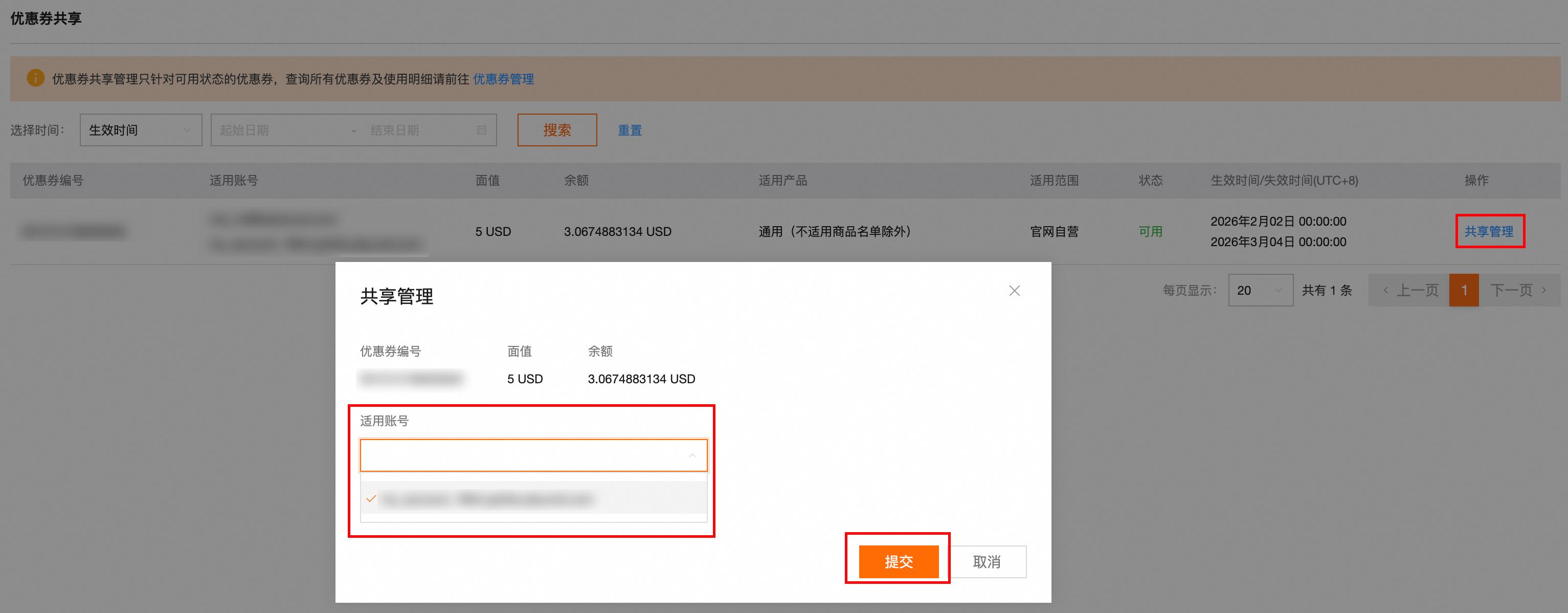
In the row of the coupon that you want to share, click Share Management in the Actions column.
In the Applicable Account field, select the desired linked accounts, and then click Submit.
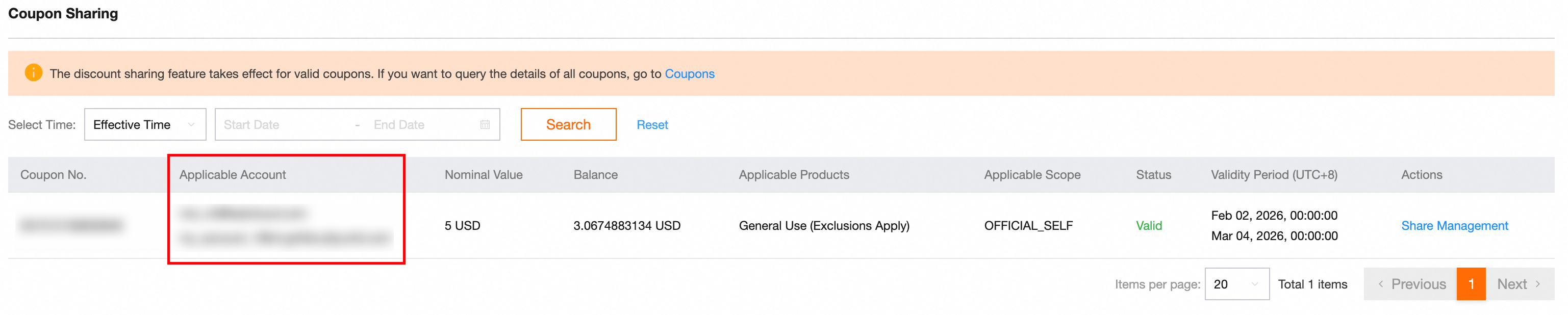
After sharing the coupon, return to the Coupon Sharing page and verify the shared accounts in the Applicable Account column.
New console
Sign in to the Expenses and Costs console as the main account in finance trusteeship.
In the left-side navigation pane, choose Account > Union Account, and then click the Coupon Sharing tab.
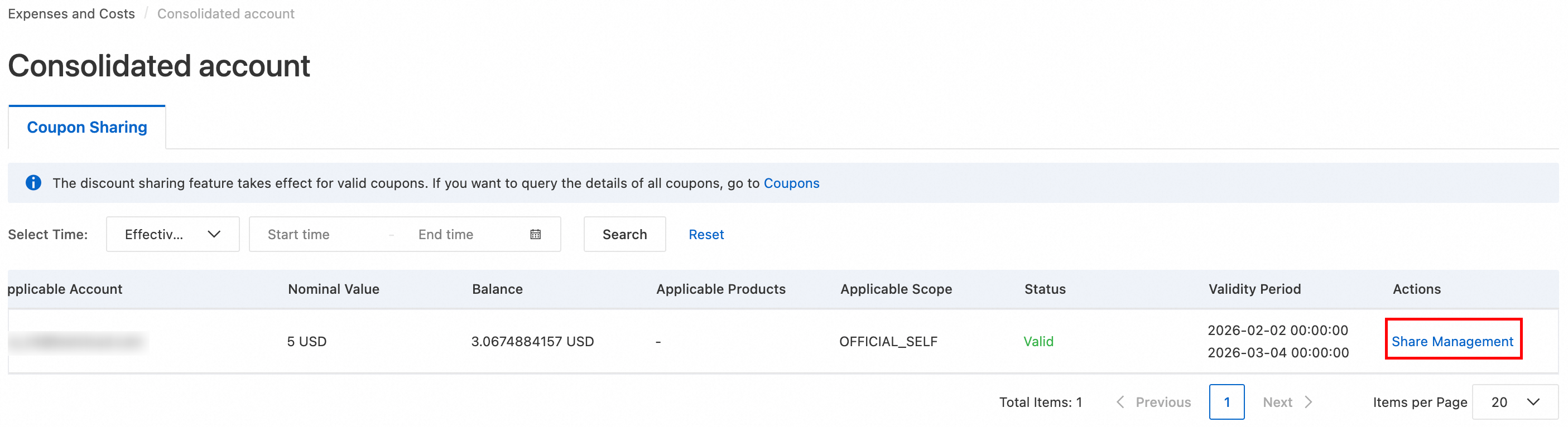
In the row of the coupon that you want to share, click Share Management in the Actions column.
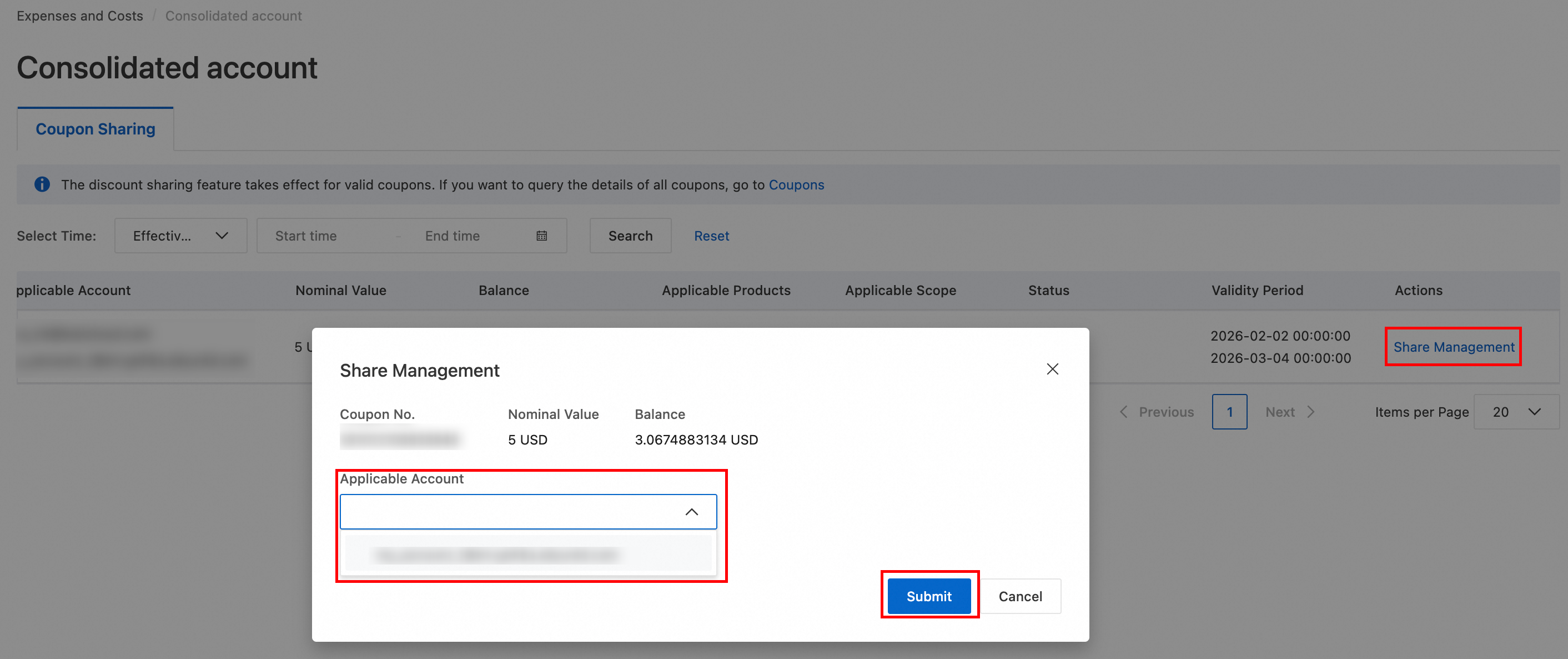
In the Applicable Account field, select the desired linked accounts, and then click Submit.
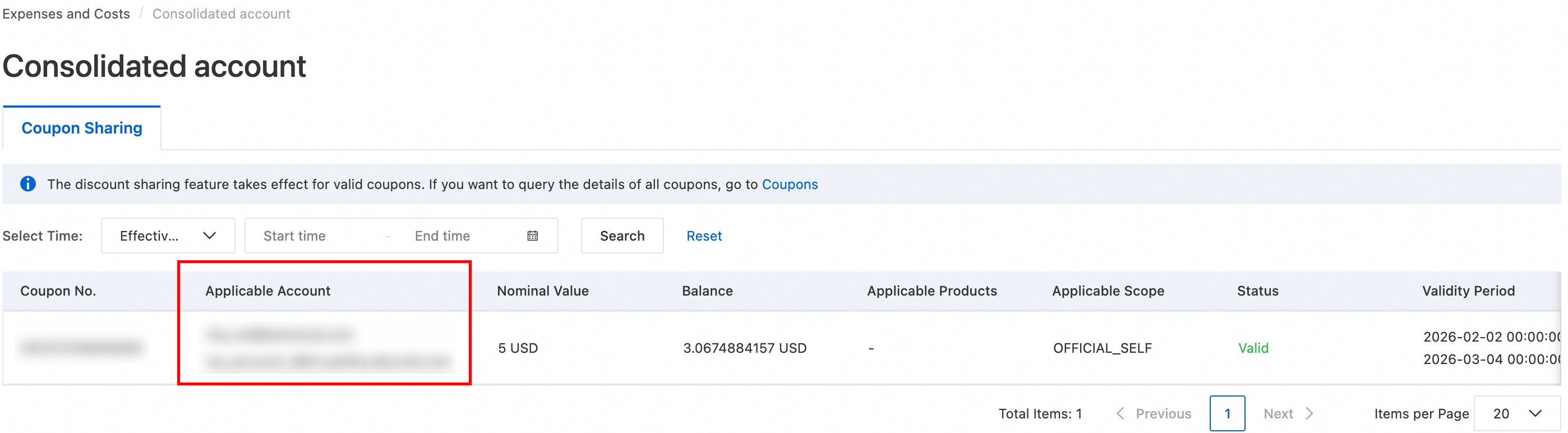
After sharing the coupon, return to the Coupon Sharing tab and verify the shared accounts in the Applicable Account column.
Cancel coupon sharing
Previous console
Sign in to the Expenses and Costs console as the main account in finance trusteeship.
In the left-side navigation pane, choose Enterprise Finance > Coupon Sharing.
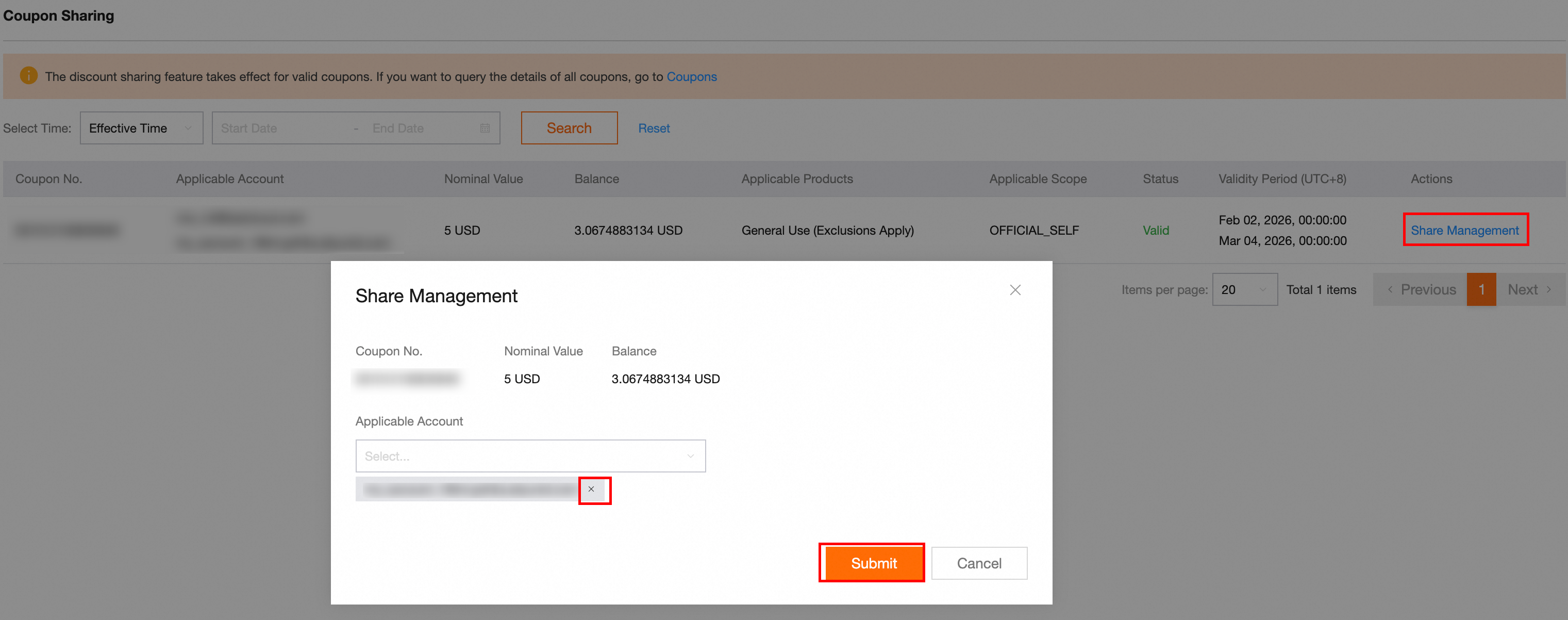
In the row of the coupon you want to stop sharing, click Share Management in the Actions column.
In the Applicable Account field, deselect the accounts to remove, and then click Submit.
New console
Sign in to the Expenses and Costs console as the main account in finance trusteeship.
In the left-side navigation pane, choose Account > Union Account, and then click the Coupon Sharing tab.
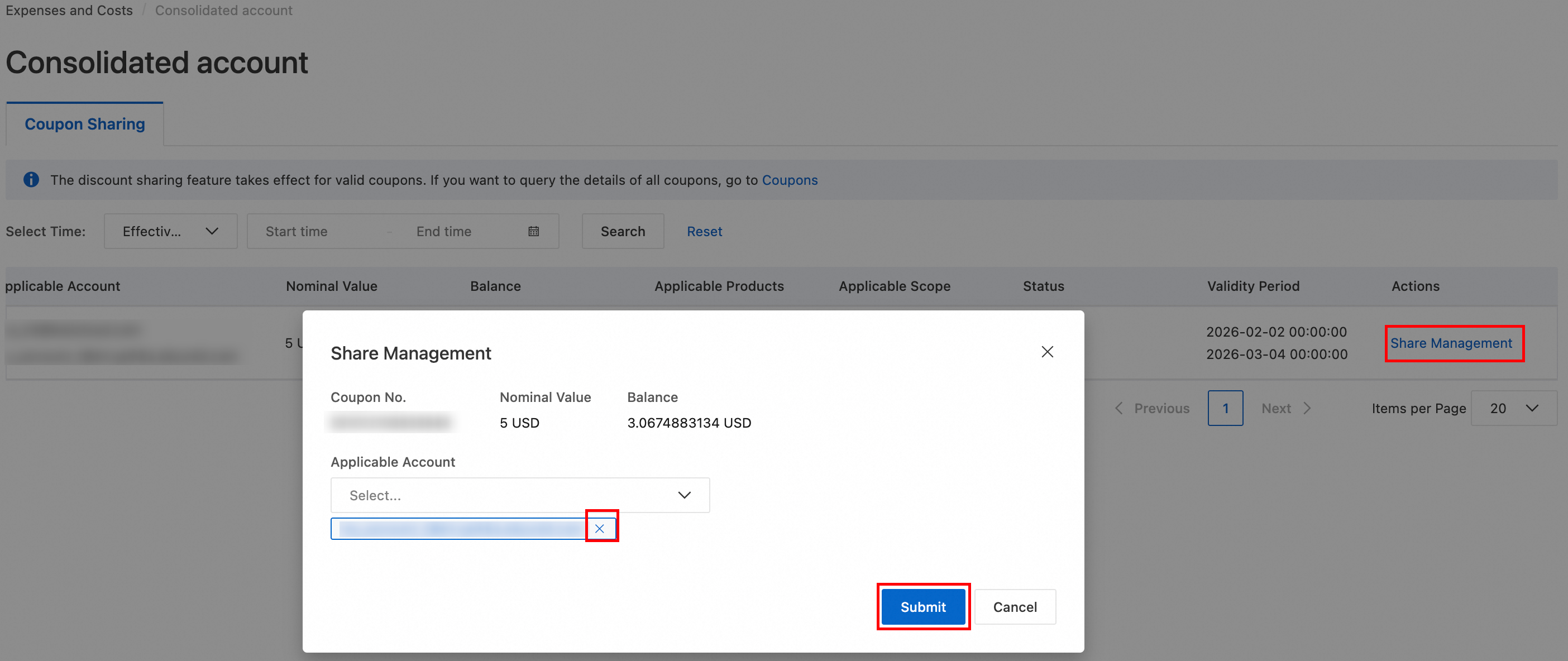
In the row of the coupon you want to stop sharing, click Share Management in the Actions column.
In the Applicable Account field, deselect the accounts to remove, and then click Submit.
FAQ
Linked account cannot see shared coupon
Check the following:
Make sure the linked account is part of the enterprise organization structure.
Make sure the sharing scope includes the linked account.
If the coupon is shared with the entire organization, wait for about 1 minute and then refresh the page.
Ensure both the main and linked accounts belong to the same company, which must have completed real-name verification.
Concurrent use of a shared coupon
A shared coupon has a fixed quota. All accounts that use the coupon draw from this same quota. Once the quota is exhausted, no account can use the coupon.