Application Open Platform supports the following methods to upload miniapp versions: automatic upload and manual upload. If you use the automatic upload method, you must build the version to be uploaded in an integrated development environment (IDE). Then, the version is automatically uploaded. If you use the manual upload method, you must build the version to be uploaded in a local file and then upload the version. This topic describes how to build and upload a version.
Build and upload a version by using an IDE
You can use the Visual Studio Code extension to build and publish a WindVane miniapp. For more information, see Package, build, and publish your miniapp.
You can use the HBuilderX extension to build and publish a uni-app miniapp. For more information, see Build, package, and publish a miniapp.
Manually upload a version
Log on to the Application Open Platform console.
In the left-side navigation pane, click Miniapps. The Miniapp List page appears.
Find the miniapp that you want to manage and click the name of the miniapp or click Detail in the Action column. The Versions tab of the miniapp appears.
On the Versions tab, click Add Version and select Upload by Files to upload a version of the miniapp.
For a WindVane miniapp, upload an app package in the ZIP format.
For a uni-app miniapp, upload an app package in the WGT format.
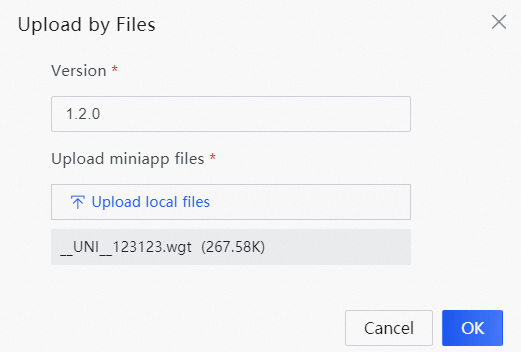
Click OK.