Upload miniapp versions to the Application Open Platform from an IDE or by manual file upload.
Build and upload with an IDE
-
WindVane miniapp: Use the VS Code extension to package, build, and publish. Package, build, and publish.
-
uni-app miniapp: Use the HBuilderX extension to package, build, and publish. Package, build, and publish.
Manually upload a version
Log on to the Application Open Platform console.
In the left-side navigation pane, click Miniapps. The Miniapp List page appears.
-
Click the target miniapp name, or click details in the actions column. The version tab opens.
-
On the version tab, click Add Version and select File Upload from the drop-down menu to upload a miniapp version.
-
WindVane miniapp: upload a .zip package.
-
uni-app miniapp: upload a .wgt package.
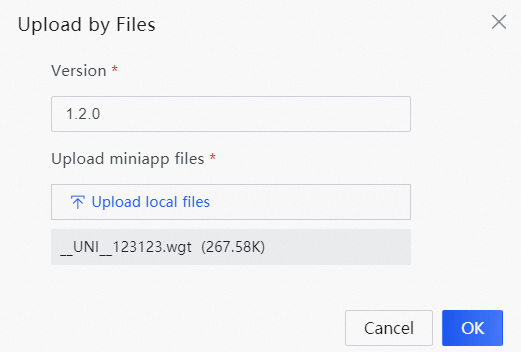
-
-
Click OK.