Manage contact users
Add contact users to receive SMS or email alerts for low package balances and sending volume thresholds.
Alert messages may fail to reach contacts due to external interference in message delivery.
Usage notes
-
By default, the Alibaba Cloud account owner receives all alerts for low package balances and usage thresholds. You can change the account contact in the Account Center.
-
You can add up to 10 contacts in total, including the account contact.
Procedure
-
Log on to the SMS console.
-
In the left navigation pane, choose .
-
Click the User Management tab.
-
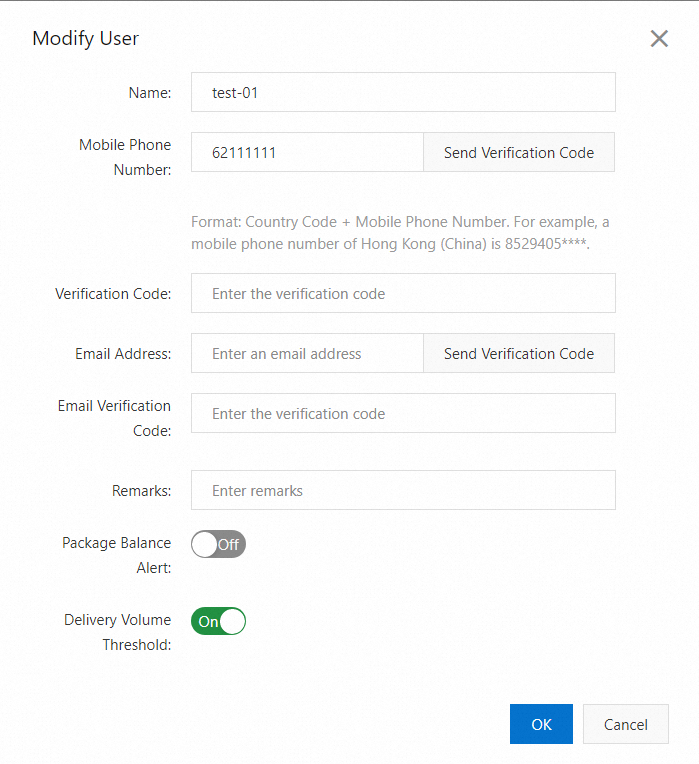
Click New User. In the dialog box that appears, enter the contact information and select the alert types.
-
Click OK.
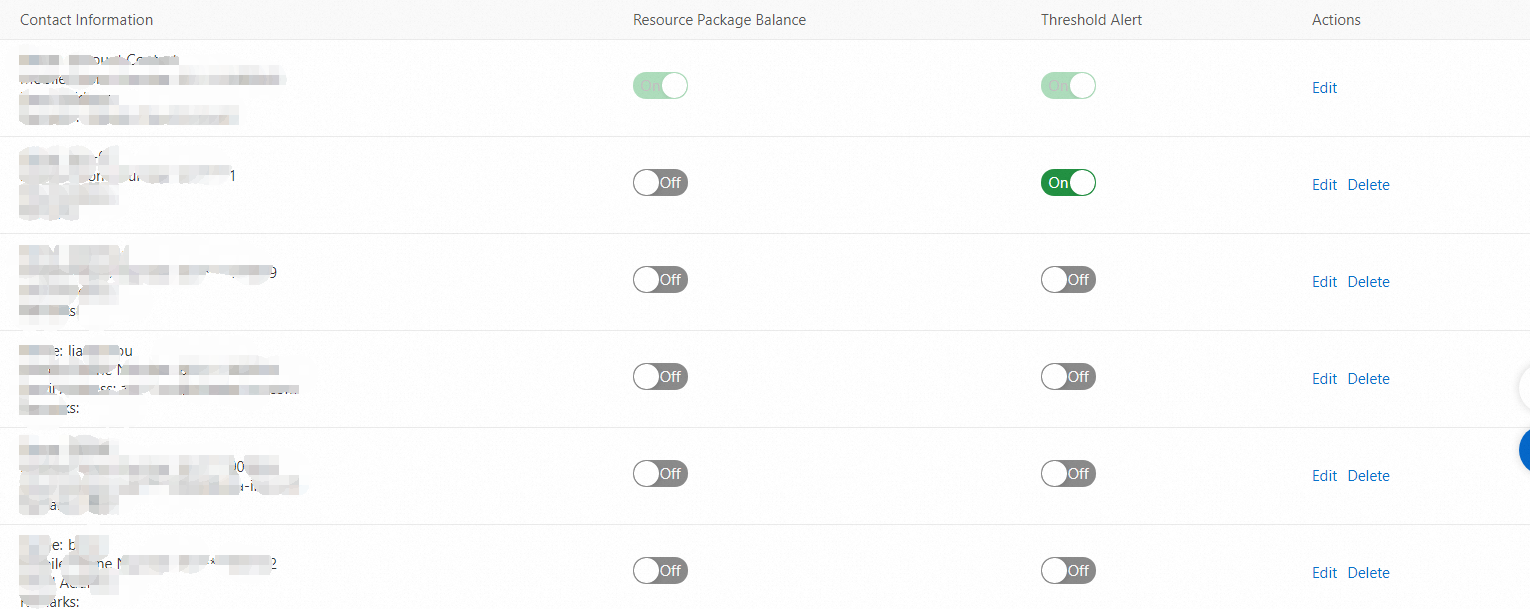
All added contacts are displayed on the User Management tab.
-
To toggle an alert type, enable or disable the Resource Package Balance or Threshold Alert option.
-
To modify a contact, click Edit in the Actions column.
-
To delete a contact, click Delete in the Actions column.
-