Sending messages to Chinese mainland recipients requires an approved SMS signature and message template.
Due to policy restrictions, Go China is not available for new users. Existing users must complete identity verification for their SMS signatures. Unverified signatures may be forcibly deactivated, causing service disruptions. Verification requirements and procedures have been sent to your Alibaba Cloud Message Center and associated email.
Prerequisites
An Alibaba Cloud enterprise account is created and has passed the account verification process. For more information, visit the registration page and Account Center.
Usage notes
-
Template reviews cannot be canceled.
-
Messages can be sent only after the signature and template are approved.
-
Templates can be deleted but not modified after creation.
-
Deleted templates cannot be used to send messages. Proceed with caution.
Procedure
-
Log on to the SMS console.
-
In the left navigation pane, click Go China.
-
Click
-
Specify Message Type, Name, and Content as prompted.
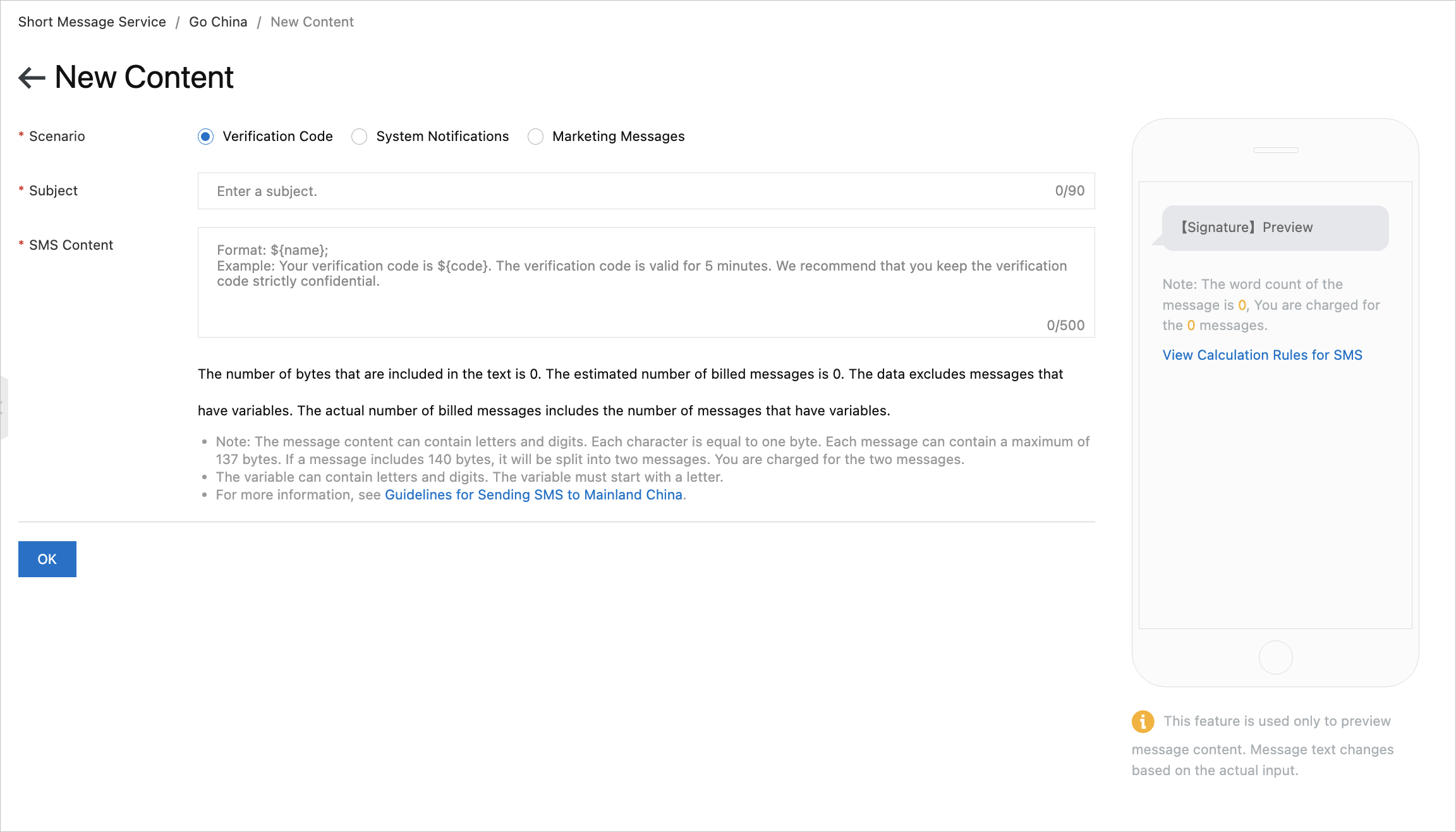
The following table describes the parameters.
Parameter
Description
Message Type
-
Used for app or website registration, secure logon, payment verification, identity verification, password reset, and account binding.
-
Used for order, payment, delivery, meeting, public service, and daily life service notifications.
-
Used for product advertising, member care, promotions, event invitations, and cross-border marketing.
Name
Enter a template name for easy identification.
Content
Template content must comply with the message template specifications.
NoteVariables use the format
${name}. Example: Your verification code is${code}. It is valid for 5 minutes. Keep the verification code strictly confidential. -
-
Click OK.
After submission, the template enters review. Track status on the Templates tab of the Go China page.