Log Service supports on-call rotation schedules and overrides for alert responders.
24/7 rotation
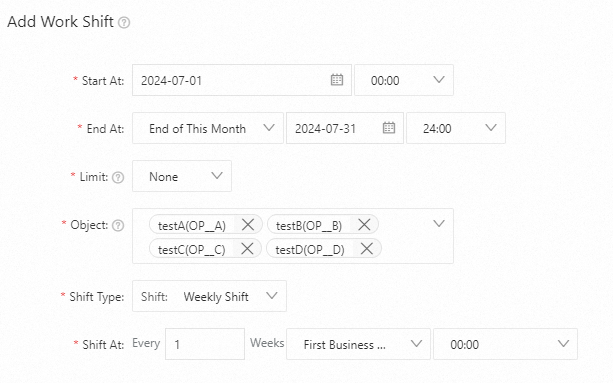
A rotation without time restrictions defaults to a 24/7 schedule. The following example creates a weekly rotation for July 2024 with operators A, B, C, and D, handing over on the first workday of each week. Create an on-call group.
-
Configuration example
-
Limits: Set to None.
-
Object: Add testA, testB, testC, and testD.
-
Rotation Type: Select Rotation: Weekly.
-
Handover Time: Set to 00:00 on the first workday of every week.
-
-
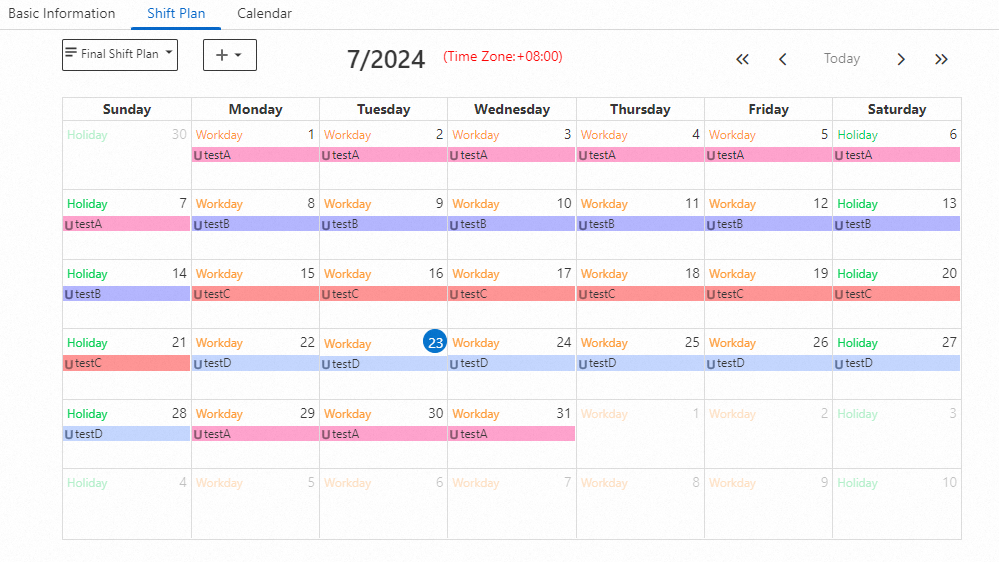
On-call schedule
Operators A, B, C, and D rotate weekly.
Hourly rotation
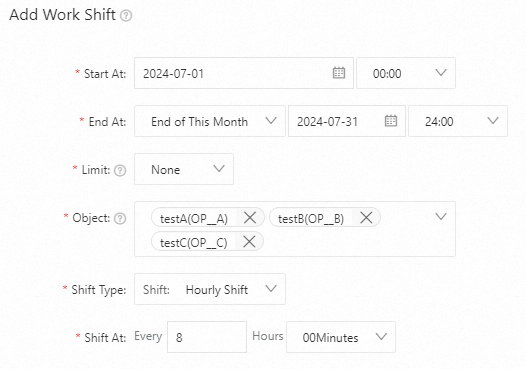
The following example creates an 8-hour rotation for July 2024 with operators A, B, and C. Create an on-call group.
-
Configuration example
-
Limits: Set to None.
-
Object: Add testA, testB, and testC.
-
Rotation Type: Select Rotation: Hourly.
-
Handover Time: Set to every 8 hours.
-
-
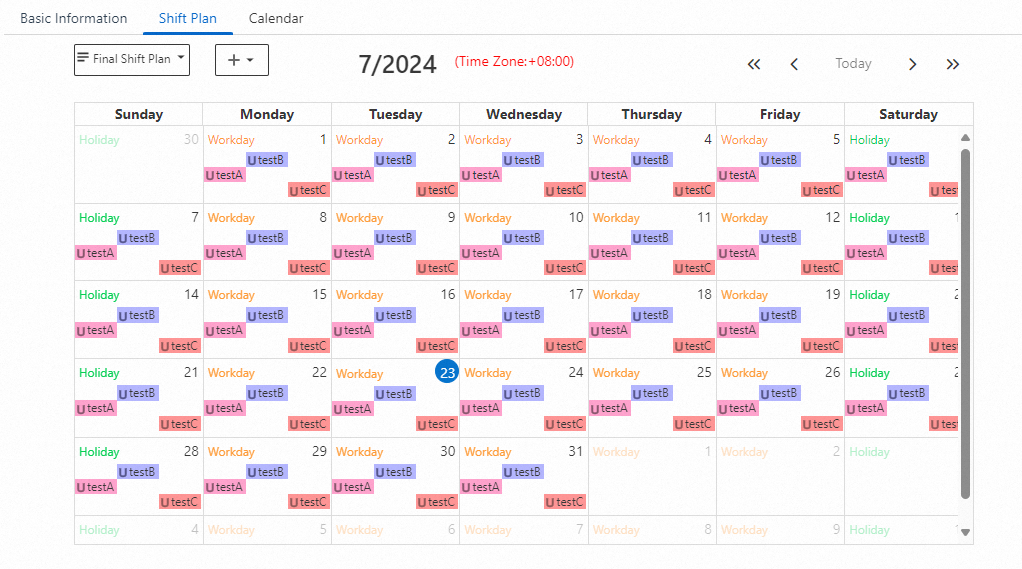
On-call schedule
Operators A, B, and C rotate every 8 hours.
Schedule with time restrictions
The following example creates a daily rotation for July 2024 between operators A and B, active only during workday working hours. Create an on-call group.
-
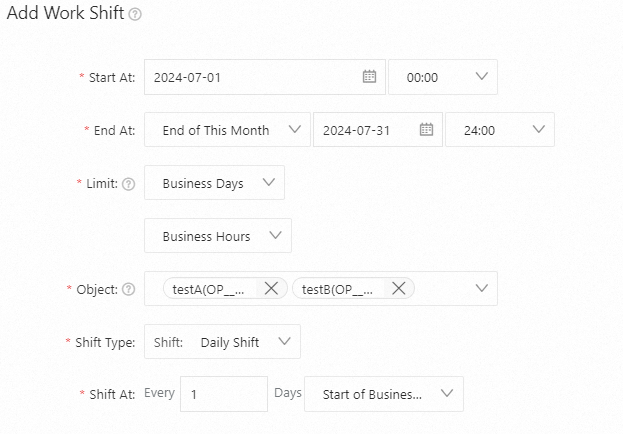
Configuration example
-
Limits: Set to Workdays and Working Hours.
-
Object: Add testA and testB.
-
Rotation Type: Select Rotation: Daily.
-
Handover Time: Set to the start of working hours each day.
-
-
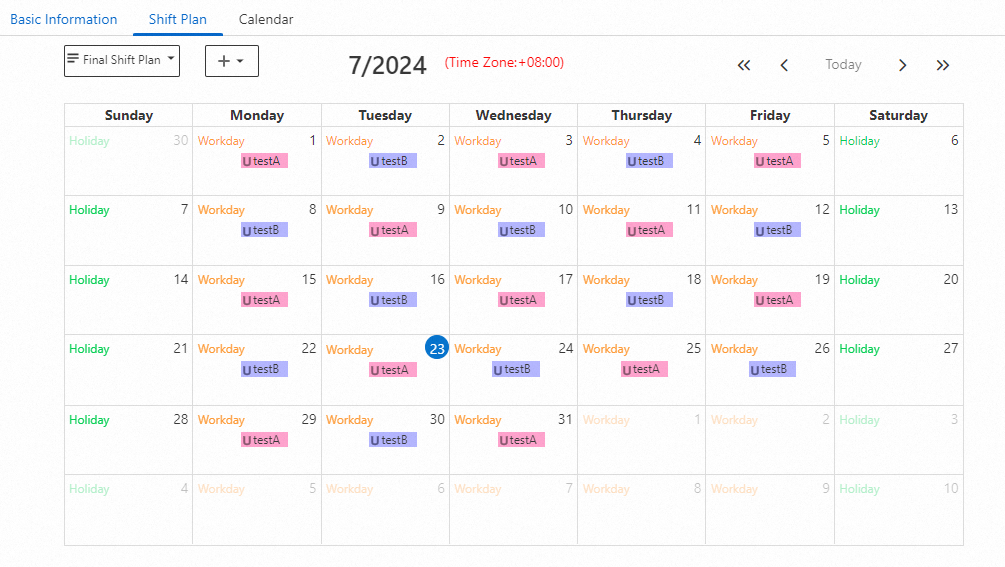
On-call schedule
Operators A and B rotate daily during working hours on workdays.
24/7 override
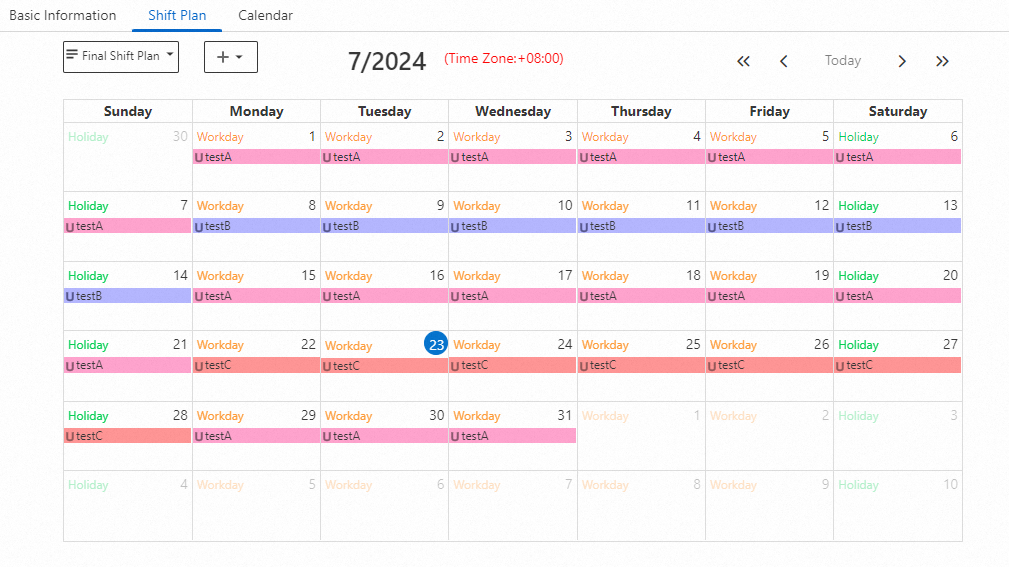
Use overrides to cover for operators who need time off. In this example, operator B in a weekly A/B rotation is on vacation July 22–28, 2024, and operator C substitutes. Create an on-call group.
-
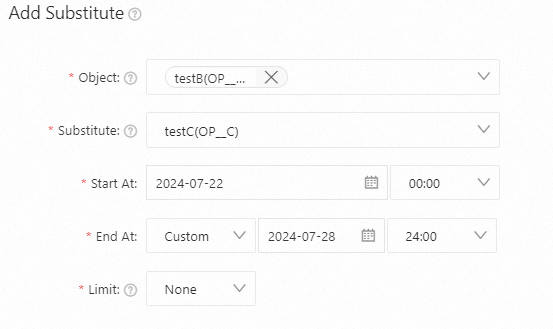
Configuration example
-
Object: Select testB.
-
Coverage User: Select the substitute, testC.
-
Limits: Set to None.
-
-
On-call schedule
From July 22, 2024, to July 28, 2024, operator C is on call.
Override with time restrictions
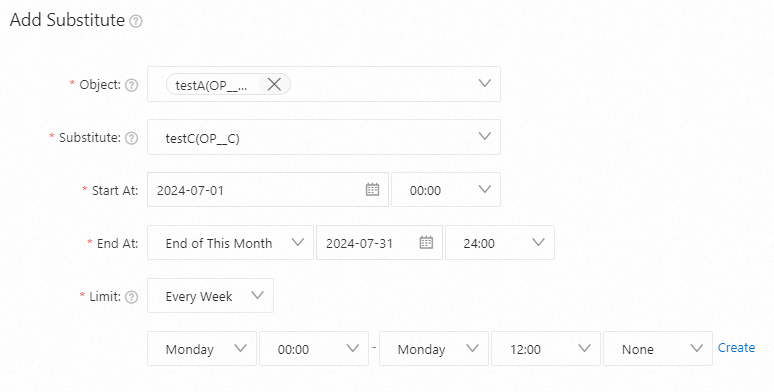
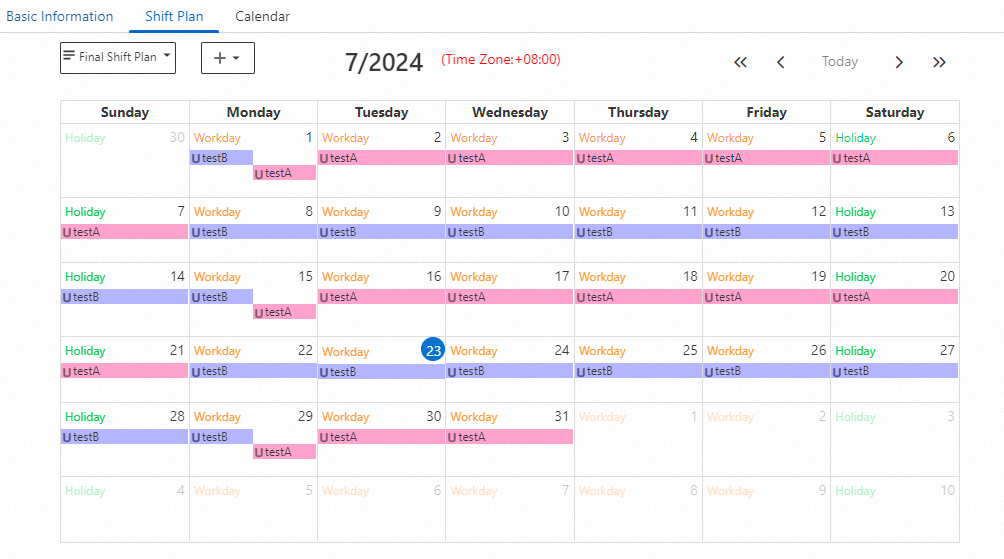
In this example, operator A in a weekly A/B rotation is unavailable Monday 00:00–12:00, and a recurring override assigns operator C to that slot. Create an on-call group.
-
Configuration example
-
Object: Select testA.
-
Coverage User: Select the substitute, testC.
-
Limits: Set to Weekly, from Monday 00:00 to Monday 12:00.
-
-
On-call schedule
From 00:00 to 12:00 on July 1, 15, and 29, 2024, operator C is on call.
Overlapping overrides
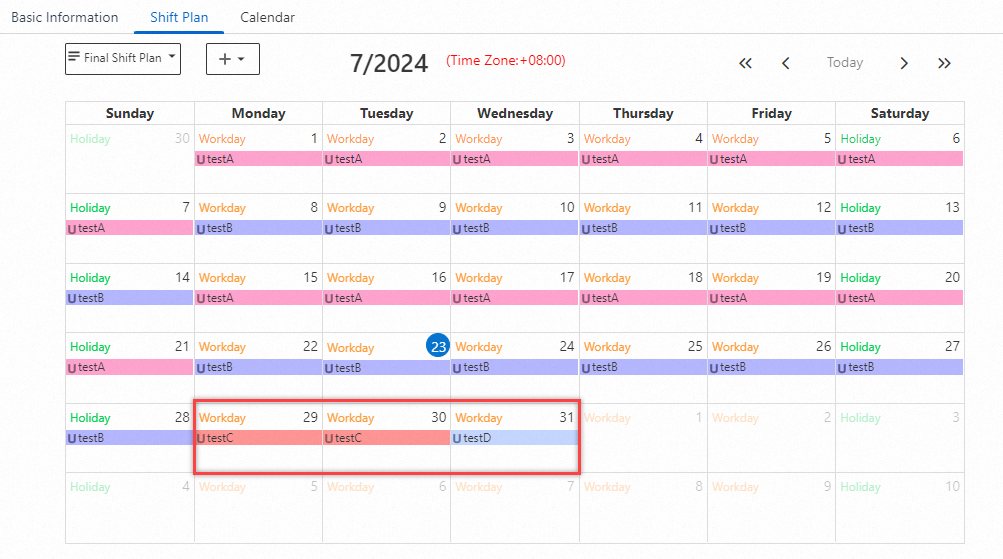
When multiple overrides overlap, the most recent one takes precedence. For example, operator A is on call in a weekly rotation. Override 1 assigns operator C to cover A's vacation July 29–31, 2024. Override 2 (more recent) assigns operator D to cover C on July 31.
Result: operator C is on call July 29–30, and operator D is on call July 31.