SchedulerX schedules various types of jobs, including timed jobs, orchestrated workflows, and reruns of historical data. It offers sharding models for Java, Python, Shell, and Go to help you meet your big data processing needs.
Background information
Sharding models include static sharding and dynamic sharding.
-
Static sharding: This model is used to process a fixed number of shards. For example, you can use it to process 1,024 sharded tables on multiple machines in a distributed environment.
-
Dynamic sharding: This model is used for the distributed processing of data with an unknown volume. For example, you can use it to batch process a large, frequently updated table. The mainstream framework for this is the MapReduce model provided by SchedulerX, which is not yet open source.
Features
The multilingual sharded model also provides the following features.
-
Compatible with the static sharding model of elastic-job.
-
Supports four languages: Java, Python, Shell, and Go.
-
High availability (HA): The sharding models are based on the MapReduce model and inherit its HA features. If a worker fails during execution, the master worker automatically fails the shard over to another slave node.
-
Throttling: The sharding models are based on the MapReduce model and inherit its throttling features. You can control the task concurrency on a single machine. For example, with 1,000 shards and 10 machines, you can limit each machine to run a maximum of five shards concurrently. The other shards wait in a queue.
-
Automatic retries for failed shards: The sharding models are based on the MapReduce model and inherit its ability to automatically retry failed sub-tasks.
You can set availability and throttling in the advanced configuration when you create a job. For more information, see Create a scheduling job and Advanced configuration parameters for job management.
The multi-language sharded model is supported only in client versions 1.1.0 and later.
Java sharding job
-
Log on to the SchedulerX console.
-
In the top navigation bar, select a region.
-
In the navigation pane on the left, select Job Management.
-
On the Job Management page, select the target namespace, and then click Create Job in the upper-left corner.
-
On the Create Job panel, on the Basic Configuration tab, set Execution Mode to Sharded Run, configure Shard Parameters, and then click Next.
Separate multiple shard parameters with a comma (,) or a line break. For example,
Shard ID 1=Shard parameter 1,Shard ID 2=Shard parameter 2,....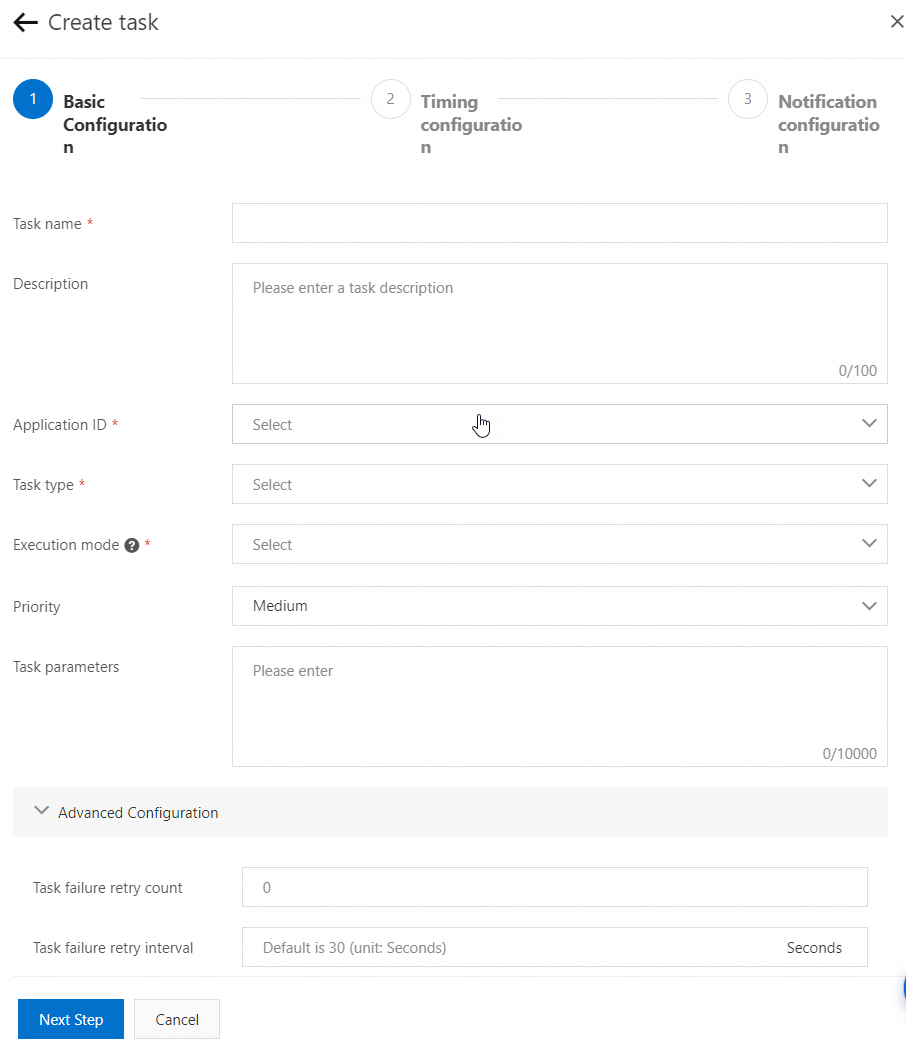
-
In the application code, inherit
JavaProcessor. UseJobContext.getShardingId()to retrieve the shard ID andJobContext.getShardingParameter()to retrieve the shard parameter.Example:
@Component public class HelloWorldProcessor extends JavaProcessor { @Override public ProcessResult process(JobContext context) throws Exception { System.out.println("Shard ID=" + context.getShardingId() + ", Shard parameter=" + context.getShardingParameter()); return new ProcessResult(true); } } -
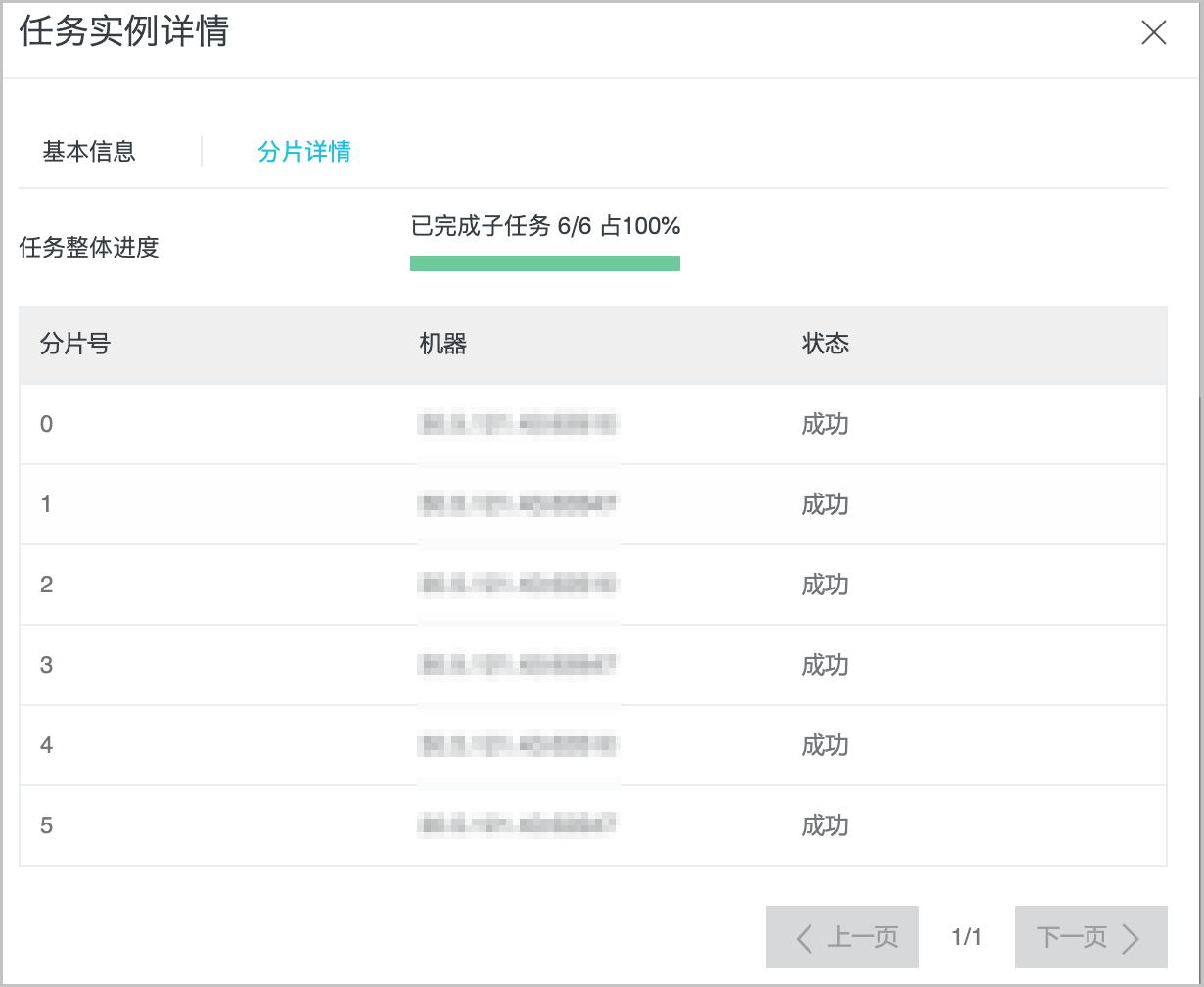
On the Execution List page, click Details in the Actions column for the target job to view shard details.
Python sharding job
To use distributed batch processing for a Python application, you only need to install the agent. SchedulerX can then maintain the scripts.
-
Download the SchedulerX agent and use it to deploy a script job.
-
Create a Python sharding job in SchedulerX. For more information, see Create a scheduling job.
sys.argv[1]is the shard ID, andsys.argv[2]is the shard parameter.Separate multiple shard parameters with a comma (,) or a line break. For example,
Shard ID 1=Shard parameter 1,Shard ID 2=Shard parameter 2,....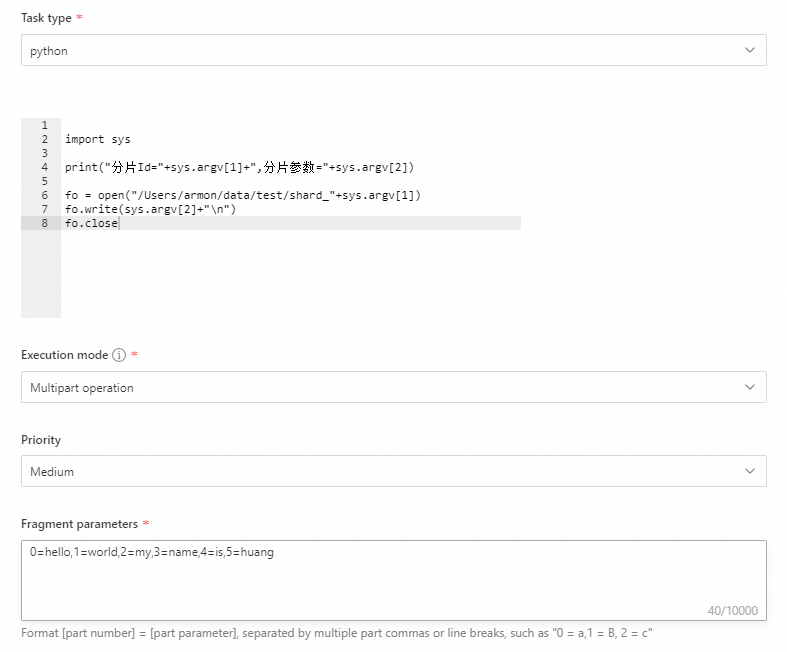
-
On the Execution List page, click Details in the Actions column for the target job to view shard details.
Shell and Go sharding jobs
The process for creating Shell and Go sharding jobs is similar to that for Python sharding jobs. For more information, see Python sharding job.