Operation records
SchedulerX records operations performed on applications, jobs, and workflows. Use operation records to track changes and review activity across your resources.
Two tools provide access to operation records:
| Tool | Scope | Use when |
|---|---|---|
| SchedulerX console > Operation Record | Console operations only | You need a quick review of recent changes made through the console |
| ActionTrail console > Event Query | Console and API operations | You need an audit trail that includes programmatic changes |
The Operation Record page in the SchedulerX console displays only records generated through console operations. API operation records are not included. To view records for both console and API operations, use ActionTrail.
View operation records in the SchedulerX console
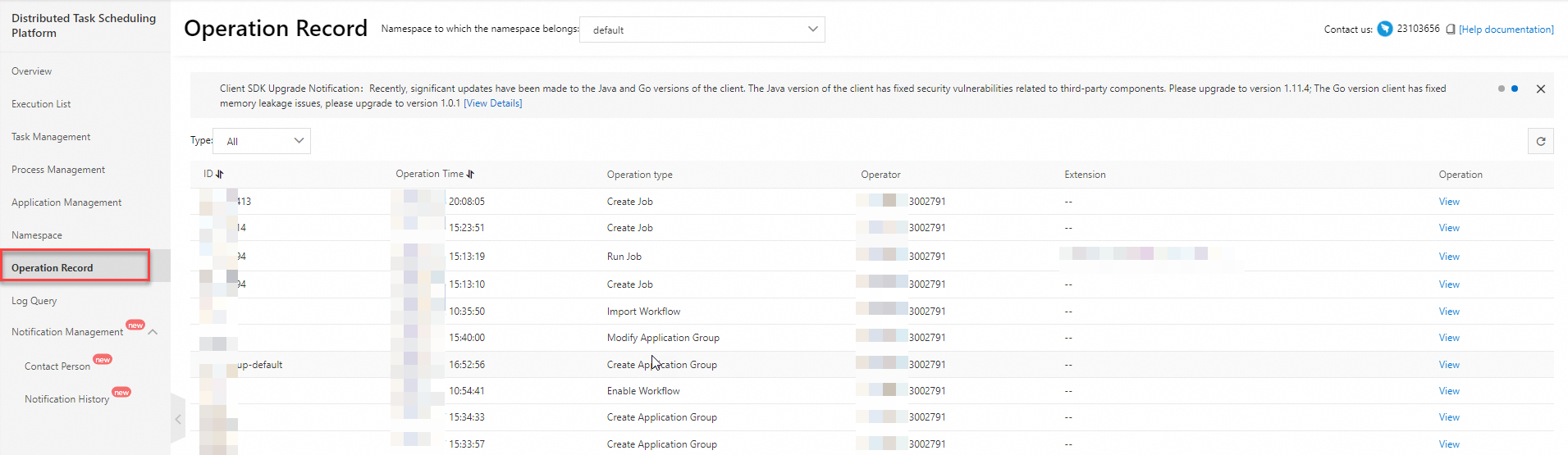
Use the Operation Record page for a quick overview of changes made through the SchedulerX console.
Log on to the SchedulerX console.
In the top navigation bar, select a region.
In the left-side navigation pane, click Operation Record.
On the Operation Record page, select a namespace to filter the records.
View operation records in ActionTrail
ActionTrail captures both console and API SchedulerX operations. Use ActionTrail when you need to audit programmatic changes or investigate operations not shown in the SchedulerX console.
Log on to the ActionTrail console.
In the left-side navigation pane, choose Events > Event Query.
From the first drop-down list, select Service Name. From the second drop-down list, select Schedulerx.
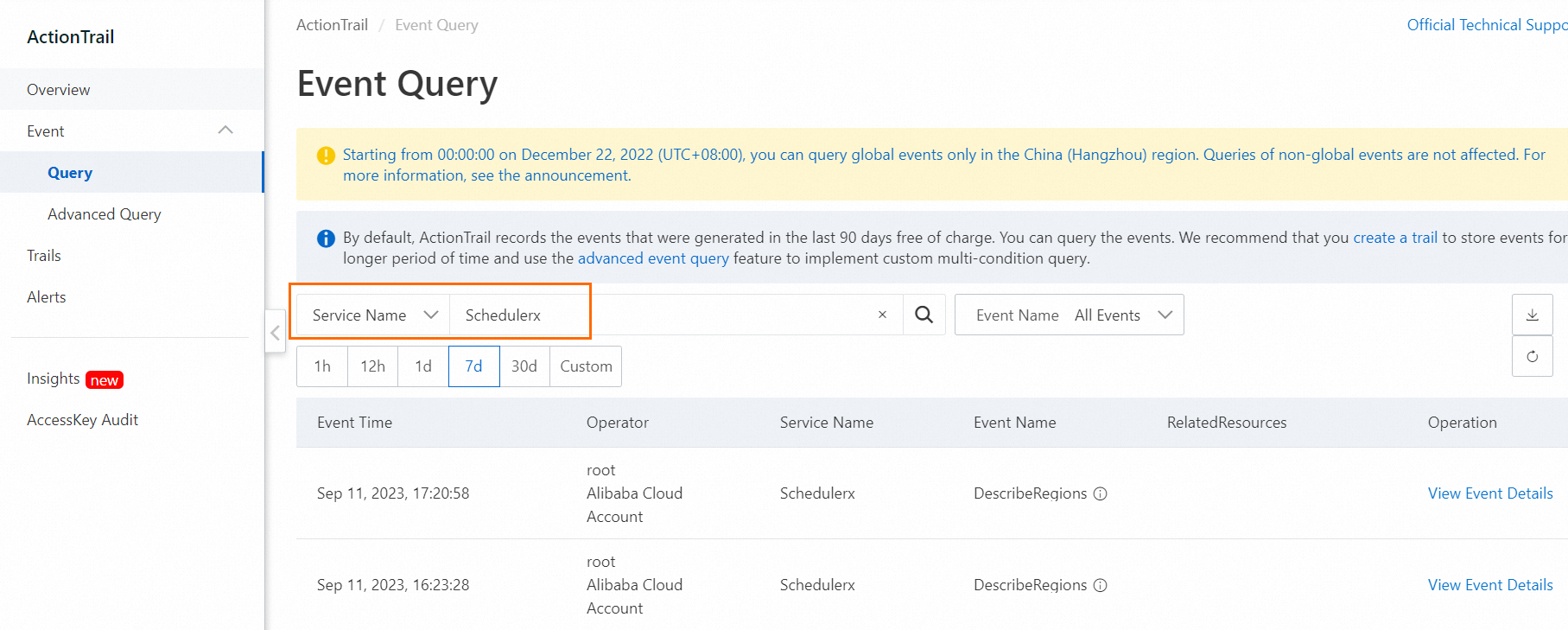
The query results include both console and API operations.