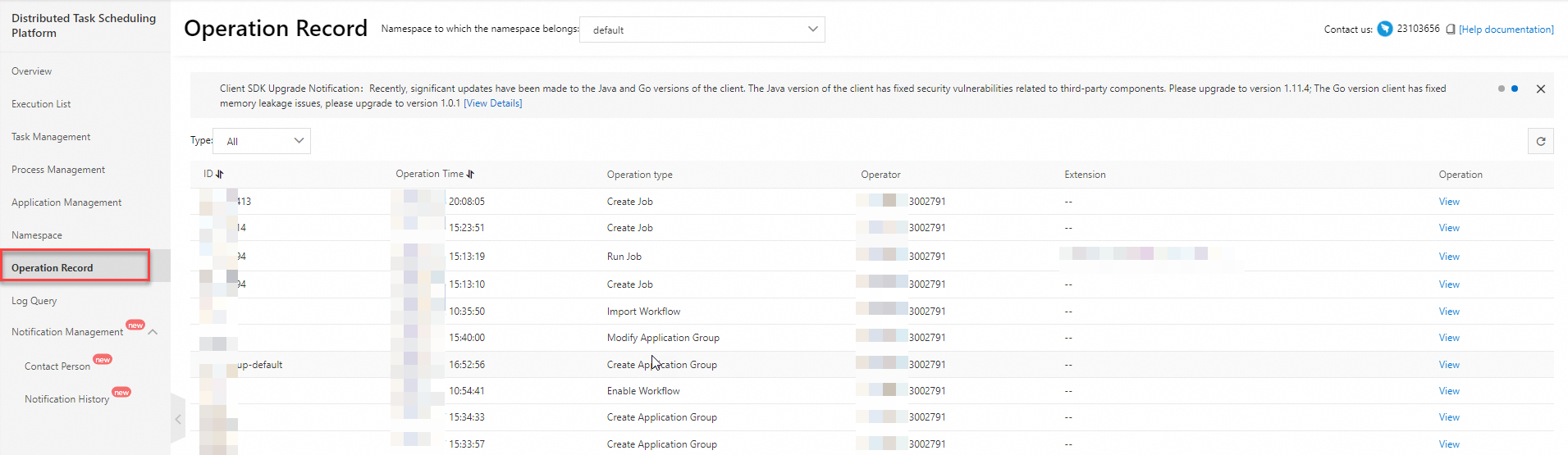
This topic describes how to view the operation records of applications, jobs, and workflows on the Operation Record page in the SchedulerX console.
Procedure
To view console-generated records, perform the following steps: Log on to the SchedulerX console. In the top navigation bar, select a region. In the left-side navigation pane, click Operation Record. On the Operation Record page, select a namespace to view the operation records.
 Note
NoteThe Operation Record page displays only records that are generated by operations in the SchedulerX console. Records of API operations are not displayed.
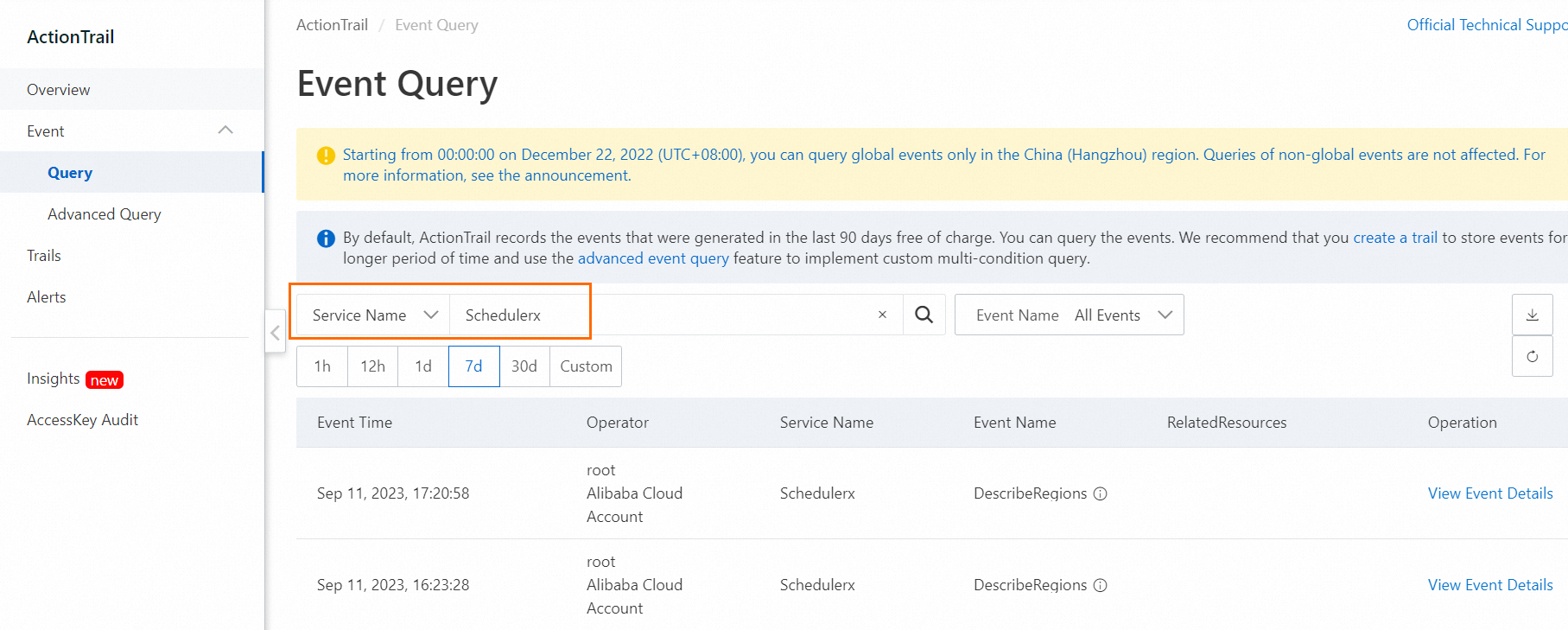
To view both console-generated and API operation-generated records, perform the following steps: Log on to the ActionTrail console. In the left-side navigation pane, choose Events > Event Query. Select Service Name and Schedulerx from the drop-down lists.