A Resource Access Management (RAM) user requires explicit permissions to use the Secure Access Service Edge (SASE) service. This topic describes how to create a custom authorization policy and attach it to a RAM user.
Prerequisites
Before you begin, ensure that you have:
The target RAM user already created in the RAM console
Grant SASE permissions to a RAM user
Step 1: Create a custom authorization policy
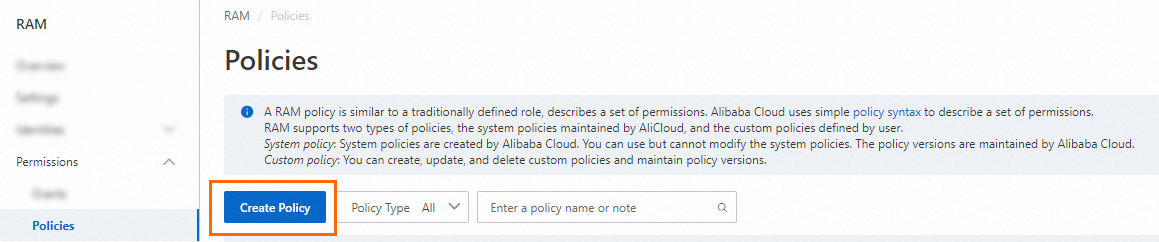
In the left-side navigation pane, choose Permissions > Policies.
On the Policies page, click Create Policy.
On the Create Policy page, click the JSON tab.

Enter the following policy document and click OK.
{
  "Statement": [{
    "Effect": "Allow",
    "Action": "csas:*",
    "Resource": "*"
  }],
  "Version": "1"
}
In the Create Policy dialog box, configure the Policy Name and Description parameters and click OK.
Click OK.
Step 2: Attach the policy to a RAM user
On the Identities > Users page, find the target RAM user and click Add Permissions in the Actions column.
In the Add Permissions panel, select the custom authorization policy that you created and click OK.
Result
After the permissions are configured, O&M engineers can log on to the SASE console as the RAM user to perform O&M tasks.