Export your Tair (Redis OSS-compatible) instance list as a CSV file to review instance metadata—such as memory usage—across all instances in a region.
Prerequisites
Before you begin, ensure that you have:
Access to the Tair console
At least one Tair instance in the target region
Export the instance list
Log on to the Tair console and go to the Instances page. In the top navigation bar, select the target region.
Select the instances to export. Three selection modes are available:
Specific instances
On the Instances page, select the checkboxes next to the instances you want to export.
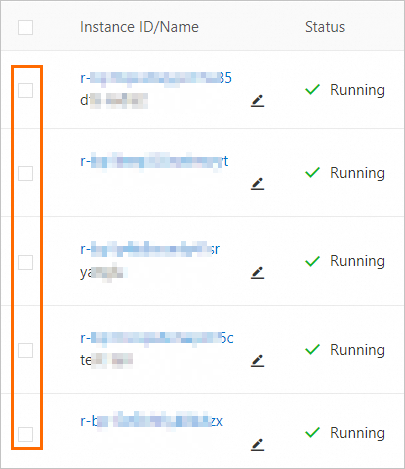
All instances on the current page
In the upper-left corner of the Instances page, select the checkbox to select all instances on the current page.
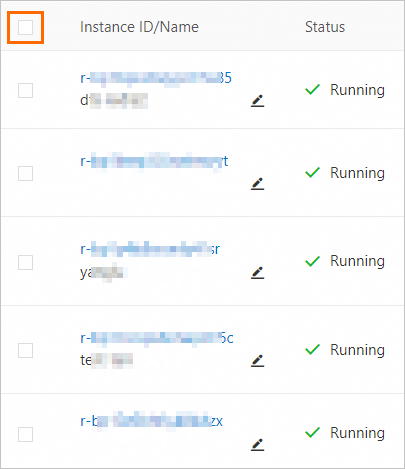
All instances
In the lower-left corner of the Instances page, select the checkbox next to the
 icon.
icon. 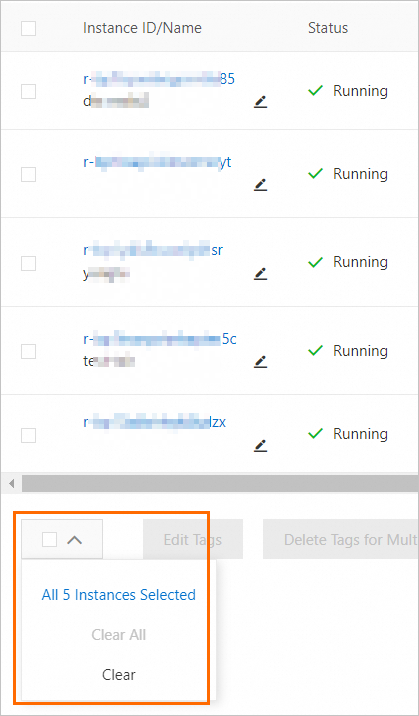
In the upper-right corner of the Instances page, click the
 icon.
icon.In the dialog box that appears, select required parameters.
Click OK.
The instance list is automatically downloaded as a CSV file. Open it with any text editor or spreadsheet application.
API reference
| Operation | Description |
|---|---|
| DescribeInstances | Queries instance information |
| DescribeHistoryMonitorValues | Queries performance monitoring data for an instance |
| DescribeDBInstanceNetInfo | Queries network information for an instance |