When running a Tair (Redis OSS-compatible) Global Distributed Cache instance with multiple child instances across regions, replication delays can affect data consistency. This page shows you how to check synchronization health in real time — including latency, throughput, and channel status — so you can detect and respond to issues before they affect your applications.
Prerequisites
Before you begin, make sure you have:
A distributed instance with at least two child instances. To add a child instance, see Add a child instance to a distributed instance
View synchronization status
Log on to the Tair console.
In the left-side navigation pane, click Global Distributed Cache.
Find the distributed instance you want to manage, then click the
 icon before the instance ID to expand its child instances.
Find the source instance for which you want to check synchronization latency, then click View Synchronization Status in the Actions column.
In the dialog box, set Query Time, the data node of Source Instance, and Target Instance.
The maximum query time range is the previous day.
The synchronization status dialog box displays the following metrics:
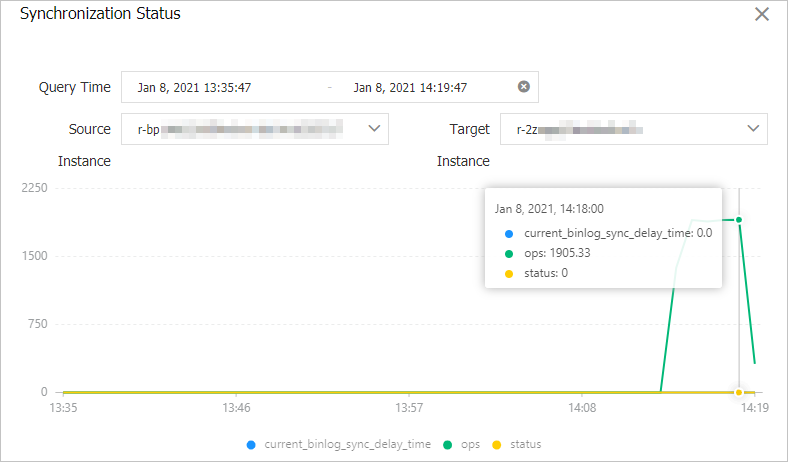
| Metric | Description |
|---|---|
current_binlog_sync_delay_time | Synchronization latency of binary logs (binlogs), in seconds. This latency reflects network conditions between regions. A value below 10 seconds is normal. If a high-availability (HA) failover is triggered, or if the instance undergoes maintenance such as a restart or configuration change, the latency may temporarily spike to around 60 minutes before returning to normal. |
ops | Number of binlog entries synchronized per second from the specified data node of the source instance to the target instance. |
status | Synchronization channel health. 1 means the channel is operating normally and data is in sync. 0 means the channel is not in sync and requires attention. |
Troubleshooting
Why does synchronization latency suddenly increase, or why does status show 0?
When a high-availability (HA) failover is triggered on a child instance, or when an instance undergoes maintenance such as a restart or configuration change, synchronization latency rises temporarily. This is expected behavior and typically persists for a limited duration.
Next steps
API reference
| Operation | Description |
|---|---|
| DescribeGlobalDistributeCache | Queries the details of a distributed instance. |