You can use the share feature to share BI portals with other users. By editing BI portal attributes, you can share, rename, transfer, and authorize multiple BI portal.
Prerequisites
A BI portal is created. For more information, see Create a BI portal.
Share
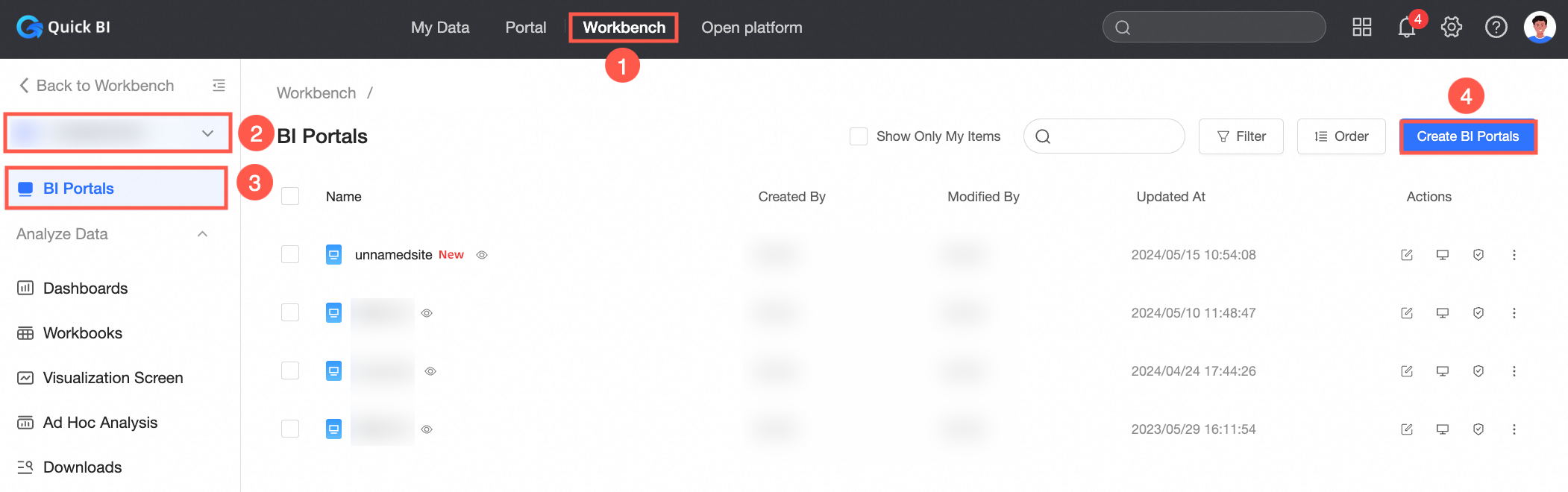
After you log on to the Quick BI console.
Enter the BI portal management interface as shown in the figure.
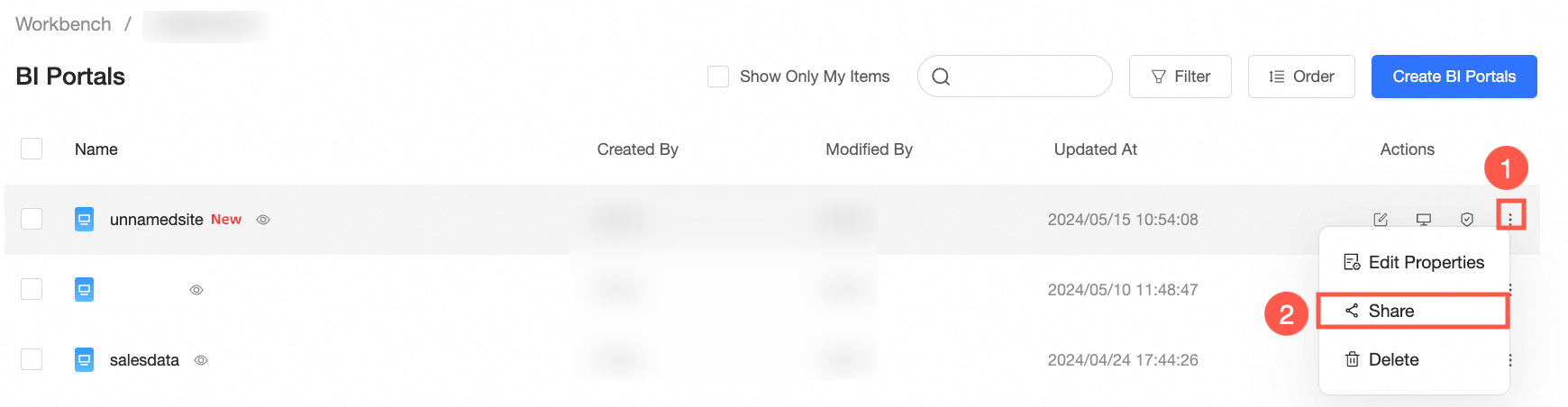
On the BI portal page, choose More> Share.
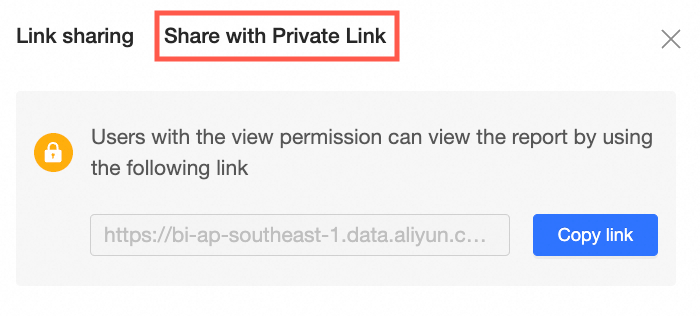
In the Share dialog box, click Copy Link to copy the link to other users who have permissions to view the link.
Rename and transfer
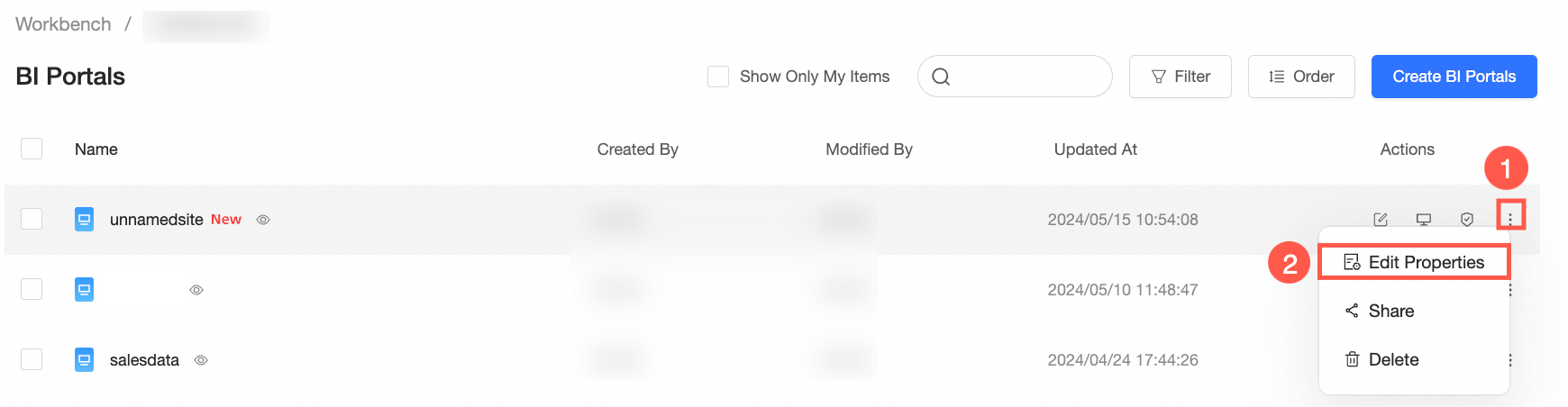
On the BI portal page, choose More>Edit Properties.
Click OK.
Collaborative Authorization
On the BI portal Management page, right-click the target BI portal and choose Collaborative Authorization. You can also click the  icon in the row where the target BI portal is located.
 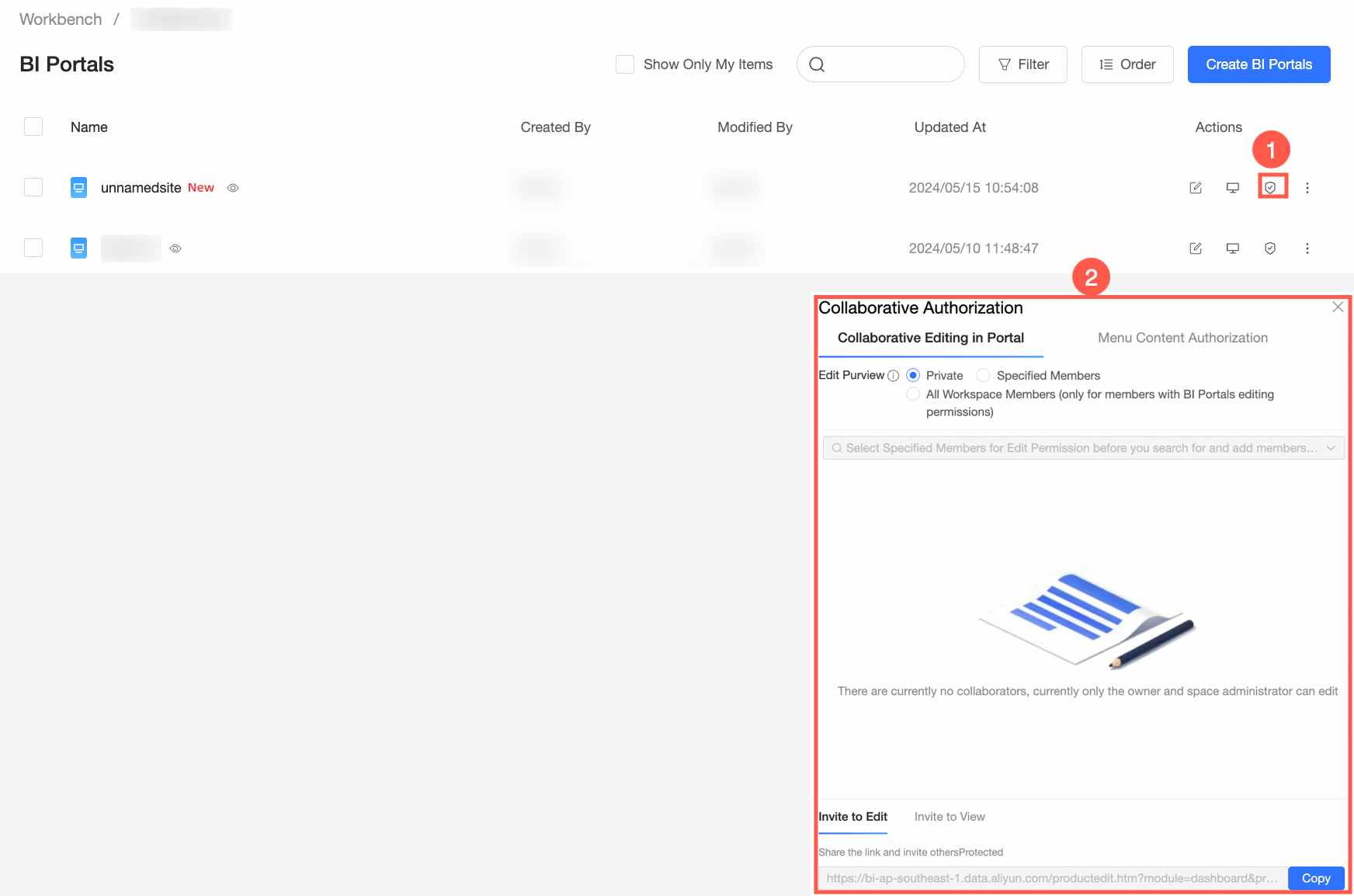 For more information, see Grant permissions on data works.