This topic explains how to create, rename, and delete dataset folders.
Prerequisites
A dataset must be created. For more information, see Create and Manage Datasets.
Create a folder
Log on to the or the international Quick BI console.
Navigate to the dataset management page as illustrated below.
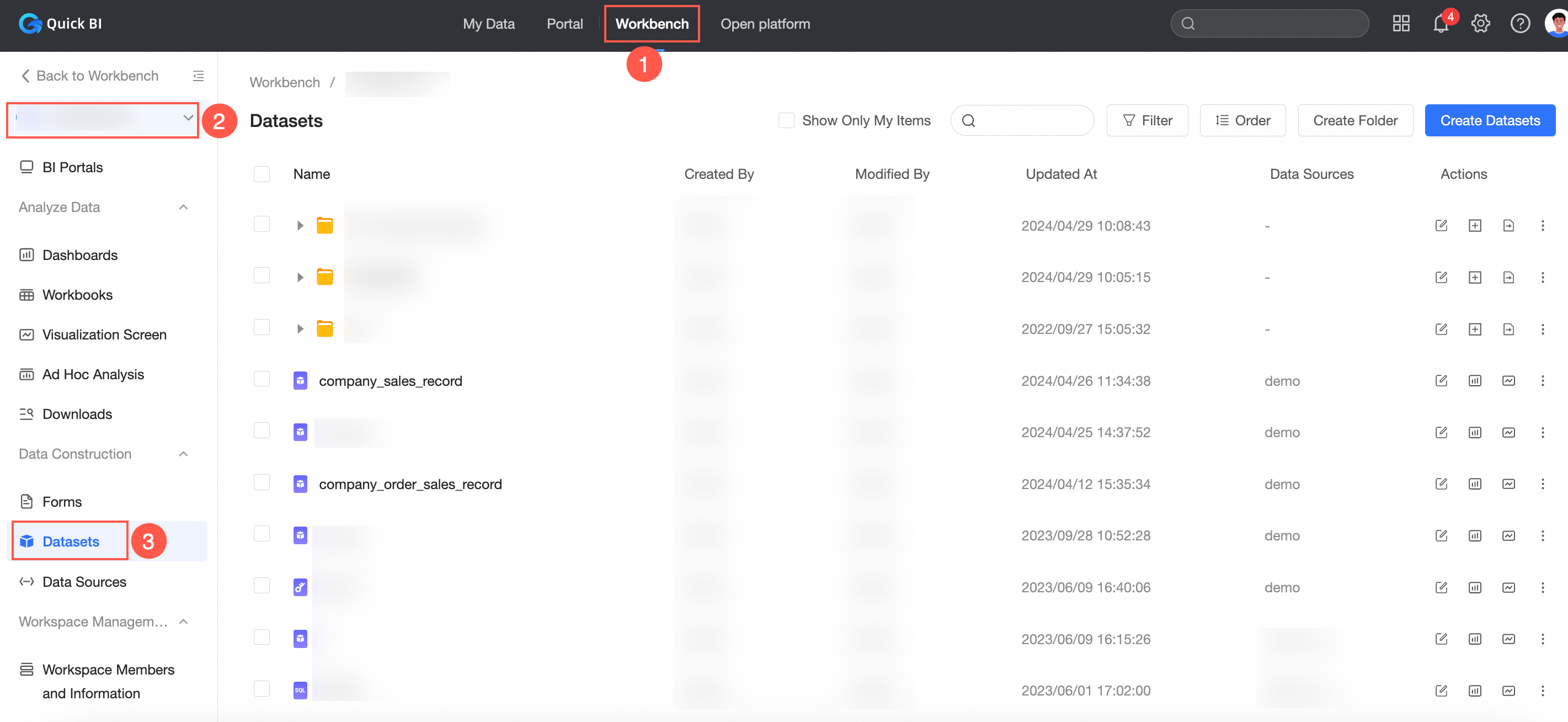
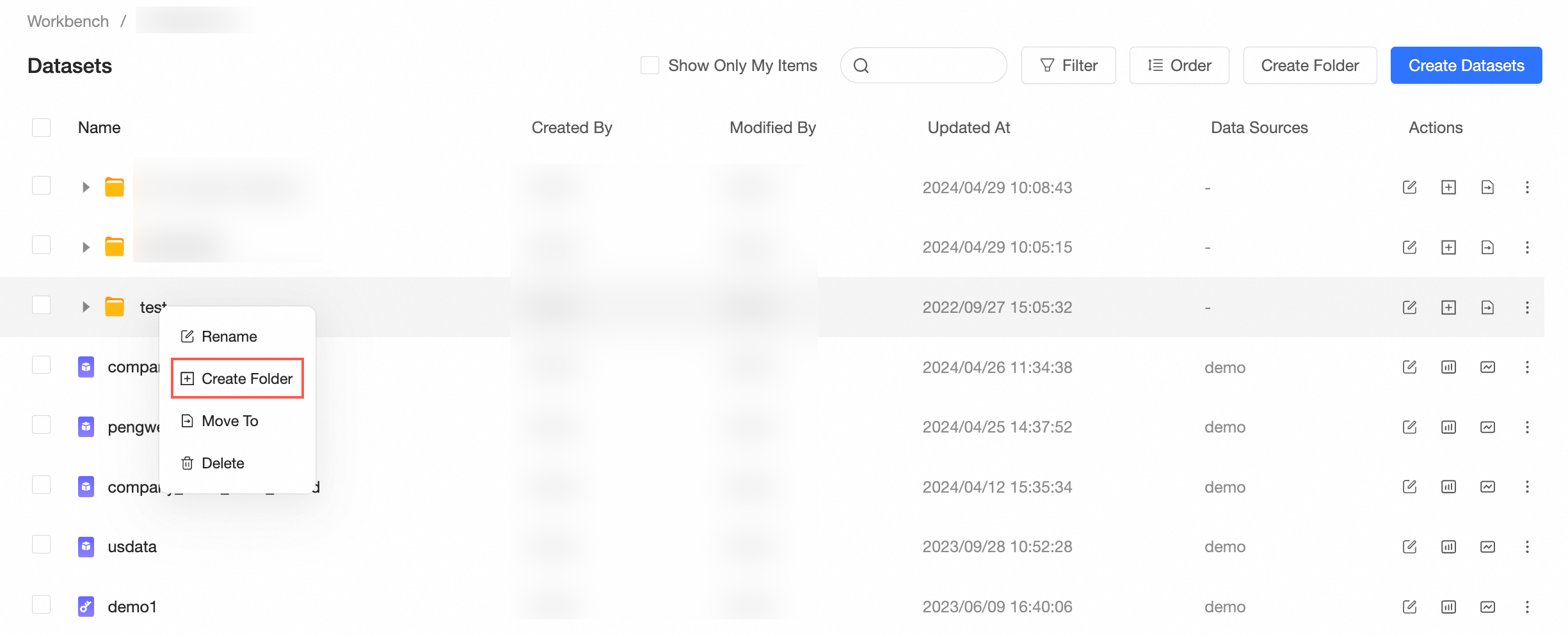
On the Dataset management page, click Create Folder.

Alternatively, right-click the target dataset folder and select Create Folder.
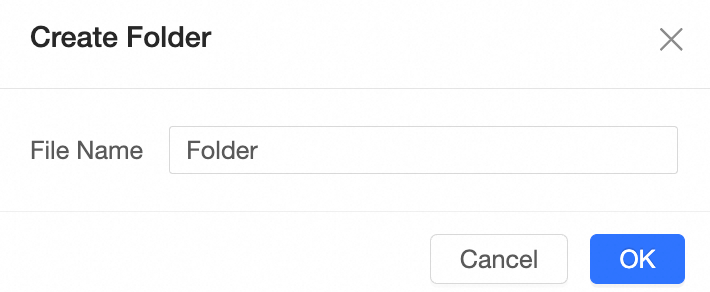
In the Create Folder dialog box, enter the folder name and click OK.
 Note
NoteA dataset folder can contain up to five levels of directories.
Rename a folder
On the Dataset management page, locate the dataset folder and click the Operation column's
 icon.
icon.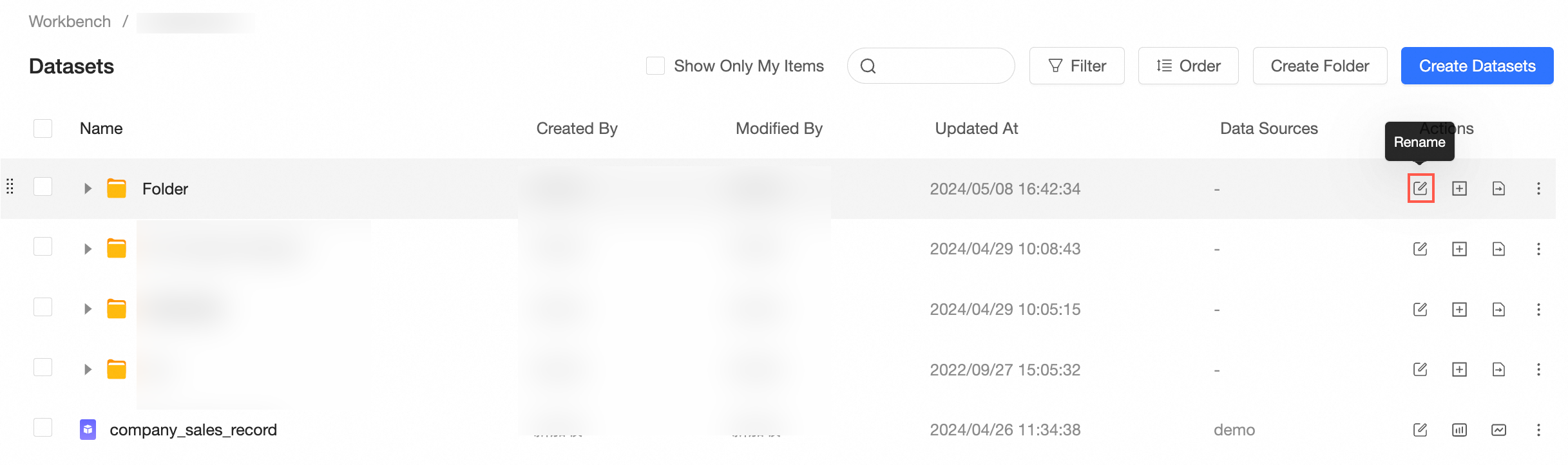
Alternatively, right-click the target dataset folder and select Rename.
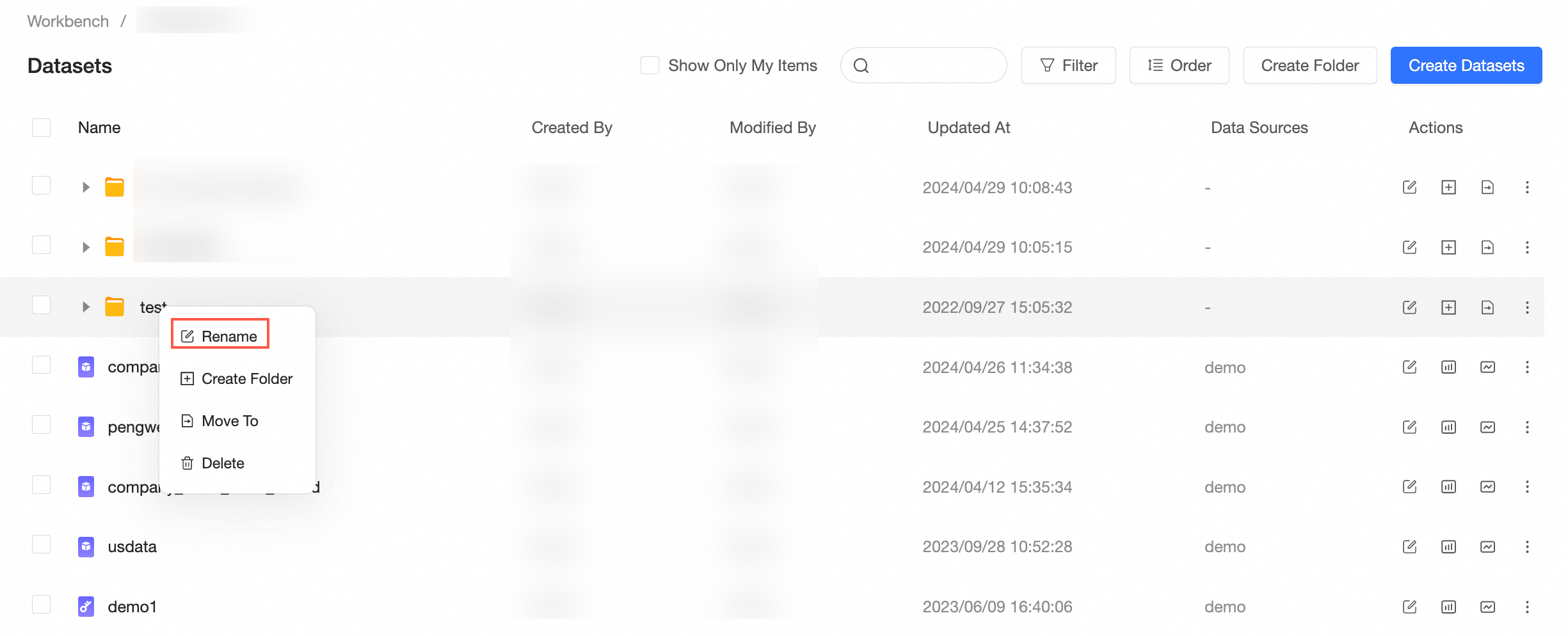
In the Rename dialog box, enter a new name and click OK.
Delete a folder
On the Dataset management page, locate the dataset folder and click the Operation column
 icon.
icon.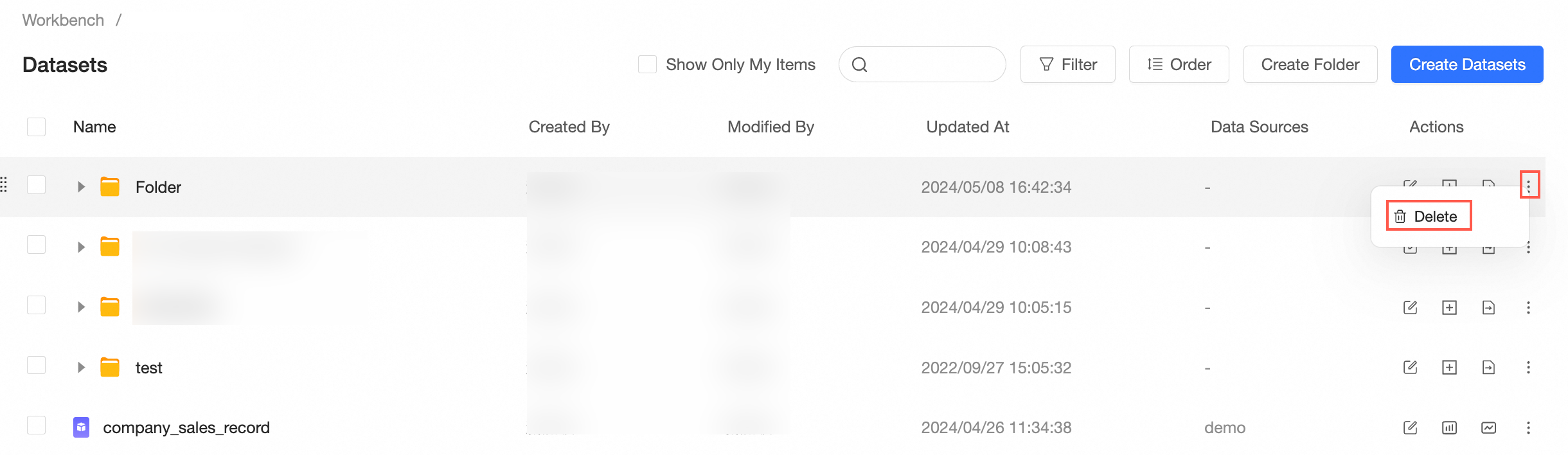
Alternatively, right-click the target dataset folder and select Delete.
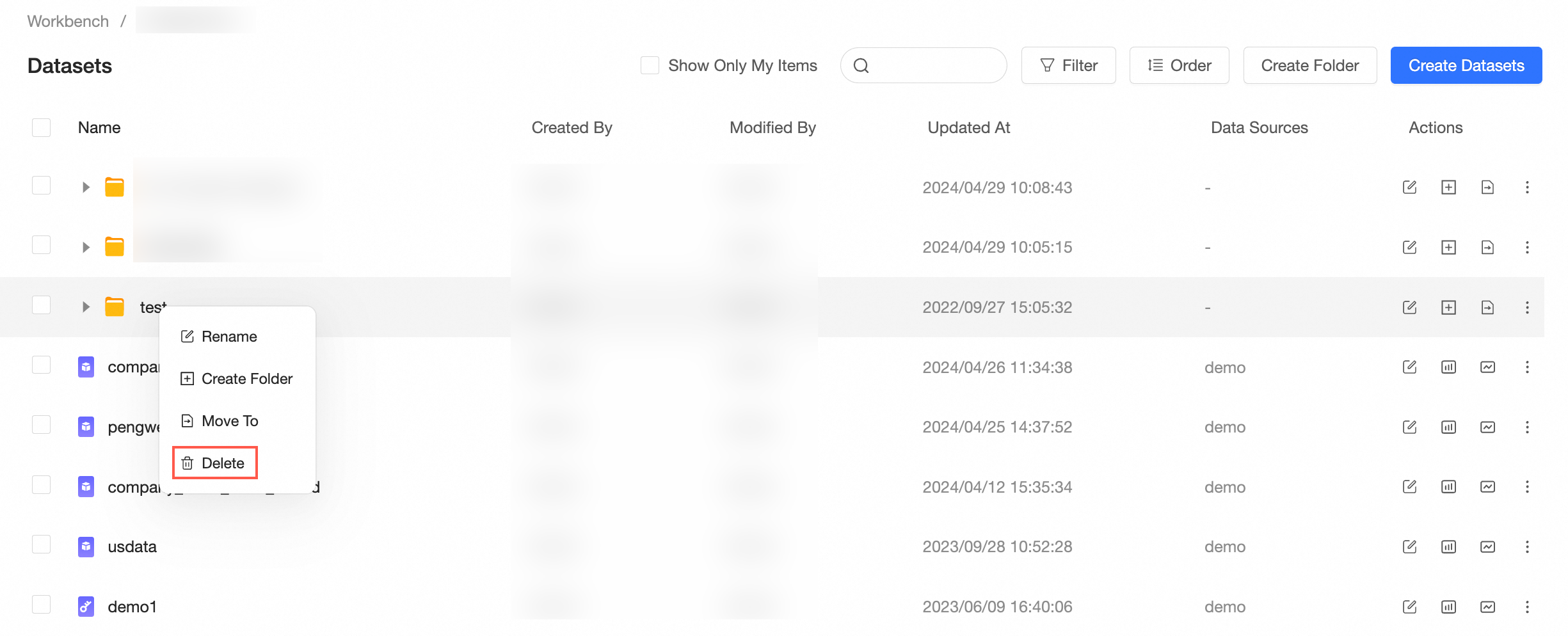
In the confirmation prompt, click OK to delete the folder.