Push channels are used to manage the various push channels of enterprises to facilitate contact with enterprises. On the Push Channels page, you can view the details of a push channel. You can also modify or delete a custom push channel.
Go to the push channels page
After you log on to the
On the Quick BI product homepage, follow the instructions shown in the following figure to go to the Push Channel Management page.
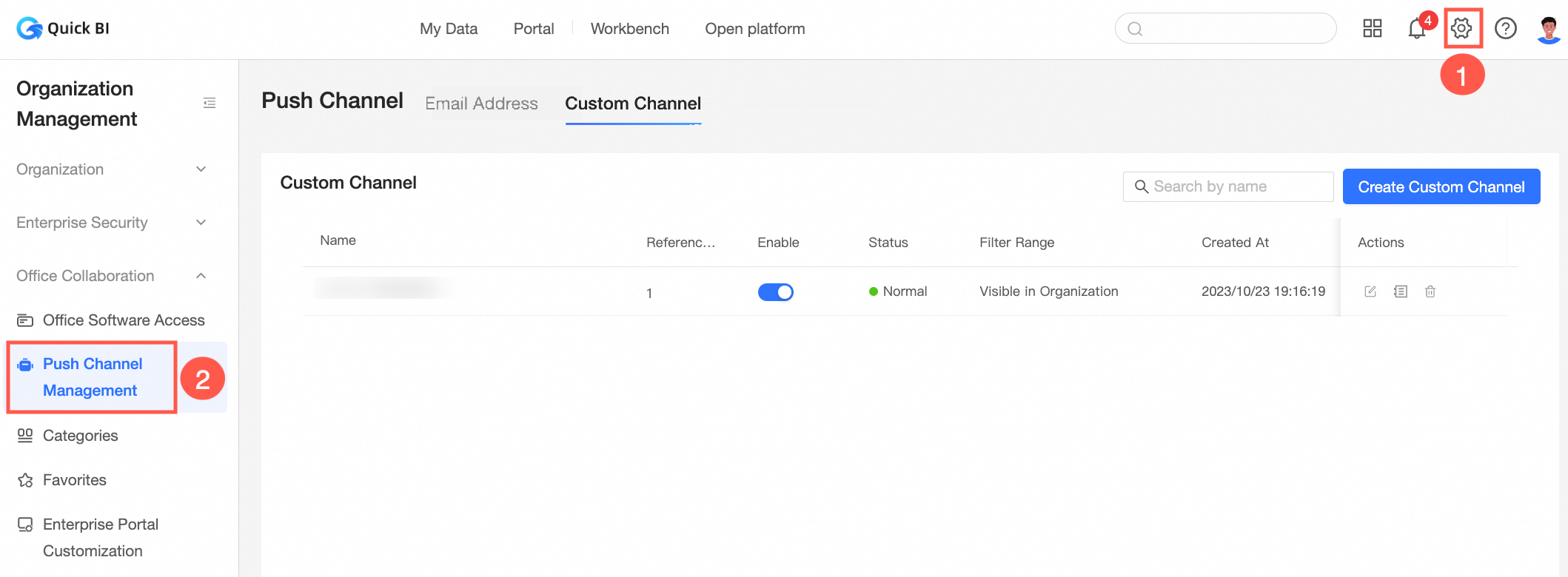
On the Push Channels Management page, you can manage emails and custom channels. You can see the following interface parameters. The following table lists only some parameters.
Parameter
Description
Type and Name
The type and name of the push channel that receives messages in this organization.
Quick BI supported push channels are email and custom channels to receive messages.
Reference Details
The number of times the channel is referenced.
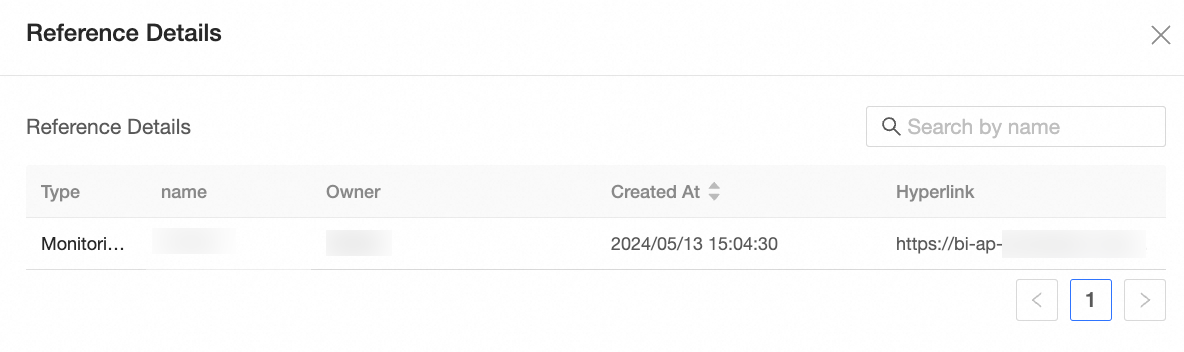
After a custom channel is created, if it is selected once in subsequent approval or monitoring, the number of references is increased by 1; and so on.
Move the pointer over the number of references to view the reference details.
Enabled
When enabled, the channel can be referenced. You can also close the channel.
Status
The status of the custom channel, which can be Enabled, Closed, or Inactive.
If a message fails to be sent through the specified push channel for 10 consecutive times, the message status of the custom push channel is set to Inactive.
Edit push channel
You can edit all push channels. The following example describes how to edit a push channel of the custom channel group webhook. 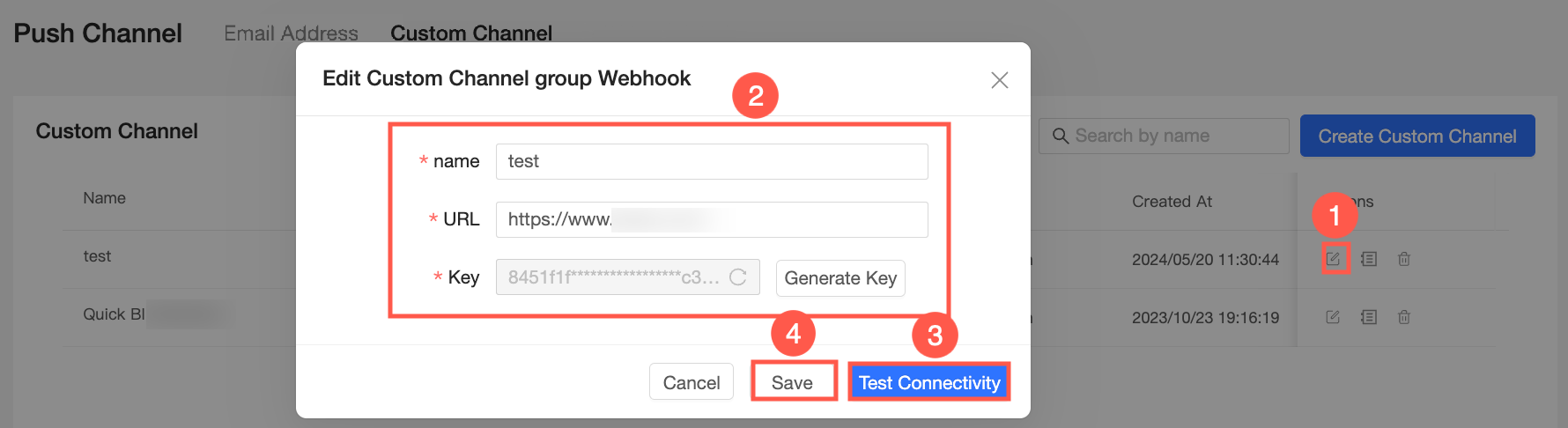 You can modify the name, push URL, and request key of the custom channel group webhook. For more information, see Parameter description.
View channel details
On the Channel Task Details page, you can view the message format and status. 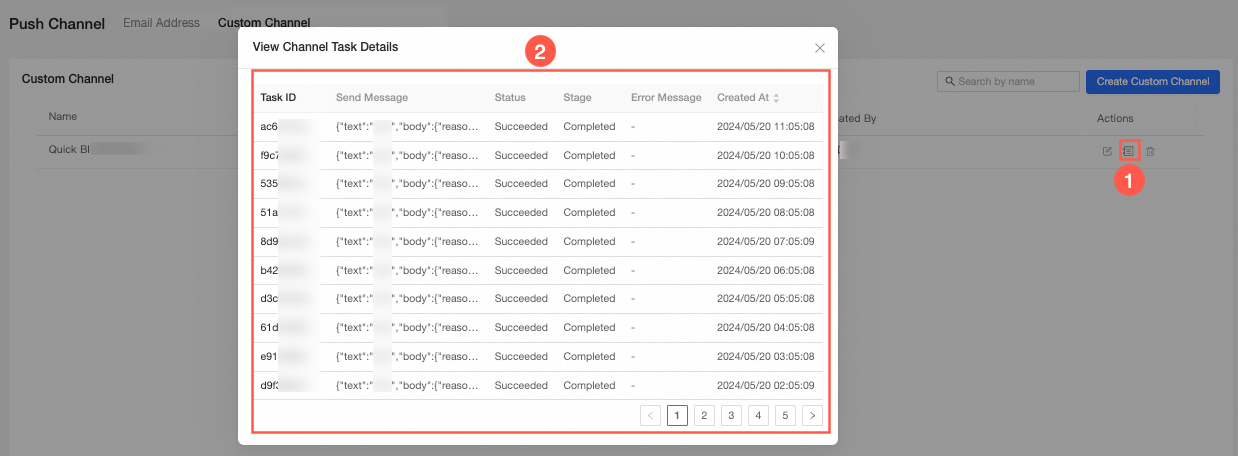
Only custom channels support viewing channel details.
Delete a push channel
You can delete a push channel only when the Reference Details parameter of the push channel is set to 0. 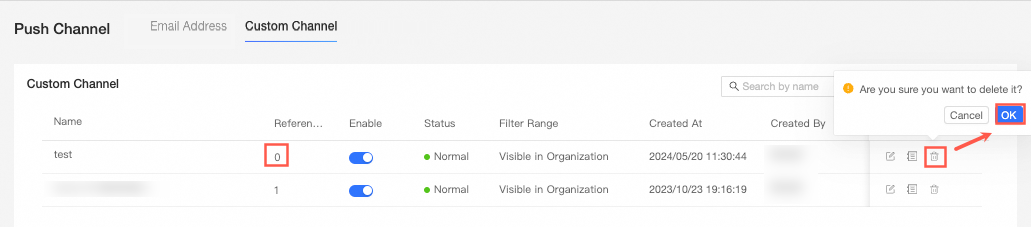
If you want to delete the push channel, you must first delete the channel in the References section.