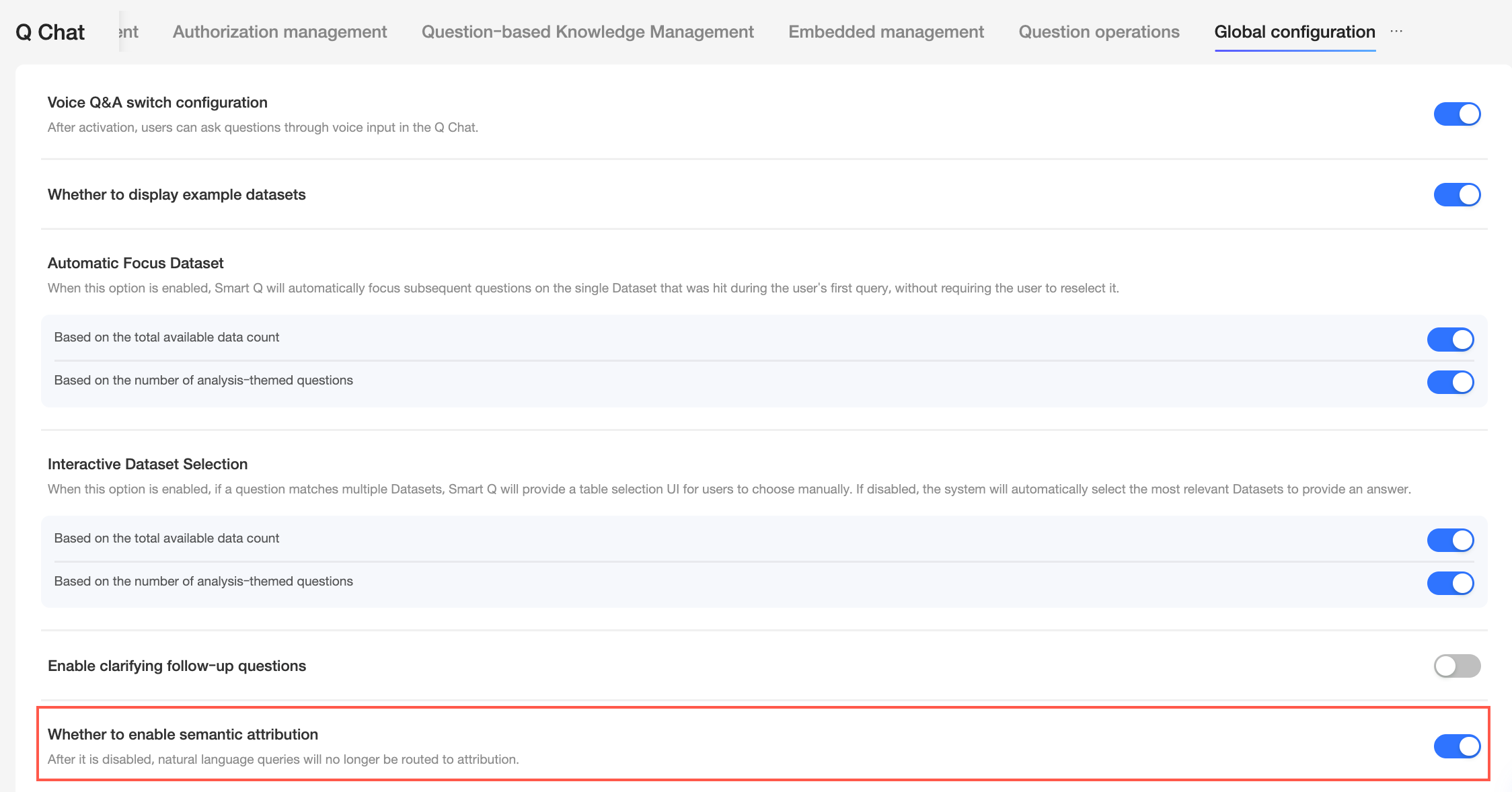
In the global configuration for the Q&A Assistant, you can configure Large Language Models (LLMs) and manage settings for voice Q&A, Q&A Insights, and sample datasets. This topic describes how to configure these settings.
This feature is currently available only in the Hong Kong (China), Malaysia, and Singapore sites. Support for other sites will be available soon.
Limits
Only organization administrators and users with custom roles that include the Q&A Assistant - Centralized Management permission can perform global configuration.
Configuration entrance
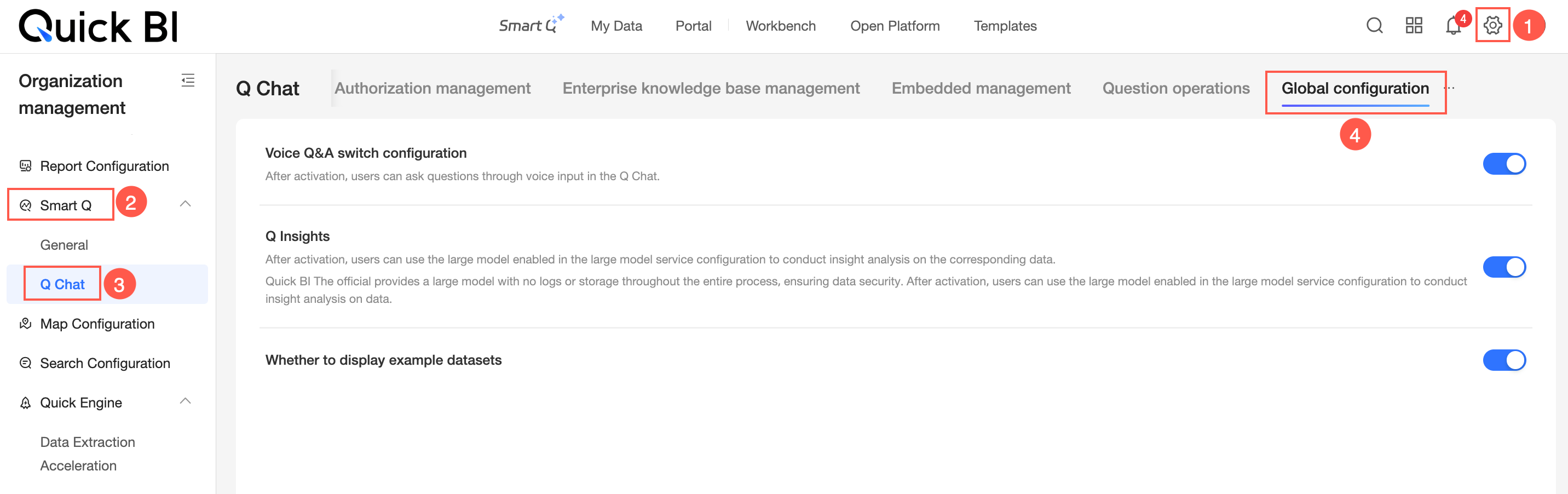
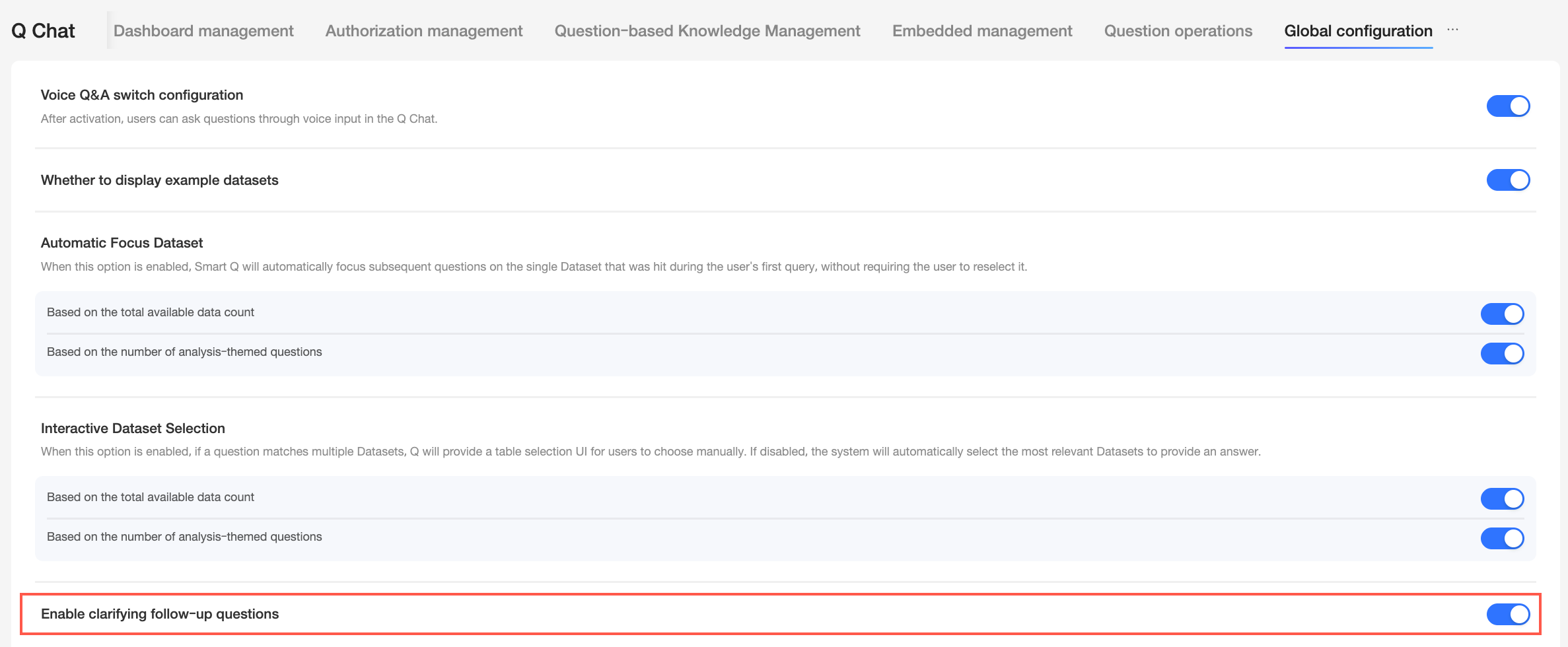
Go to Smart Q > Q Chat > Global Configuration.
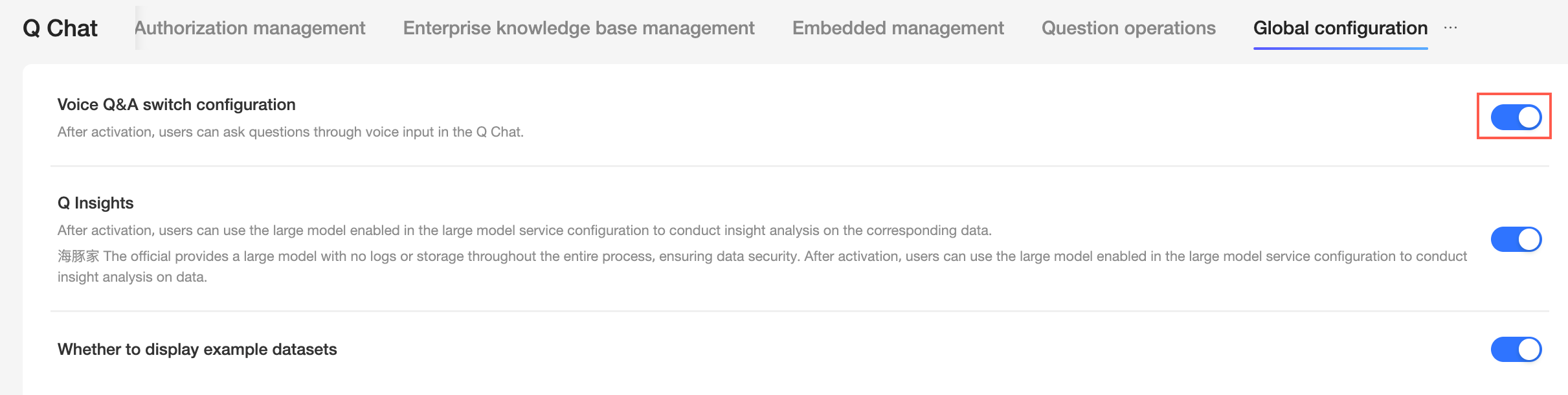
Voice Q&A switch configuration
After enabling this feature, users can ask questions in Xiao Q Wenshu by initiating a query.
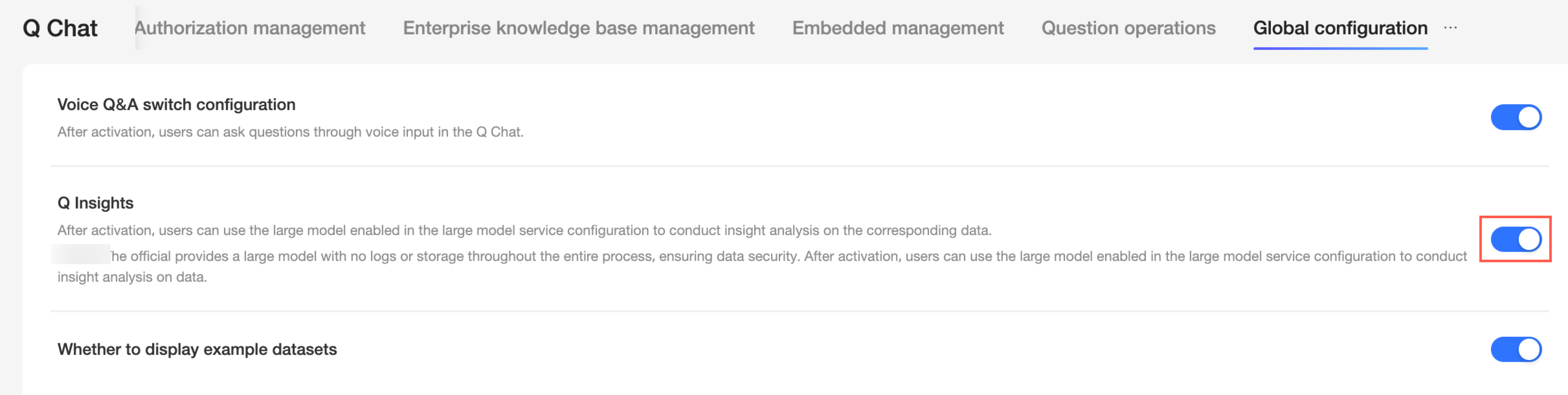
Q insights
When this feature is enabled, users can use the specified LLM to gain insights from their data. For more information, see Dashboard Q&A Insights.
Display sample datasets
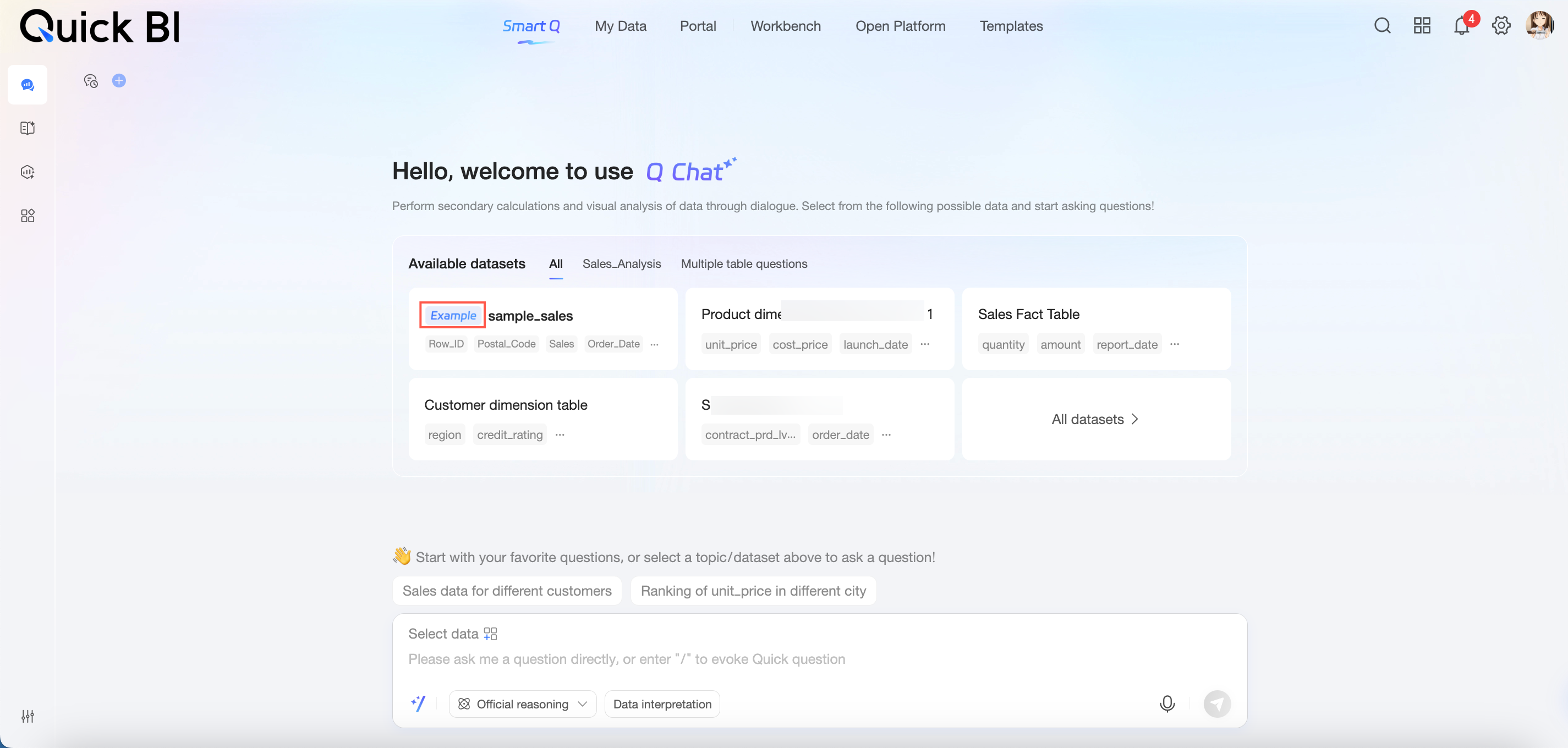
When this switch is enabled, the system displays sample datasets.
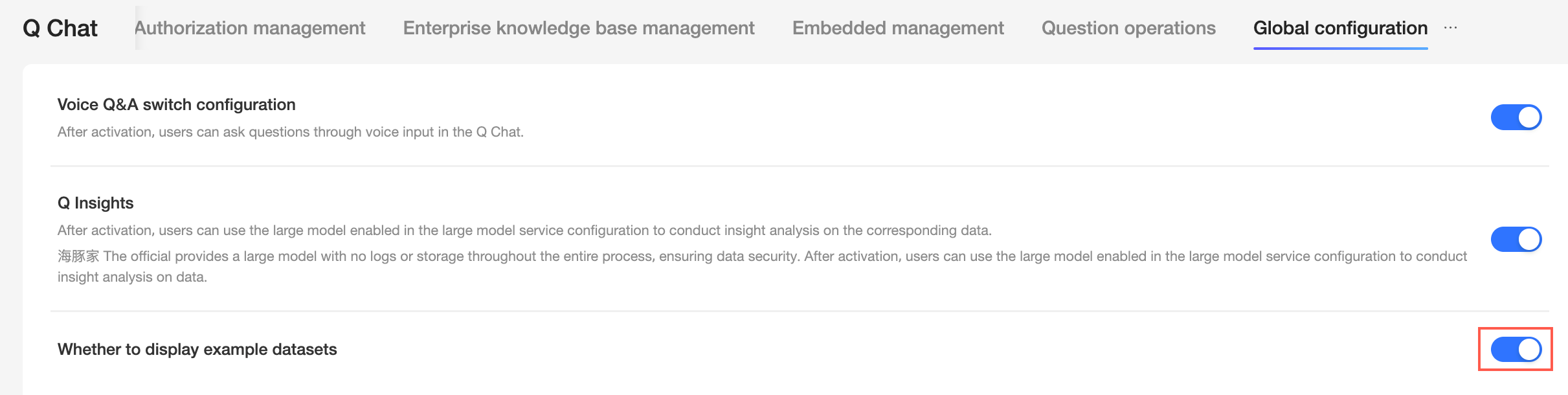
Datasets marked with a "Sample" flag in the upper-left corner are sample datasets. You can then select a sample dataset to query. For more information, see Preview and select datasets.
Auto-focus dataset
When this option is enabled, if a user's first question matches a single dataset, the Q&A Assistant automatically focuses on that dataset for all subsequent questions. This removes the need to select it again. If this option is disabled, the Q&A Assistant does not automatically focus on a dataset. Instead, the system intelligently selects the most relevant dataset for each question.
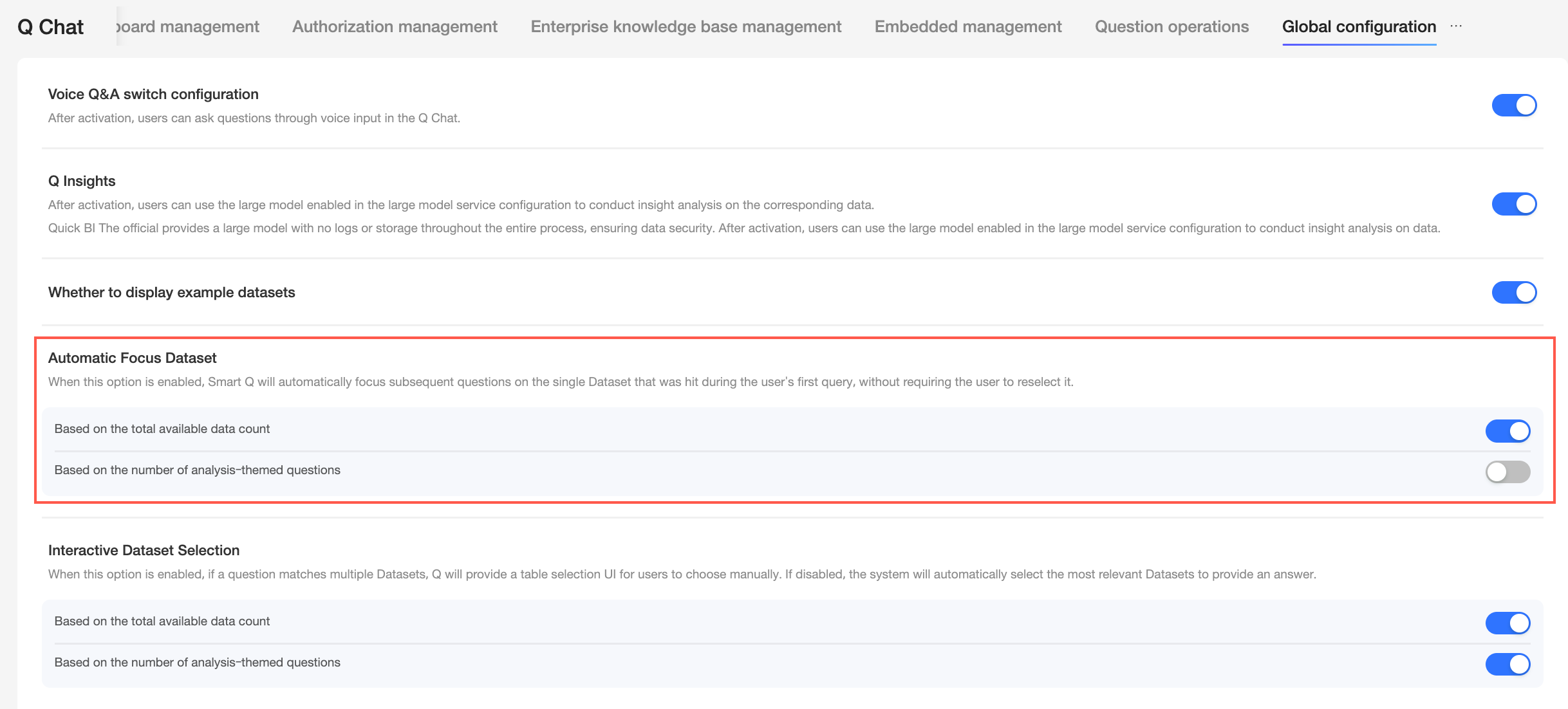
You can select either Query based on all available data or Query based on analysis topics.
Query based on all available data
When enabled, if a question matches a single dataset while querying all available data, subsequent questions are automatically focused on that dataset without requiring re-selection.
When disabled, the Q&A Assistant does not automatically focus on a dataset. Instead, the system intelligently selects the most relevant dataset for each question.
Query based on analysis topics
When enabled, if a question matches a single dataset while querying based on analysis topics, subsequent questions are automatically focused on that dataset without requiring re-selection.
When disabled, the Q&A Assistant does not automatically focus on a dataset. Instead, the system intelligently selects the most relevant dataset for each question.
Interactive dataset selection
When this option is enabled, if a question matches multiple datasets, the Q&A Assistant prompts the user to manually select the desired dataset. If this option is disabled, the system automatically selects the most relevant dataset to provide the answer.
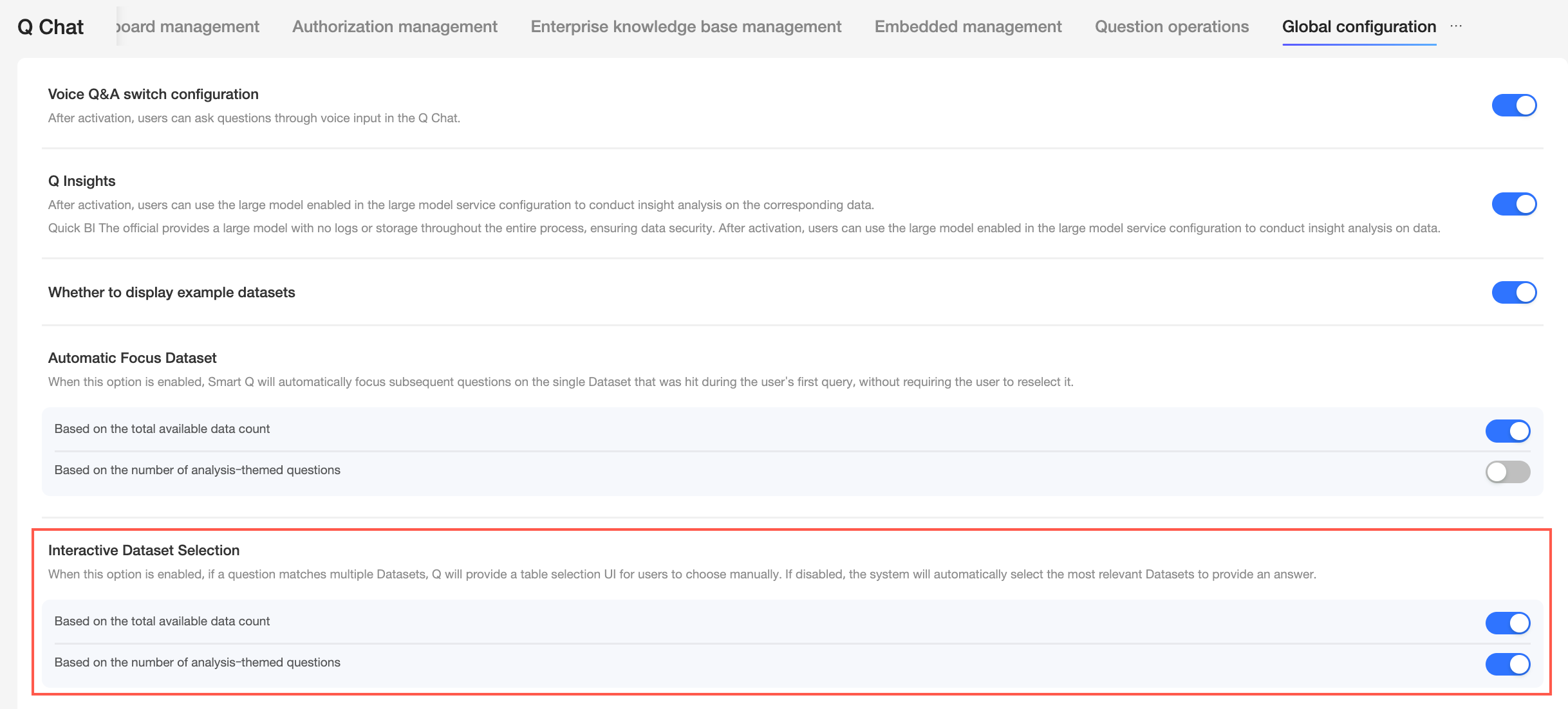
You can select either Query based on all available data or Query based on analysis topics.
Query based on all available data
When this option is enabled on the All datasets page, if a question matches multiple highly relevant datasets, the system lists them as candidates. You must then manually select one or more datasets to continue.
When this option is disabled, the system automatically selects the most relevant dataset for the answer without requiring manual selection.
Query based on analysis topics
When this option is enabled on the Analysis Topic datasets page, if a question matches multiple datasets under the current analysis topic, the system lists them as candidates. You must then manually select one or more datasets to continue.
When this option is disabled, the system automatically selects the most relevant dataset within the current topic for the answer without requiring manual selection.
Enable follow-up questions for clarification
When this feature is enabled, if a question meets certain conditions, the Q&A Assistant asks a follow-up question for clarification. This happens in scenarios such as a missing time element, a missing metric, or ambiguity between multiple metrics. The assistant confirms the necessary details before providing a more accurate answer. For more information, see Ask a question.
Enable semantic attribution
If this feature is disabled, natural language questions cannot be routed for attribution.