This topic explains the process of copying a dataset from the source workspace to the target workspace. It requires that both the source and target workspaces have administrators capable of supporting cross-workspace dataset replication.
Prerequisites
You have created a dataset. For more information, see Create Datases.
Procedure
Log on to the Quick BI console Quick BI the console
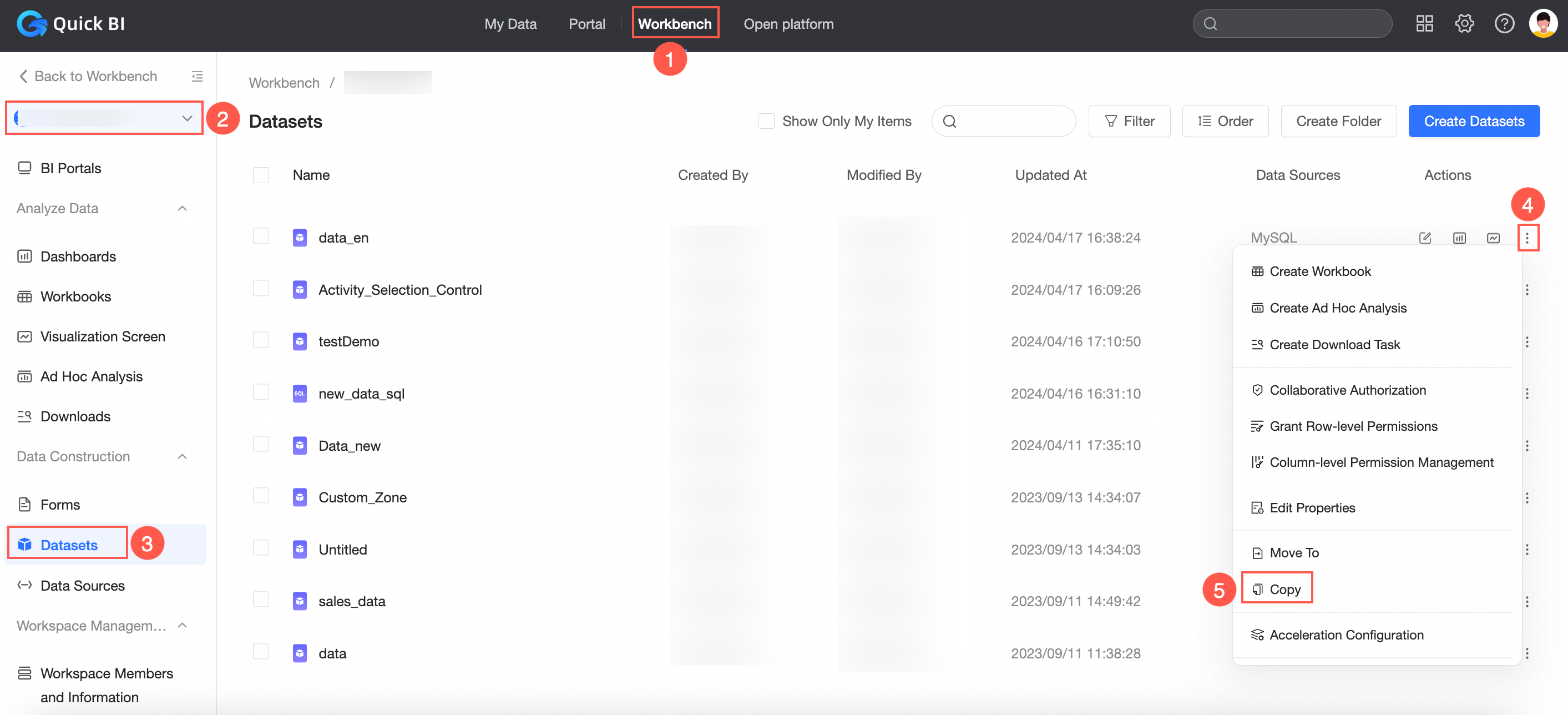
On the Quick BI home page, follow the instructions shown in the image below to copy the dataset.
On the Copy Dataset page, select the target workspace, specify the save location, and assign a new name for the dataset in the target workspace.
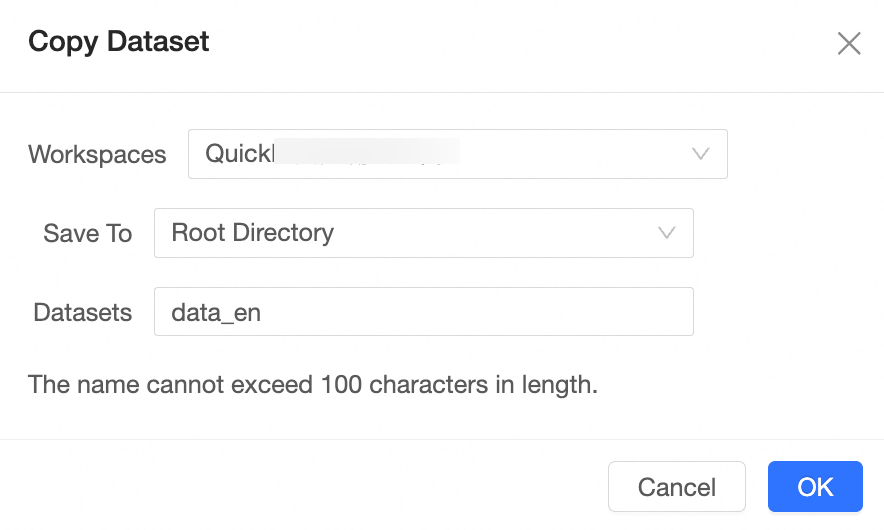
Click OK.
NoteIf the data source the dataset relies on does not exist in the target workspace, the data source will be synchronized to the target workspace along with the dataset copy.