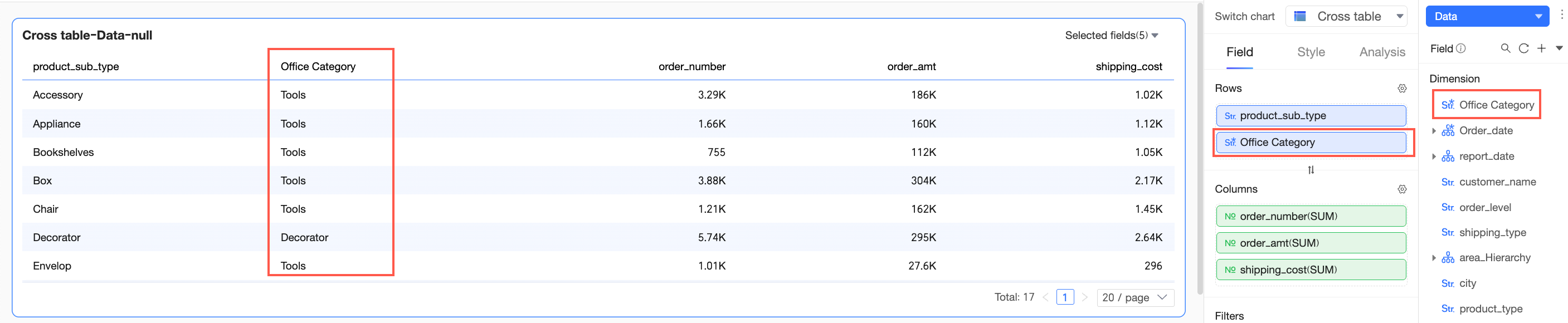
You can create aliases for enumeration values of text fields in Quick BI, allowing you to display more meaningful names in dashboards and reports.
Prerequisites
You have created a dataset. For more information, see Create a dataset.
Limits
-
Only text fields support adding dimension value aliases.
-
A maximum of 50 dimension values are supported. If a field contains more than 50 values, you cannot add aliases.
-
You cannot select calculated fields.
Procedure
-
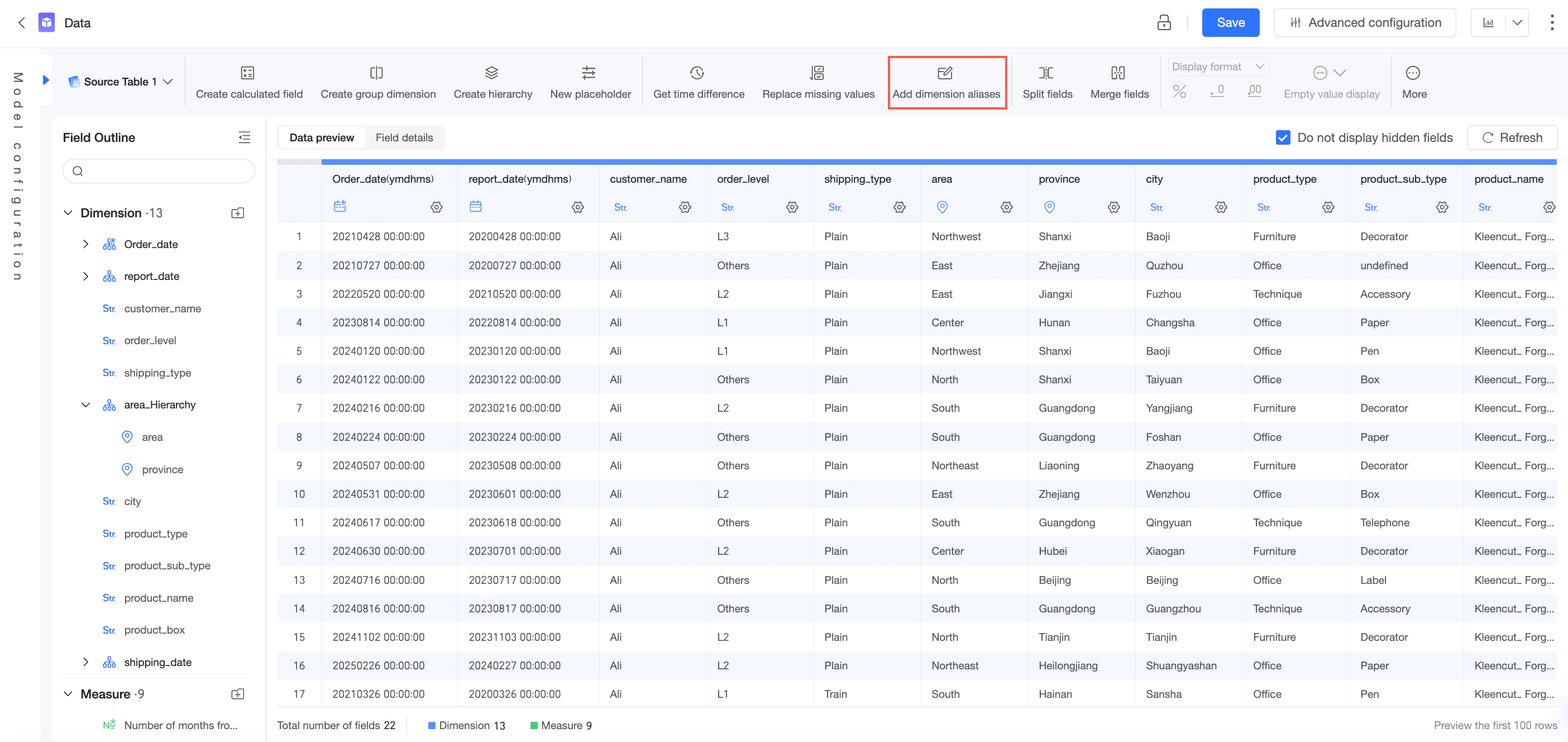
On the data processing page, click Add Dimension Value Alias.
-
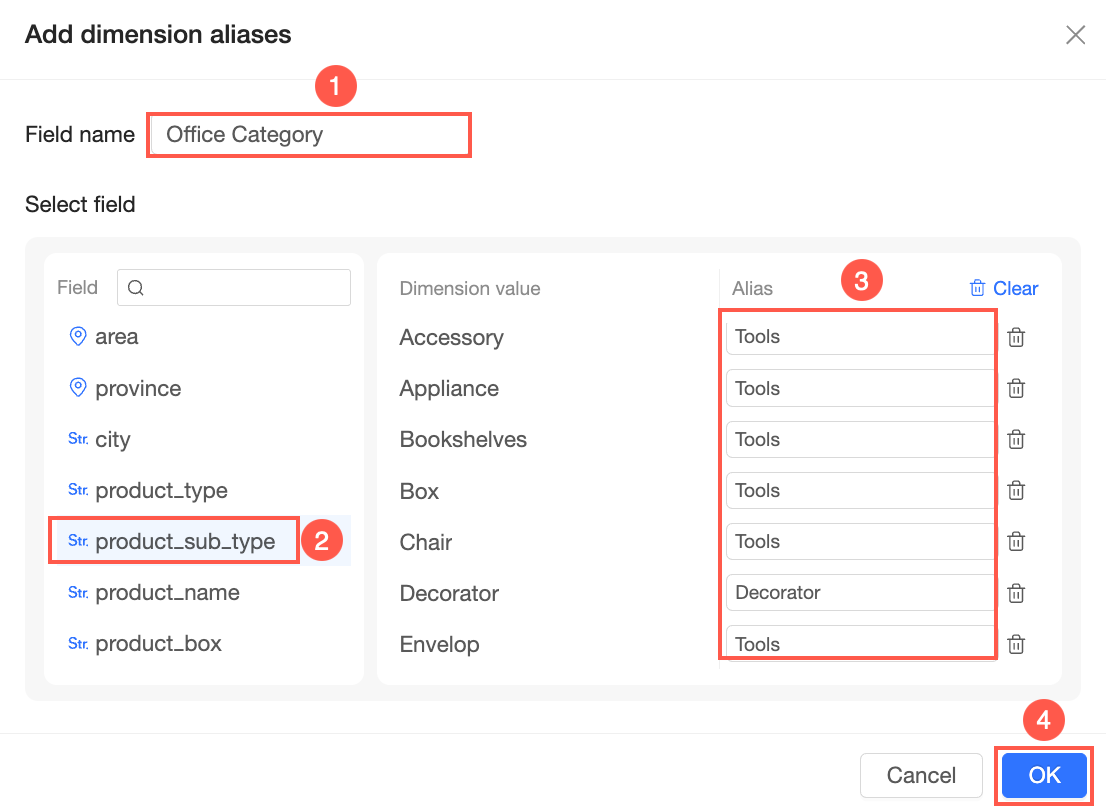
In the Add Dimension Value Alias dialog box, enter a Field Name, select a field, configure the aliases, and then click OK.
-
View the result.
The new field is created in the dataset and can be displayed in dashboards, workbooks, data dashboards, and Downloads. For example, drag the new field to the Rows area of a cross table on a dashboard: