Configure self-service analysis and select the data source tables that you want to participate in Self-service Analysis. These tables will be connected to the Quick BI.
Note
Before you configure self-service analysis, you must authorize Quick Audience to use the ad hoc analysis capabilities of the Quick BI. For more information, see Quick BI Authorization Configuration.
Procedure
In the upper-right corner
 of the page, choose Workspace > Workspace> Self-Service Analysis Configuration.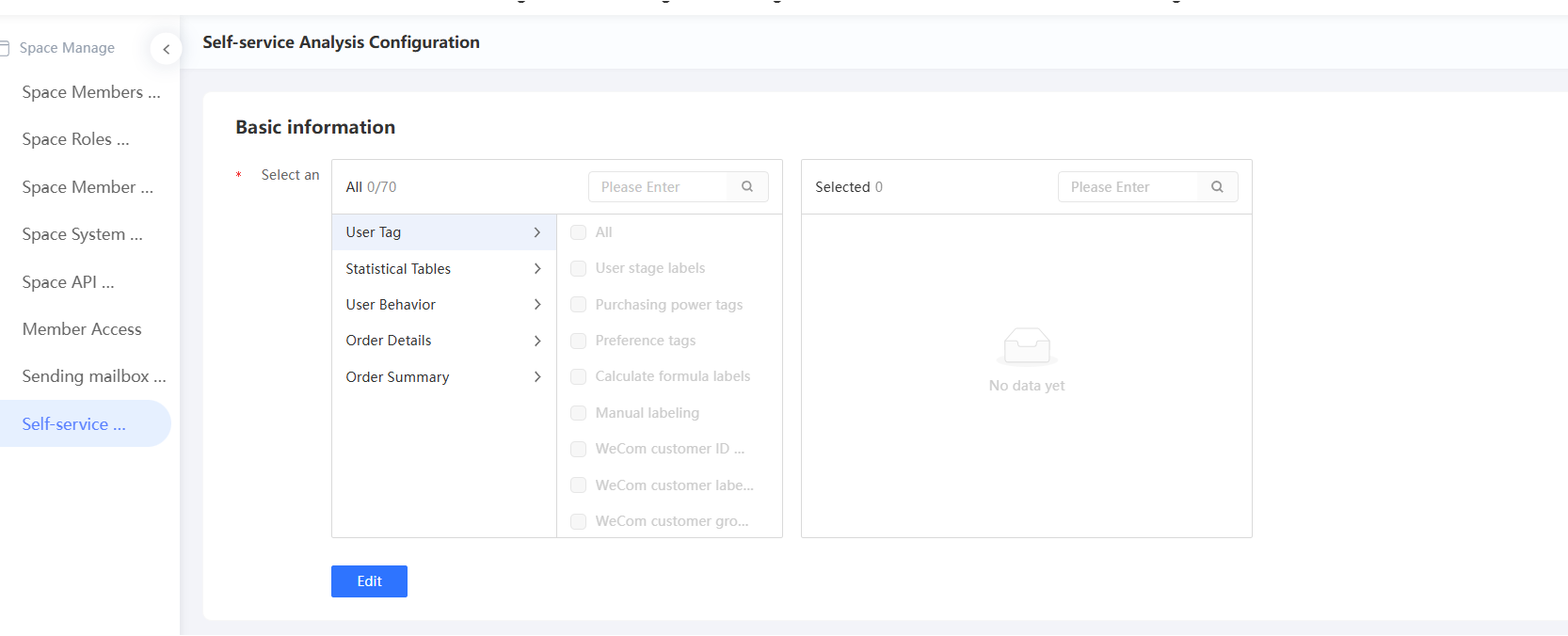
In the lower part of the page, click Edit.
Select the required import table (imported table), as shown in the following figure. Multiple choices are supported.

Click Save.