Running AI inference on data that lives outside your database means building and maintaining a separate pipeline to move data out, score it, and load the results back. PolarDB for AI eliminates this by letting you run inference inside PolarDB for MySQL and persist the output as a queryable table.
The output is stored in an AI-augmented table (AAT)—a table where one or more columns contain inference results generated by an AI model. AATs are backed by Object Storage Service (OSS) rather than the primary storage engine, which prevents the AI model from frequently writing data to databases. Once generated, an AAT behaves like any other external table: query it with SELECT, join it with existing tables, and filter or aggregate its columns. For example, you can easily categorize user groups, predict sales amounts, and obtain AI-generated content by using the data stored in AATs.
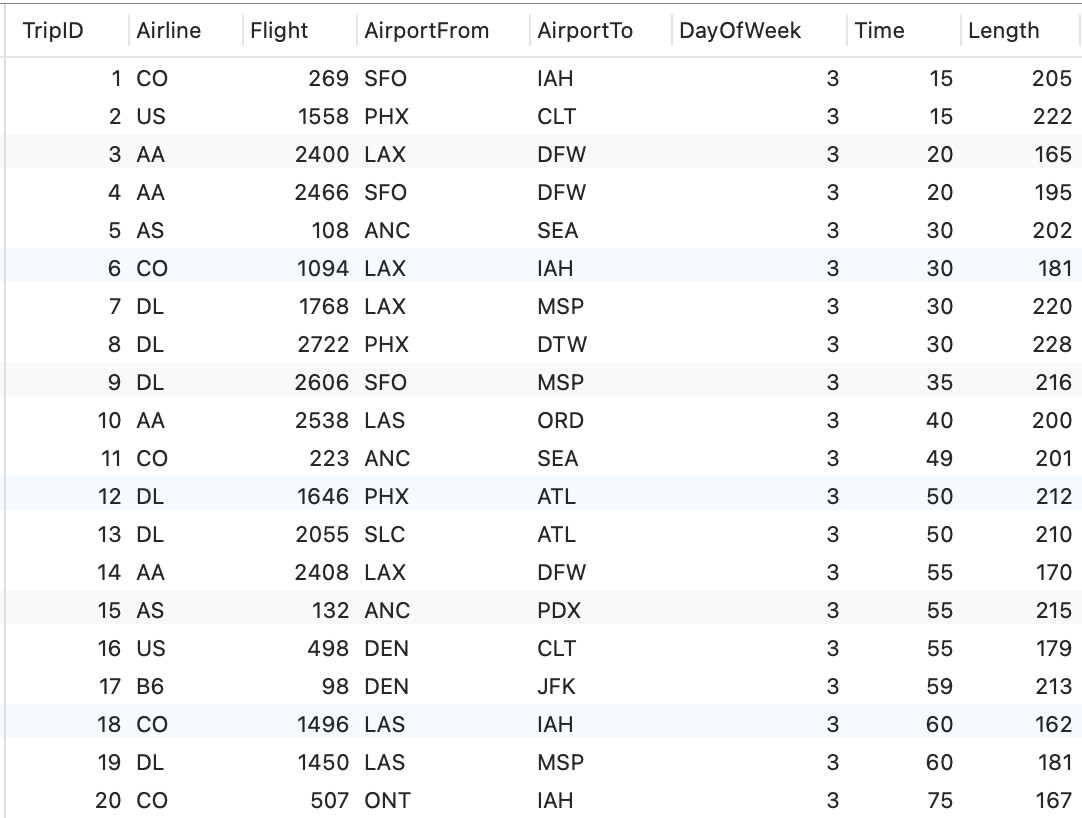
Example: The table below contains flight records with attributes such as airline, route, and departure time.
Figure 1. Original table
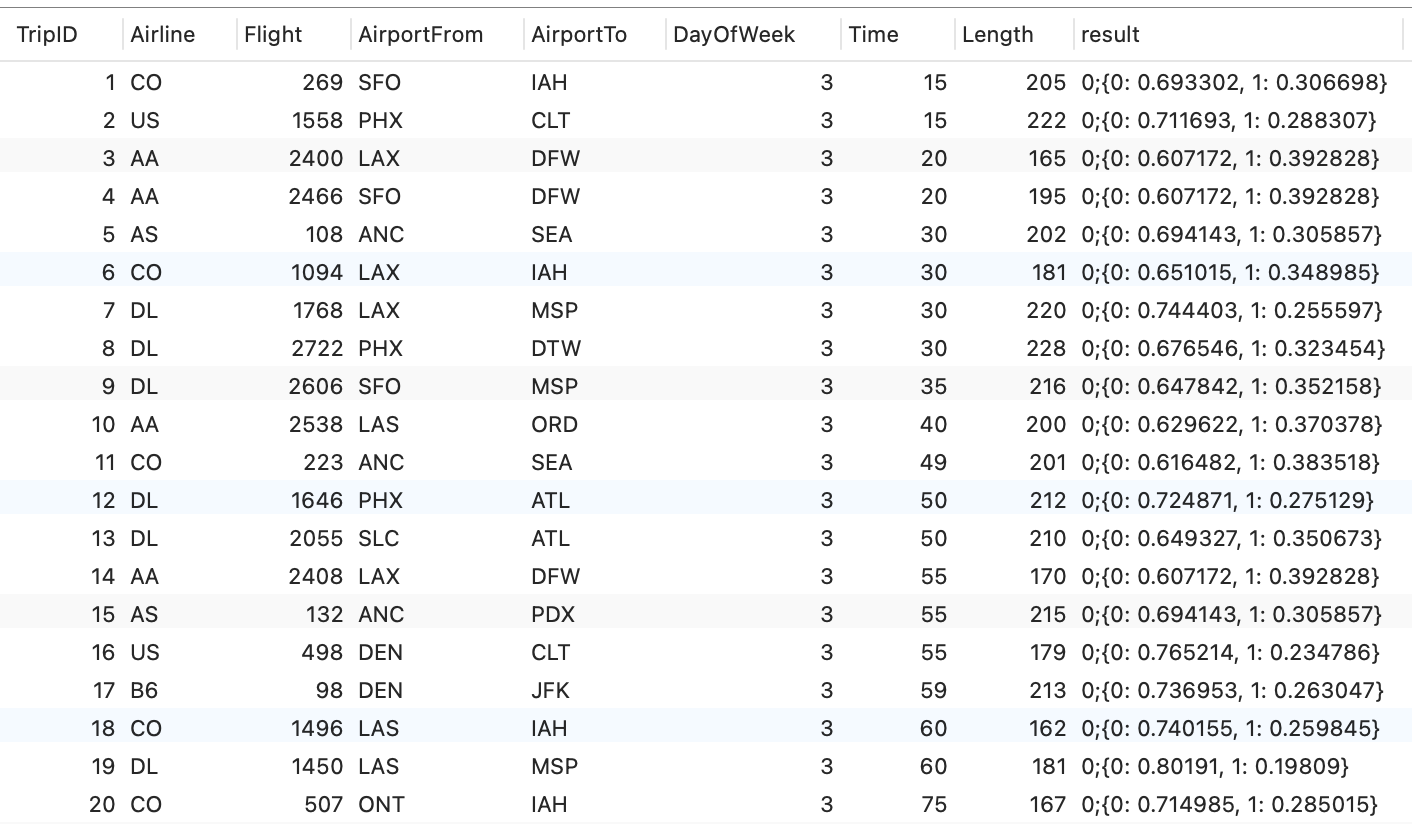
The AAT adds a result column with the model's prediction—in this case, whether a flight is likely to be delayed.
Figure 2. AAT with AI inference results
Before you begin
Before you start, confirm the following:
-
Cold data archiving is enabled on your PolarDB for MySQL cluster. AATs are stored as OSS external tables, which requires this feature. See Enable cold data archiving.
-
A database named
polar4aiexists with theutf8mb4character set. AATs are automatically written to this database. The database account must match the account used by PolarDB for AI, with both read and write permissions. See Create a database.
Generate an AAT from an AI model
The following steps walk through a complete example: training a LightGBM model on flight data, running an offline prediction task, and querying the results.
Step 1: Create a model
Run the following statement to train a LightGBM model named airlines_gbm_copy1 on the airlines_train table:
/*polar4ai*/
CREATE MODEL airlines_gbm_copy1
WITH (model_class='lightgbm',
  x_cols ='Airline,Flight,AirportFrom,AirportTo,DayOfWeek,Time,Length',
  y_cols='Delay',
  model_parameter=(boosting_type='gbdt', n_estimators=100,
                   max_depth=8, num_leaves=256))
AS (SELECT * FROM airlines_train)
Step 2: Confirm the model is registered
/*polar4ai*/SHOW MODELS;The output lists all models registered in the database:

Step 3: Run an offline prediction task to generate the AAT
Submit a prediction task using the trained model:
/*polar4ai*/SELECT TripID,Delay
FROM
  PREDICT (
    MODEL airlines_gbm_copy1,
      SELECT * FROM airlines_train_1000_copy1)
WITH
   (s_cols='TripID,Delay',
    x_cols = 'Airline,Flight,AirportFrom,AirportTo,DayOfWeek,Time,Length',
    y_cols='Delay',
    primary_key='TripID', mode='async',into_type='db')
INTO lightgbm_v2_predict82201;
Key parameters in this statement:
| Parameter | Value | Explanation |
|---|---|---|
mode |
async |
Runs the task asynchronously. Large-scale inference can take a significant amount of time—running it synchronously would block your connection for the duration. |
into_type |
db |
Writes output to a database-accessible table. Use db when you need to query or join the results with SQL. |
primary_key |
TripID |
Sets the primary key of the generated AAT. |
After execution, a task ID is returned. For example: babc6d66-xxxx-yyyy-a4b8-1b1426ce8614.
lightgbm_v2_predict82201 is the name of the AAT that will be created automatically.
Step 4: Check task status
Use the task ID to monitor progress. When the status is finish, the model has completed inference and the AAT is ready to query.
/*polar4ai*/SHOW TASK `babc6d66-xxxx-yyyy-a4b8-1b1426ce8614`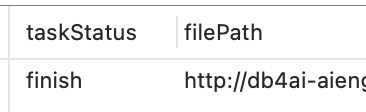
Step 5: Inspect the AAT schema
SHOW CREATE TABLE polar4ai.lightgbm_v2_predict82201;Output:
CREATE TABLE `lightgbm_v2_predict82201` (
 `TripID` bigint(20) NOT NULL,
 `Delay` bigint(20) DEFAULT NULL,
 `result` text,
 PRIMARY KEY (`TripID`)
) ENGINE=CSV DEFAULT CHARSET=utf8mb4 COLLATE=utf8mb4_0900_ai_ci /*!99990 800020204 NULL_MARKER='NULL' */ CONNECTION='default_oss_server'
The TripID and Delay columns mirror the types and lengths from the original table. The result column holds the model's inference output. The ENGINE=CSV and CONNECTION='default_oss_server' entries confirm that the table is an OSS-backed external table.
Step 6: Query the AAT
SELECT * FROM polar4ai.lightgbm_v2_predict82201 LIMIT 1000;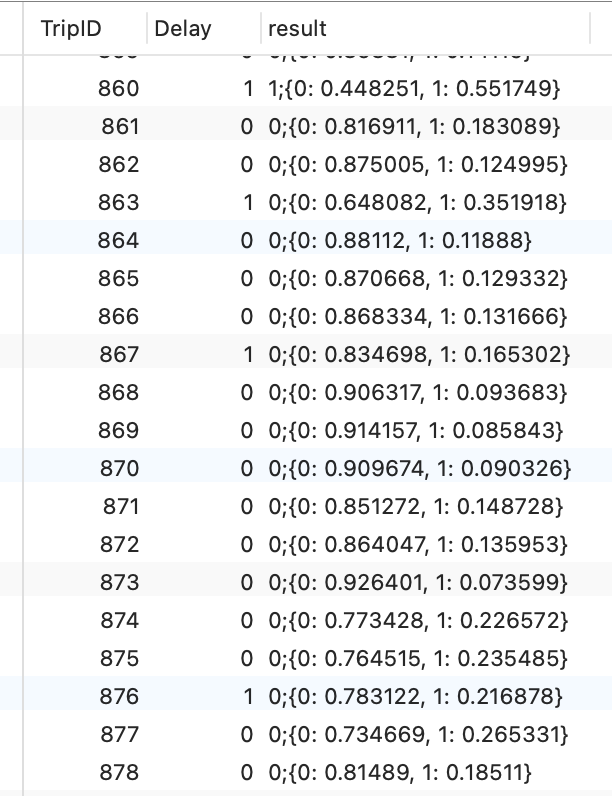
The result column contains prediction results and their probability values.
Step 7: Join the AAT with other tables
The AAT works like any regular table. Join it with the original dataset to filter and analyze results:
SELECT * FROM
airlines_train_1000_copy1, polar4ai.lightgbm_v2_predict82204
WHERE
airlines_train_1000_copy1.TripID=polar4ai.lightgbm_v2_predict82204.TripID
AND
airlines_train_1000_copy1.Delay=1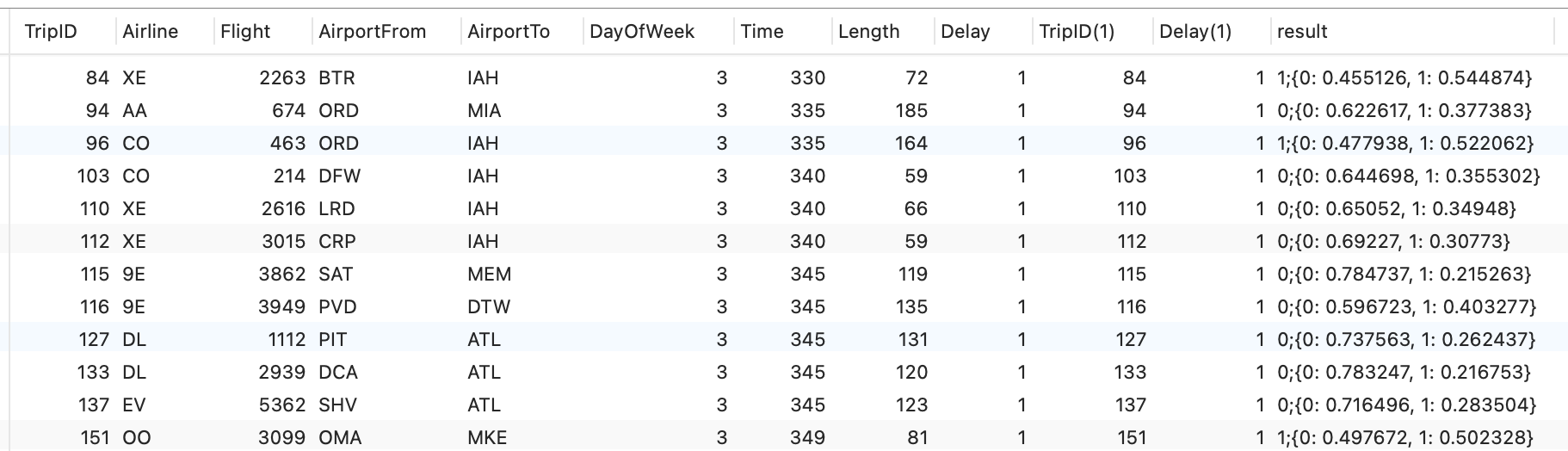
Limitations
-
AATs are stored as OSS external tables, not in the primary storage engine.
-
The
polar4aidatabase must use theutf8mb4character set. Other character sets are not supported for AAT storage. -
The database account used to create and query AATs must match the account configured for PolarDB for AI, with explicit read and write permissions.