This topic describes how to resolve the OOM (out of memory) error that occurs when using the client on a Windows 7 32-bit system.
OOM issue description
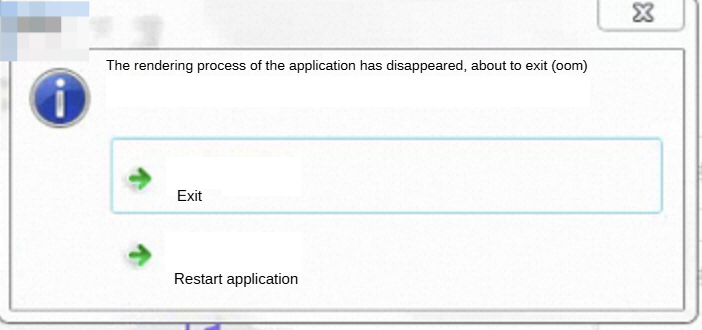
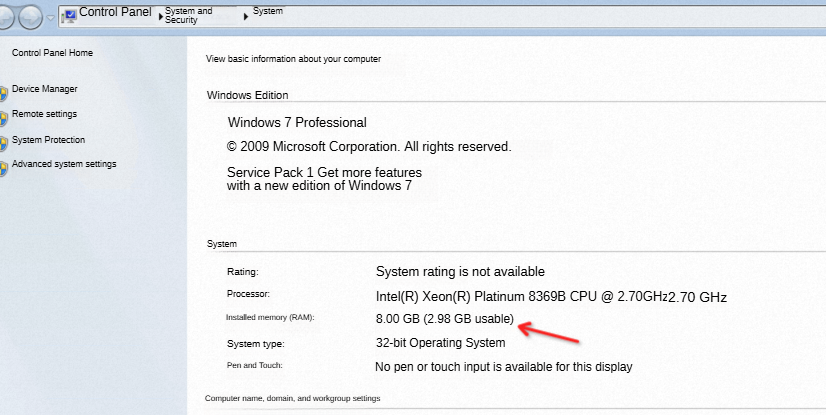
When accessing the enterprise cloud drive desktop client, you might see the error dialog shown below. This occurs due to memory limitations of the Windows 7 32-bit system. Even with 8 GB of RAM installed, this system can only utilize a maximum of 4 GB of memory.
Solutions
Solution 1
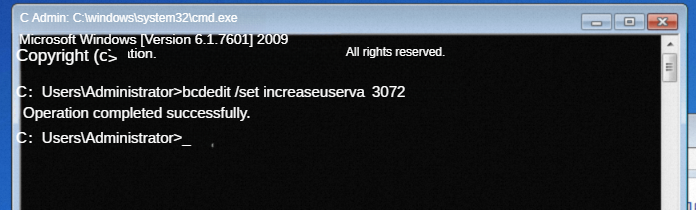
Open cmd as administrator and enter the command
bcdedit /set increaseuserva 4096, where 4096 represents 4 GB.NoteIf your system memory is 4 GB RAM, you can set this value to 3072.
If your system memory is 8 GB RAM or higher, you can set this value to 4096.
Restart the computer.
Reinstall the client.
If this has side effects on other applications, you can recover the original settings by entering the command:
bcdedit /deletevalue increaseuserva
Solution 2 (recommended)
Use a Windows 64-bit system.