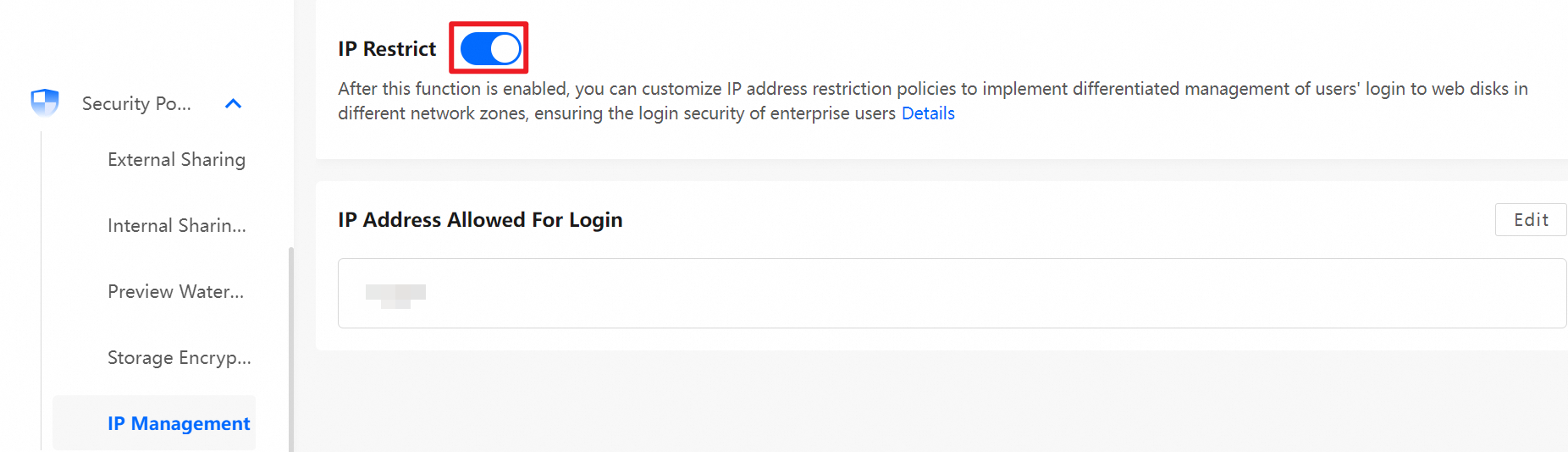
This topic describes how to configure a custom logon IP restriction policy to manage users who log on to a network disk from different network areas.
This feature is disabled by default. A super administrator or network disk administrator must enable it.
Important: When this feature is enabled, it restricts all access to the network disk, including access through anonymous sharing links.
Enable the feature
Log on as a super administrator or network disk administrator. On the Management Console, choose Security Policies > Logon IP Management > Enable Logon IP Restriction.
After you enable the feature, add a logon IP restriction policy.
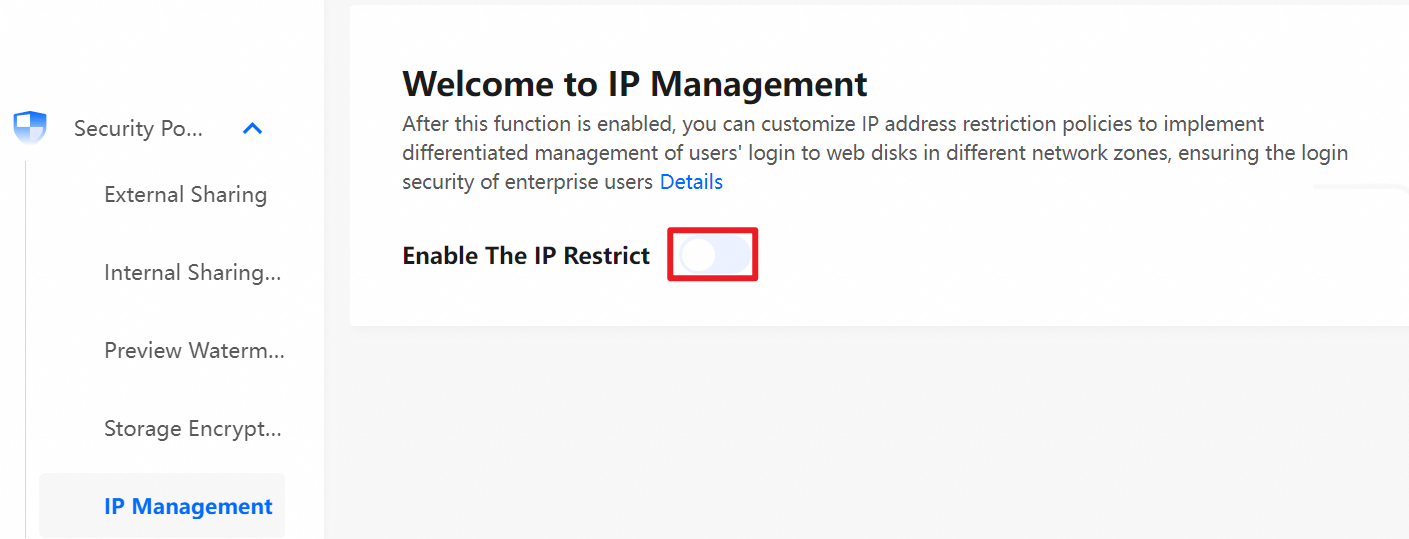
Feature description
Add a logon IP restriction policy
You can enter a single IP address, an address with a subnet mask, or multiple IP addresses. IP address ranges are not supported.
The logon IP restriction applies to all users except the super administrator.
By default, the checkbox to exempt network disk administrators from logon IP restrictions is cleared. If you select this checkbox, the restrictions do not apply to network disk administrators.
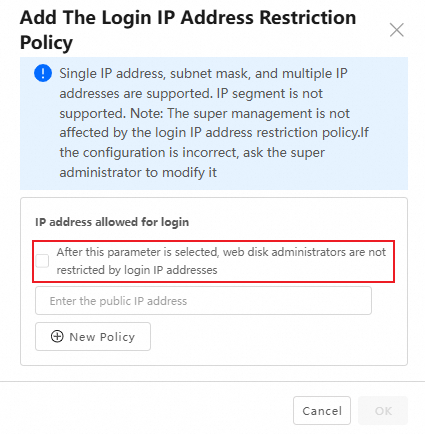
To enable this feature, you must add at least one logon IP restriction.
Click New Policy to add more IP addresses. You can add up to 30 logon IP restriction policies.
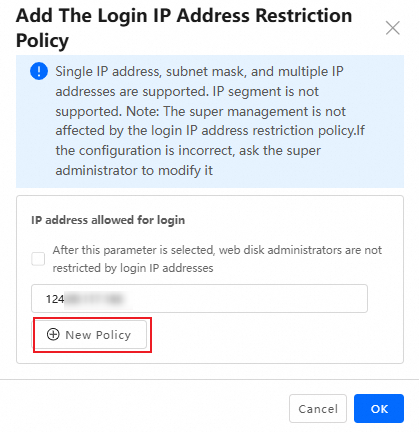
After you configure the logon IP restriction policy, it takes effect within 1 minute.
The IP address must be in a valid IP address format or CIDR format. Otherwise, the configuration fails.
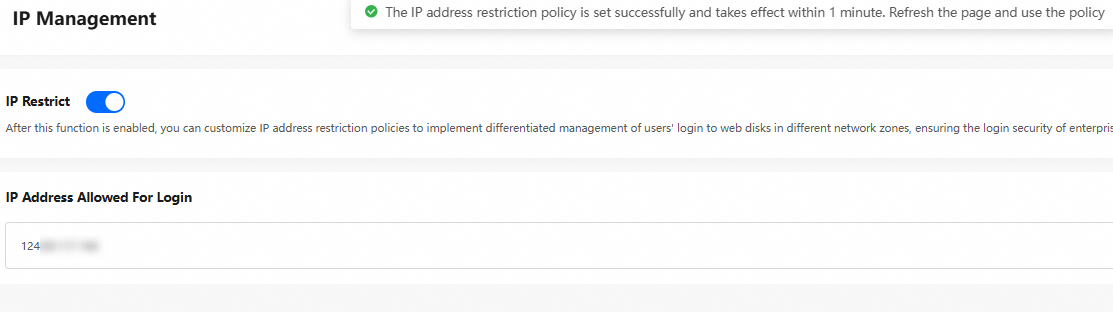
Modify a logon IP restriction policy
To modify a configured logon IP address, click Edit on the Logon IP Management page.

Delete a logon IP restriction policy
To delete a configured logon IP address, click Edit on the Logon IP Management page. On the edit page, select the target IP address and delete it.
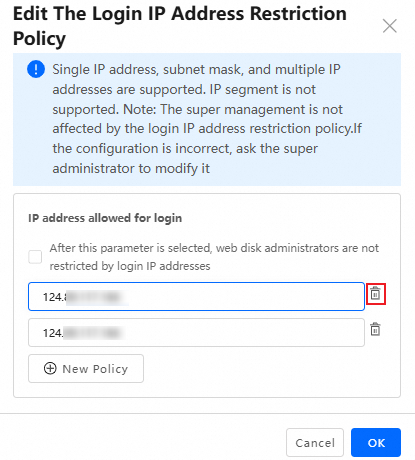
Disable the feature
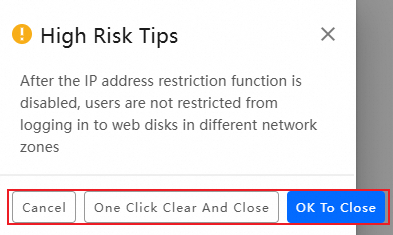
To disable this feature, click the switch to turn it off. Then, select a method to disable it.
Cancel: Cancels the disable operation.
Clear and Disable: Deletes all existing configurations and disables the feature.
Disable: Disables the feature but retains the existing configurations. This is equivalent to deactivating the feature.