This topic describes how to view the enterprise code.
Enterprise code
An enterprise code is also called a domain ID. You can log on to the Drive and Photo Service (PDS) console or the Cloud Drive for Enterprises (CDE) Cloud Drive for Enterprises (CDE) admin console to view it.
View the enterprise code
PDS console
Enterprise Edition

Developer Edition
CDE admin console
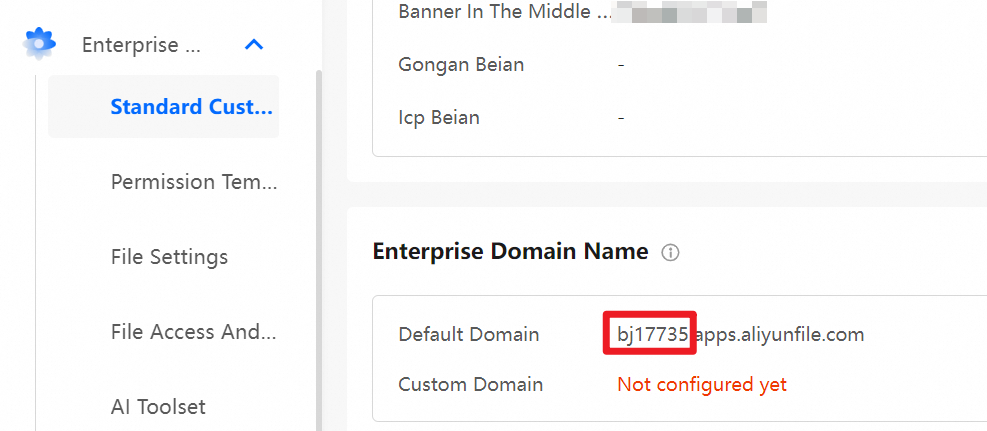
Log on as an administrator and go to the admin console. Navigate to Enterprise Settings > Standard Customization. In the Enterprise Domain Name section of the page that appears, view the enterprise code in the Default Domain field.