Activate PAI ArtLab and configure access for your team. This page covers three tasks: activating the product, claiming a free trial, and granting Resource Access Management (RAM) permissions to team members.
Who does what:
| Task | Who performs it |
|---|---|
| Activate the product | Alibaba Cloud account owner |
| Claim a free trial | Alibaba Cloud account owner |
| Grant permissions to RAM users | Alibaba Cloud account owner |
| Log in and use ArtLab | RAM user (after the account owner grants permissions) |
Activate the product
Log on to the PAI ArtLab console. Follow the on-screen instructions to click Authorize Now and then Activate.
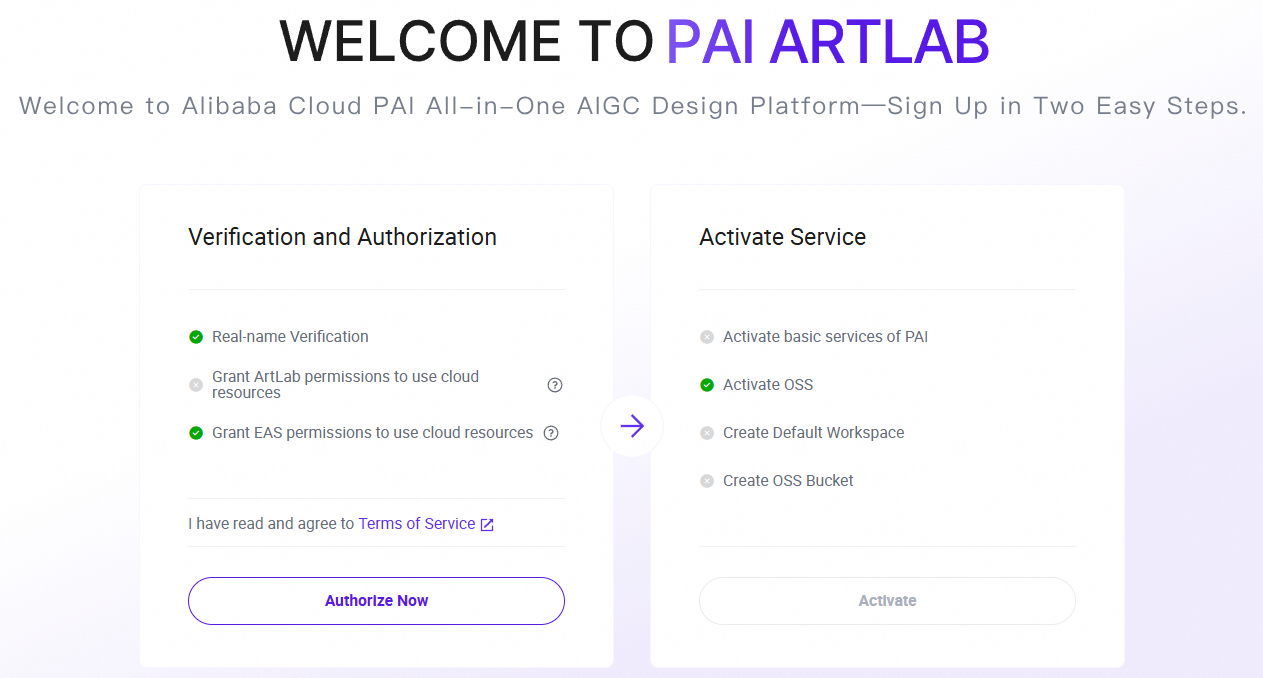
Log on to the PAI ArtLab console. Follow the on-screen instructions to click Authorize Now and then Activate.
Claim a free trial
In the upper-right corner of the platform, click Free Trial.
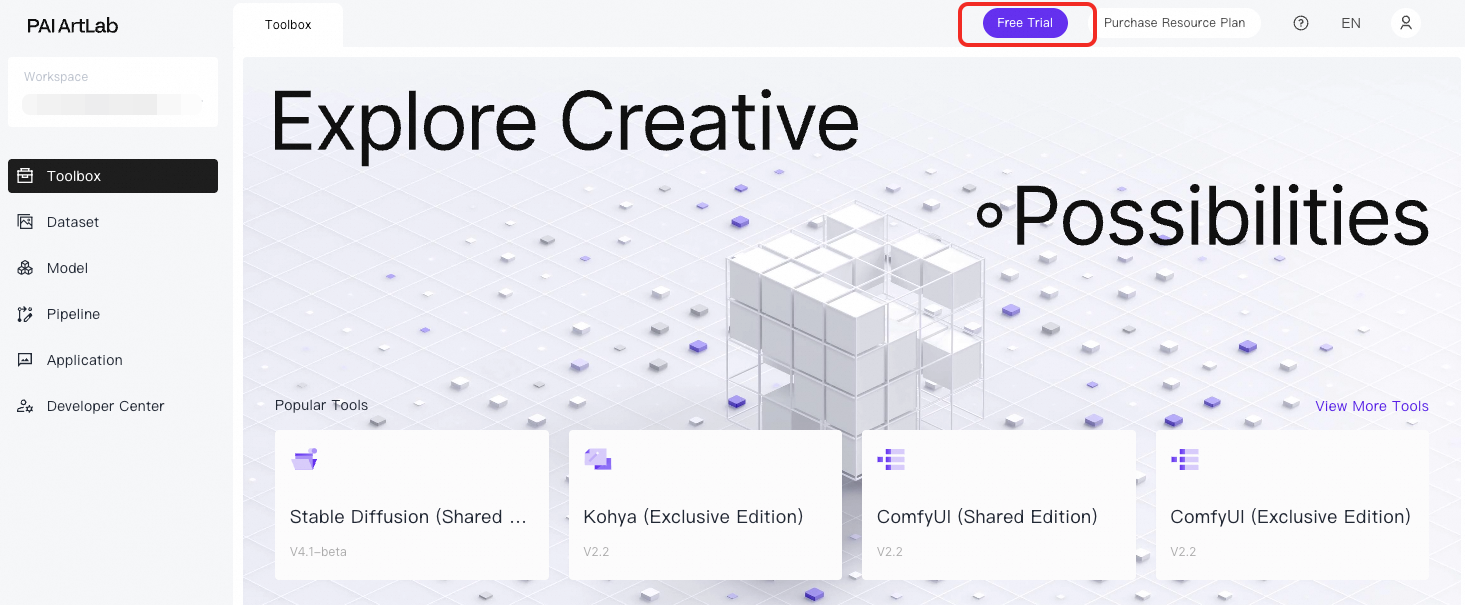
Claim a free trial for computing power.
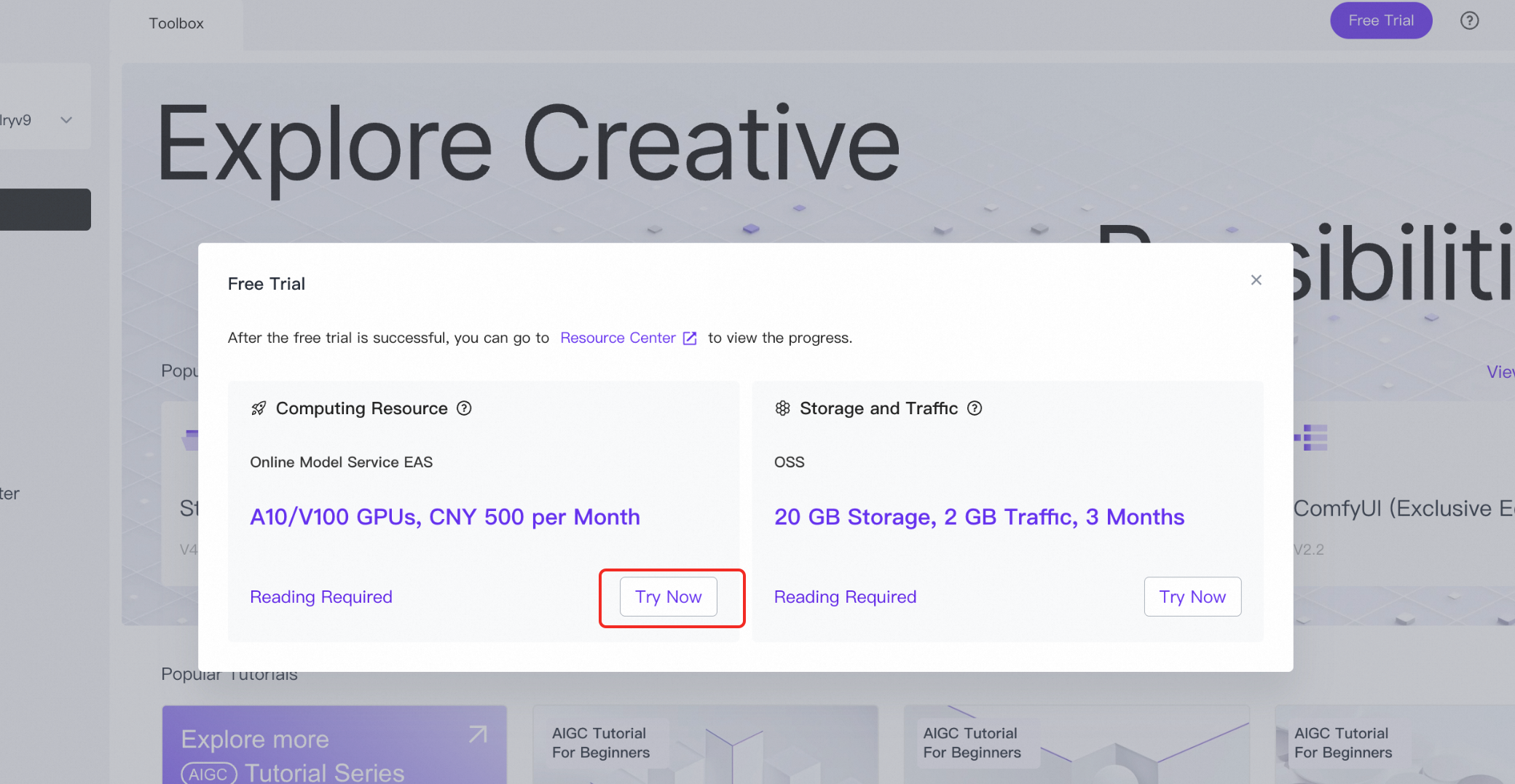
Claim a free trial for storage and traffic.
In the Resource Center, verify that the free trial resources appear.
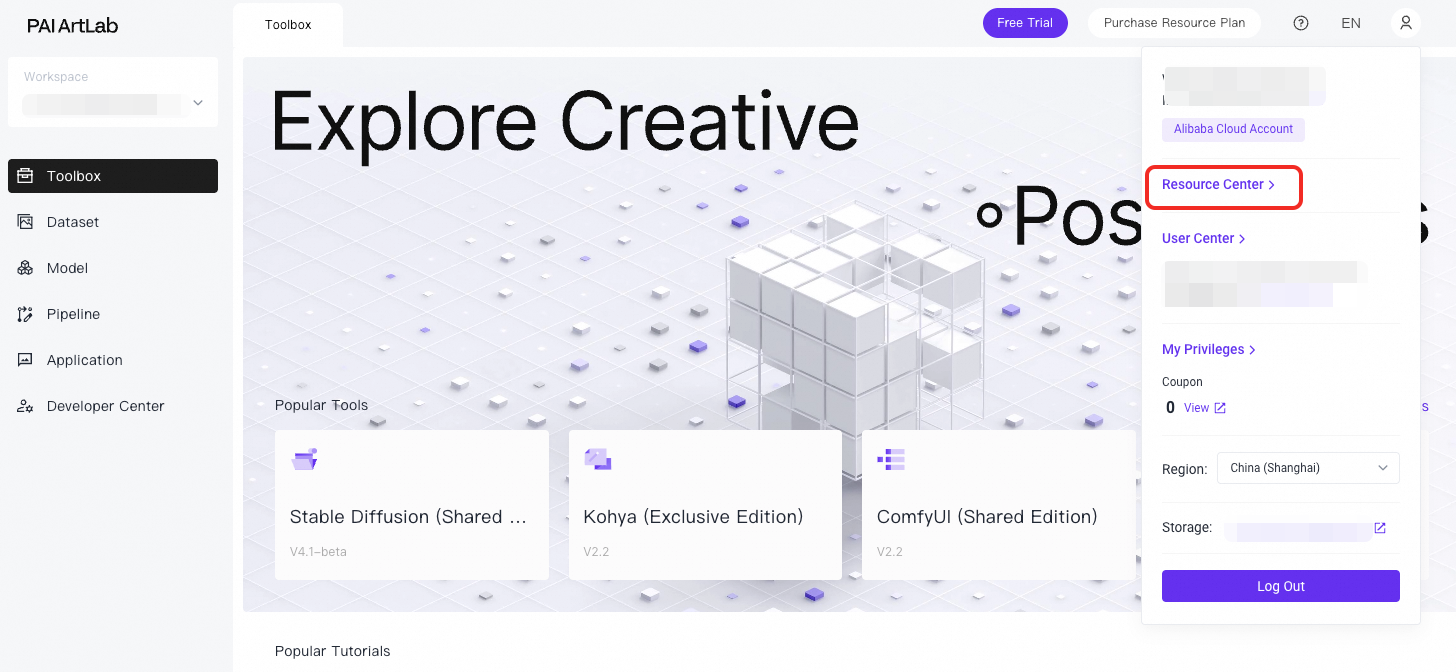
If the resources do not appear in the Resource Center, refresh the page and check again.
Optional: Grant permissions to RAM users
Grant RAM users only the permissions they need rather than sharing your Alibaba Cloud account credentials. This reduces security risks and improves operational compliance.
Choose the approach that fits your setup:
Grant permissions to a single RAM user — for individual access
Grant permissions to a RAM user group — for batch access across a team (recommended for multiple users)
Grant partial permissions — for fine-grained access control
Permissions overview
The following table shows the policies required to use PAI ArtLab:
| Policy | Grants access to | Required |
|---|---|---|
| AliyunPAIFullAccess | Manage PAI | Yes |
| AliyunOSSFullAccess | Manage Object Storage Service (OSS) | Yes |
| AliyunBSSFullAccess | Manage the User Center (BSS) | Optional |
Grant permissions to a single RAM user
Activate and authorize the product using an Alibaba Cloud account.
Grant permissions to the RAM user. Attach the following policies:
AliyunPAIFullAccess
AliyunOSSFullAccess
(Optional) AliyunBSSFullAccess
Log on to the Alibaba Cloud Management Console as a RAM user.
Grant permissions to a RAM user group
Use this approach to grant the same permissions to multiple team members at once.
Activate and authorize the product using an Alibaba Cloud account.
Grant permissions to the RAM user group. Attach the following policies:
AliyunPAIFullAccess
AliyunOSSFullAccess
(Optional) AliyunBSSFullAccess
Log on to the Alibaba Cloud Management Console as a RAM user.
Grant partial permissions
For fine-grained control rather than full access, refer to the access control documentation for each product:
PAI: See RAM authentication logic, then search for "Permissions".
OSS: See Overview of permissions and access control, then search for "Access Control".
Example: Grant a RAM user storage management permissions only
PAI ArtLab stores data in a specified OSS bucket. To find the bucket name:
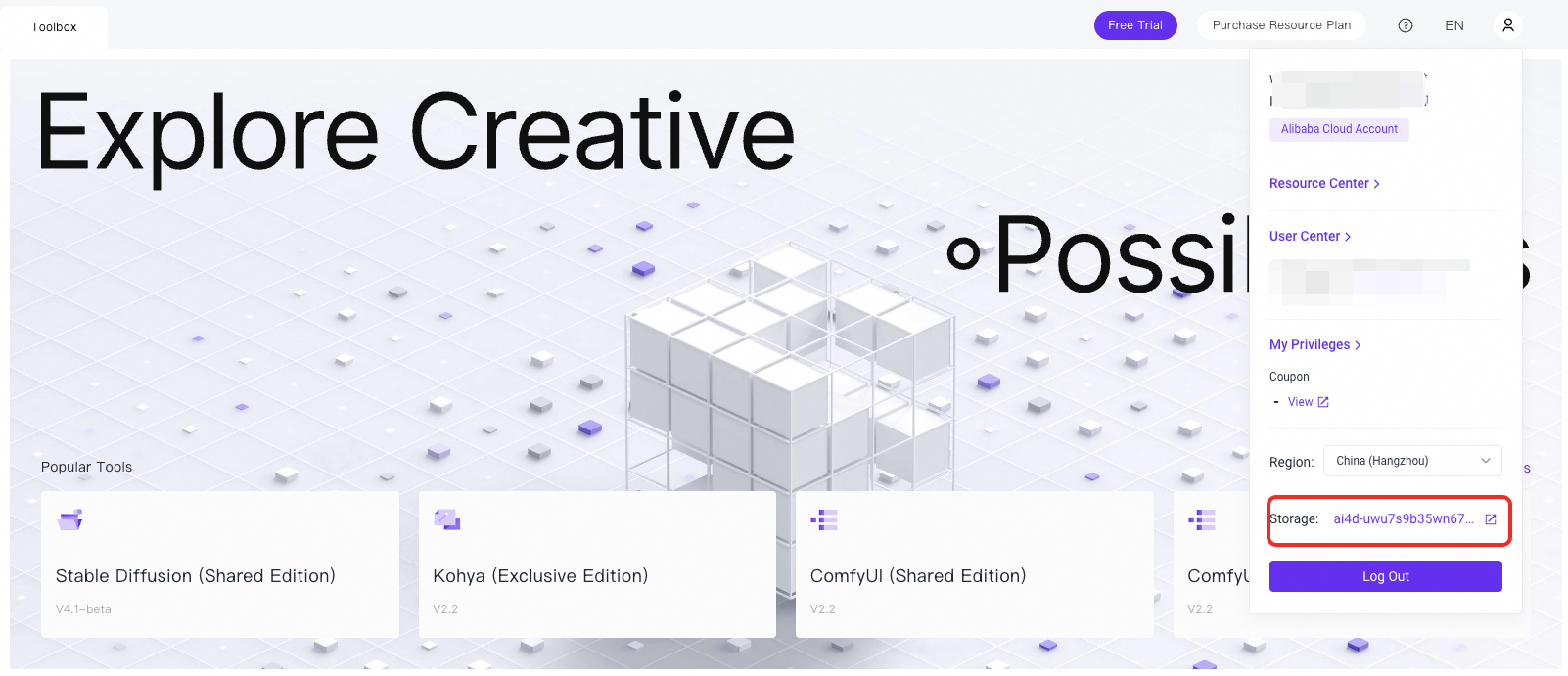
To restrict the RAM user's OSS access to that bucket only, use a bucket policy. For details, see Use a bucket policy to grant permissions to access OSS.