Perform distributed training across multiple DSW instances using instance interconnection.
Prerequisites
-
Create multiple instances from a general computing resource group or Lingjun resource group in the same VPC.
-
Set the Internet access gateway for the resource group to Private Gateway.
-
Place all instances in the same cluster. Lingjun instances and general computing resource instances cannot interconnect.
-
Some instance types support Remote Direct Memory Access (RDMA) or enhanced RDMA (eRDMA). For more information, see Default variables (pre-configured by the platform) and Limitations.
DSW and DLC provide the same RDMA/eRDMA features. For more information, see the DLC documentation.
Key features
-
DSW provides pre-configured, high-performance network environment variables optimized for different resources and network architectures.
-
For Lingjun resource instances, see Default variables (pre-configured by the platform).
-
For general computing resource instances, see Platform-preconfigured environment variables.
-
-
Use RDMA/eRDMA for interconnection on nodes that support it.
-
Interconnect instances using their instance IDs as DNS domain names.
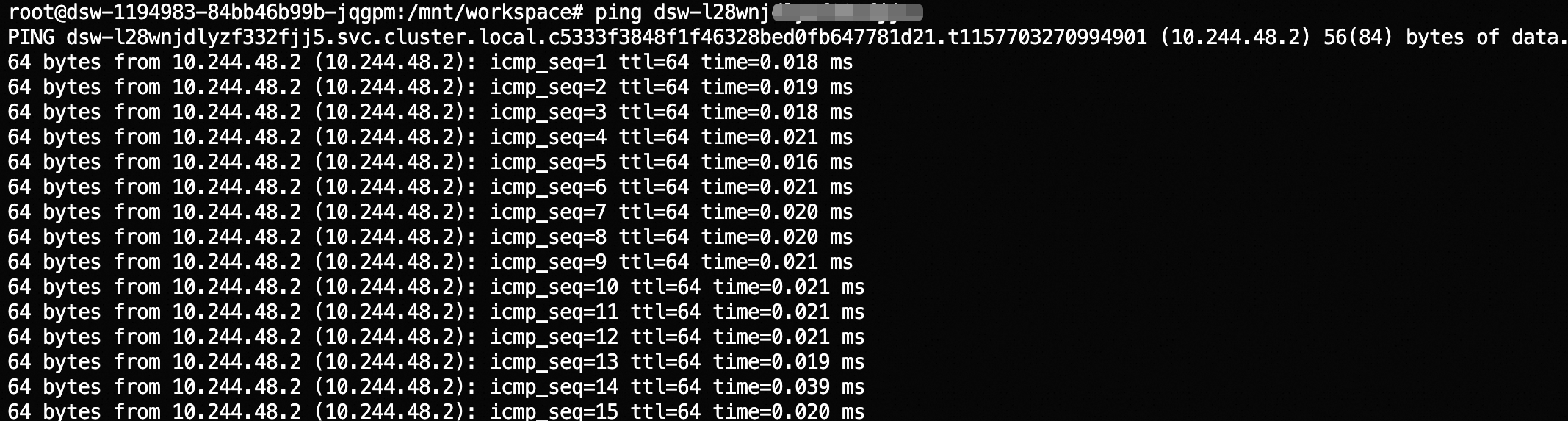
These features enable distributed task development and debugging across multiple machines and GPUs.
Steps
-
Use DSW instance cloning to start the required number of instances with identical environments.
-
(Optional) Install the RDMA/eRDMA library.
-
For Lingjun resources, use an image that contains RDMA. For more information, see Configure an image.
-
For general computing resources, follow the instructions in Install eRDMA library.
-
-
Test network connectivity by running
pingwith the target instance ID. For example:ping dsw-l28wnjdlyzj*********. -
Configure and debug distributed tasks using your chosen distributed framework.