Create resource quotas to allocate Intelligent Computing Lingjun or general computing resources to workspaces for AI development and inference.
To enable high-speed network connectivity for Intelligent Computing Lingjun resources, ensure all nodes share the same high-speed network interconnection zone (hz) identifier.
Prerequisites
Before creating a resource quota, complete the following preparations:
-
Purchase Intelligent Computing Lingjun resources or general computing resources.
-
(Intelligent Computing Lingjun quotas only) Create a virtual private cloud (VPC), vSwitch, and security group.
Procedure
Follow these steps to create a resource quota:
-
Log on to the PAI console and navigate to the AI Computing Resources > Resource Quota page.
-
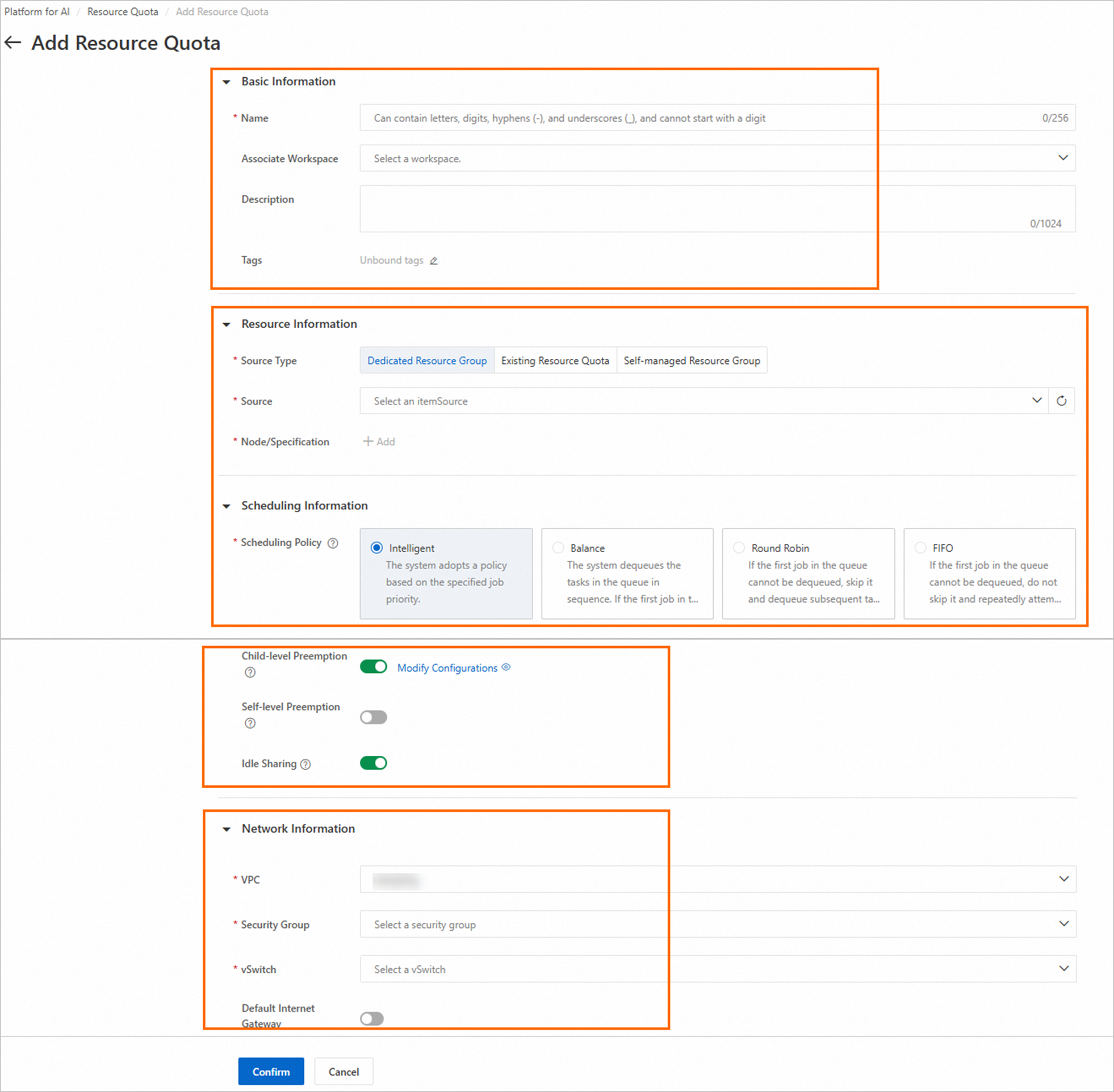
On the Lingjun Intelligent Computing resources or General Computing Resources tab, click Add Resource Quota. Configure parameters as described in the following table, then click OK.
Parameter
Description
Basic Information
Name
Enter a name for the resource quota.
Associate Workspace
Select a workspace to bind to this resource quota. You can then use this resource quota in the selected workspace.
Resource Information
Source Type
Supported source types:
-
Dedicated Resource Group: Select a resource group from your pool. System allocates resources from this group to create a root quota.
-
Existing Resource Quota: Allocates resources from an existing quota, creating a child quota.
For more information about parent-child relationships, see Resource quotas.
Source
Select an existing dedicated resource group or quota.
Nodes/Instance Type
Click Add and select node specifications from an existing quota or dedicated resource group.
For Intelligent Computing Lingjun resources, select nodes with the same high-speed network interconnection zone (hz) identifier to enable high-speed communication.
Scheduling Information
Scheduling Policy
Select a scheduling policy to optimize computing resource utilization. Valid values:
-
Intelligent
-
Balance
-
Traversal
-
FIFO
For more information about how each policy works, see Scheduling policies.
Child-level Preemption
When enabled, queued tasks in the current quota can preempt running tasks in its child quotas when resources are scarce. For more information, see Enable child computing power preemption.
Self-level Preemption
When enabled, queued tasks in the current quota can preempt running tasks in other quotas at the same level when resources are scarce. For more information, see Enable same-level computing power preemption.
Idle Sharing
Enabled by default. This allows idle tasks to use available resources from quotas at the same level and in child quotas.
Network Information
VPC
Network configuration is required only for Intelligent Computing Lingjun quotas. These settings control the network scope, ensuring secure and efficient resource allocation.
Select your VPC, vSwitch, and security group from the drop-down lists. For public internet access, enable the Default Internet Gateway switch and select a NAT Gateway and EIP.
Security Group
vSwitch
-
Use resource quotas
-
Bind to a workspace
To use a resource quota for AI development and inference, bind it to a workspace. Follow these steps:
NoteSkip this step if you already associated a workspace when creating the quota.
-
On the Resource Quota page, click the quota name.
-
On the Overview tab, in the Basic Information section, click the
 icon next to Workspace to add or modify the associated workspace.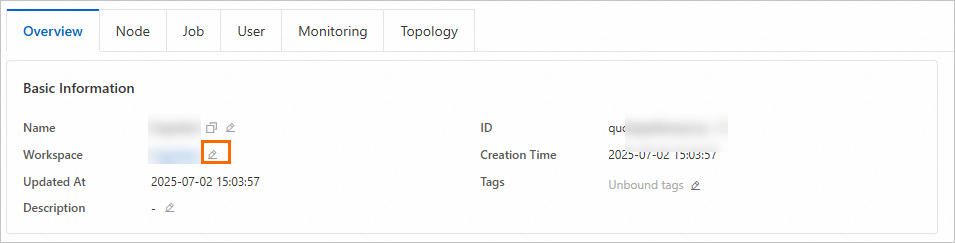
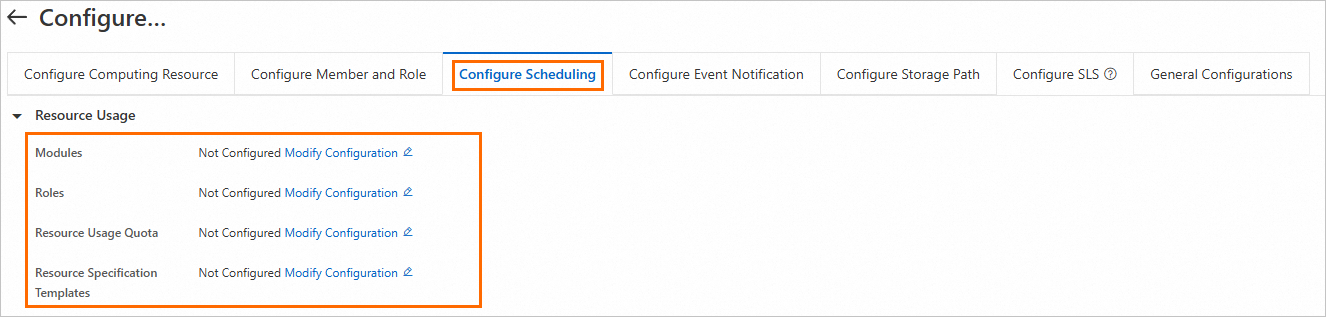
After binding the quota to a workspace, configure usage policies in the Scheduling Configuration section of the workspace details page. For more information, see Workspace scheduling center.
-
-
Use the workspace-bound quota for AI development and inference.
-
Image selection
Running Distributed Learning Containers (DLC) jobs with Intelligent Computing Lingjun resources requires coordination across hardware and software components (servers, networks, drivers, and training frameworks). We recommend using official PAI images directly or building custom images based on them.
NoteCustom images may require adapting drivers, frameworks, and software versions to fully utilize Intelligent Computing Lingjun performance.
-
Use quotas
-