Enable cross-VPC access to a PAI-EAS dedicated gateway by using Cloud Enterprise Network (CEN) for cross-region connectivity.
Overview
After network connectivity is established between VPCs by using CEN, VPC peering, or other methods, connect the VPCs to a dedicated gateway by performing the following steps:
-
Create a dedicated gateway and associate a VPC: Enable private network access for the dedicated gateway.
-
Associate another VPC with the dedicated gateway: Add a VPC from a different region and authorize DNS resolution.
-
Verify connectivity: Confirm that the associated VPC can access the dedicated gateway endpoint.
-
Create a service and associate it with the dedicated gateway: Deploy a service and bind it to the dedicated gateway for cross-region access.

Prerequisites
Prepare the following resources:
-
Two VPCs (VPC1 and VPC2) in different regions, such as China (Beijing) and China (Hangzhou), each with at least one vSwitch. For more information, see Create and manage a VPC and Create and manage a vSwitch.
-
Network connectivity between VPC1 and VPC2, established by using CEN, VPC peering, or another method. For more information, see VPC connections.
Step 1: Create a gateway and associate a VPC
-
Create a dedicated gateway.
-
Log on to the PAI console, select the China (Beijing) region, and go to the Elastic Algorithm Service (EAS) page.

-
Go to the Dedicated gateway tab and create a dedicated gateway.
-
-
Add a VPC to the dedicated gateway.
Click the gateway name. On the VPC tab, add a VPC.
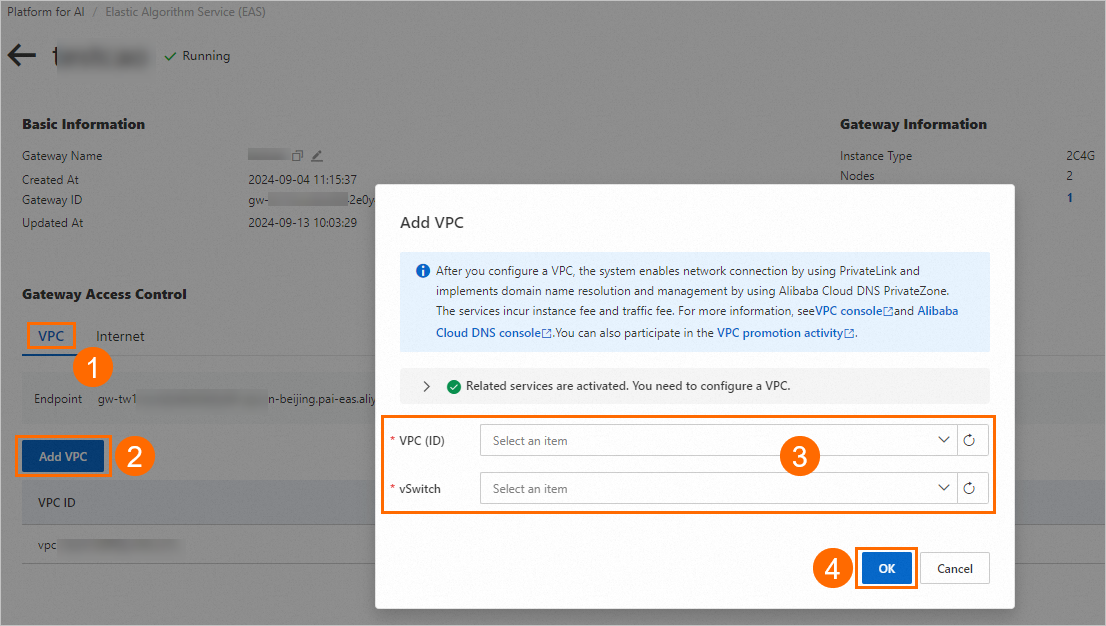
In Step 3, select the VPC (ID) and vSwitch in the China (Beijing) region.
NoteIf the following error message appears when adding a VPC, select a vSwitch in a supported zone.
Vswitch vsw-2zeqwh8hv0gb96zcd**** in zone cn-beijing-g is not supported, supported zones: [cn-beijing-i cn-beijing-l cn-beijing-k]After the Status changes to Running, the VPC is added.
Step 2: Associate another VPC
On the VPC tab of the Dedicated Gateway Details page, associate a VPC and complete DNS resolution authorization. In Step 2, select the VPC in the China (Hangzhou) region.
Step 3: Verify connectivity
-
On the VPC tab, find the Endpoint.
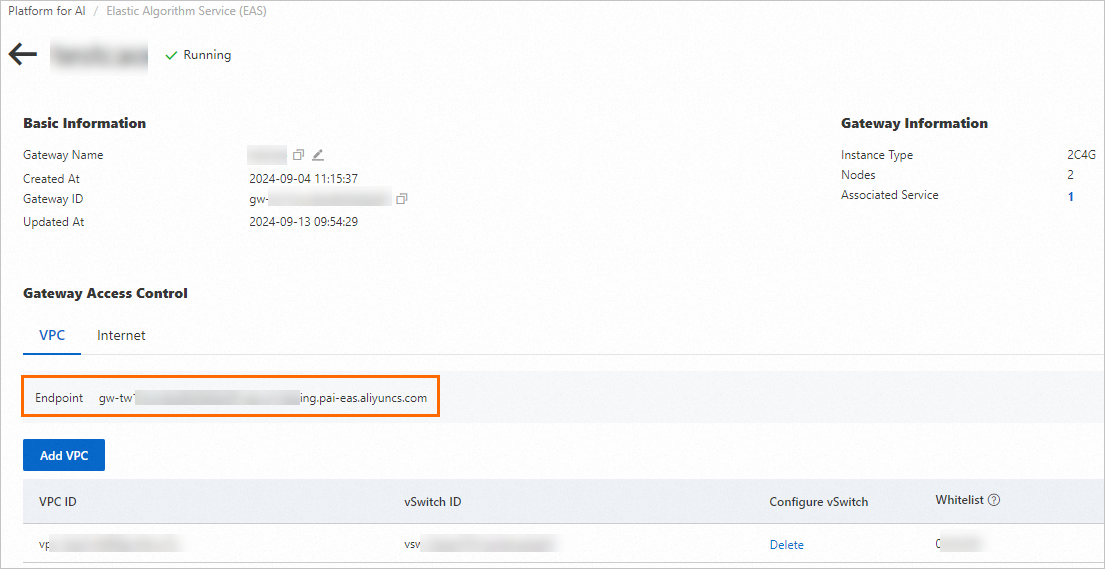
-
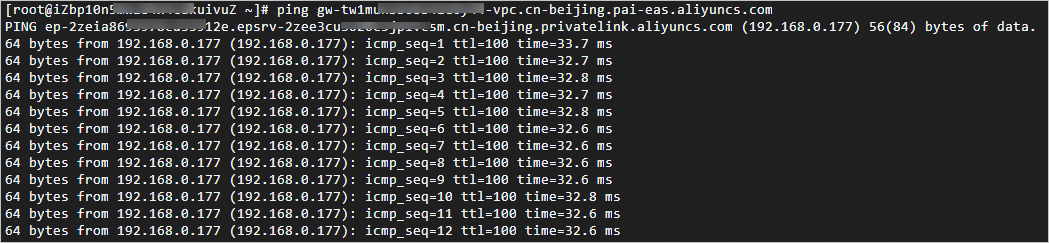
From a client machine in the VPC associated in Step 2, access the endpoint.
A successful response confirms that cross-VPC access to the dedicated gateway works.
Step 4: Create a service and associate the gateway
Associate the gateway during deployment
On the Elastic Algorithm Service (EAS) page, go to the Inference Service tab and deploy a custom model service. In the Features section, select the dedicated gateway. For more information, see Custom deployment.
Verify network connectivity
-
Obtain the service endpoint.
-
In the service list, click the service name to open its details page.
-
Find the service endpoint.

-
-
Verify cross-VPC access to the EAS service through the dedicated gateway.
From a client machine in the other VPC, access the service endpoint. Remove the
http://prefix and the trailing/from the URL. A successful response confirms that cross-VPC access works.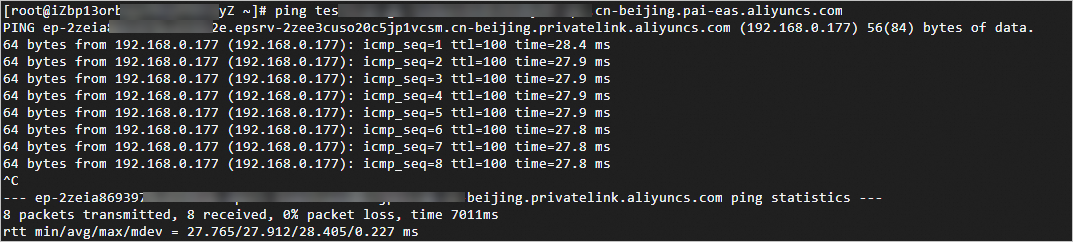
References
For information about dedicated gateway billing and usage, see Use a dedicated gateway.