After you create a custom component, you can view its version details, update a version, or add a version.
View custom component version details
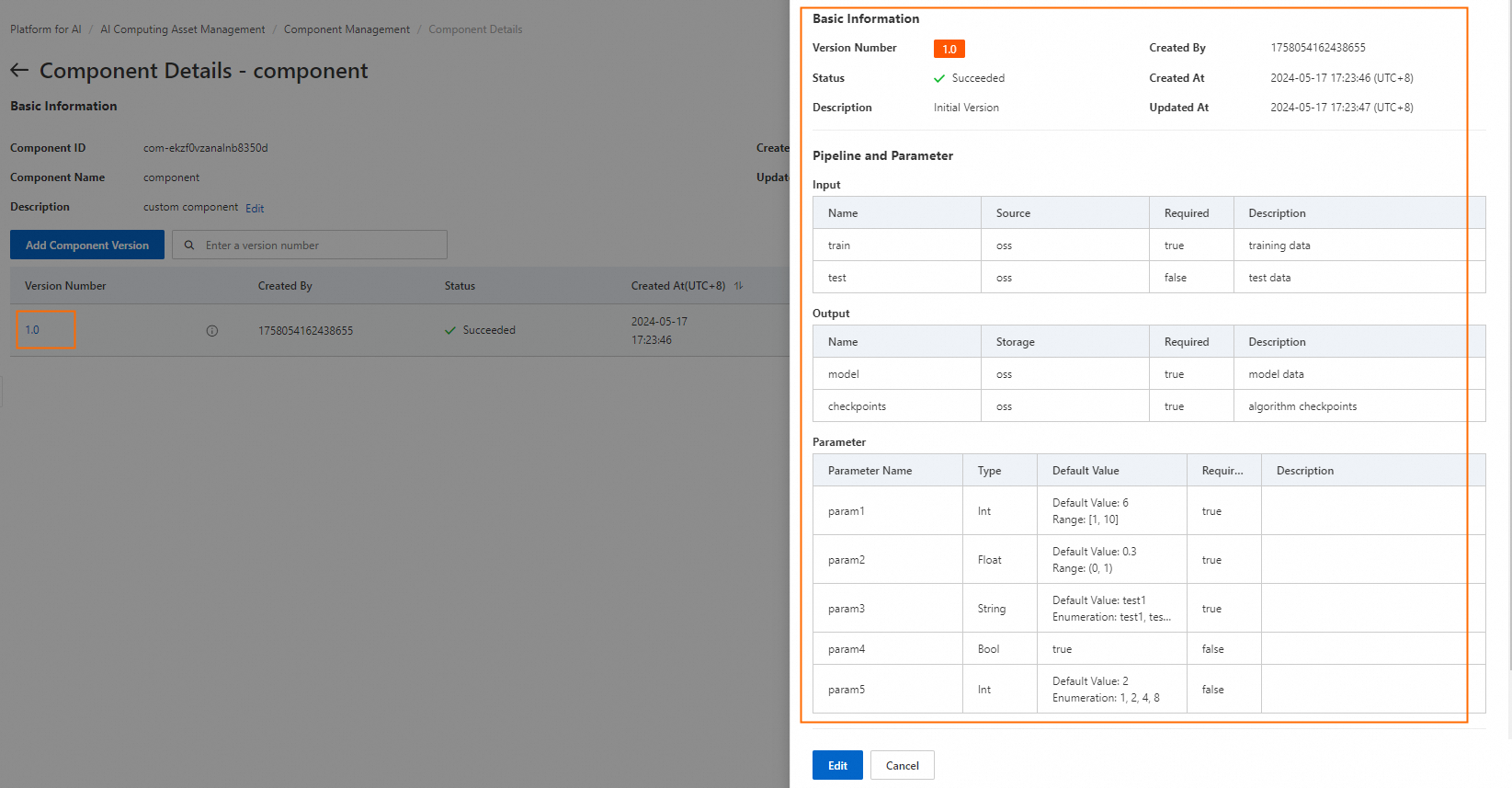
On the Component List page, click the component name to go to the Component Details page.
Click the component version number to view the version details.
Update a custom component version
On the Component Details page, click Edit in the Actions column to go to the Update Component Version page. You can update settings such as the version description, execution configuration, pipeline and parameters, and training constraints.
Add a custom component version
On the Component Details page, click Add Component Version to go to the Add Component Version page. The parameter settings are largely the same as those for creating a custom component. For more information, see Create a custom component.