Export labeling results to an OSS bucket or create a dataset for model training.
Prerequisites
The labeling job is complete. For more information, see Process labeling jobs.
Limitations
Only an administrator or a labeling administrator can perform labeling operations. If you do not have the required permissions, ask an administrator to grant you the labeling administrator role. For more information, see Create and manage workspaces.
Export labeling results
Go to iTAG.
Log on to the PAI console.
In the left navigation pane, click Workspaces. On the Workspaces page, click the workspace name.
In the left navigation pane, choose Data Preparation.
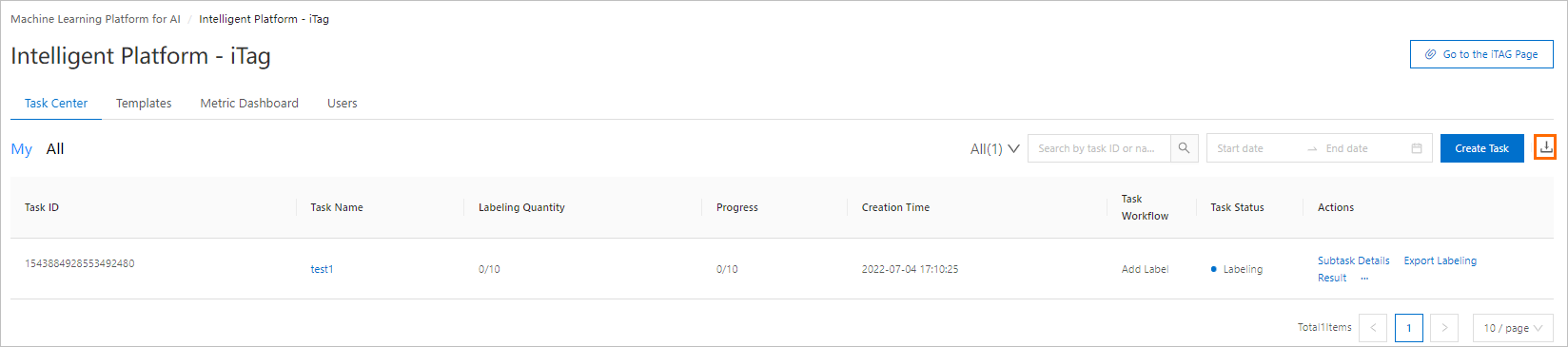
On the iTAG page, click the Jobs tab. Find the labeling job and click Export Labeling Result in the Actions column.
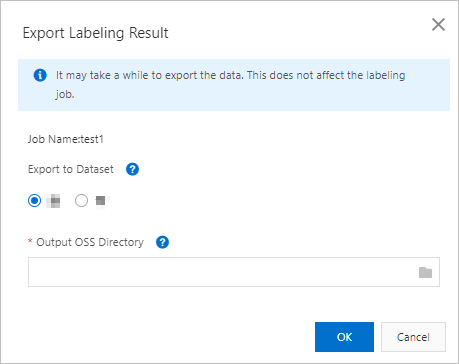
In the Export Labeling Result dialog box, configure the parameters described in the following table and click OK.
Parameter
Description
Export to Dataset
Whether to create a dataset from labeling results for model training.
To use the results for model training with PAI, select Yes.
Output OSS Directory
OSS path to store exported labeling results. If you also create a dataset, this path serves as the dataset storage path.
After the export is complete, view the exported file.
The exported file is in .manifest format. For file format details, see Labeling data format overview.
View export progress and results
In the upper-right corner of the iTAG page, click the
 icon to view export progress.
For a successful export, click Redirect to open the OSS Bucket page and view the exported file. The file is in .manifest format. For format details, see Labeling data format overview.
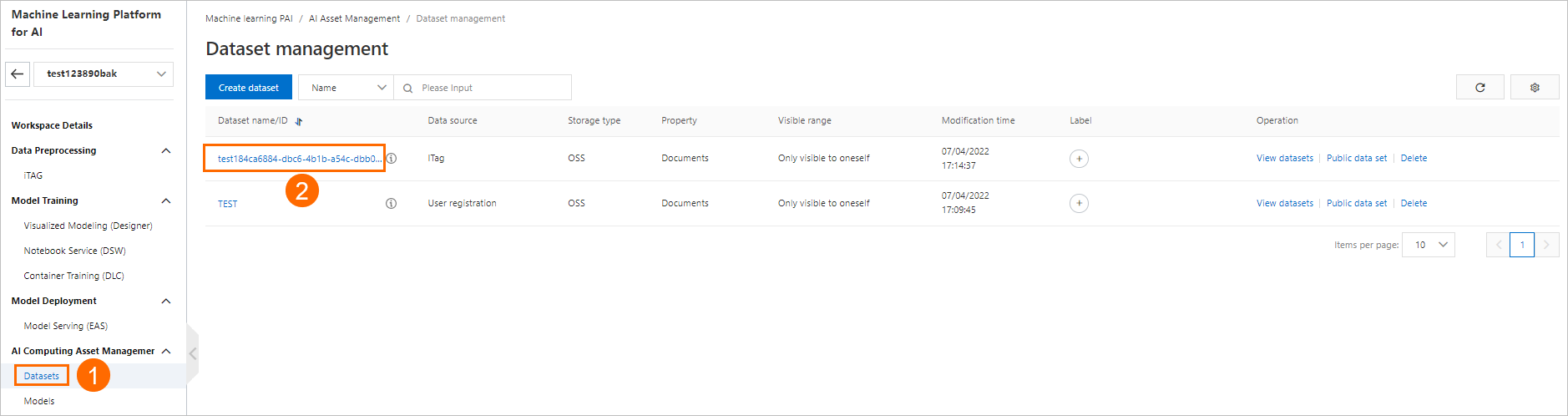
If you created a dataset, view it on the Dataset Management page.
Next steps
Use the exported dataset for Designer, Data Science Workshop (DSW), or model training.