Billing rules, methods, and resource plans for PAI ArtLab computing, storage, and traffic.
Billing rules
PAI ArtLab charges for computing power, storage, and traffic.
|
Billable item |
Billing method |
Deduction logic |
|
|
Computing power |
Pay for usage after consumption. Applies to PAI ArtLab Toolbox tools: Stable Diffusion (Exclusive/Shared) and ComfyUI (Exclusive/Shared). |
Resource plan deduction > Pay-as-you-go After resource plan is consumed, billing switches to pay-as-you-go. |
|
|
Purchase a discounted resource plan (savings plan) in advance. Usage is deducted from the plan first.
|
|||
|
Storage and traffic resources |
Pay for usage after consumption. |
||
|
Purchase a discounted resource plan in advance. Usage is deducted from the plan first.
|
|||
Billing rules by tool edition:
-
Shared Edition: No charge for starting the tool. Charged only for actual GPU time during image generation. Costs deducted from resource plans and coupons first, then from account balance pay-as-you-go.
-
Exclusive Edition: Billing starts after tool launches successfully. Charged based on machine specification price. Costs deducted from resource plans and coupons first, then from account balance pay-as-you-go.
Billing methods
Pay-as-you-go
After activating PAI ArtLab, the default billing method is pay-as-you-go. PAI ArtLab usage incurs fees from two cloud products:
-
Object Storage Service (OSS)
Billing details:OSS Price Calculator.
-
Storage plan: Stores datasets, models, and generated images.
-
Outbound data transfer plan: Covers costs of downloading models and datasets, and previewing model images.
-
Request resource plan: Provides 5 million write (PUT) requests and 20 million read (GET) requests free each month.
-
-
Elastic Algorithm Service (EAS)
Billing details:PAI Pricing.
-
Exclusive Edition: Exclusive machine resources. Billing starts when the tool service starts and stops when it stops. Billed hourly.
-
Shared Edition: Billed based on actual GPU usage duration.
-
Actual price is subject to your bill.
Resource plan (subscription)
A resource plan is a prepaid package. Purchase a plan of a specific size based on estimated usage. Valid for one year from purchase date. Billable usage is deducted from plan quota first. Unused quota expires after the validity period.
When multiple resource plans exist for the same service, the one expiring earliest is used first. If expiration dates match, one is randomly selected.
Two resource plan types are available:
-
Package: For first-time purchase. Includes computing power, storage, and traffic resources.
-
Individual resource plan: Purchase a resource plan for computing power, storage, or traffic separately.
Purchase a package (recommended for first-time purchase)
Log on to the PAI ArtLab console and click Purchase Package in the upper-right corner. Choose from three packages: Basic, Advanced, and Ultimate.
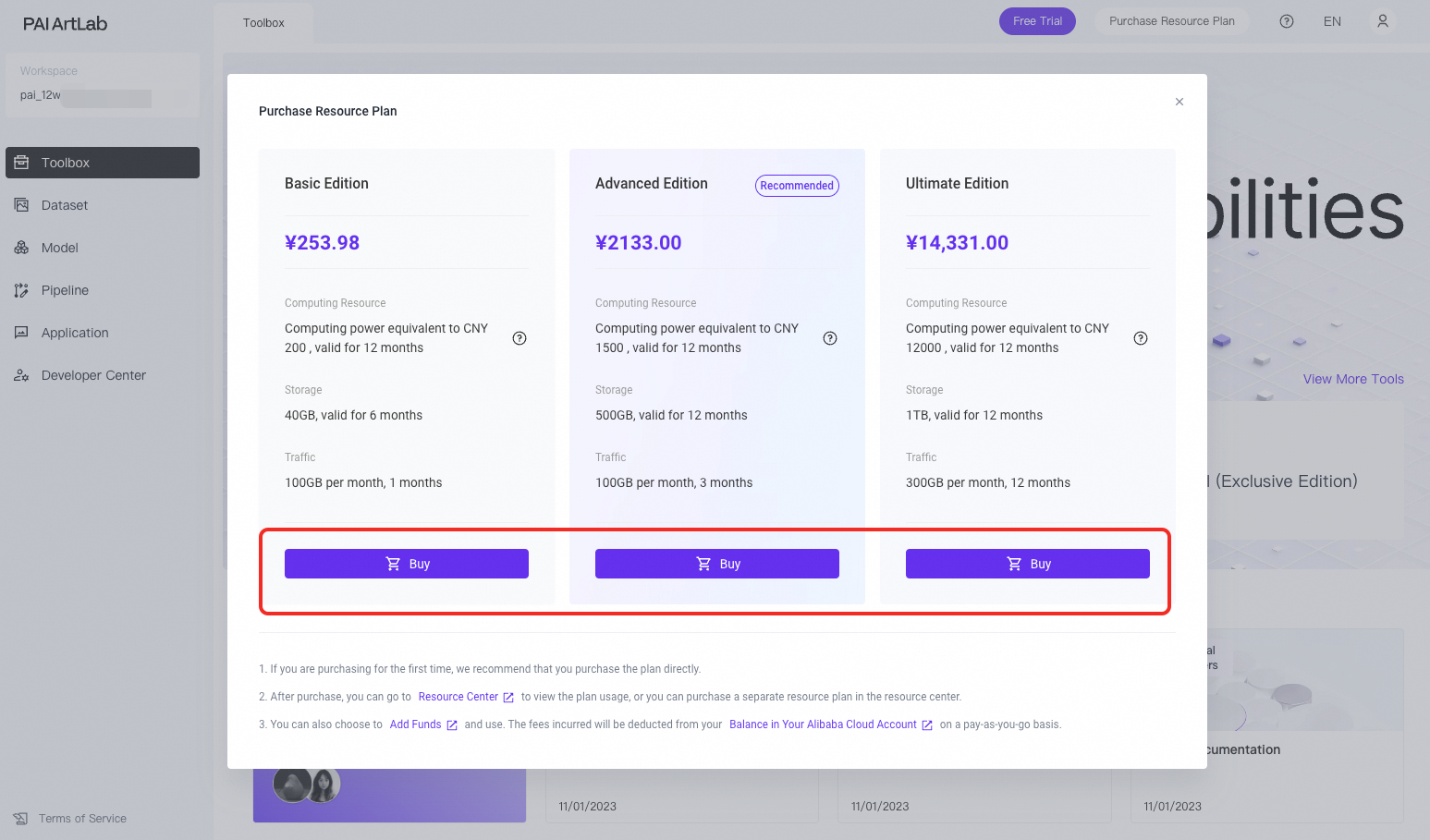
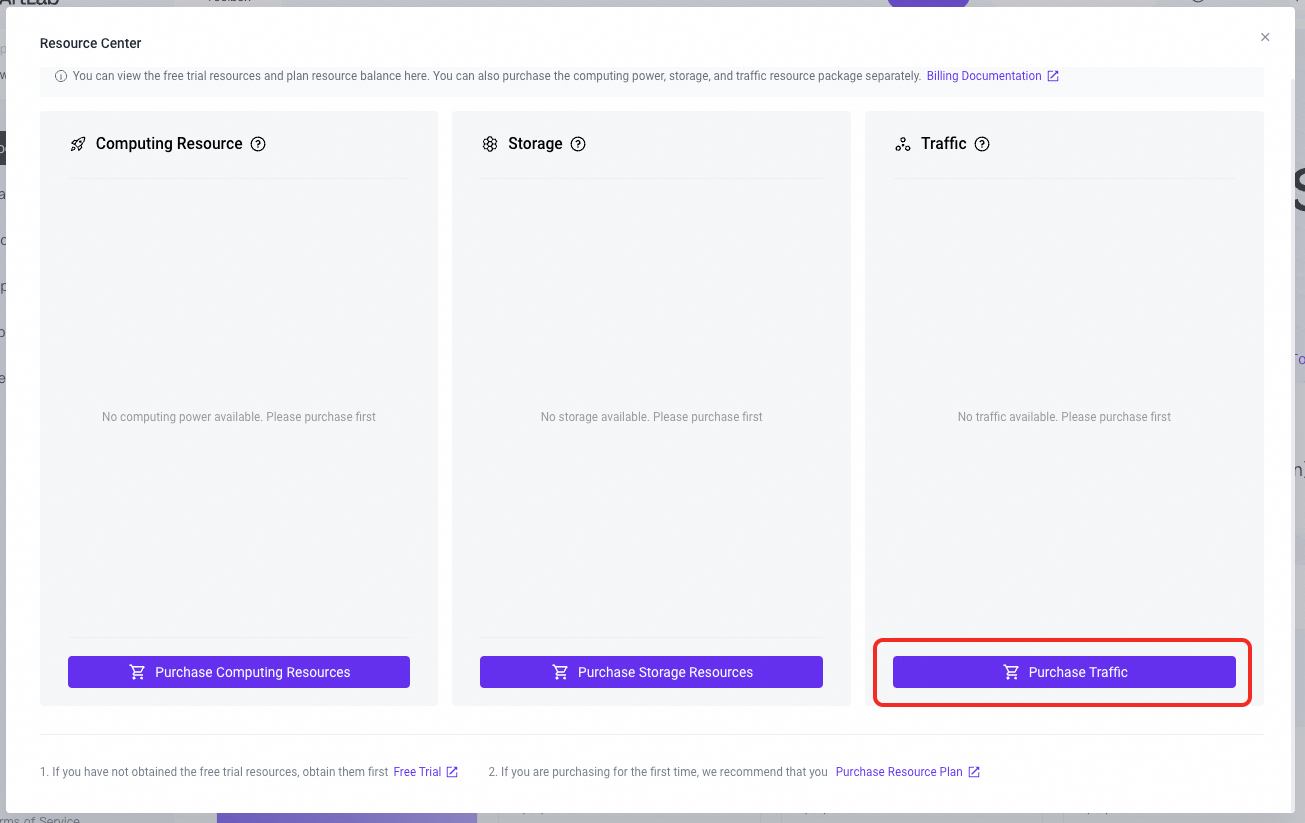
Purchase a resource plan
-
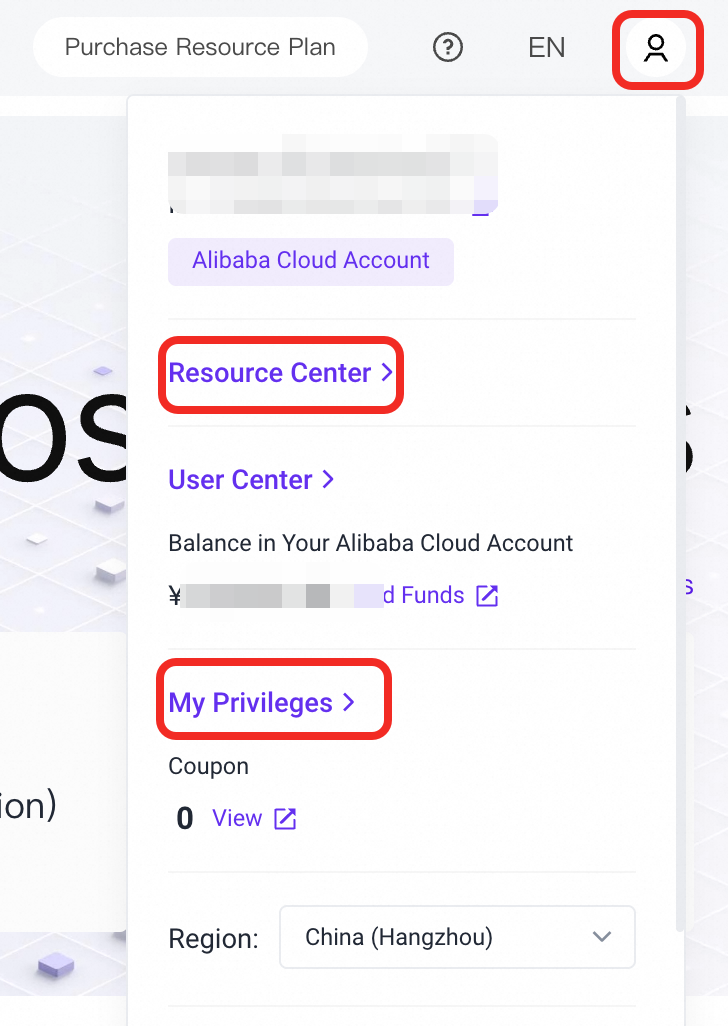
Log on to the PAI ArtLab console. In the upper-right corner, point to the
 icon and click Resource Center.
 -
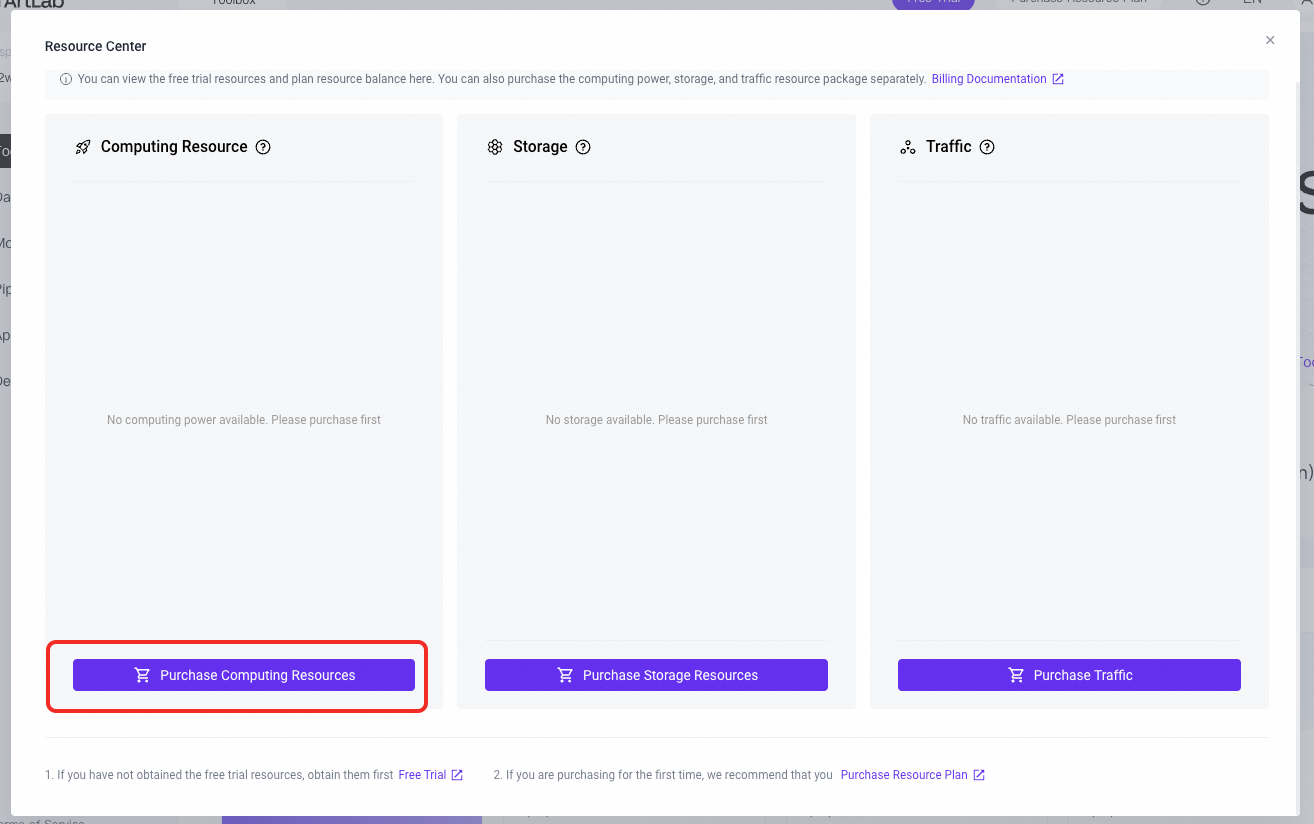
Click Purchase Computing Power. On the PAI Savings Plan page, view pricing details, select a package, and click Buy Now.
As a one-time offer for new users, the Starter package is available for CNY 59, valued at CNY 200.
-
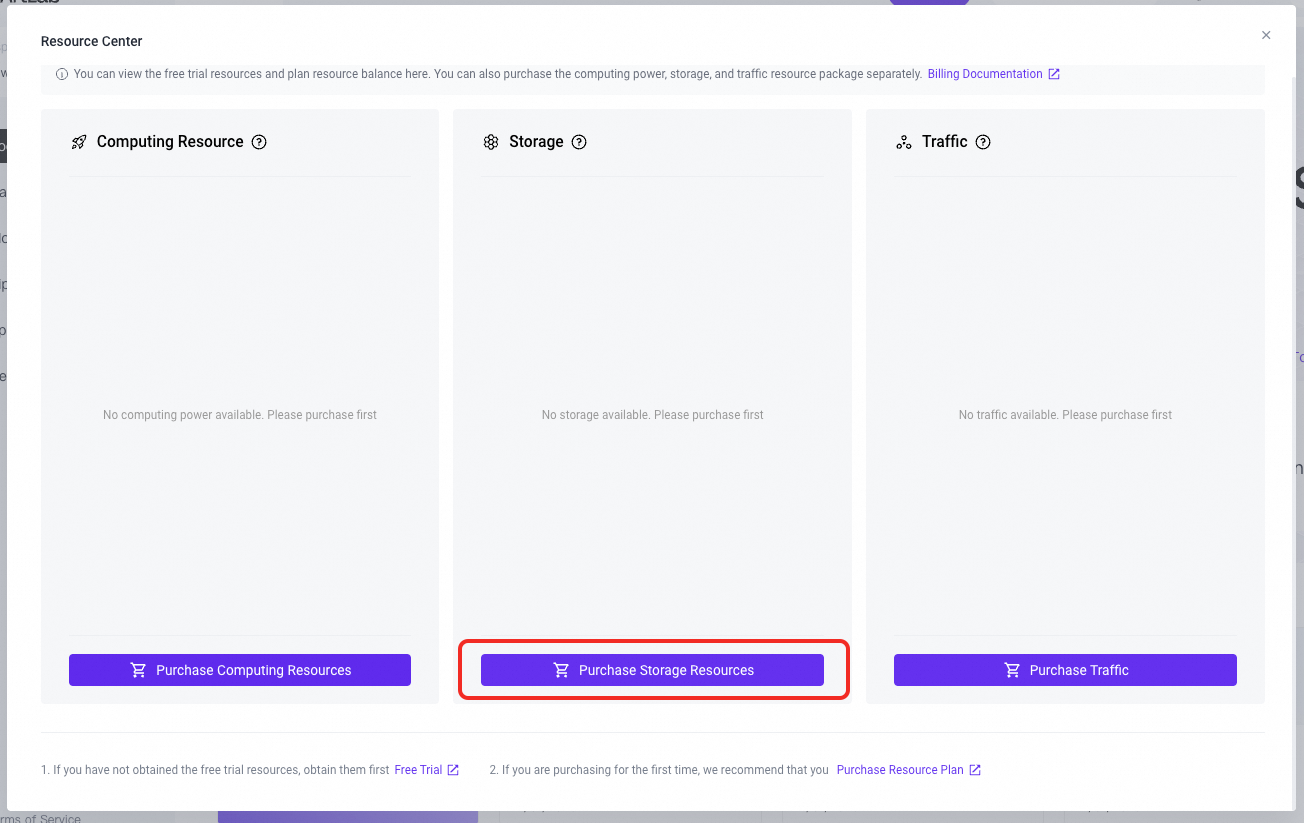
Click Purchase Storage and then Proceed To Pay.
This plan can be purchased only once during its validity period.
-
Click Purchase Traffic. Then, click Proceed To Pay.
Multiple purchases allowed during validity period.
View usage and expiration dates
Log on to the PAI ArtLab console. Hover over the icon in the upper-right corner:
-
Click Resource Center to view usage, quota, and expiration dates of resource plans.
-
Click My Benefits to view coupon usage details.