The combination of Hadoop OSS Connector V2 and the OSS Data Accelerator allows enterprises to build high-performance, highly available, and cost-effective modern data lakehouse platforms on Alibaba Cloud. This solution is compatible with major big data compute engines such as Spark, Hive, and Presto. It supports the s3a:// protocol for seamless integration with the AWS S3 ecosystem. This helps enterprises migrate data between clouds and smoothly transition to a cloud-native data architecture.
Scenarios
Large-scale TPC-DS and TPC-H benchmark tests
Interactive business intelligence (BI) queries (Tableau or Superset connected to a Spark Thrift Server)
Unified storage layer in a data lakehouse architecture
Multitenant data analytics platforms
1. Introduction to Hadoop OSS Connector V2
Hadoop OSS Connector V2 is a new-generation, high-performance Object Storage Service (OSS) access component built by Alibaba Cloud for the Hadoop ecosystem. It seamlessly integrates Alibaba Cloud OSS as a native file system into major big data compute engines such as Spark, Hive, and Presto.
Compared to earlier versions, V2 offers significant improvements in performance, stability, and features. It is deeply optimized for large-scale data lake scenarios and can meet the demands of high-concurrency, low-latency data analytics workloads.
Core features
Supports standard
oss://bucket/pathaccess and S3-compatibles3a://access.High-performance, multi-threaded multipart upload and download for efficient processing of large files.
Automatic retry mechanism and connection pool management to improve fault tolerance.
Supports a prefetch mechanism to significantly improve sequential read performance.
Supports a dual-domain acceleration architecture (OSS + Data Accelerator).
Verified compatibility with Hadoop 3.3.5.
Current version limitations:
Does not support configuring separate endpoints for different buckets, such as
fs.oss.<bucket>.endpoint. All buckets share the globalfs.oss.endpointsetting.This version supports only v4 authentication.
2. Overall architecture and solution overview
This solution uses a typical data lake architecture that decouples storage and compute. This design enables scalability and cost optimization.

Component | Role |
OSS | The unified data lake foundation, responsible for the persistent storage of raw data and intermediate results. |
Hive Metastore | The metadata management center, which uniformly maintains table schemas, partitions, and other schema information. |
Spark on YARN | The distributed computing engine, responsible for executing SQL queries and data processing tasks. |
2.1 Data storage: OSS as the data lake foundation
All data is stored in OSS in open formats such as Parquet, ORC, CSV, and JSON to ensure cross-engine compatibility.
A standard path format is used to access data, which facilitates data sharing between different components.
This architecture leverages the high availability, high scalability, and low cost of OSS to provide elastic storage for petabyte-scale data.
2.2 Metadata management: Hive Metastore for unified schema maintenance
Metadata such as table schemas, partition information, and column statistics are uniformly managed by the Hive Metastore Service (HMS).
The HMS backend database uses MySQL to store metadata. Production environments must not use the Derby in-memory database.
You can create external tables using standard DDL and point them directly to an
oss://path. This lets you access tables without data migration.Example: Create an OSS-compatible external table
CREATE EXTERNAL TABLE ods_user (
    id BIGINT,
    name STRING,
    dt STRING
)
PARTITIONED BY (dt STRING)
STORED AS PARQUET
LOCATION 'oss://my-data-lake-bucket/dw/ods/user_info/';
Access using the
s3a://protocol is also supported:LOCATION 's3a://my-data-lake-bucket/dw/ods/user_info/';By managing metadata in a unified layer, you can flexibly choose the access protocol. This allows for a smooth migration from and full compatibility with the AWS S3 ecosystem.
2.3 Compute engine: Spark for efficient queries and analytics
The compute cluster is deployed in Spark on YARN mode to achieve dynamic resource scheduling.
The Spark Driver and Executors directly read and write OSS data through Hadoop OSS Connector V2, which reduces intermediate layer overhead.
Query results can be written back directly to OSS to form derived datasets for subsequent analysis.
3. Installation and configuration
3.1 Preparations
Before you deploy, complete the following preparations:
Item | Requirement |
Service activation | Activate OSS and create a destination bucket. |
Region consistency | The ECS instance and the OSS bucket are in the same region, such as China (Hangzhou), to ensure internal network access and minimal latency. |
Internal network access | The ECS instance can access OSS through an internal same-region endpoint, such as |
Accelerator activation | Activate the OSS Data Accelerator and obtain an accelerated domain name, such as |
Environment preparation | Prepare the runtime environment components: The environment used for verification in this document uses Hadoop 3.3.5, Spark 3.5.3, and Hive Metastore 3.1.3. |
Permission configuration | Create an AccessKey pair for a RAM user and grant the RAM user read and write permissions on the destination bucket. |
Data preparation | Generate 5 TB of TPC-DS test data and upload it to OSS for performance benchmark verification. |
3.2 Download the JAR package
Hadoop OSS Connector V2 is published to the Maven Central Repository. You can add it as a Maven dependency or download and deploy it manually.
Maven dependency (for packaging applications)
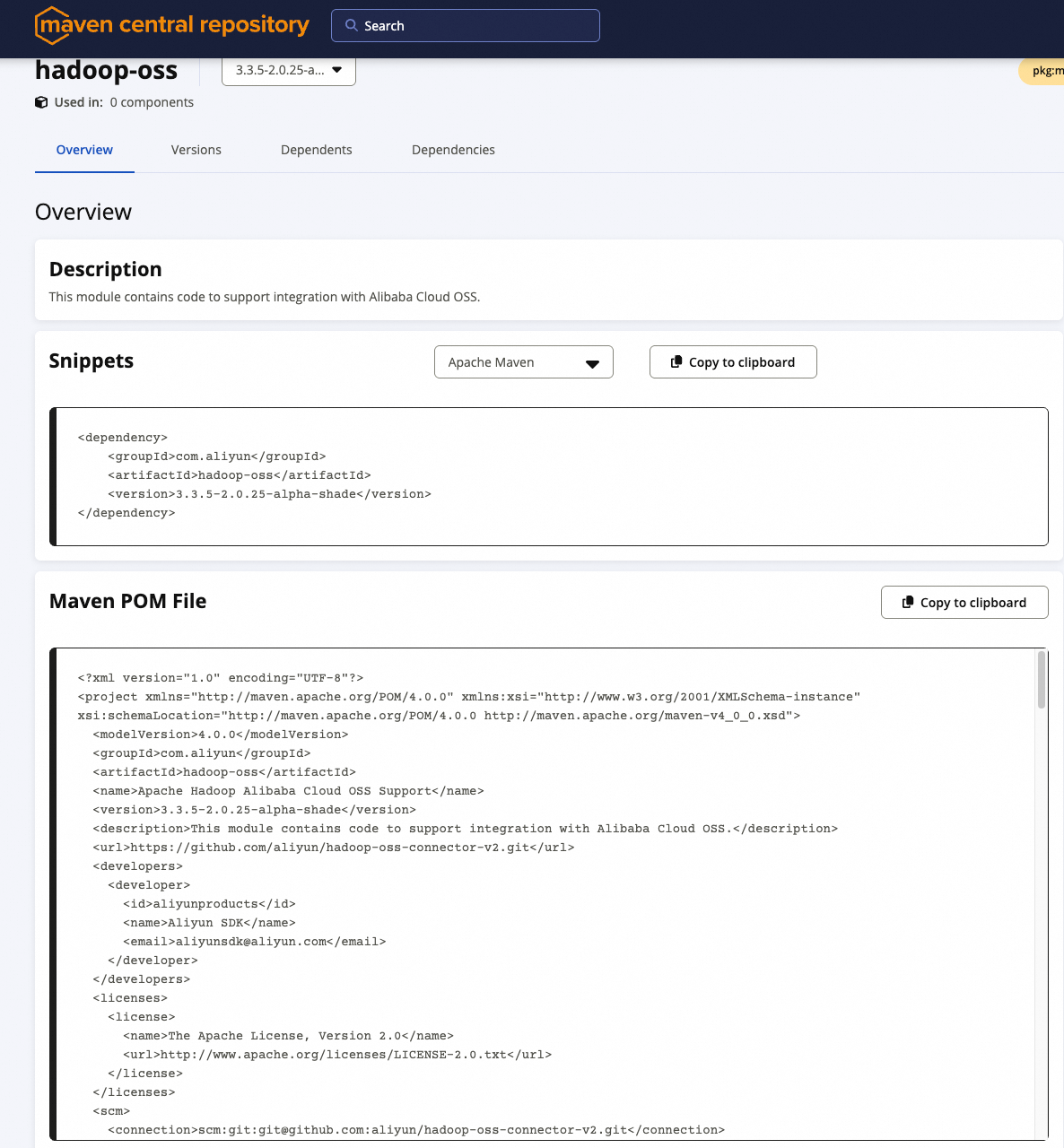
<dependency>
    <groupId>com.aliyun</groupId>
    <artifactId>hadoop-oss</artifactId>
    <version>3.3.5-2.0.25-alpha-shade</version>
</dependency>
Manual JAR package download (for cluster deployments)
Download URL: https://central.sonatype.com/artifact/com.aliyun/hadoop-oss
Place the following JAR file in the
$HADOOP_HOME/share/hadoop/common/lib/and$SPARK_HOME/jars/folders:hadoop-oss-3.3.5-2.0.25-alpha-shade.jar(Use the shade version, which includes core dependencies.)
NoteWhen you submit a Spark job, make sure these JARs are in the classpath. We recommend pre-installing them in the environment of each node.
3.3 Core configuration
Add the following configuration to $HADOOP_HOME/etc/hadoop/core-site.xml:
<configuration>
    <!-- OSS access credentials -->
    <property>
        <name>fs.oss.accessKeyId</name>
        <value>YourAccessKeyId</value>
    </property>
    <property>
        <name>fs.oss.accessKeySecret</name>
        <value>YourAccessKeySecret</value>
    </property>

    <!-- OSS internal endpoint (strongly recommended to reduce latency and data transfer costs) -->
    <property>
        <name>fs.oss.endpoint</name>
        <value>oss-cn-hangzhou-internal.aliyuncs.com</value>
    </property>

    <!-- Connection parameter optimization -->
    <property>
        <name>fs.oss.connection.maximum</name>
        <value>64</value>
    </property>
    <property>
        <name>fs.oss.connection.timeout</name>
        <value>200000</value>
    </property>
    <property>
        <name>fs.oss.attempts.maximum</name>
        <value>10</value>
    </property>

    <!-- Multipart upload settings (enable for files larger than 20 MB) -->
    <property>
        <name>fs.oss.multipart.upload.threshold</name>
        <value>20971520</value> <!-- 20 MB -->
    </property>
    <property>
        <name>fs.oss.multipart.upload.size</name>
        <value>104857600</value> <!-- 100 MB per part -->
    </property>

    <!-- Prefetch to accelerate sequential reads of large files -->
    <property>
        <name>fs.oss.prefetch.version</name>
        <value>v2</value>
    </property>
    <property>
        <name>fs.oss.prefetch.block.size</name>
        <value>131072</value> <!-- 128 KB -->
    </property>
    <property>
        <name>fs.oss.prefetch.block.count</name>
        <value>8</value>
    </property>
    <property>
        <name>fs.oss.prefetch.io.threshold</name>
        <value>2097152</value> <!-- 2 MB -->
    </property>

    <!-- Buffer directory (use an SSD) -->
    <property>
        <name>fs.oss.buffer.dir</name>
        <value>/data/oss-buffer,/mnt/disk2/oss-buffer</value>
    </property>
</configuration>
Important configuration notes
The Hadoop configuration must be identical on all cluster nodes.
The paths specified for
fs.oss.buffer.dirmust be created in advance and have read and write permissions.If you enable the OSS accelerator, you must also configure
fs.oss.acc.endpointandfs.oss.acc.rules. For more information, see Section 5.1.To adjust the local download cache, configure
fs.oss.prefetch.block.count. For more information, see Section 5.2.To ensure compatibility with the S3 protocol, perform additional configurations. For more information, see Section 5.3.
4. Verify the installation
4.1 Test basic file operations
Use basic Hadoop commands to verify that read and write operations work correctly:
# List the contents of an OSS folder
hadoop fs -ls oss://my-data-lake-bucket/test/

# Upload a small file
hadoop fs -copyFromLocal /tmp/test.txt oss://my-data-lake-bucket/test/

# Delete a file
hadoop fs -rm oss://my-data-lake-bucket/test/test.txt
If the commands run as expected, the basic features are available.
4.2 Test large file upload and download performance
Test the I/O performance for a 20 GB file:
# Generate a test file
dd if=/dev/zero of=/tmp/large-file-20G bs=1M count=20480

# Upload to OSS (supports oss:// or s3a://)
hadoop fs -D io.file.buffer.size=4194304 -copyFromLocal -f /tmp/large-file-20G oss://your-bucket/path/20GB-file.img

# Test download
hadoop fs -D io.file.buffer.size=4194304 -copyToLocal -f oss://your-bucket/path/20GB-file.img /dev/null
Execution result:

4.3 TPC-DS benchmark test (end-to-end capability verification)
Step 1: Load 5 TB of TPC-DS data
Use the
dsdgentool to generate data and upload it to OSS.Create tables in Hive Metastore that point to
s3a://oross://paths.
Step 2: Run a standard query
$SPARK_HOME/bin/beeline -u jdbc:hive2://localhost:10001/tpcds_bin_partitioned_orc_5000 -f q9.sql5. Advanced Configuration
5.1 Use the accelerator to improve query performance
5.1.1 Fine-grained I/O acceleration

The OSS Data Accelerator is an SSD-based acceleration service provided by Alibaba Cloud. It can cache and accelerate data for specific access patterns based on rules. Hadoop OSS Connector V2 supports deep integration with the accelerator to provide on-demand acceleration.
Core acceleration advantages
Significantly reduces access latency for small files, metadata files, and random I/O.
Uses an edge node caching mechanism to reduce origin fetches and improve overall throughput.
Especially suitable for I/O-intensive scenarios such as interactive queries, BI reports, and metadata scans.
I/O type | Description | Scenario | Configuration example |
Prefix match acceleration | Enables caching for files under a specified path prefix, such as | Hot spot query intermediate results | |
Suffix match acceleration | Matches specific file extensions, such as | Table files with a uniform format | |
File size range acceleration | Accelerates only small files from 0 to 10 MB. | Metadata and small partition files | |
Operation type acceleration | Currently, only the | Read-intensive tasks | |
Tail/Head access optimization | Caches access to file headers (metadata) and tails (log appends). | Structured file parsing | |
Note that only the getObject operation is currently accelerated.Configure accelerator parameters
Add the following to core-site.xml:
<!-- Accelerator Endpoint (internal network only) -->
<property>
    <name>fs.oss.acc.endpoint</name>
    <value>https://cn-hangzhou-j-internal.oss-data-acc.aliyuncs.com</value>
</property>

<!-- Acceleration rules: Enable acceleration for small files and hot data -->
<property>
    <name>fs.oss.acc.rules</name>
    <value><![CDATA[
        <rules>
            <rule>
                <keyPrefixes>
                    <keyPrefix>tpcds/q9/</keyPrefix>
                </keyPrefixes>
                 <ioSizeRanges>
                      <!-- Cache the first 2 MB for file header metadata -->
                      <ioSizeRange>
                          <ioType>HEAD</ioType>
                          <ioSize>2097152</ioSize>
                      </ioSizeRange>

                      <!-- Cache the last 2 MB for Parquet/ORC footers -->
                      <ioSizeRange>
                          <ioType>TAIL</ioType>
                          <ioSize>2097152</ioSize>
                      </ioSizeRange>

                      <!-- Cache small I/O requests (0 to 50 MB) -->
                      <ioSizeRange>
                          <ioType>SIZE</ioType>
                          <minIOSize>0</minIOSize>
                          <maxIOSize>52428800</maxIOSize>
                      </ioSizeRange>
                  </ioSizeRanges>
                <operations><operation>getObject</operation></operations>
            </rule>
        </rules>
    ]]></value>
</property>
Case sensitivity of tags: The
<ioSizeRanges>and<ioSizeRange>tags are case-sensitive. You must use them exactly as shown. Child tags must be nested within<IOSizeRanges>and cannot be placed directly under<rule>.ioType value descriptions
ioTypeMeaning
Associated fields
HEADReads data from the beginning of a file.
ioSizeTAILReads data backward from the end of a file.
ioSizeSIZEReads from any position, but the size of the request falls within the
[minIOSize, maxIOSize]range.minIOSize,maxIOSizeNoteSIZEdoes not refer to the total file size. It refers to the data size of a single I/O request.
5.2 Local download cache
Local download cache mechanism: Persist prefetched data to disk
To further improve repeated read performance, Hadoop OSS Connector V2 can cache unused data blocks that were downloaded during prefetch to a local disk. This allows subsequent access to reuse the cached data.
How it works
When prefetch is enabled (
fs.oss.prefetch.version=v2), the system downloads subsequent data blocks from OSS in advance.Data blocks can be temporarily cached in memory or written to a local disk specified by
fs.oss.buffer.prefetch.dir.If a seek operation occurs or the same region is read again, data is loaded from the local disk first. This avoids repeated network requests.
Key configuration parameters
Parameter name | Description |
| The size of each prefetch block. Default: 128 KB. |
fs.oss.prefetch.block.count | The number of prefetch blocks per stream. Default: 8 (about 1 MB). |
| The maximum number of blocks per stream that can be cached to disk. Default: 16. Set to 0 to disable. Set this to twice the value of |
| The local cache directory. Default: |
Example scenario: When you run a TPC-DS query, if a Parquet file is scanned multiple times, the second read can be fully served from the local disk cache. This reduces I/O latency by more than 60%.
Usage notes:
Enable this feature only in environments with local SSD storage.
Ensure the disk specified by
fs.oss.buffer.prefetch.dirhas sufficient space. We recommend reserving at least 128 GB.
5.3 Cross-cloud compatibility: Seamless integration with the S3 protocol
To help enterprises smoothly migrate from AWS S3 or other S3-compatible storage platforms to Alibaba Cloud OSS, Hadoop OSS Connector V2 provides full S3 protocol compatibility. By configuring access to OSS resources with the s3a:// protocol, you can migrate to the cloud with zero changes to your metadata, scripts, or job code.
This feature is particularly useful for existing data lake environments built on S3. In these environments, the LOCATION of many tables in the Hive Metastore is already set to s3a://bucket/path. This lets you directly read data from Alibaba Cloud OSS without performing a batch update of your metadata.
Core advantages
Enables access to OSS storage using the
s3a://URI.Requires no changes to Hive metadata, which enables an application-agnostic switch of the storage layer.
Provides a unified call model to reduce O&M complexity and migration costs.
Configuration method
Add the following configuration to $HADOOP_HOME/etc/hadoop/core-site.xml to enable mapping from S3A to OSS:
<configuration>
    <!-- Enable the OSS implementation for S3A compatibility mode -->
    <property>
        <name>fs.AbstractFileSystem.s3a.impl</name>
        <value>org.apache.hadoop.fs.aliyun.oss.v2.OSSWithS3A</value>
    </property>

    <!-- Specify the s3a file system implementation class -->
    <property>
        <name>fs.s3a.impl</name>
        <value>org.apache.hadoop.fs.aliyun.oss.v2.AliyunOSSPerformanceFileSystem</value>
    </property>

    <!-- S3A access key (use your Alibaba Cloud AccessKey) -->
    <property>
        <name>fs.s3a.access.key</name>
        <value>YourAccessKeyId</value>
    </property>
    <property>
        <name>fs.s3a.secret.key</name>
        <value>YourAccessKeySecret</value>
    </property>

    <!-- OSS Endpoint (use an internal endpoint to improve performance) -->
    <property>
        <name>fs.s3a.endpoint</name>
        <value>oss-cn-hangzhou-internal.aliyuncs.com</value>
    </property>

    <!-- Optional: Disable SSL to avoid certificate issues -->
    <property>
        <name>fs.s3a.connection.ssl.enabled</name>
        <value>false</value>
    </property>
</configuration>
The fs.AbstractFileSystem.s3a.impl configuration option:
OSSWithS3A: Enables access to data in OSS using s3a://.
OSS: You can access data in OSS using oss://.
Usage example
In a typical S3 scenario, assume you have created the following external table in Hive Metastore:
CREATE EXTERNAL TABLE ods_user (
    id BIGINT,
    name STRING,
    dt STRING
)
PARTITIONED BY (dt STRING)
STORED AS PARQUET
LOCATION 's3a://my-data-lake-bucket/dw/ods/user_info/';
After you complete the preceding configuration, Spark or Hive queries automatically read OSS data from the corresponding path using Hadoop OSS Connector V2. You do not need to modify any table definitions or SQL scripts.
Run a query:
SELECT count(*) FROM ods_user WHERE dt = '20250405';→ Data is automatically loaded from oss://my-data-lake-bucket/dw/ods/user_info/.
Compatibility limitations
Limitation item | Description |
Protocol limitation | Currently, only |
Behavioral consistency | Most S3A parameters, such as those for the connection pool and timeout, are effective. The behavior is consistent with the native S3A client. |
Summary:
The s3a:// protocol compatibility feature in Hadoop OSS Connector V2 significantly simplifies cross-cloud migration. Whether you are building a new data lake or migrating an existing system, this feature provides flexible, secure, and efficient unified storage access.
In production environments, you can combine the accelerator with the prefetch configuration to further improve s3a:// query performance.
6. Performance test comparison and optimization recommendations
6.1 Throughput comparison for a 20 GB file download
Version | Average throughput |
Hadoop OSS Connector V1 (Hadoop community version) | 40 MB/s |
Hadoop OSS Connector V2 | 232 MB/s |
Hadoop OSS Connector V2 + OSS accelerator | 476 MB/s |
Conclusion: Prefetch and connection optimizations significantly improve throughput. Performance is further improved with the OSS accelerator enabled, especially in scenarios with large sequential data reads.
6.2 TPC-DS query performance comparison (total time for SQL 99)
Version | Total time (seconds) |
Hadoop OSS V1 (Hadoop community version) | 37,816 |
Hadoop OSS V2 | 27,057 |
Hadoop OSS V2 + OSS accelerator | 23,598 |
Conclusion: The OSS Connector V2 and OSS accelerator combination improves performance by 37.6% compared to V1 and by 12.8% compared to V2 alone. This significantly optimizes query response time, especially for high-frequency OLAP scenarios.
6.3 Summary of optimization recommendations
To maximize the performance of Hadoop OSS Connector V2 in cloud data lake scenarios, consider the following optimization recommendations derived from real-world production experience.
Core configuration optimizations
Optimization category | Best practice | Description |
Storage protocol compatibility | Use the | Achieve seamless integration with the AWS S3 ecosystem without modifying metadata. |
Prefetch optimization | Enable | Improves sequential read performance for large files. Requires a buffer size greater than 2 MB. |
Connection and buffer tuning | Set a reasonable number of connections and a buffer directory. | Set |
Acceleration and cache policies
Policy category | Best practice | Description |
OSS accelerator enablement | Cache frequently read hot data to reduce access bandwidth. | Significantly reduces access latency for small files and metadata. |
Improve prefetch efficiency | Use an SSD as the prefetch cache disk (optional). | Use a high-speed medium for If no high-speed local cache medium is available, disable this feature. |
Scenario-specific configuration recommendations for I/O acceleration rules
Application Scenario | Recommended rule combination | Configuration description |
Reading Parquet/ORC tables |
| Cache file footers and small I/O requests. |
Log analysis (tail -f) |
| Cache the last 1 to 2 MB. |
Frequent reading of metadata files |
| Accelerate small files such as |
High-frequency dimension table access |
| Fine-grained path matching acceleration. |
Comprehensive optimization checklist
Optimization item | Recommended configuration |
Storage protocol | Prioritize using |
Local cache | Use premium performance disks for |
Prefetch configuration | Enable |
Hot data shared cache |
|
Local cache | Enable this feature if you have an SSD. Disable it if you do not have an SSD to avoid performance degradation. |
You can perform stress testing and tuning with TPC-DS or real business workloads and continuously iterate on the configuration to achieve optimal results.