API MCP Server supports both public and VPC endpoints. With PrivateLink, you can access API MCP Server from a VPC over the Alibaba Cloud internal network for improved security and stability. This topic describes how to create an interface endpoint to access API MCP Server through PrivateLink.
Use cases
-
AI agents on ECS, ECI, or Function Compute can call API MCP Server over a private network, avoiding traffic over the public network.
-
In security and compliance scenarios, route outbound traffic from sensitive applications over a private network to reduce data leakage risk.
-
PrivateLink offers low latency and stable high bandwidth, making it ideal for high-frequency API calls.
After you configure PrivateLink, the public endpoint is not affected. Both access methods can coexist.
Billing
PrivateLink is a pay-as-you-go service billed hourly for endpoint instances and data processing. Enabling the service is free. Billing of PrivateLink.
Prerequisites
-
A VPC and vSwitch are created in the same region as the endpoint. VPCs and vSwitches.
-
The cloud resources that access API MCP Server, such as ECS instances, are in the target VPC or have network connectivity to it.
Procedure
Step 1: Create an interface endpoint
-
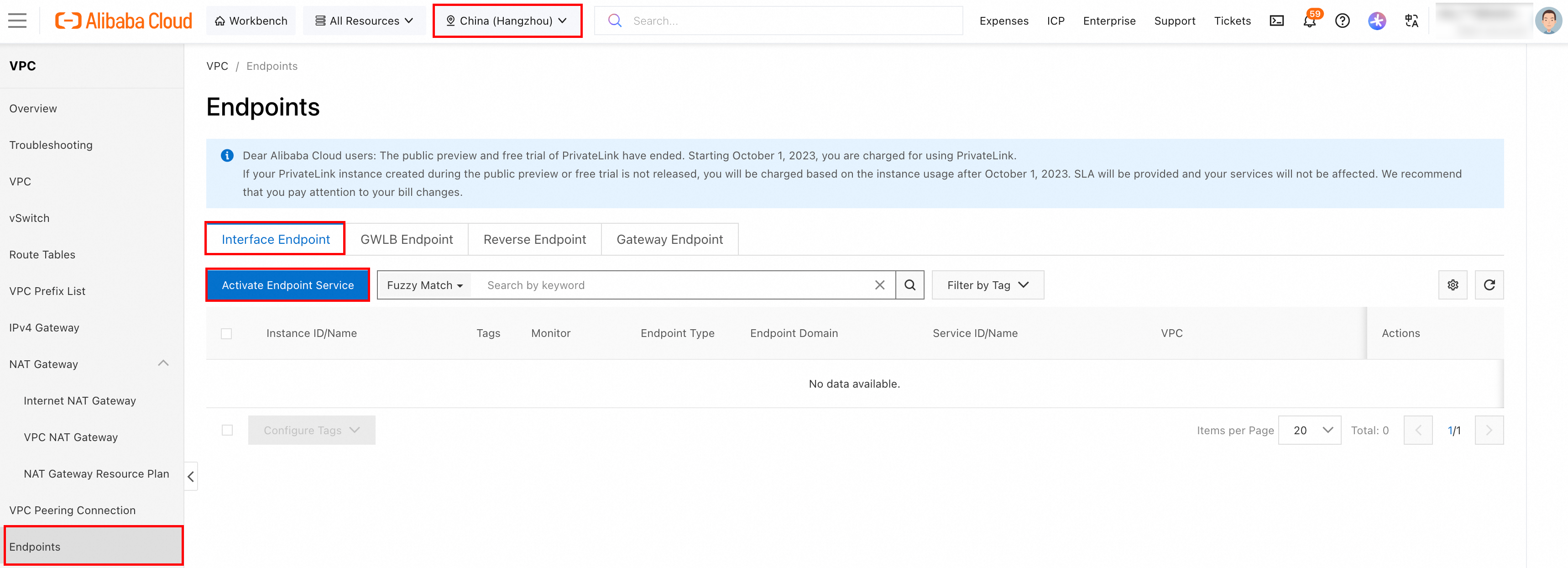
Log on to the console and navigate to .
-
In the top navigation bar, select a region that supports accessing API MCP Server through PrivateLink.
-
On the Interface Endpoint tab, click Create Endpoint. If this is your first time using PrivateLink, click Enable PrivateLink first.
-
On the Create Endpoint page, configure the following parameters and keep the default values for the others.
-
Region: Automatically populated based on the selected region. Not editable.
-
Endpoint Type: Select Interface Endpoint.
-
Endpoint Name: Enter a custom name for the endpoint.
-
Type: Select Select Service.
-
Available Services: In the Endpoint Service Name search box, search for and select the exact service name. Each endpoint can associate with only one endpoint service. The following table lists service names by region.
Example: endpoint service name for the
China (Hangzhou)region: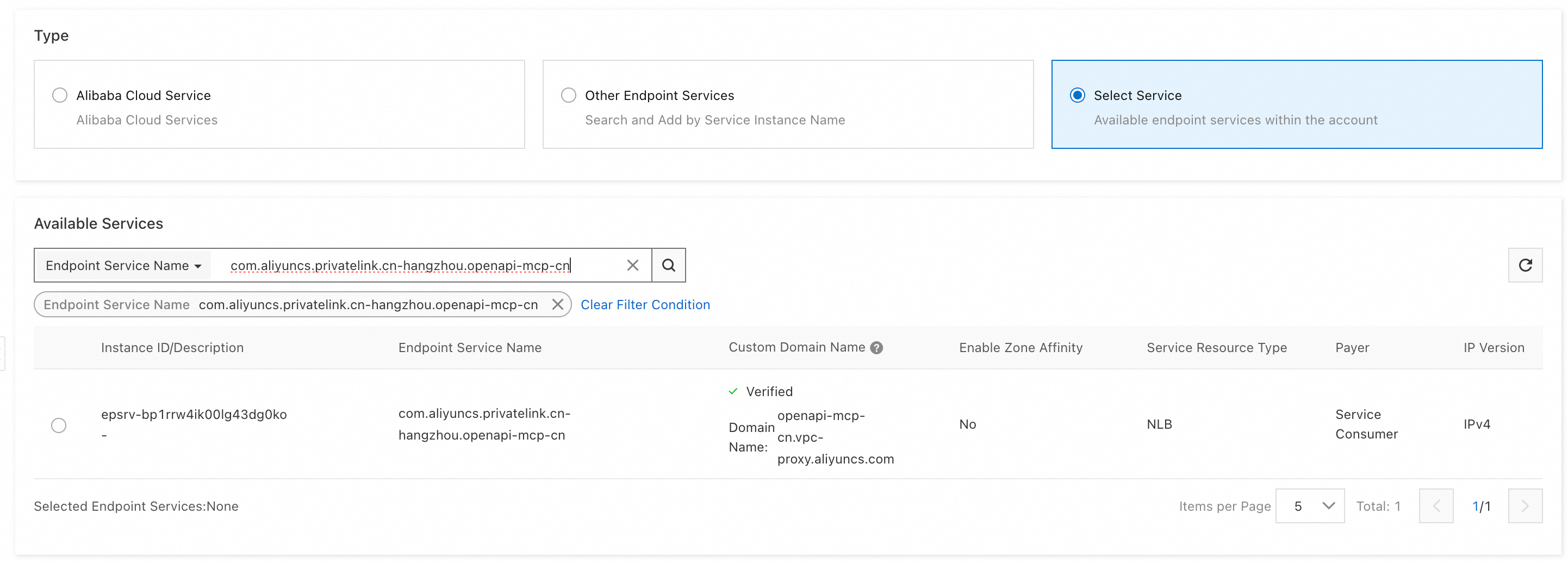
-
VPC: Select the VPC for the endpoint.
-
Zone and vSwitch: Select a supported zone and a vSwitch in that zone. The system creates an endpoint network interface in each selected vSwitch.
-
Security Groups: Select a security group for the endpoint network interface to control data communication.
-
-
Click OK. After creation, go to the Endpoints page and note the endpoint domain name. You need this domain name to access API MCP Server.
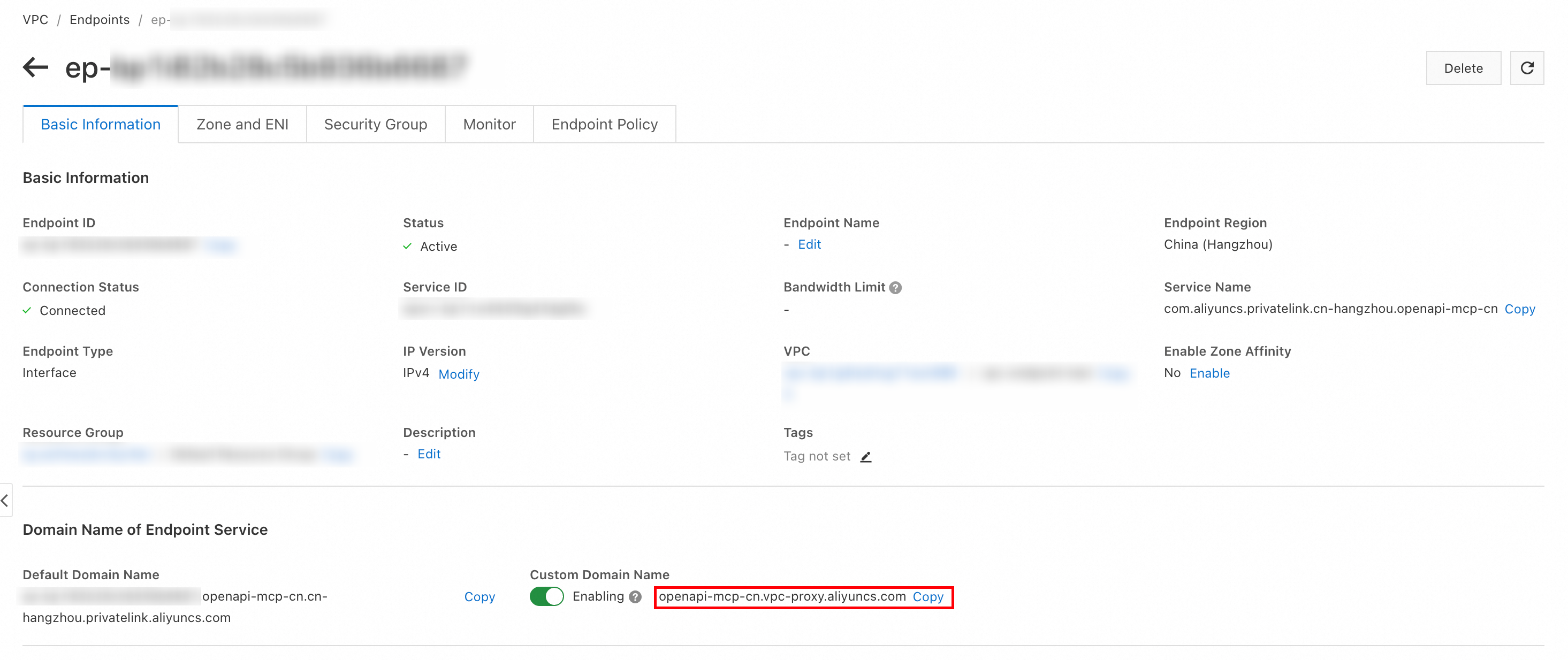
Step 2: Verify connectivity
After the endpoint is created, you can use the endpoint domain name to access API MCP Server from resources in the VPC, such as ECS instances. For example, run the ping command from an ECS instance that can access the endpoint to verify connectivity:
[root@11111118111111111Z ~]# ping openapi-mcp-cn.vpc-proxy.aliyuncs.com
PING openapi-mcp-cn.vpc-proxy.aliyuncs.com (10.0.0.32) 56(84) bytes of data.
64 bytes from 10.0.0.32: icmp_seq=1 ttl=102 time=0.570 ms
64 bytes from 10.0.0.32: icmp_seq=2 ttl=102 time=0.382 ms
64 bytes from 10.0.0.32: icmp_seq=3 ttl=102 time=0.423 ms
64 bytes from 10.0.0.32: icmp_seq=4 ttl=102 time=0.395 ms
64 bytes from 10.0.0.32: icmp_seq=5 ttl=102 time=0.457 ms