OpenSearch Vector Search Edition High-availability Edition deploys workers across two availability zones with mutual backup. If a zone fails, traffic can be switched to the other zone. Create a new High-availability Edition instance or upgrade an existing Standard Edition instance.
Standard Edition vs. High-availability Edition
| Aspect | Standard Edition | High-availability Edition |
|---|---|---|
| Disaster recovery | Workers deployed in a single zone. Cross-zone disaster recovery is not supported. | Workers deployed in two zones. Two clusters are mutually backed up, enabling cross-zone disaster recovery. If a zone fails, traffic can be switched to the other zone. |
| Searcher workers | Minimum 1. Deployed in the single cluster of the instance. | Minimum 2. Evenly deployed across the two clusters of the instance. |
| Query Result Searcher (QRS) workers | Optional (zero allowed). Deployed in the single cluster of the instance. | Minimum 2. Evenly deployed across the two clusters of the instance. |
Create an instance
Log on to the OpenSearch console. In the upper-left corner, switch to OpenSearch Vector Search Edition. On the Instances page, click Create Instance.
On the buy page, set Service Edition to Vector Search Edition and Availability Edition to High-availability Edition. Configure the following parameters: Click Buy Now.
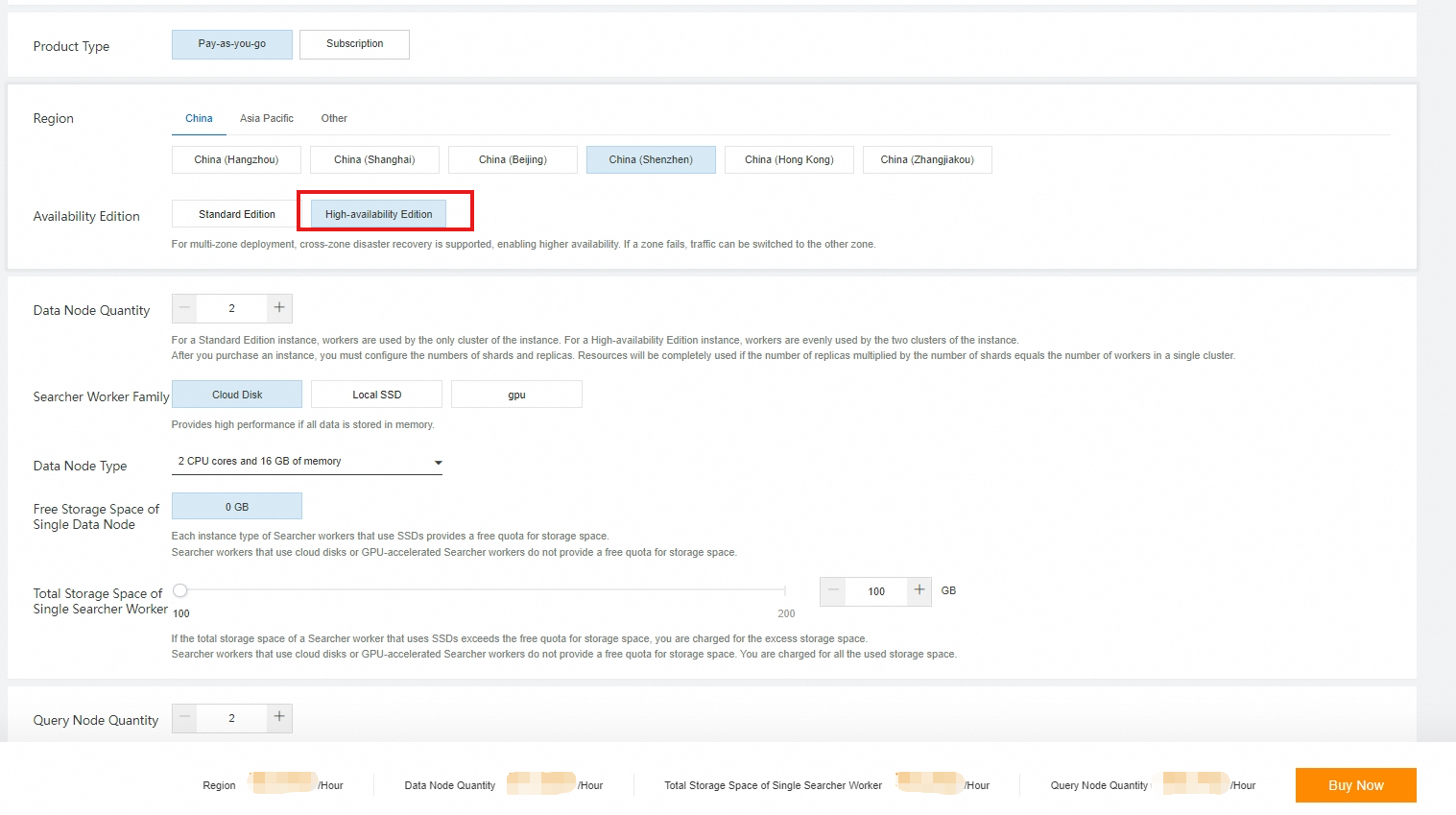 > Note: > > - After you select the specifications, the actual fee is displayed on the buy page. > > - High-availability Edition requires at least two Searcher workers and two QRS workers. > > - The virtual private cloud (VPC) and vSwitch must match those of the Elastic Compute Service (ECS) instance used to access the OpenSearch Vector Search Edition instance. A mismatched VPC or vSwitch causes the error
 {'errors':{'code':'403','message':'Forbidden'}}. > > - A Searcher worker that uses local SSDs includes a free quota of 50 GB of storage space. Extra storage space is available in increments of 50 GB. A Searcher worker that uses cloud disks has no free quota, and storage space is available in increments of 50 GB. > > - The username and password are used for permission verification in queries. Do not use your Alibaba Cloud account and password as the username and password.Region and Zone
Searcher Workers, Searcher Worker Family, Searcher Worker Specifications, Total Storage Space of Single Searcher Worker
QRS Workers, QRS Worker Family, QRS Worker Specifications
VPC and vSwitch
Username and Password
On the Confirm Order page, verify the configurations, read and agree to the Terms of Service, and click Activate Now.
After the purchase completes, click Console. On the Instances page, view the purchased instance.
Configure the instance. For more information, see Add a table.
Upgrade from Standard Edition
Upgrade an existing Standard Edition instance to High-availability Edition through the Upgrade/Downgrade feature.
On the Instances page, find the target instance and click Upgrade/Downgrade in the Actions column. The following figure shows a Standard Edition instance with no QRS workers and one Searcher worker.

On the Upgrade/Downgrade page, set Availability Edition to High-availability Edition.
On the Instance Details page, choose Logs > Change History in the left-side navigation pane to view the upgrade progress. > Note: > > After the upgrade completes, the status of QRS workers and Searcher workers changes to 100%. The service is then available.
View cluster information
On the Instance Details page, view single-cluster worker resource information and cluster service status.
To switch traffic designation, click Convert to Test Traffic or Convert to Production Traffic. After confirmation, the traffic status changes immediately.