MSE cloud-native gateways support multiple routing modes: single-service, percentage-based, tag-based, mock, and redirection.
Single-service routing
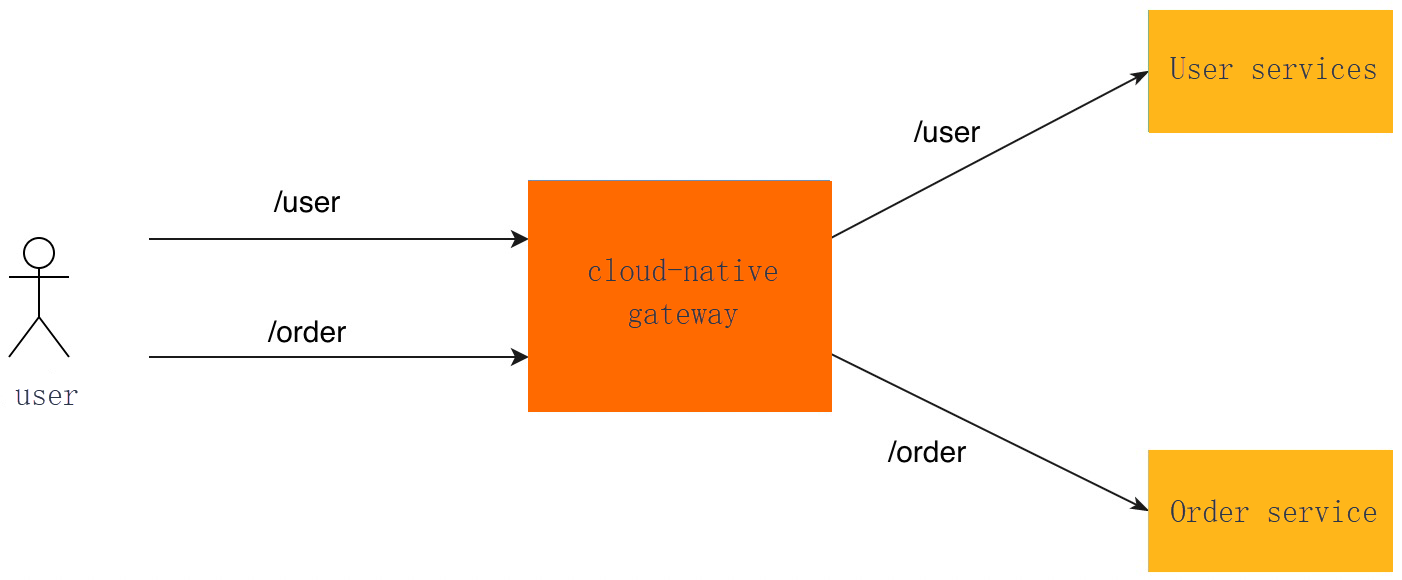
The cloud-native gateway forwards requests to a specific backend service based on routing rules. For more information about configuring services, see Add a service.
The gateway matches requests against the routing rules that you configured. For example:
-
The gateway forwards all requests that match the /user routing rule to the user service.
-
The gateway forwards all requests that match the /order routing rule to the order service.
Percentage-based routing
The cloud-native gateway distributes requests across multiple backend services based on the weight configured for each service. Common scenarios include:
-
Multiple Registry Centers
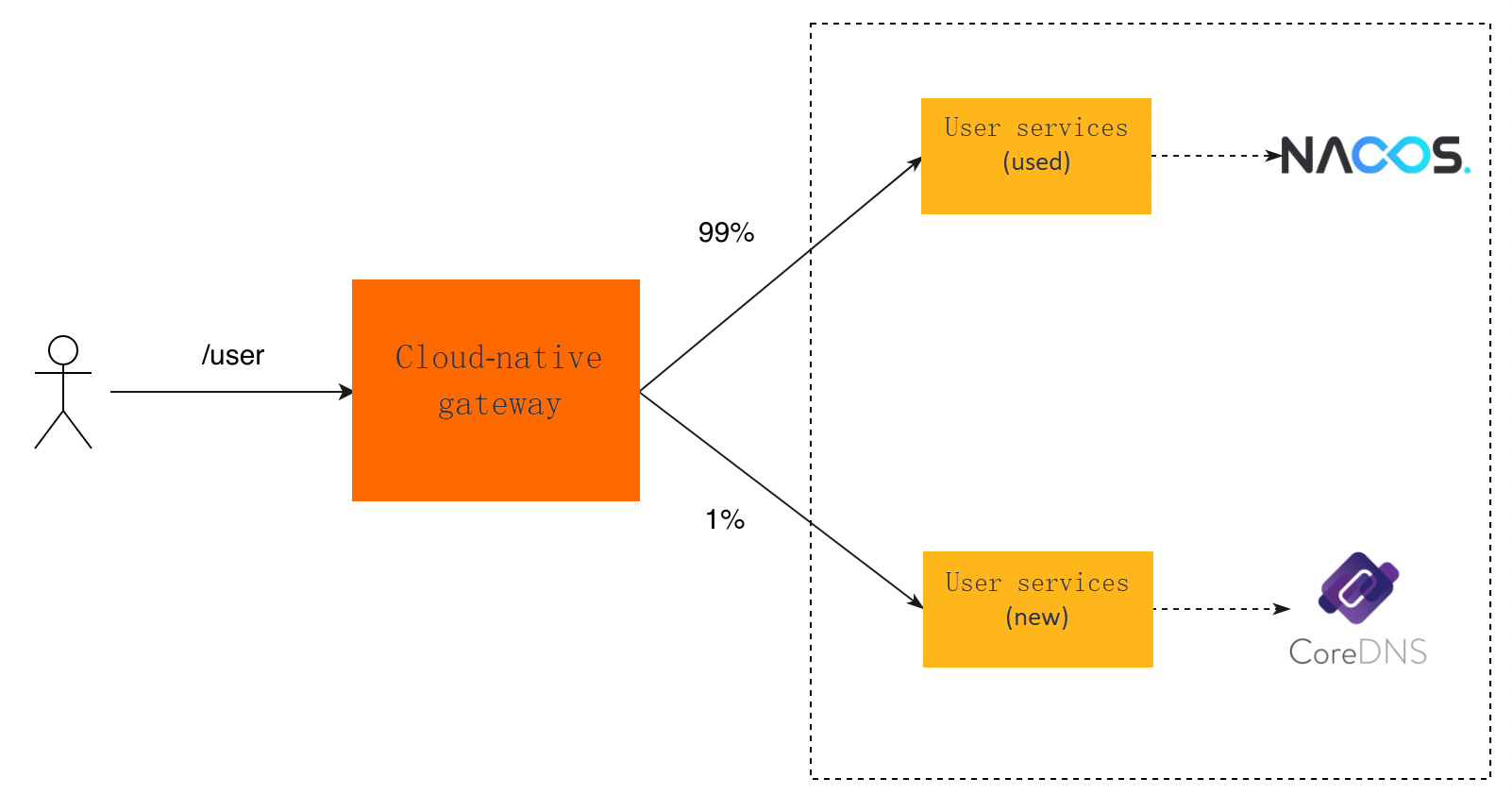
When you change service registries, you can deploy a replica of the service that uses the new registry while retaining the original service and registry. Traffic is gradually diverted from the original service to the new one. After verifying the stability of the new service, you can forward all traffic to it. The migration supports rollback if the new service does not meet your requirements.
The following figure shows an example where the user service switches from Nacos to the built-in CoreDNS for Kubernetes. CoreDNS must be used together with the service resources.
-
O&M System Differences
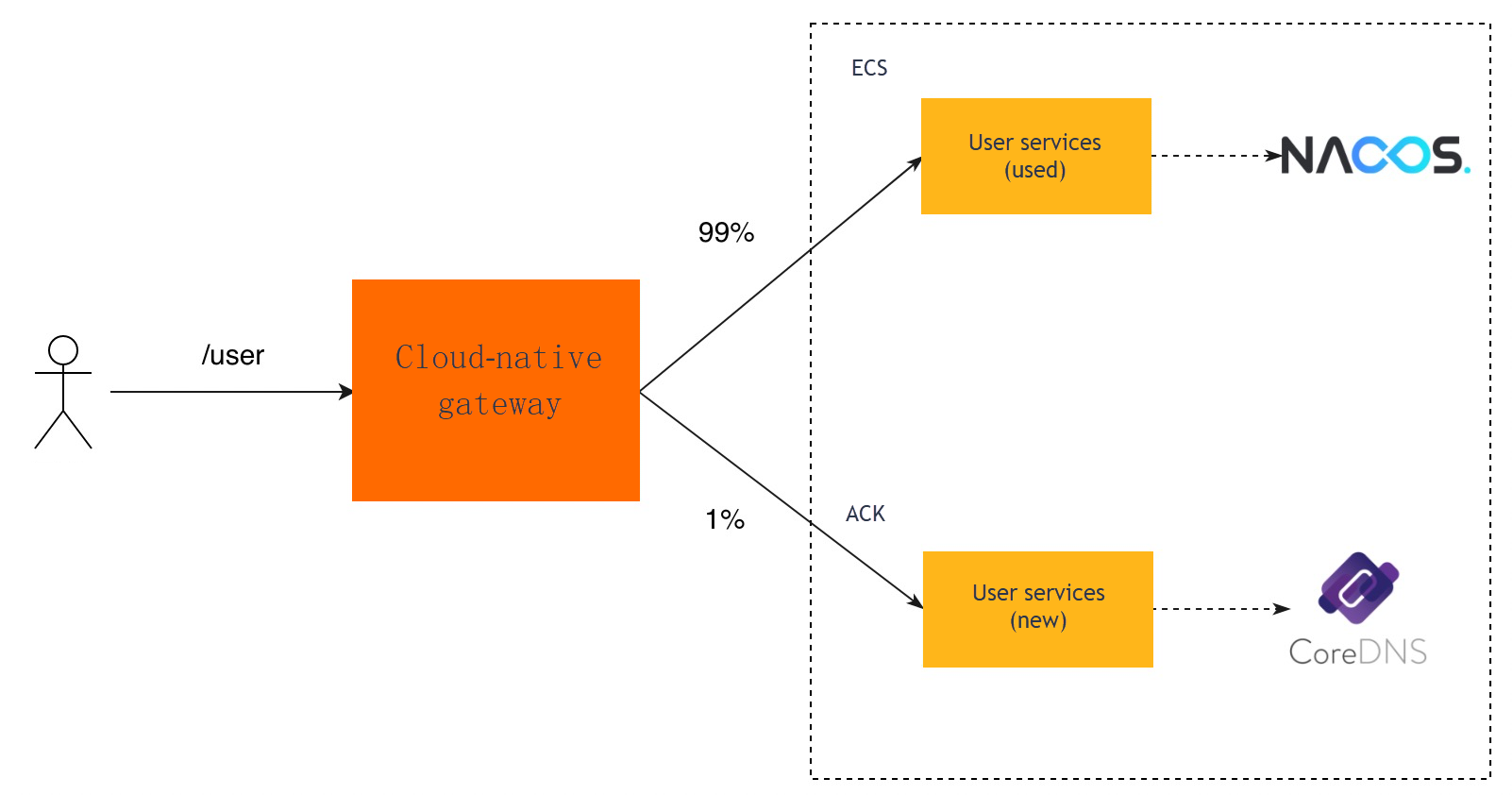
Traditionally, most services run on virtual machines such as Alibaba Cloud Elastic Compute Service (ECS) instances. As more enterprises migrate to Kubernetes-based platforms such as Alibaba Cloud Container Service for Kubernetes (ACK), you can deploy a replica of the service on a Kubernetes cluster and register it with a new name in the registry. Two services with identical features then exist: one on an ECS instance and the other on a Kubernetes cluster. Traffic is gradually diverted from ECS to Kubernetes, and you can adjust the percentage or roll back at any time.
For example, suppose you want to migrate a user service that uses Nacos as its registry from ECS to the Alibaba Cloud ACK platform.
Tag-based routing
The cloud-native gateway forwards requests to different versions of a service based on the weight configured for each version. For more information about configuring service versions, see Manage service versions. Common scenarios include:
-
Canary release
A canary release diverts a small amount of traffic to a new service version for verification. If the result meets expectations, the remaining traffic is gradually migrated to the new version.
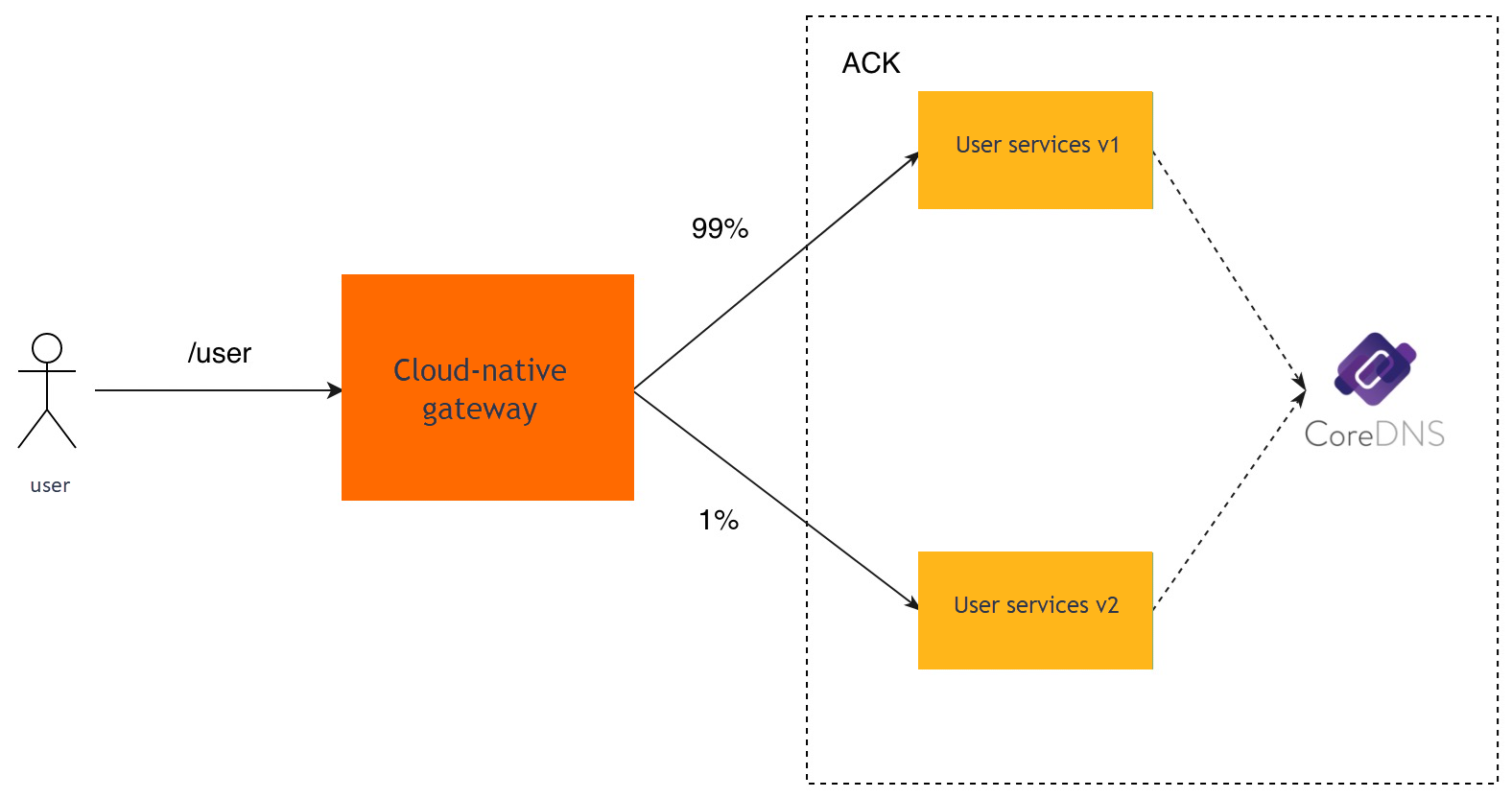
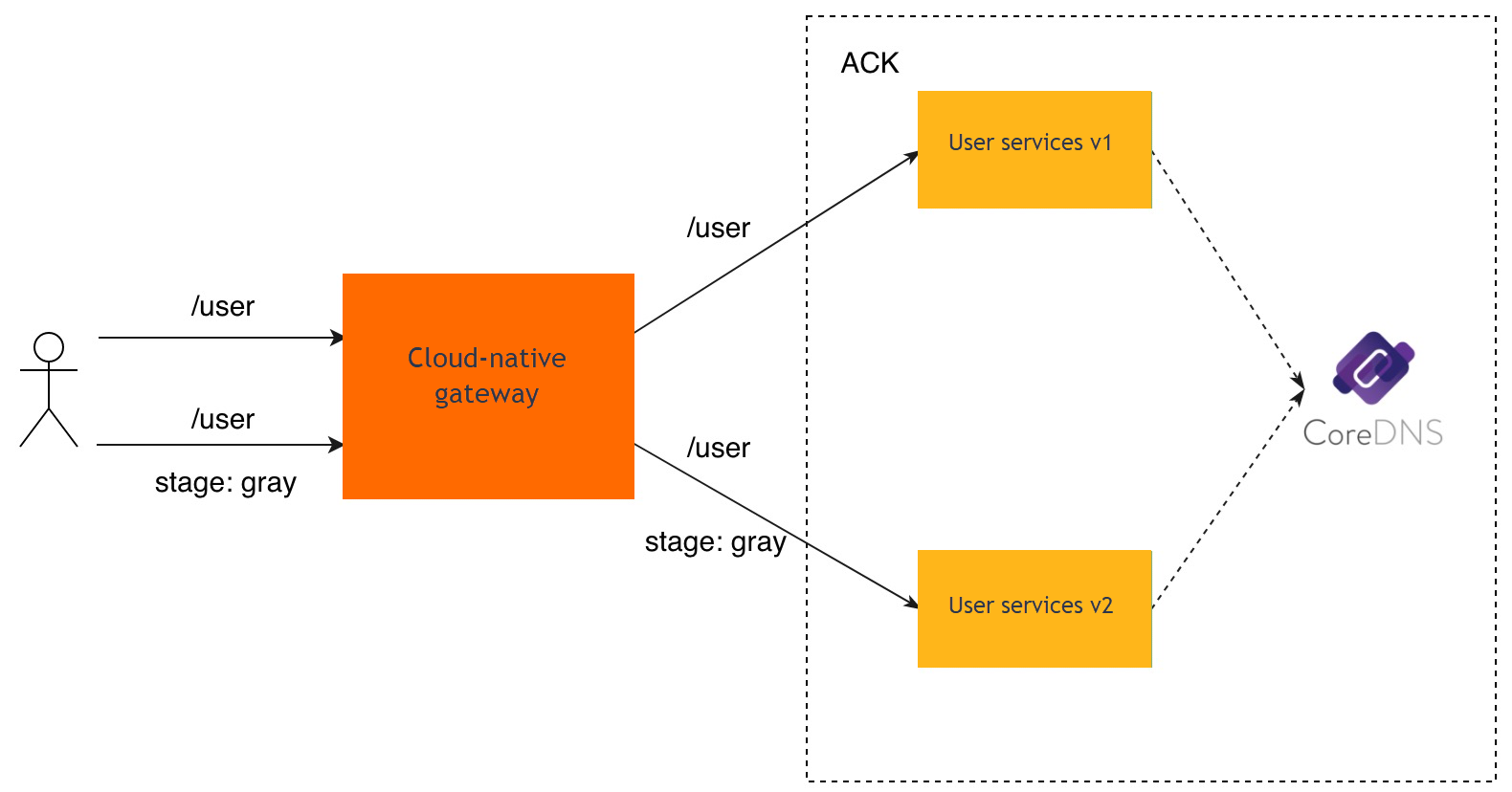
For example, the user service deployed on an ACK cluster currently runs v1, and v2 is planned for release. You can perform a canary release in one of the following ways:
-
By ratio
Tag-based routing is used to forward /user requests to the user service v1. You can add the user service v2 on the service management page in the Microservices Engine (MSE) console, and then add the user service v2 to destination services for tag-based routing. You can configure a weight to determine the percentage of traffic forwarded to the user service v2.
-
Tags
Tag-based routing is used to forward /user requests to the user service v1. You can add a /user route and configure a tag indicating that this route is used for a canary release. For example, the tag can be the stage header with the gray value. The route is used to forward requests with such headers to the user service v2.
-
-
Tag-based routing
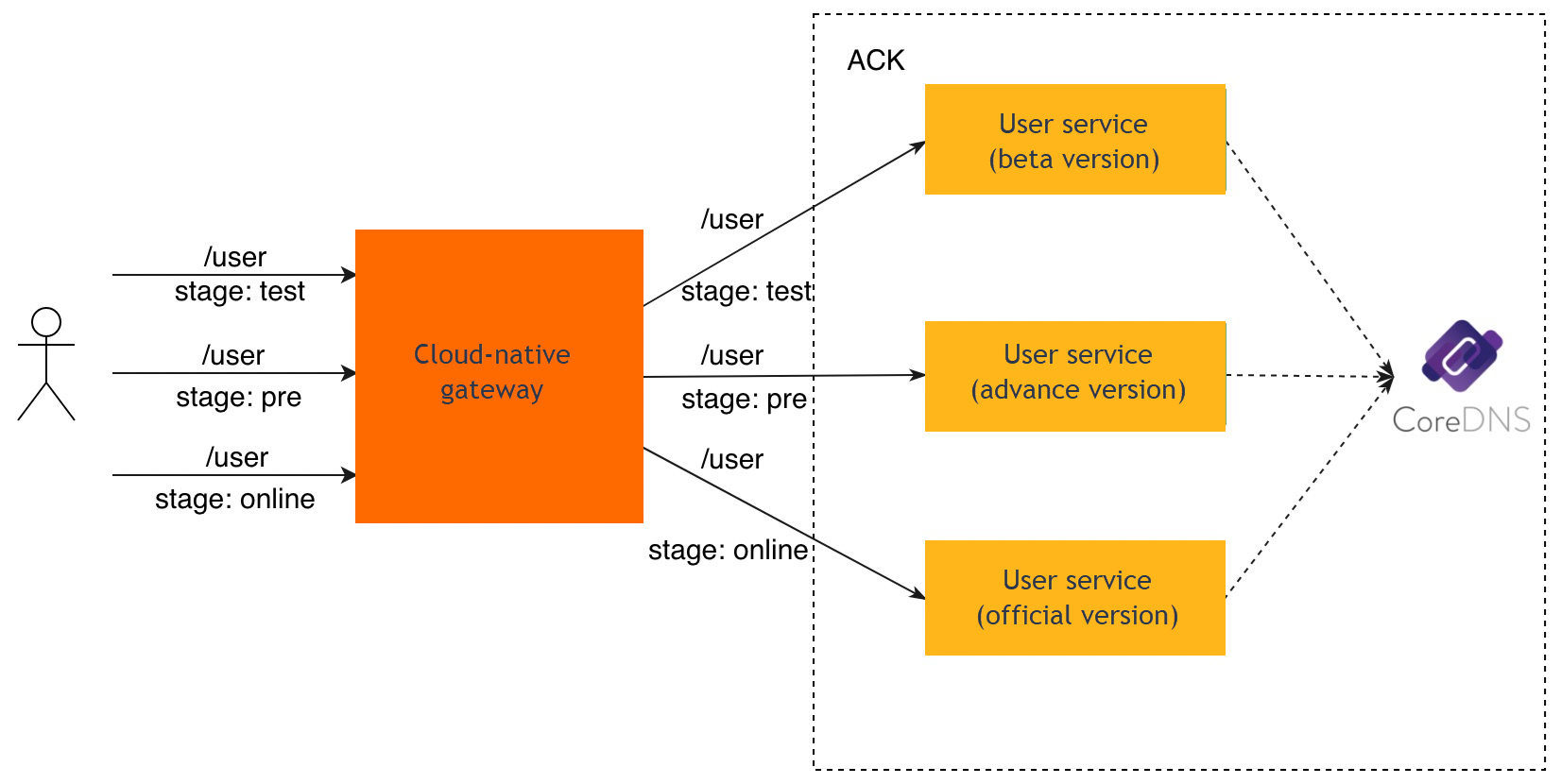
In a production environment, multiple versions of a service may coexist for an extended period, with each version handling different types of requests. For example, requests with different header values can be forwarded to different service versions. Tag-based routing also applies when multiple environments (test, staging, and production) coexist, using tags to distinguish requests for each environment.
For example, in the following application, a user service uses the K8s container service for service discovery and has three development environments (test, pre, and online). The settings for requests to /user are as follows:
-
If the value of the stage header is test, traffic is forwarded to the user service in the test environment.
-
If the value of the stage header is pre, traffic is forwarded to the user service in the staging environment.
-
If the value of the stage header is online, traffic is forwarded to the user service in the production environment.
-
-
High-availability deployment
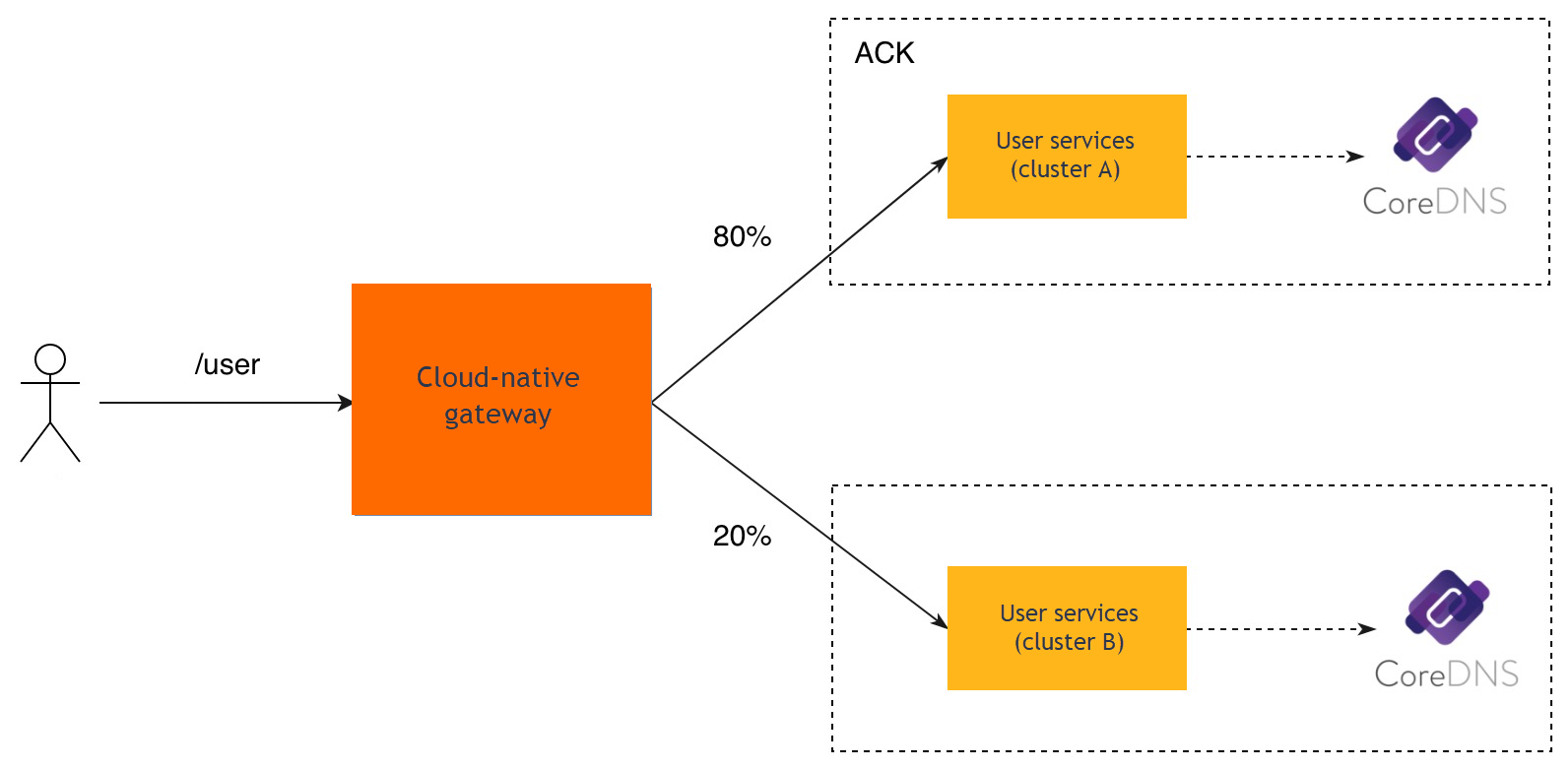
To ensure service availability, identical services can be deployed on multiple Kubernetes clusters. You can manage service instances by cluster based on node metadata and adjust the weight to distribute traffic across clusters. If a cluster fails, set its weight to 0 to forward all traffic to the remaining clusters.
For example, in the following application system, service discovery is performed on the user service deployed on ACK clusters A and B. For the /user requests, 80% traffic is forwarded to the user service deployed on cluster A, and 20% traffic is forwarded to the user service deployed on cluster B.
Mock routing
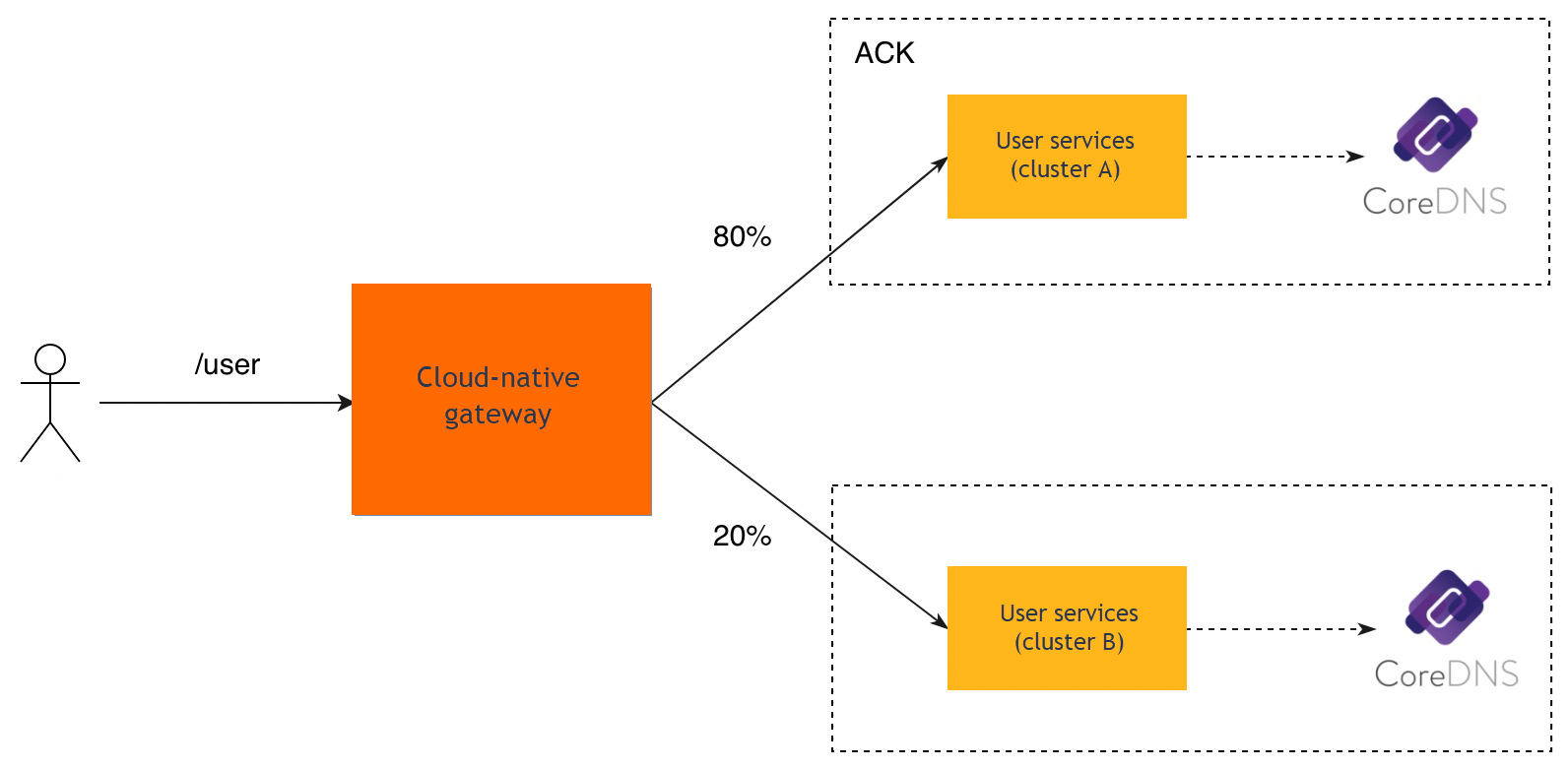
Mock routing returns a fixed response for a route, allowing you to verify whether requests are properly forwarded. This enables frontend and backend development to proceed in parallel.
For example, when the backend user service is not yet completed, you can configure a fixed response for its API operations so that frontend developers can test the routing process. After the backend service is ready, change the route type from Mock to the actual service for joint debugging.
Redirection routing
The cloud-native gateway can redirect requests to a different domain name or path. This is commonly used for domain name migrations and API changes.
For example, the current service domain name is old.example.com and the current path is /test. The cloud-native gateway redirects a request from old.example.com/test to new.example.com/dev.
