you can obtain an independent, resource-dedicated inference service through deployment to meet your business needs for different performance levels such as high concurrency and low latency.
Billing methods
Before deployment, you can view the estimated hourly cost of different models in the Dedicated Deployment console.
NoteThe billing method cannot be changed after the service is created. To switch, you must take the deployed model offline and then redeploy it.
Provisioned Throughput (PTU, Provisioned Throughput Unit) (High throughput; high performance) | Model Unit (Custom performance metrics; resource isolation) | Token-based usage (Pay-as-you-go after fine-tuning/effect validation) | |||
|---|---|---|---|---|---|
Definition | A model deployment method that reserves platform resources to guarantee a specific TPM throughput capacity; no rate limiting within the guaranteed quota. | A model deployment method that configures computing power based on usage duration and the number of Model Units, with dedicated resources. | A model deployment method that uses the input Tokens and output Tokens generated per call as the usage metering basis. | ||
Advantages |
|
| No charge when not in use. | ||
Supported models | Some pre-configured models | Some pre-configured models and all fine-tuned models | Some models fine-tuned with LoRA | ||
Use cases |
|
| Fine-tuned model effect validation | ||
Billing diagram |
|
|
| ||
Billing method | By usage duration and provisioned throughput Pay-as-you-go, daily package | By usage duration and number of Model Units Pay-as-you-go, monthly package | By model Token usage Pay-as-you-go | ||
Scaling method | Self-service increase/decrease of throughput | Self-service increase/decrease of Model Units | Submit an application in the console and wait for manual review. | ||
Product constraints |
| After a prepaid purchase, if you cancel early within the first month, the daily unit price (≈ monthly unit price / 30) will be billed at 1.2 times |
| ||
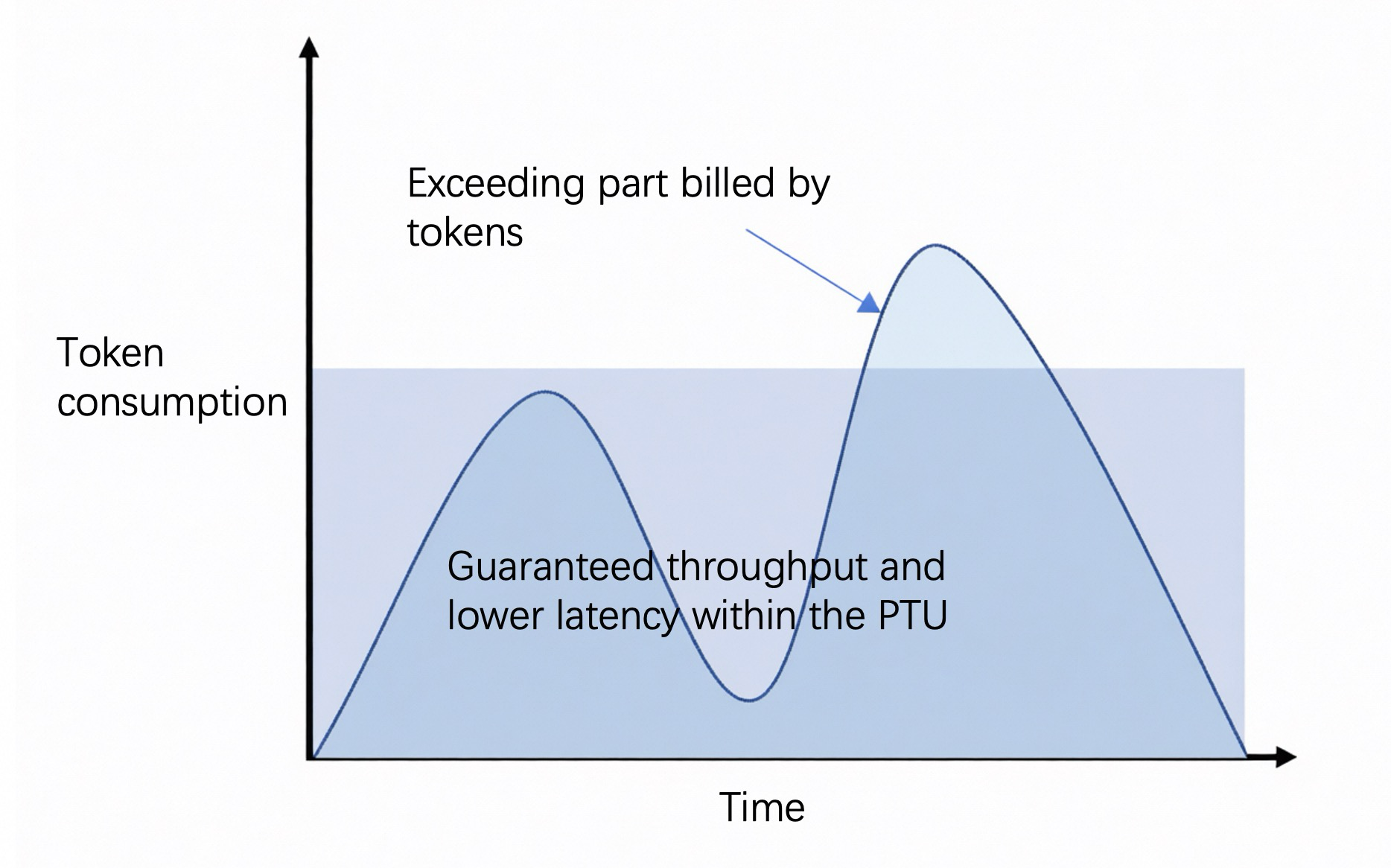
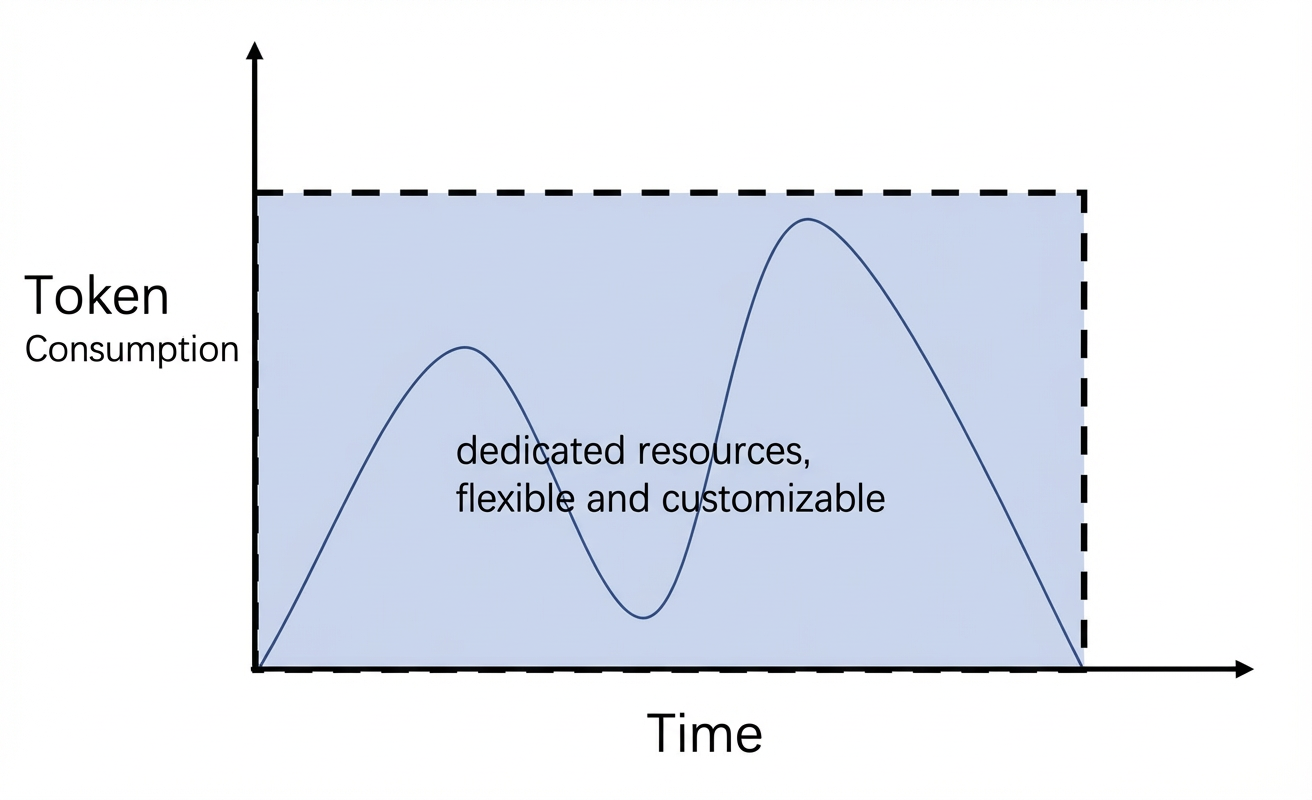
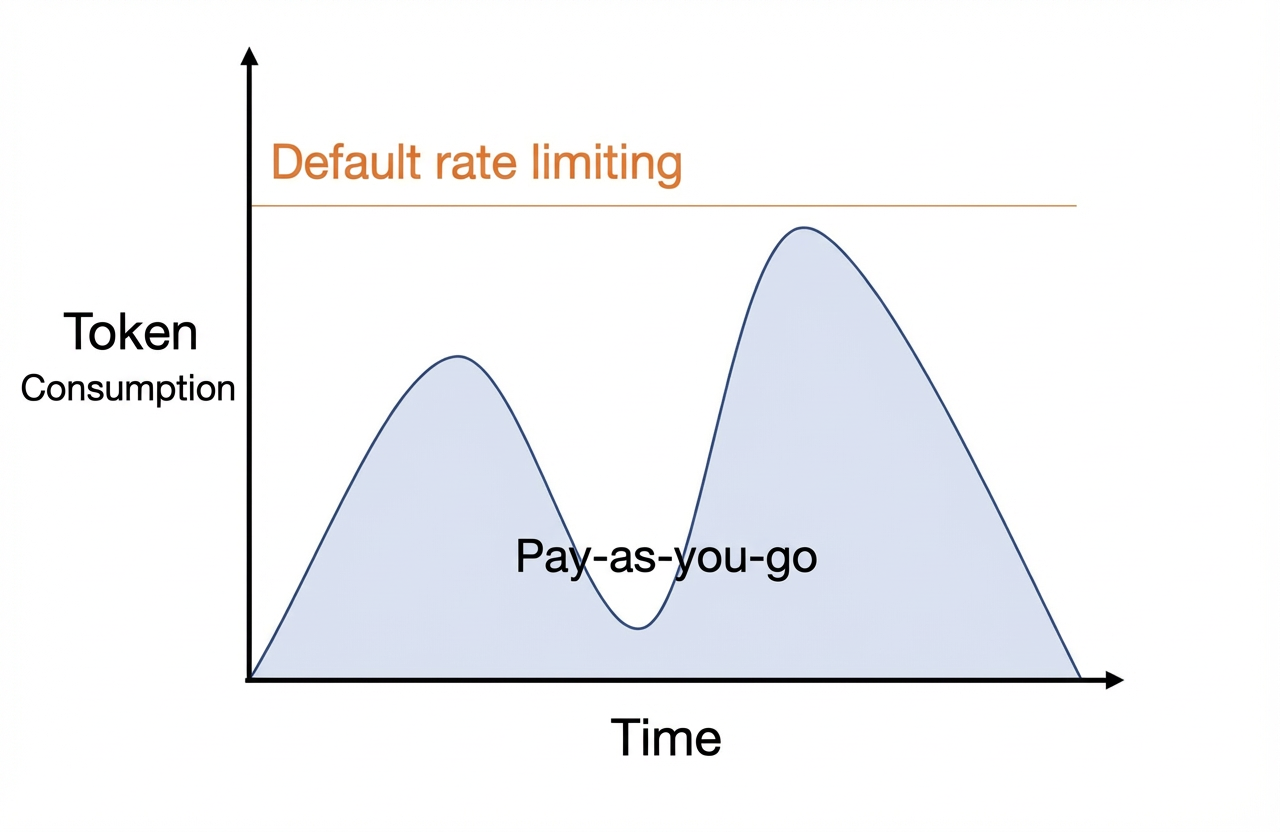
To view the Token usage and call count history statistics for each call, go to: Model Monitoring.
DTU is the successor to Model Unit (MU) — the metering granularity changes from unit count to input/output TPM. For new dedicated deployment purchases, DTU is recommended. See Dedicated compute deployment.
Deployment modes
For supported models and pricing of each deployment mode, see the corresponding mode pages:
NoteThe creation and management of Provisioned Throughput Units (PTU) is now supported on the Throughput Reservation page, which offers more complete capacity management features such as stackable capacity packages. For more information, see Throughput Reservation.
- PTU Provisioned Throughput deployment
- Dedicated compute deployment
- Token pay-as-you-go deployment
- Model import
Deployment methods
You can deploy models on the console. Refer to the following steps:
If you are prompted with insufficient permissions, refer to the permission troubleshooting section in the API deployment guide.
-
Log on to the Model Studio console. In the left-side navigation pane, choose Model Inference > Dedicated Deployment.
-
Click Deploy New Model.
-
Enter a Service Name, complete Select Model and Billing Method, keep the other settings as default, and click Confirm.
You must complete model fine-tuning before you can deploy most models.
-
Return to the deployment list. When the deployment status changes to Running, the model is deployed successfully.
ImportantFees are incurred after the model is deployed successfully.
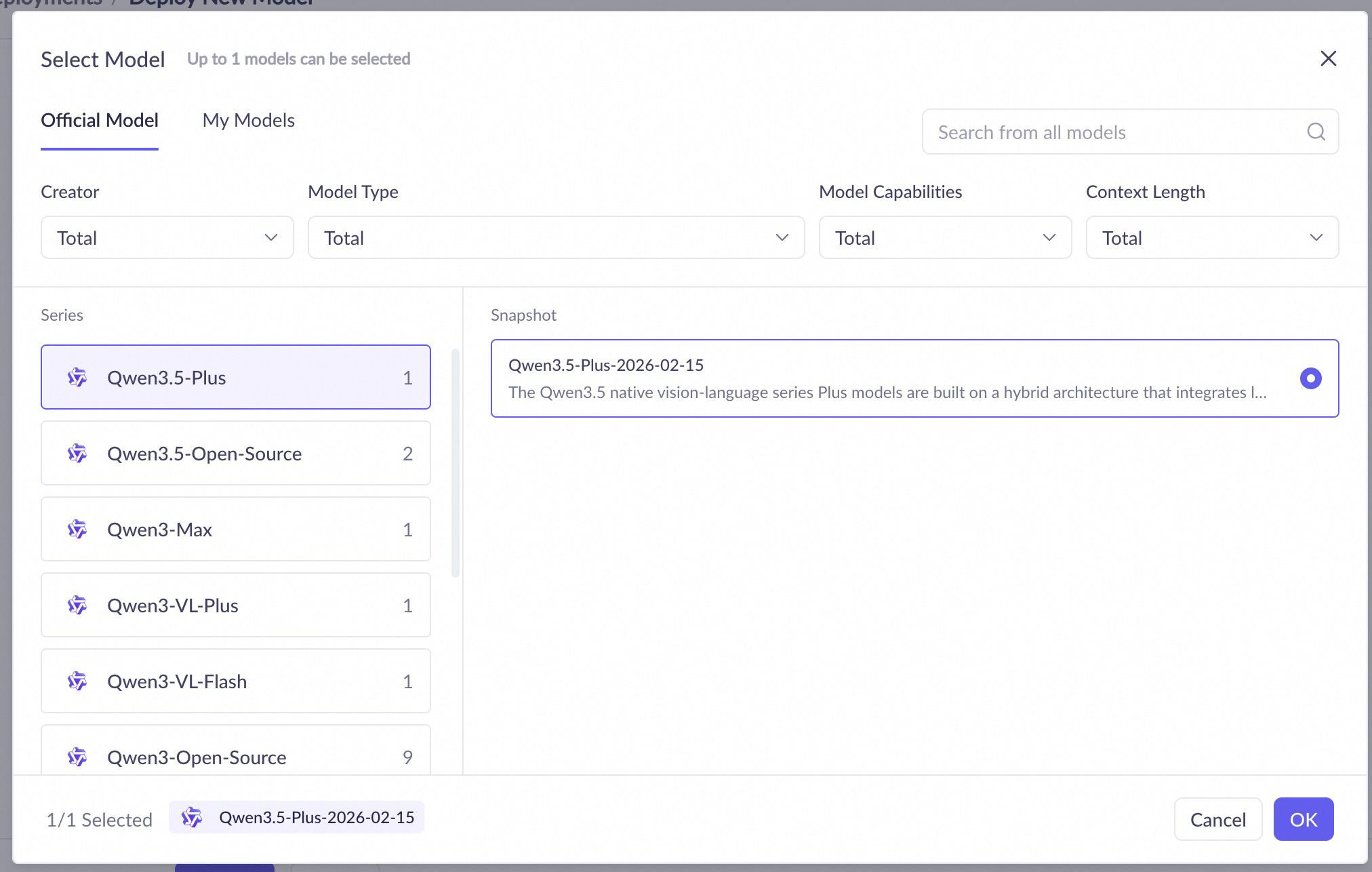
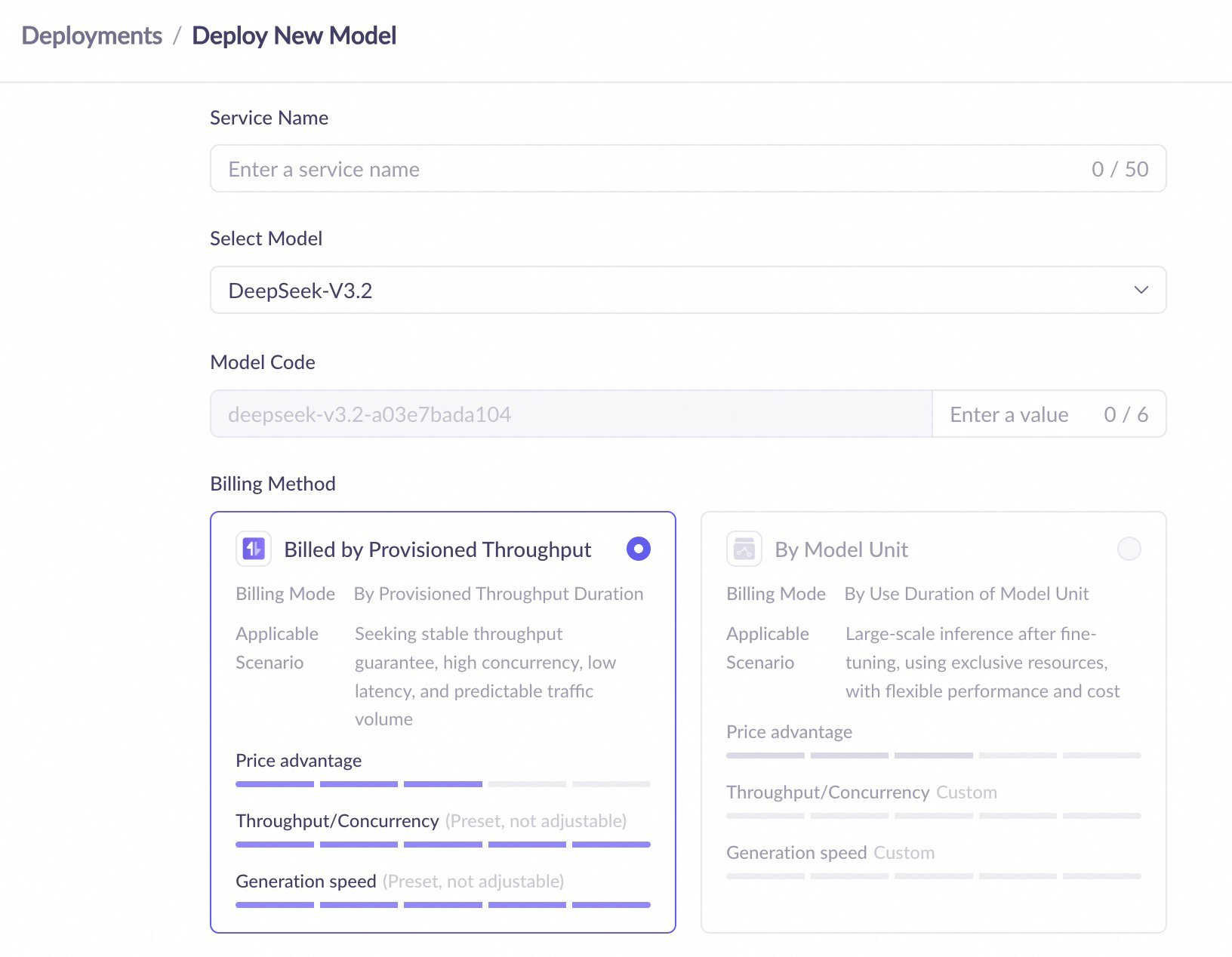
For detailed deployment configuration parameters (service name, model, model unit type, replica count, inference mode, maximum context, throttling, etc.), see Dedicated compute deployment and the API deployment guide.
Deployment list page
After successful deployment, you can view and manage all deployment services on the deployment list page. The list page contains the following information:
- Service name: The name of the deployment service. Click to view deployment details.
- Model name: The model used for deployment.
- Model Code: The unique identifier generated after the model is successfully deployed, used to specify the model when calling the API.
- Deployment status/Event status: Includes Pending deployment, Deploying, Running, Deployment failed, Going offline, Service paused, Stopped, Deleting, Subscription suspended/Overdue payment suspended, Resuming service, Running (Changing configuration), Running (Change failed), and other statuses.
- Billing method: The billing method of the current deployment service.
- Deployment details: Configuration information such as model unit type and replica count.
- Throttling details: Displays the throttling configuration of the current deployment service, such as RPM (requests per minute) and TPM (tokens per minute).
- Service time: Displays the creation time and expiration time of the deployment service.
- Operation: Depending on the deployment status and billing method, you can perform operations such as Update, Monitor, Scale, Renew, Take offline, Delete, and Try; Provisioned Throughput Unit (PTU) instances also support adding capacity packs on the Throughput Reservation page.
For API calling methods after a successful deployment (DashScope / OpenAI-compatible interface / Assistant SDK), see the API deployment guide.
For scaling operations of each billing method (manual throughput/model unit adjustment, Token scale-out application, auto-scaling policies), see the corresponding mode pages: PTU Provisioned Throughput deployment, Dedicated compute deployment, Token pay-as-you-go deployment.
Take a Deployment Service Offline
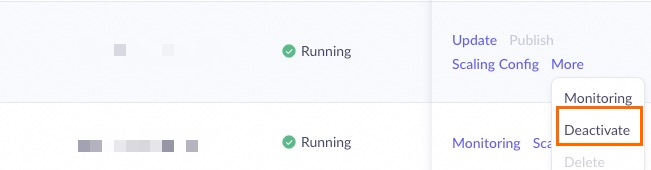
Go to the Dedicated Deployment console, find the deployment service you want to stop, and click the corresponding operation according to the billing type:
- Model unit prepaid: Click Deactivate and confirm.
- Postpaid: Click Delete and confirm.
No further billing will be incurred after the operation is completed.
FAQ
Can I upload and deploy my own models?
You can import some open-source models in the My Models console (Beijing); for the detailed supported list, please refer to: Model import.
In addition, Alibaba Cloud Artificial Intelligence Platform PAI provides the ability to deploy your own models. You can refer to PAI-LLM Large Language Model Deployment to learn about the deployment method.
How do I switch to other billing methods?
You can only release the original resources and then create new resources using the desired billing method.
It is recommended to switch according to the following steps:
- Deploy new resources using the desired billing method.
- Switch the API and test the service availability.
- Take offline and release the original resources.