Kilo CLI is an open source, terminal-based AI coding tool. Connect it to Model Studio to use Qwen models directly from your terminal.
With Kilo CLI, you can:
-
Edit code across multiple files without leaving the terminal
-
Generate, explain, and refactor code with AI assistance
-
Automate repetitive tasks such as writing unit tests, fixing bugs, and reviewing pull requests
-
Switch between Qwen models based on task complexity
This guide applies to pay-as-you-go mode only. Coding Plan users should see Coding Plan for Kilo CLI for their exclusive base URL and API key.
Prerequisites
Before you begin:
-
An Alibaba Cloud account (create one if needed; see Create an Alibaba Cloud account)
-
Node.js 18.0 or later
Supported models
Kilo CLI supports the following Qwen model series through Model Studio:
|
Series |
Models |
Notes |
|
Qwen-Max |
qwen3-max, qwen3-max-2026-01-23, qwen3-max-preview |
qwen3-max-2026-01-23 and qwen3-max-preview support thinking mode. View more |
|
Qwen-Plus |
qwen-plus, qwen-plus-latest, qwen-plus-2025-09-11 |
|
|
Qwen-Flash |
qwen-flash, qwen-flash-2025-07-28 |
|
|
Qwen-Turbo |
qwen-turbo, qwen-turbo-latest |
|
|
Qwen-Coder |
qwen3-coder-plus, qwen3-coder-plus-2025-09-23, qwen3-coder-flash |
Does not support thinking mode. View more |
For full model lists per region, see Models.
Which model to choose:
-
Complex tasks (algorithm implementation, system architecture):
qwen3-max-2026-01-23orqwen3-coder-plus -
Lightweight tasks (code explanation, formatting, unit tests):
qwen3-coder-next
Step 1: Activate Model Studio
-
Log in to Model Studio with your Alibaba Cloud account.
-
Read and agree to the Terms of Service. Model Studio activates automatically. If the Terms of Service do not appear, the service is already active.
If prompted for identity verification, see Verify your identity.
After activation, you receive a free quota for model inference, valid for 90 days. See Free quota for new users.
Charges apply after expiration or depletion. To prevent unexpected charges, enable the Free quota only feature.
Step 2: Install Kilo CLI
Install Kilo CLI globally:
npm install -g @kilocode/cliVerify the installation:
kilo --versionA version number confirms successful installation.
Step 3: Get your API key
Your API key authenticates requests to Model Studio and is tied to billing. Get one from the Key Management page in your region:
Your base URL, API key, and model must be in the same region. Mixing regions causes connection errors.
Step 4: Configure the connection
Edit the Kilo CLI configuration file to connect to Model Studio.
-
Open
~/.config/kilo/config.jsonin a text editor:vim ~/.config/kilo/config.json -
Paste the following configuration and replace
<your-api-key>with your API key from Step 3. This example uses Singapore. For other regions, replace thebaseURLvalue. To add more models, add entries to themodelsfield (see Supported models for available models).Not all models are available in every region. For example,
qwen3-max-2026-01-23is unavailable in US (Virginia).Model Studio base URLs by region:
Region
Base URL
China (Beijing)
https://dashscope.aliyuncs.com/compatible-mode/v1Singapore
https://dashscope-intl.aliyuncs.com/compatible-mode/v1US (Virginia)
https://dashscope-us.aliyuncs.com/compatible-mode/v1{ "$schema": "https://kilo.ai/config.json", "provider": { "bailian": { "npm": "@ai-sdk/anthropic", "name": "Alibaba Cloud Model Studio", "options": { "baseURL": "https://dashscope-intl.aliyuncs.com/apps/anthropic/v1", "apiKey": "<your-api-key>" }, "models": { "qwen3-max-2026-01-23": { "name": "qwen3-max-2026-01-23", "options": { "thinking": { "type": "enabled", "budgetTokens": 1024 } } }, "qwen3-coder-plus": { "name": "qwen3-coder-plus" } } } } } -
Save the file and restart Kilo CLI.
Step 5: Select a model and start coding
-
Run
/modelsin Kilo CLI and search forAlibaba Cloud Model Studio. -
Select a model, such as
qwen3-max-2026-01-23orqwen3-coder-plus.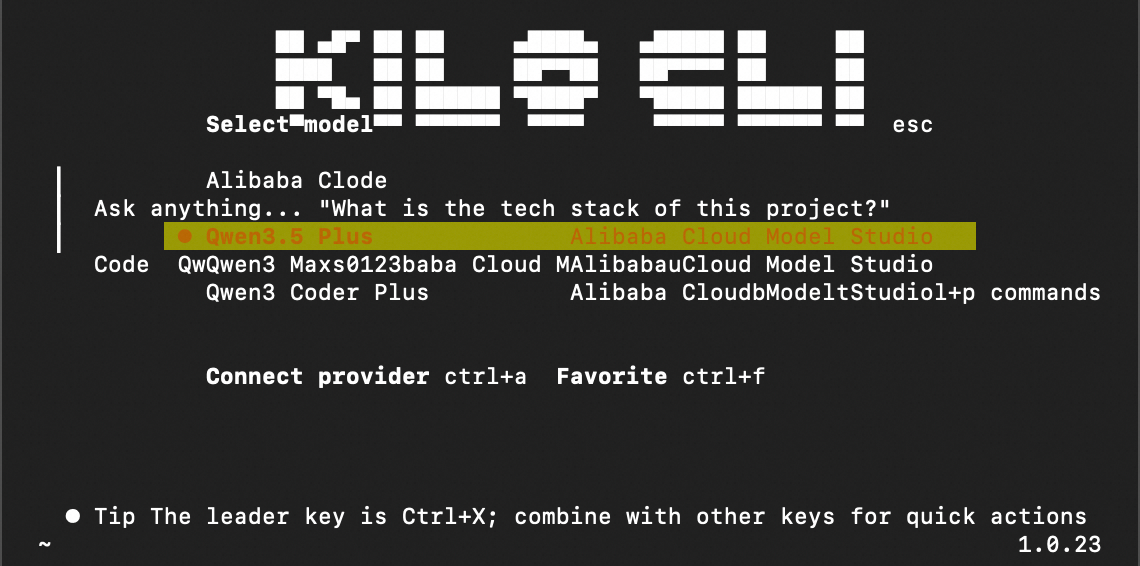
-
Start a conversation by typing a prompt. Try one of these to explore your codebase:
what does this project do?find and fix any bugs in the main module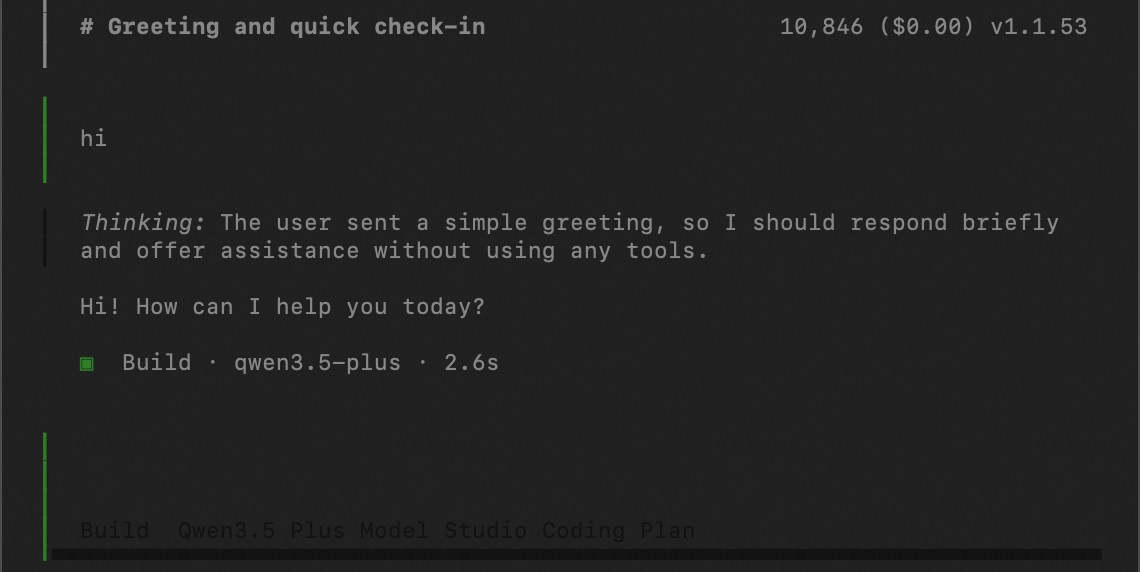
-
As you get comfortable, try more advanced prompts:
write unit tests for the auth modulerefactor this function to improve readabilityreview the latest commit and suggest improvements
For more commands and tips, see the Kilo Code documentation.
FAQ
I get an error or no response after connecting to a model
This is usually a region mismatch or incorrect model name.
-
Region mismatch: Your API key and base URL must be from the same region. A Beijing API key will not work with the Singapore base URL. Verify both match in your
config.json. -
Wrong model name: Check the Model list for supported models and confirm availability in your region.
-
Model not available in your region: Some models are region-specific. For example,
qwen3-max-2026-01-23is unavailable in US (Virginia). See Models for per-region availability. -
JSON syntax error: If you manually edited
config.json, a missing comma or bracket can cause errors. Validate your JSON with an online tool or runcat ~/.config/kilo/config.json | python3 -m json.toolto check syntax.
How do I switch models after setup?
Run /models in Kilo CLI, search for Alibaba Cloud Model Studio, and select a different model. To add more models, add entries to the models field in config.json.