Prerequisites
Upgrade the mPaaS plugin for Android Studio to version 3.0.230524 or later.
In Android Studio, open the android folder of your Flutter project as a Gradle project and use the mPaaS plugin for integration.
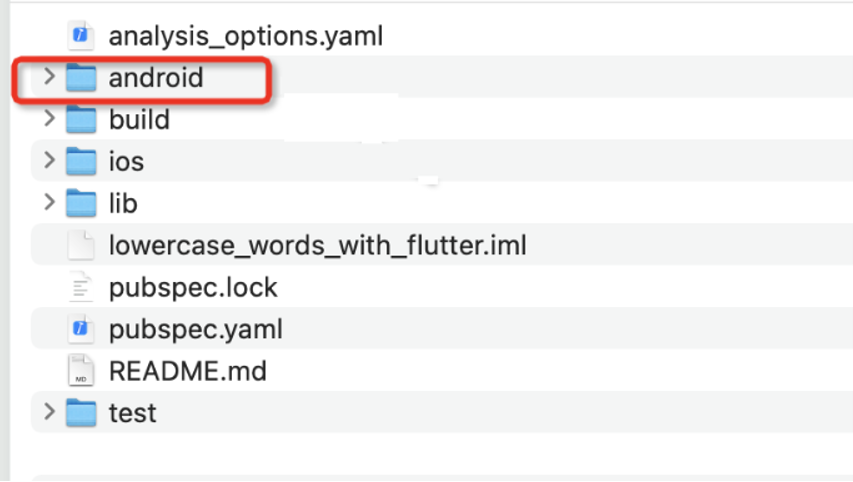
Set up the environment
To use the mPaaS plugin in a Flutter project, see Add mPaaS to your project.
Configure the project's
build.gradlefile.apply plugin: 'com.alipay.apollo.optimize' buildscript { ext.mpaas_artifact = "mpaas-baseline" ext.mpaas_baseline = "10.2.3-21" ext.kotlin_version = '1.6.10' repositories { google() mavenCentral() maven { url 'https://mvn.cloud.alipay.com/nexus/content/repositories/releases/' name 'alipay' credentials { username 'mvn_read_ws' password 'mrk8929' } } } dependencies { classpath 'com.android.tools.build:gradle:7.1.3' classpath "org.jetbrains.kotlin:kotlin-gradle-plugin:$kotlin_version" classpath 'com.android.boost.easyconfig:easyconfig:2.8.0' } } allprojects { repositories { google() mavenCentral() maven { url 'https://mvn.cloud.alipay.com/nexus/content/repositories/releases/' name 'alipay' credentials { username 'mvn_read_ws' password 'mrk8929' } } } }Configure the module's
build.gradlefile.dependencies { implementation platform("com.mpaas.android:$mpaas_artifact:$mpaas_baseline") implementation "org.jetbrains.kotlin:kotlin-stdlib-jdk7:$kotlin_version" implementation 'androidx.constraintlayout:constraintlayout:2.0.4' implementation 'com.mpaas.android:cdp' implementation 'com.mpaas.android:push' implementation 'com.mpaas.android:logging' implementation 'com.mpaas.android:lbs' implementation 'com.mpaas.android:media' // UC kernel implementation 'com.mpaas.android:uccore' // Container implementation 'com.mpaas.android:nebula' // Mini program implementation 'com.mpaas.android:tinyapp' implementation("androidx.multidex:multidex:2.0.1") }Add the following configuration to the
AndroidManifest.xmlfile.<meta-data android:name="com.mpaas.cdp.autoInit" android:value="true" />
Initialize mPaaS
package com.example.mpaas_demo

import android.content.Context
import android.util.Log
import androidx.multidex.MultiDex
import com.alipay.mobile.framework.quinoxless.QuinoxlessFramework
import com.alipay.mobile.nebula.provider.H5AppCenterPresetProvider
import com.alipay.mobile.nebula.util.H5Utils
import com.mpaas.mas.adapter.api.MPLogger
import com.mpaas.nebula.adapter.api.MPTinyHelper
import com.mpaas.tinyappcommonres.TinyAppCenterPresetProvider
import io.flutter.app.FlutterApplication

class MyApplication : FlutterApplication() {
    override fun attachBaseContext(base: Context) {
        super.attachBaseContext(base)
        Log.i("Android", "MyApplication attachBaseContext")
        MultiDex.install(this)
        QuinoxlessFramework.setup(this) {
            // Initialize the public resource package for mini programs.
            H5Utils.setProvider(
                H5AppCenterPresetProvider::class.java.name,
                TinyAppCenterPresetProvider()
            )
            // Set the virtual domain name.
            val tinyHelper = MPTinyHelper.getInstance()
            tinyHelper.setTinyAppVHost("mpaas.com")
            // Set the whitelist.
            MPLogger.setUserId("mPaaSTest")
        }
    }

    override fun onCreate() {
        super.onCreate()
        Log.i("Android", "MyApplication onCreate")
        QuinoxlessFramework.init()
    }
}