The operation flow to create a mini program is as follows:
In the navigation pane on the left of the Mini Program Open Platform, click Mini Program Management > My Mini Program to access the My Mini Program page.
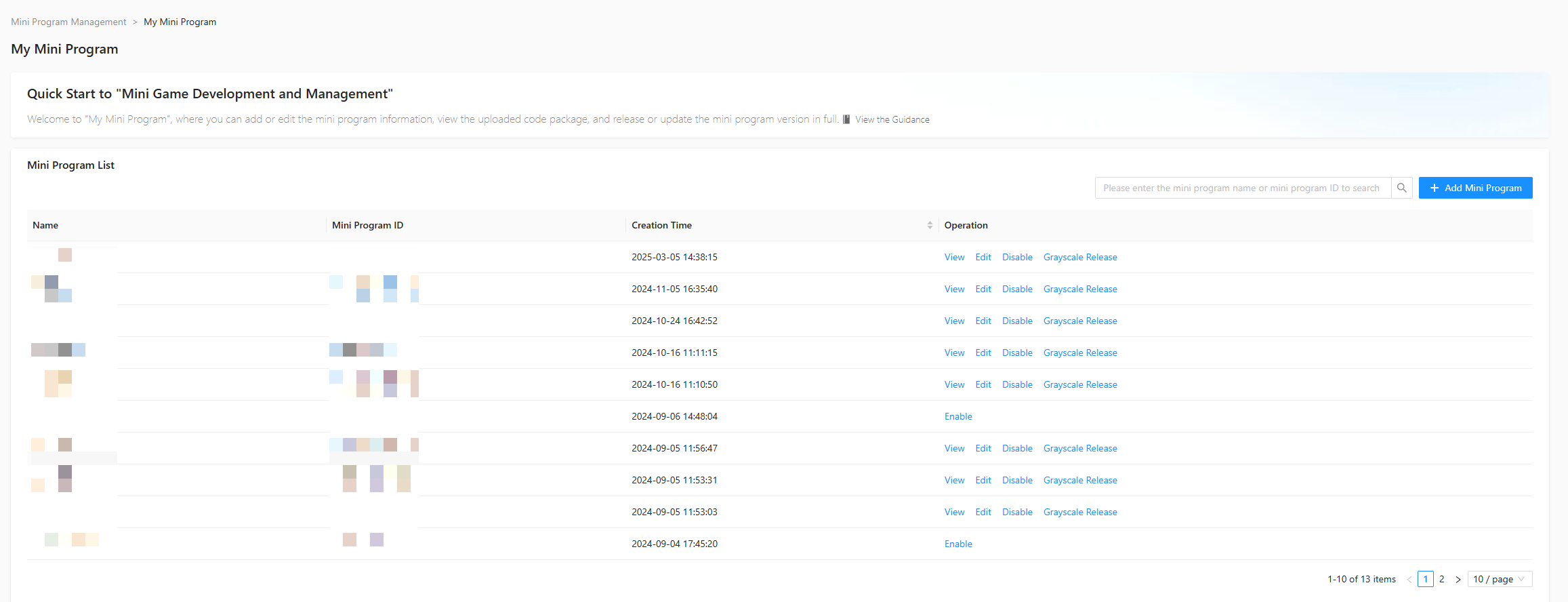
On the My Mini Program page, click + Add Mini Program in the upper-right corner.

In the Add Mini Program dialog box, enter the Mini Program Name, Mini Program ID, Mini Program Usage, and Mini Program Introduction.
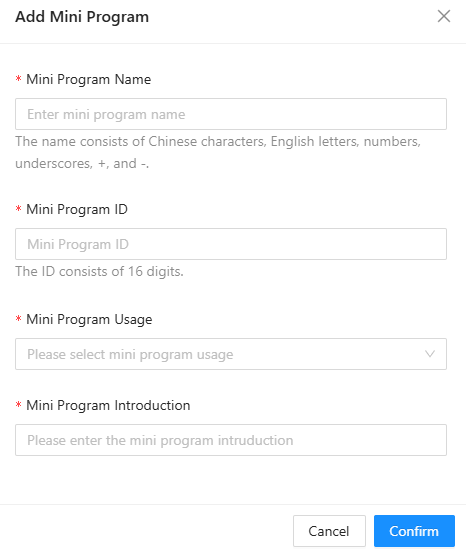
Click OK to complete the mini program creation.