This page helps you diagnose and resolve common permission errors in MaxCompute.
If you are a project owner who needs to grant permissions, see Grant scripts for project owners.
Volume access denied (ODPS-0420095)
Error message:
[403] com.aliyun.odps.OdpsException: ODPS-0420095: Access Denied - Volumes is not allowed in project config.Who can fix this: The Alibaba Cloud account owner or an account with administrative privileges.
Two conditions must be met before volumes are accessible:
Activate Object Storage Service (OSS). MaxCompute volumes are built on OSS. If OSS is not activated, volumes cannot be used. Activate OSS, then retry your task.
Apply for volume access. After OSS is activated, apply for volume access for your Alibaba Cloud account.
Download control not enabled
Error message:
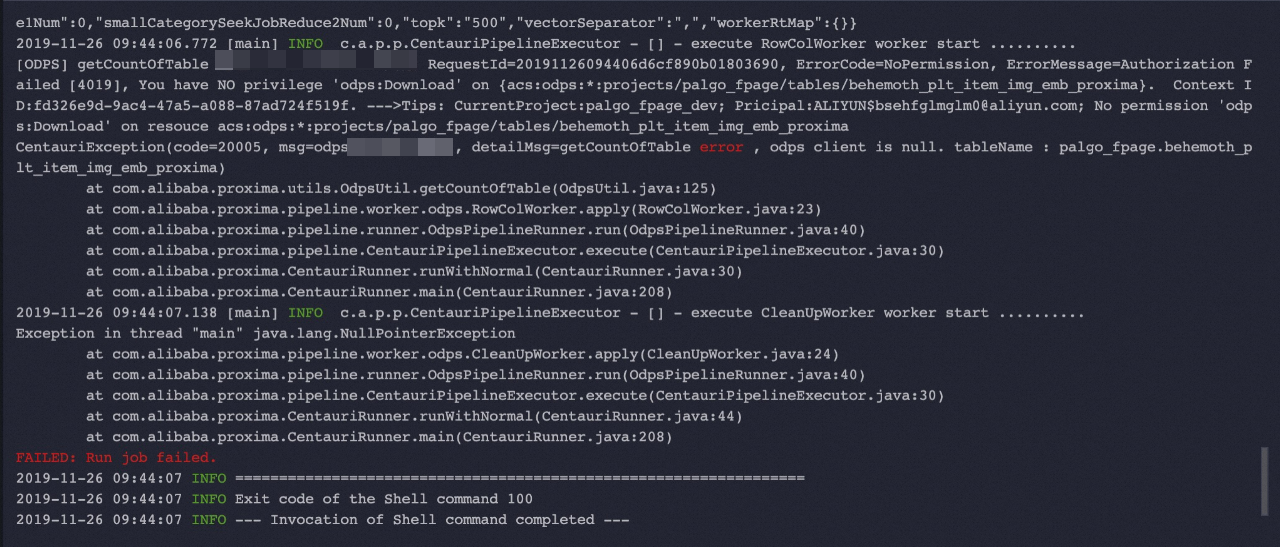
Who can fix this: The user who needs download access (by submitting an access request).
To enable Download control on a MaxCompute table:
Open the DataWorks console and go to the Data Map page.
Search for the MaxCompute table.
Apply for Download control on the table.
After Download control is enabled, you can download the table's data while the table is in a running state. For details, see Data Map.
No Describe or Select permissions on a table
Error message:
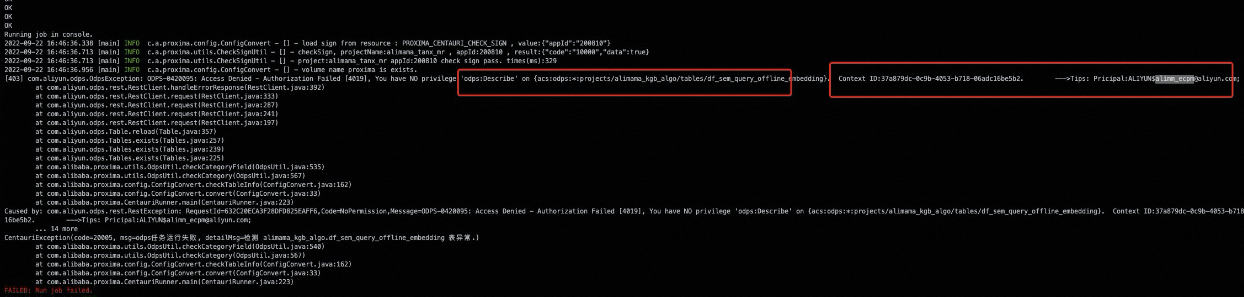
Who can fix this: Depends on the scenario — see the table below.
Apply for table permissions based on your situation:
| Situation | Who acts | Steps |
|---|---|---|
| Cross-project table | You | Contact the table owner. Alternatively, search for the table on the Data Map page in the DataWorks console and apply for permissions there. |
| Same project, same Alibaba Cloud account | — | No action needed. The account that created the table automatically has permissions. |
| Same project, different Alibaba Cloud account | You | Use the cross-project method: contact the table owner or apply via Data Map in the DataWorks console. |
| Protected project | Project owner | Contact the project owner to grant you the required permissions directly. See Grant scripts for project owners. |
Grant scripts for project owners
Use the following SQL scripts to grant permissions to RAM users in your project.
Check what permissions a user has
Before granting permissions, verify what the user already has:
use project_xxx;
show grants for user_xxx@aliyun.com;
Method 1: Grant permissions directly to a user
Use this method when a single user needs specific permissions.
-- Switch to the target project (append _dev for the development environment)
use project_xxx;

-- Grant a permission to a RAM user
grant CreateResource to user_xxx@aliyun.com;
Method 2: Create a role and assign it to users
Use this method when multiple users need the same set of permissions.
use project_xxx;

-- Create the role
create role worker;

-- Assign the role to a RAM user
grant worker to user_xxx@aliyun.com;

-- Grant permissions to the role
grant CreateInstance, CreateResource, CreateFunction, CreateTable, List ON PROJECT project_xxx TO ROLE worker;
Grant volume permissions
use project_xxx;
grant CreateVolume on project project_xxx to user user_xxx@aliyun.com;
grant Read on volume volume_xxx to user user_xxx@aliyun.com;
grant Write on volume volume_xxx to user user_xxx@aliyun.com;