MaxCompute charges for each project based on its storage, compute, and download usage. This topic describes the cost breakdown, billable items, billing methods, and how to choose the right plan for your needs.
Billable items and billing methods
The following table describes the billable items and billing methods of MaxCompute.
Billing method | Description |
| |
MaxCompute supports pay-as-you-go and subscription billing methods. The two billing methods are independent of each other. After you activate and purchase a computing resource, you must associate it with a project before you can use it.
| |
| |
MaxCompute storage fees include storage billing and backup storage billing. After you enable zone-disaster recovery for storage, the storage fees for the project are calculated based on the storage disaster recovery billing rules. The billing method for backup storage remains unchanged. |
Fee composition
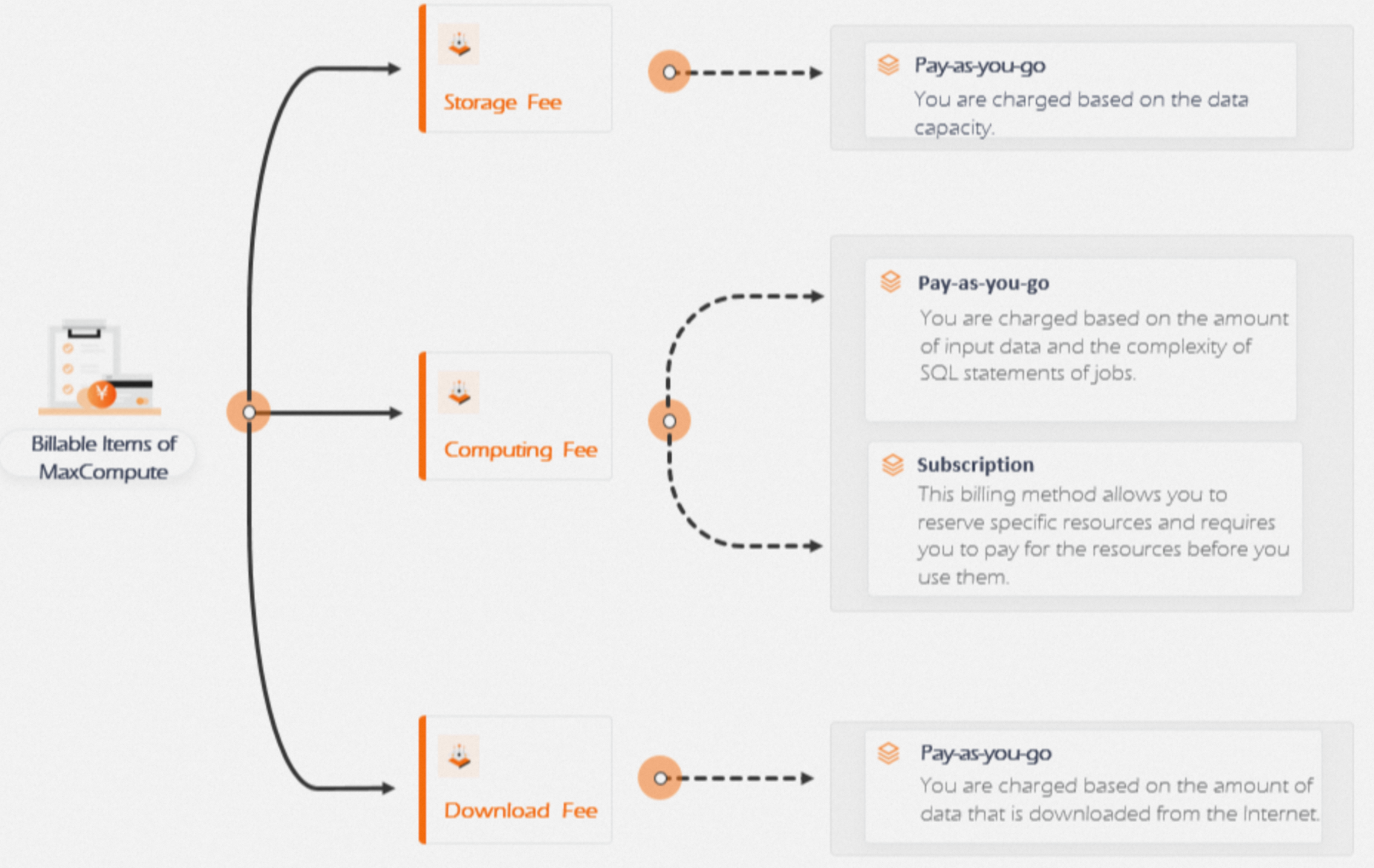
The following figure shows the billable items for MaxCompute.
Billing method selection
If you are a new user, we recommend that you start with the pay-as-you-go billing method. When you first start using MaxCompute, you typically consume fewer resources. Purchasing reserved computing resources can lead to idle capacity, which makes the pay-as-you-go method more cost-effective.
Data transfer fee description
Internet download fees
Data downloaded from an Internet Endpoint is charged on a pay-as-you-go basis. For more information about Internet Endpoints, see Endpoint.
Shared resource group
Each project has a limit on the number of free concurrent data transmissions. If this limit is exceeded, an error is reported. For more information about the concurrency limit, see Limits on free Data Transmission Service resources.
MaxCompute does not guarantee the available capacity of this shared pool or the throughput that you can achieve.
The shared resource group for Data Transmission Service does not support a queuing policy. If resources are insufficient, an error is returned.
Dedicated resource groups are currently available in the China (Hangzhou), China (Shanghai), China (Beijing), and China (Shenzhen) regions.