The Delivery Center manages the service delivery workflow for Service Product transactions. Both users and ISVs must complete their respective steps before payment is released to the ISV.
To complete a Service Product transaction, both the user and the ISV must confirm service delivery in the Delivery Center.
For users
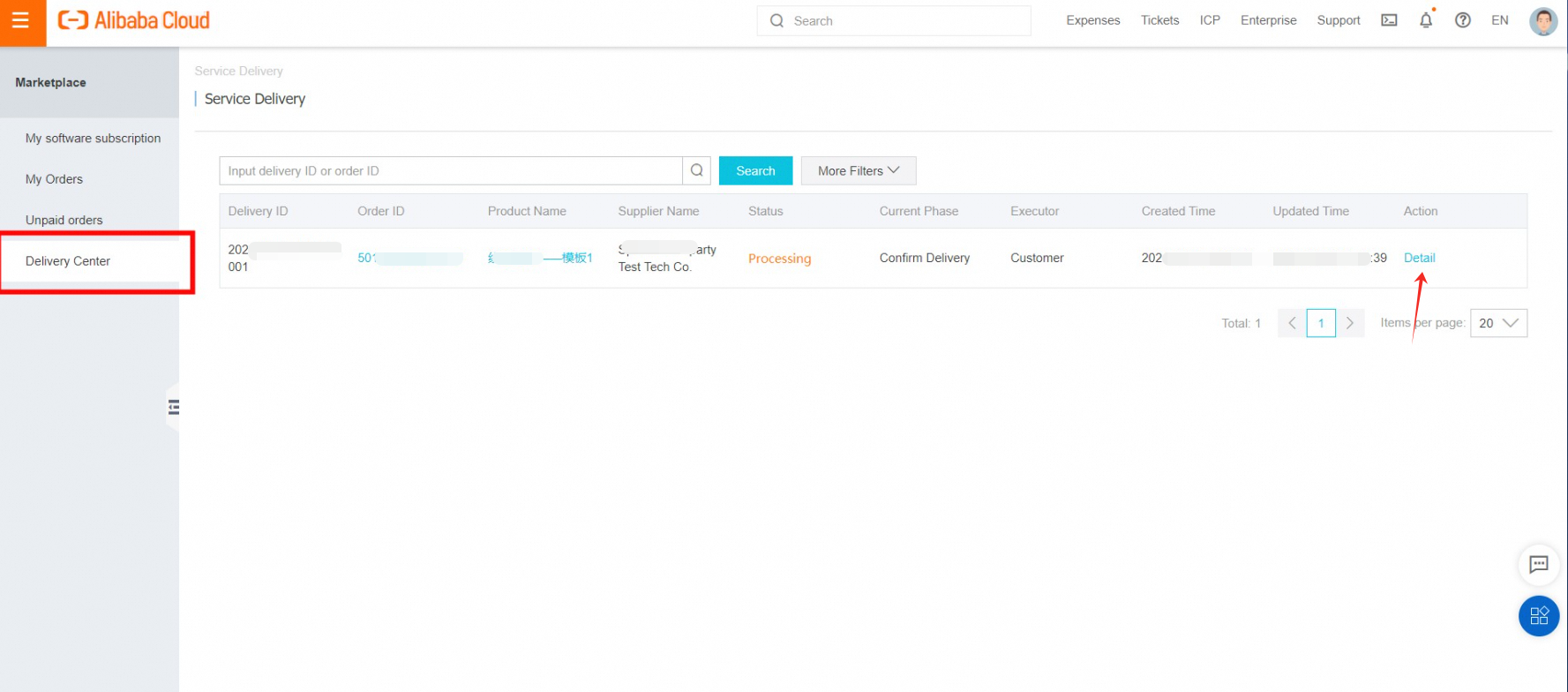
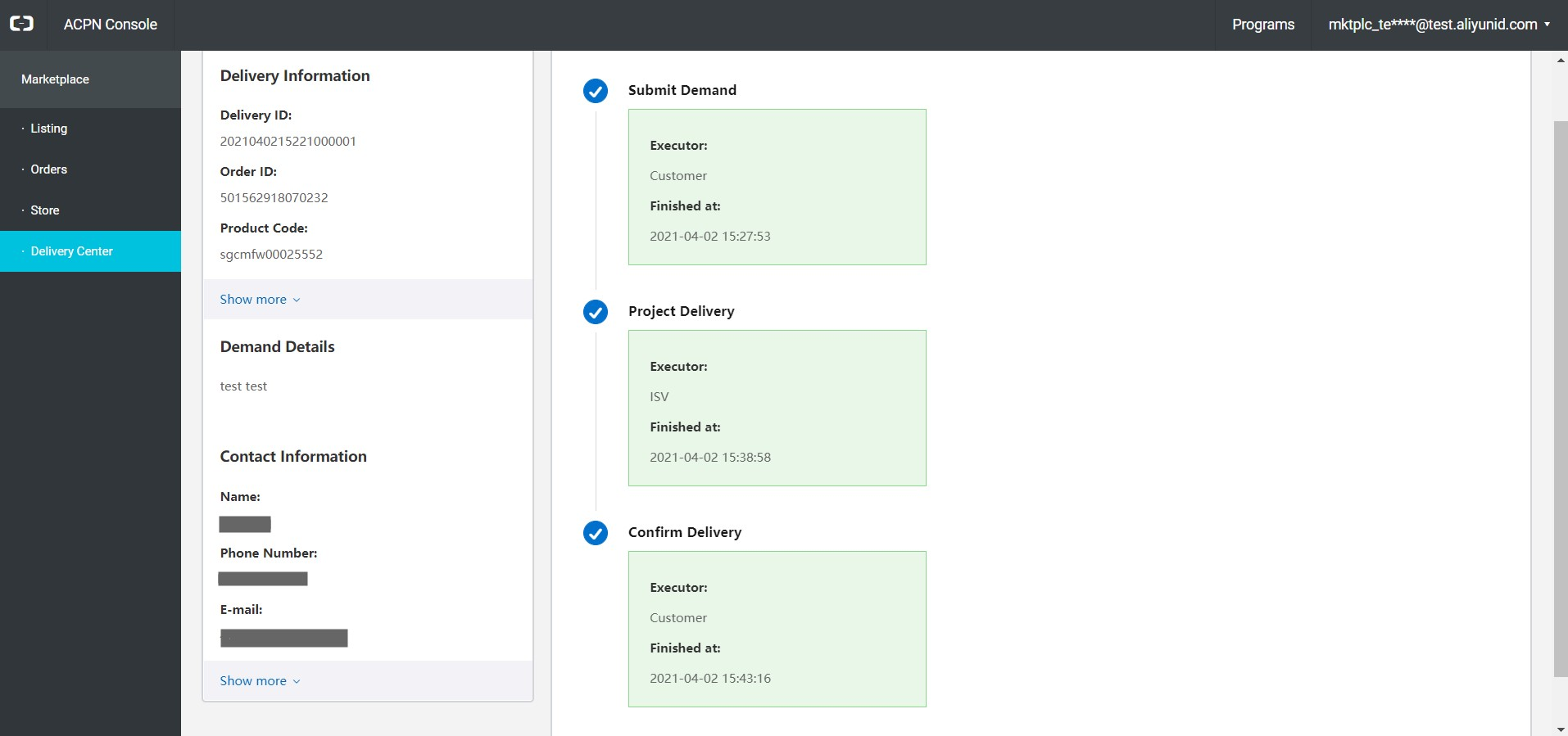
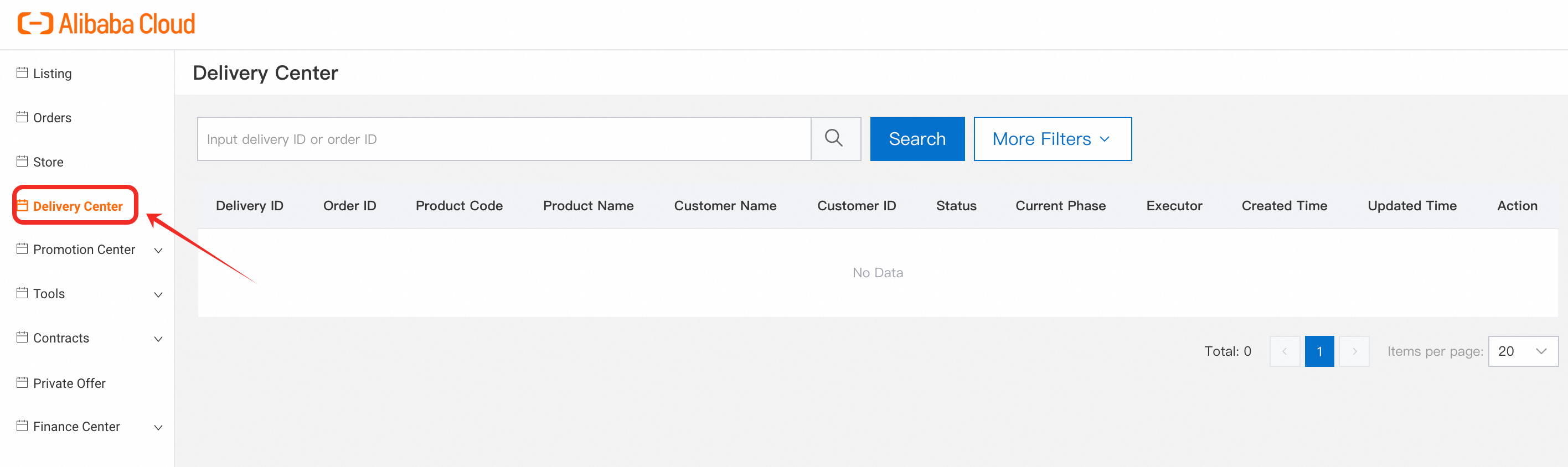
Step 1: After purchasing a Service Product, go to the marketplace console at https://market.console.alibabacloud.com/ and open Delivery Center. The Current Phase column shows where the delivery stands, and the Executor column shows which party needs to act next. Click Detail to take action.
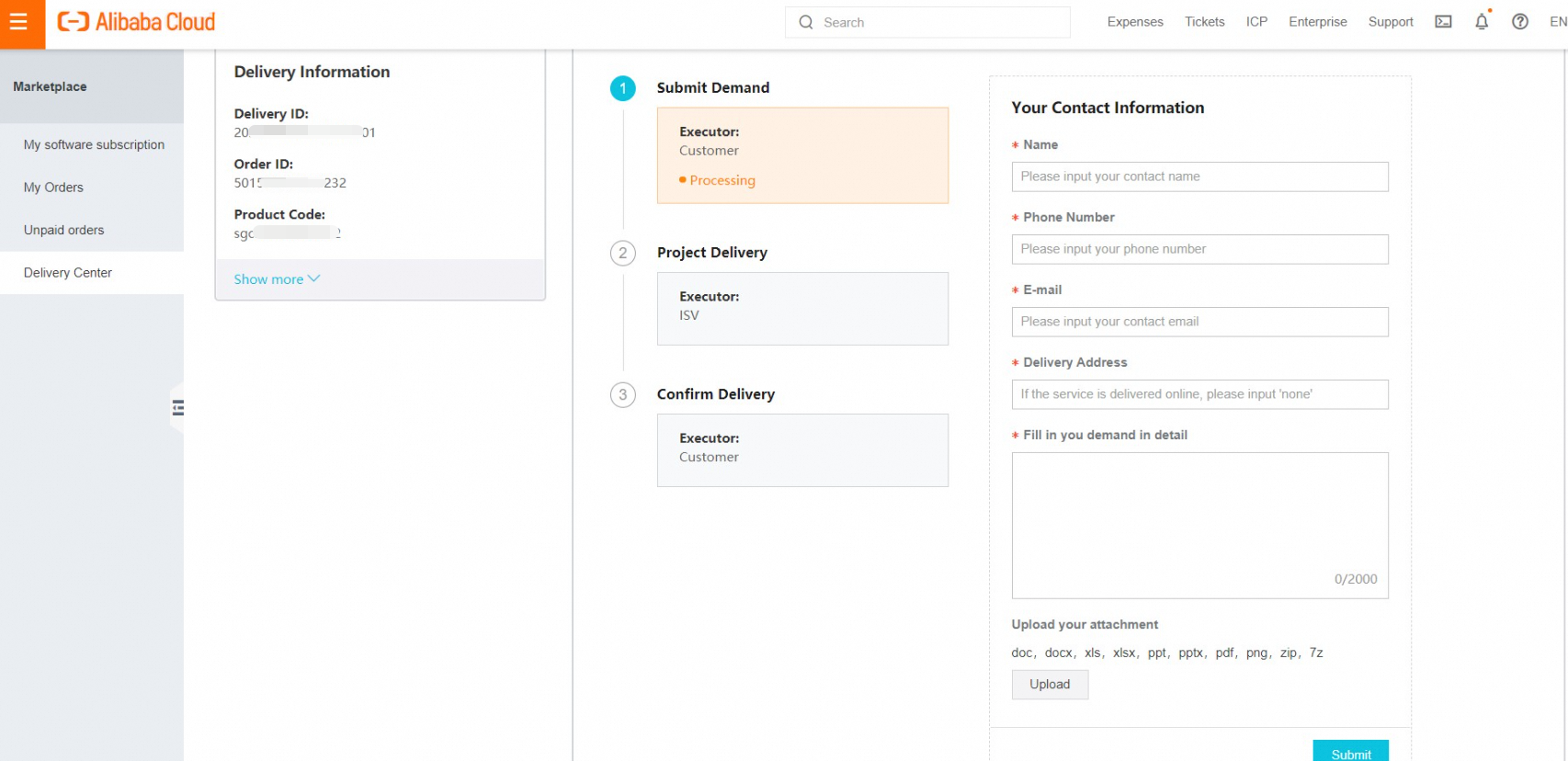
Step 2: Submit your service demand immediately after payment. Fill in your contact information and demand details, and attach any documents you need the ISV to review during delivery. The ISV starts Project Delivery once the demand is submitted.
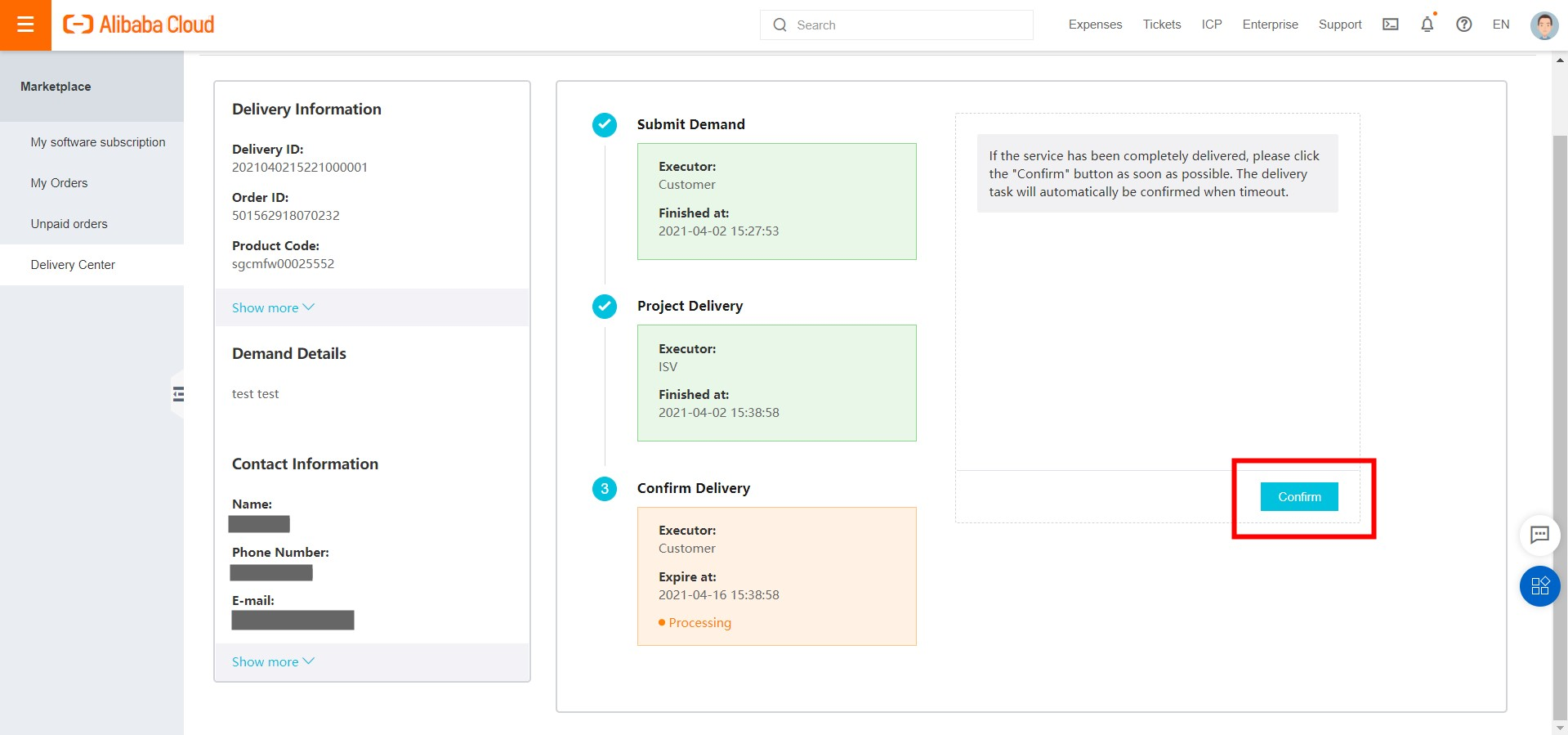
Step 3: After the ISV completes Project Delivery, click Confirm Delivery to finalize the transaction. If you do not confirm within the timeout period, delivery is confirmed automatically.
Payment to the ISV is released only after all three steps are complete.
For vendors
Step 1: Access Delivery Center from the marketplace console, or log in directly to the Seller Portal at https://marketplace.alibabacloud.com/msp. The delivery procedure for each order is determined by the procedure you selected when publishing the Service Product. See Product Types for details.
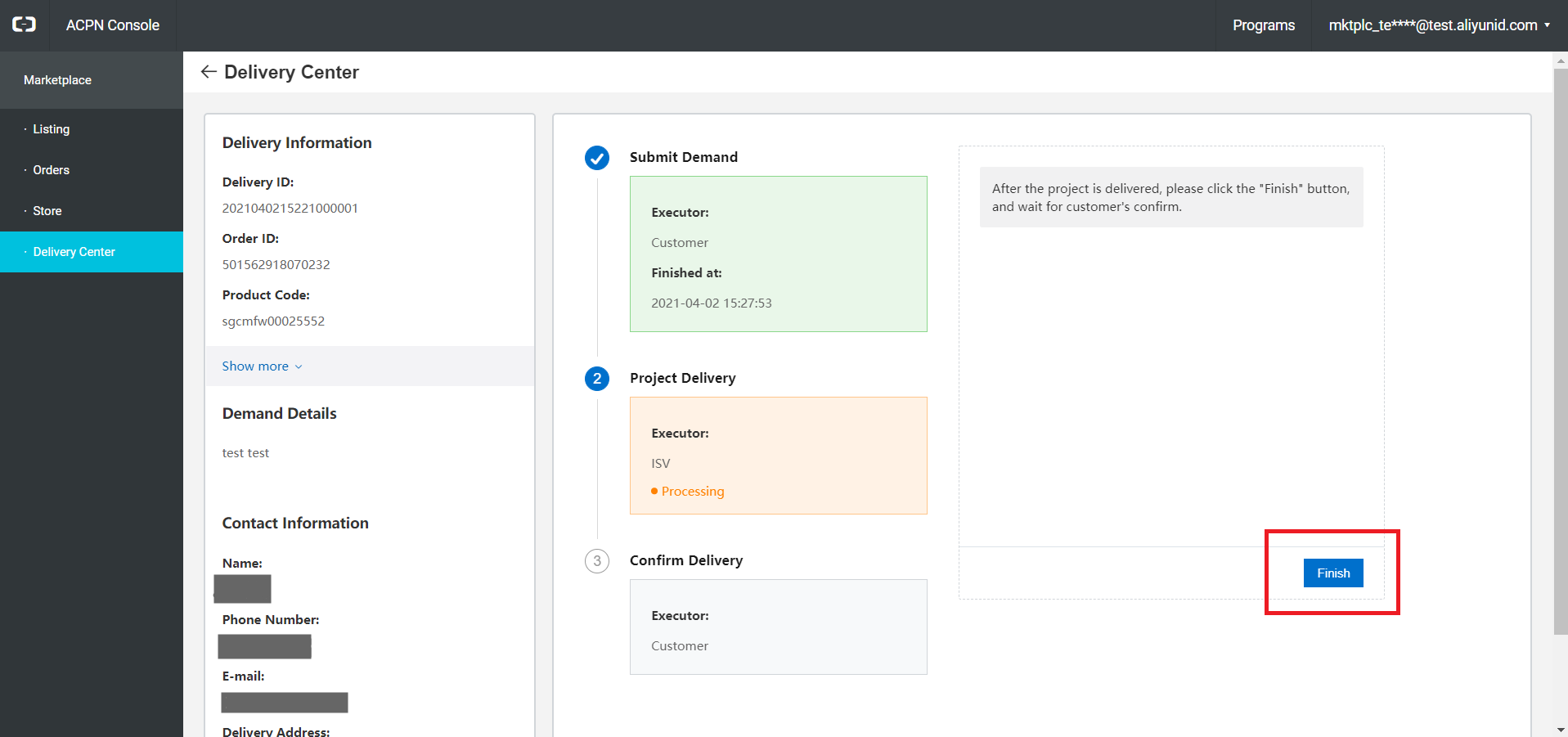
Step 2: After the user submits their demand, review the contact information and demand details in Delivery Center. Start Project Delivery, complete all required steps, and notify the user to confirm delivery.
Payment is released only after all three steps are complete.
Types of delivery
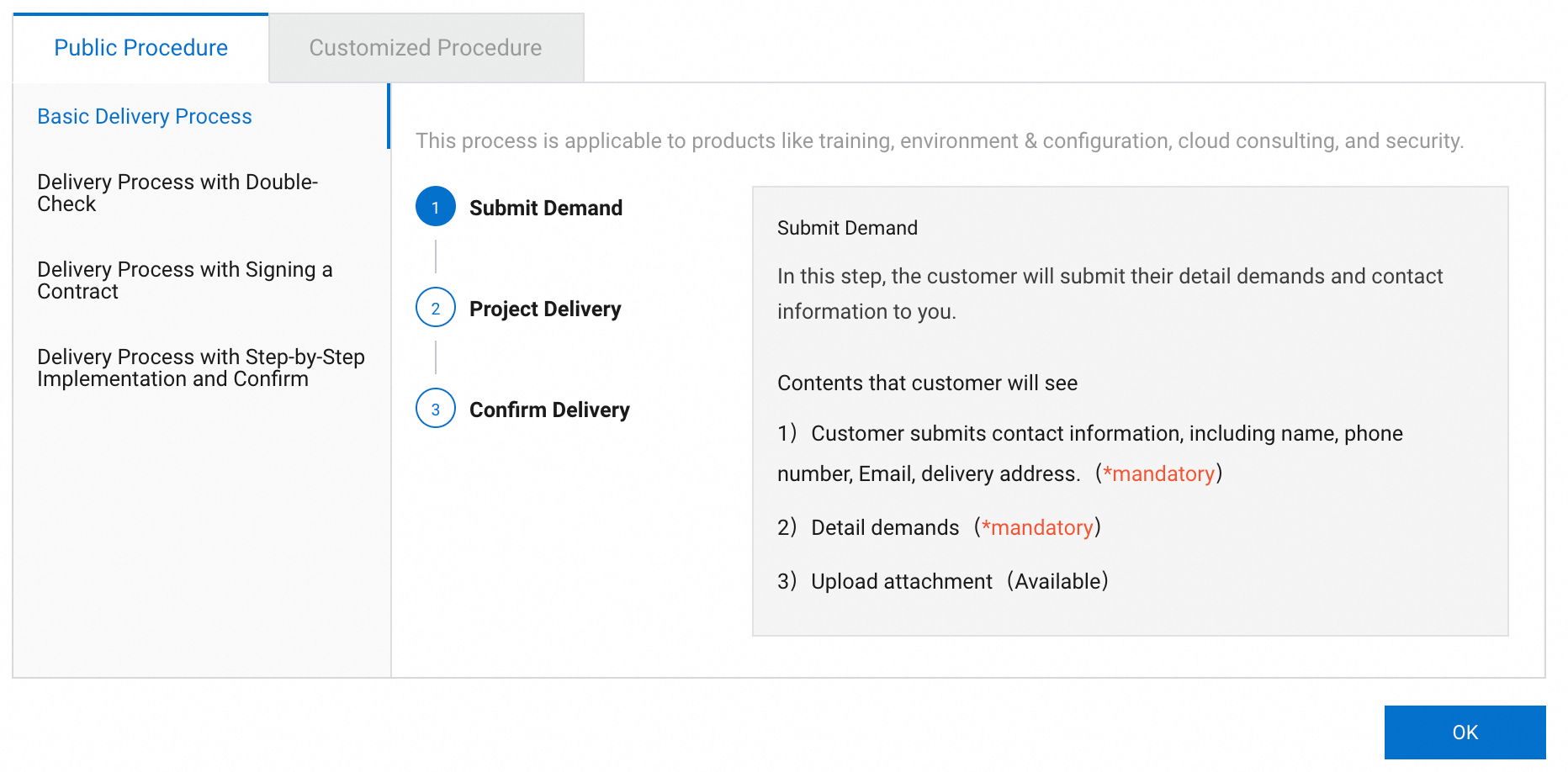
There are four standard delivery procedures, each suited to different service complexity and requirements. As an ISV, you select the procedure when publishing your Service Product. Users can contact you to request a different procedure.
Basic delivery process
The most commonly used procedure, suited for straightforward service deliveries.
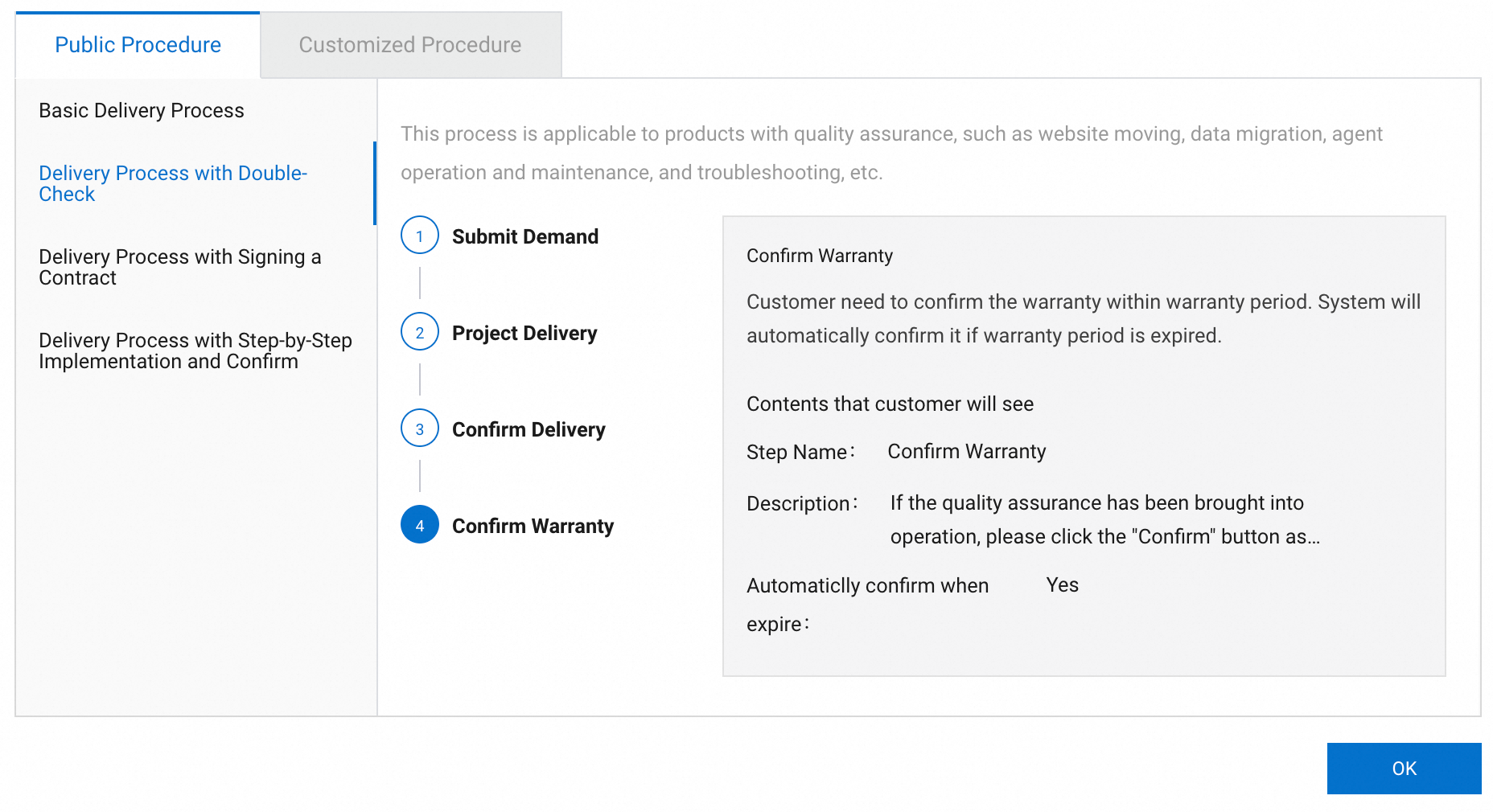
Delivery process with double check
Includes a warranty confirmation step after delivery is complete.
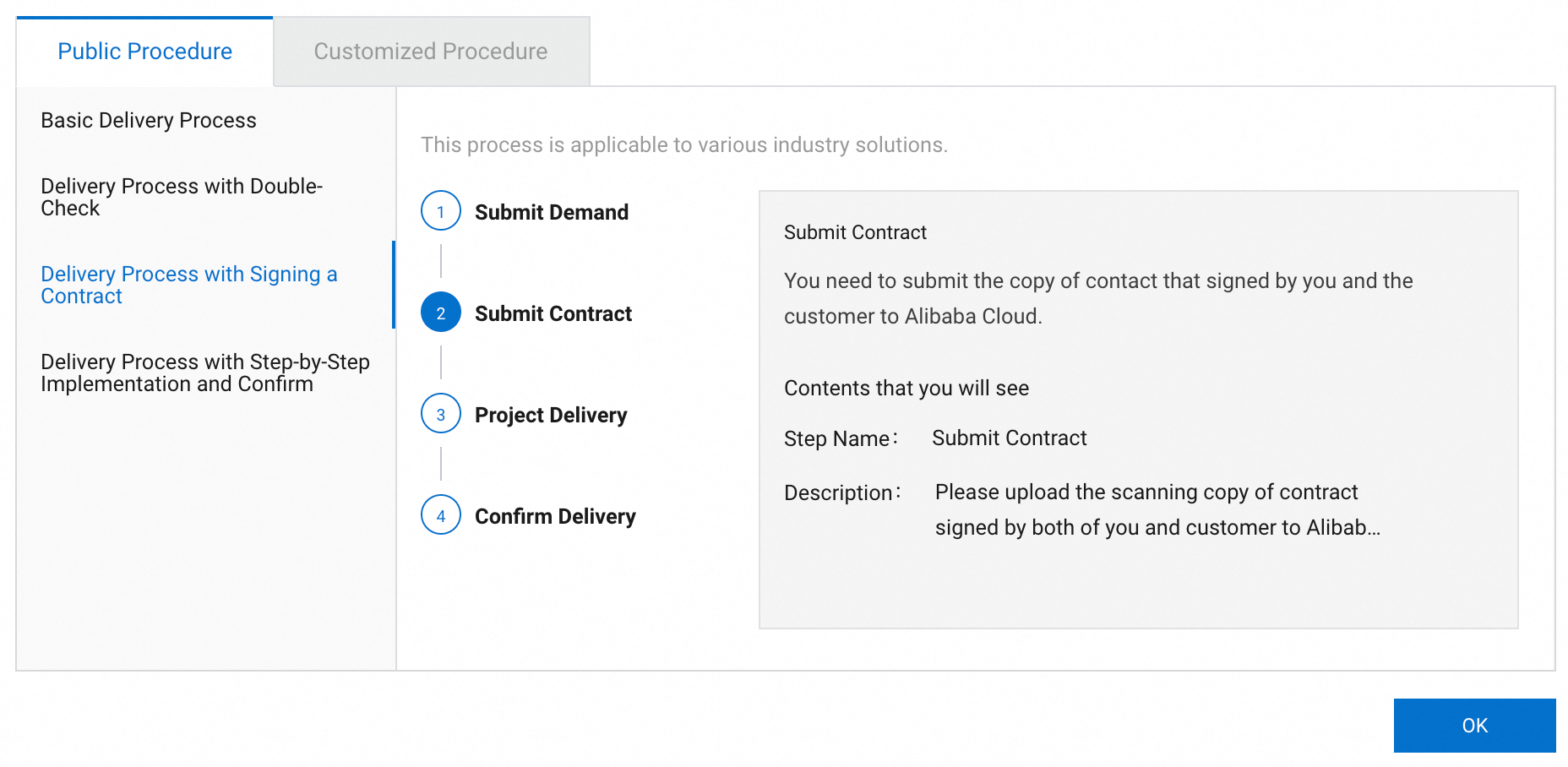
Delivery process with signing a contract
Allows the ISV to upload a signed contract during the delivery process.
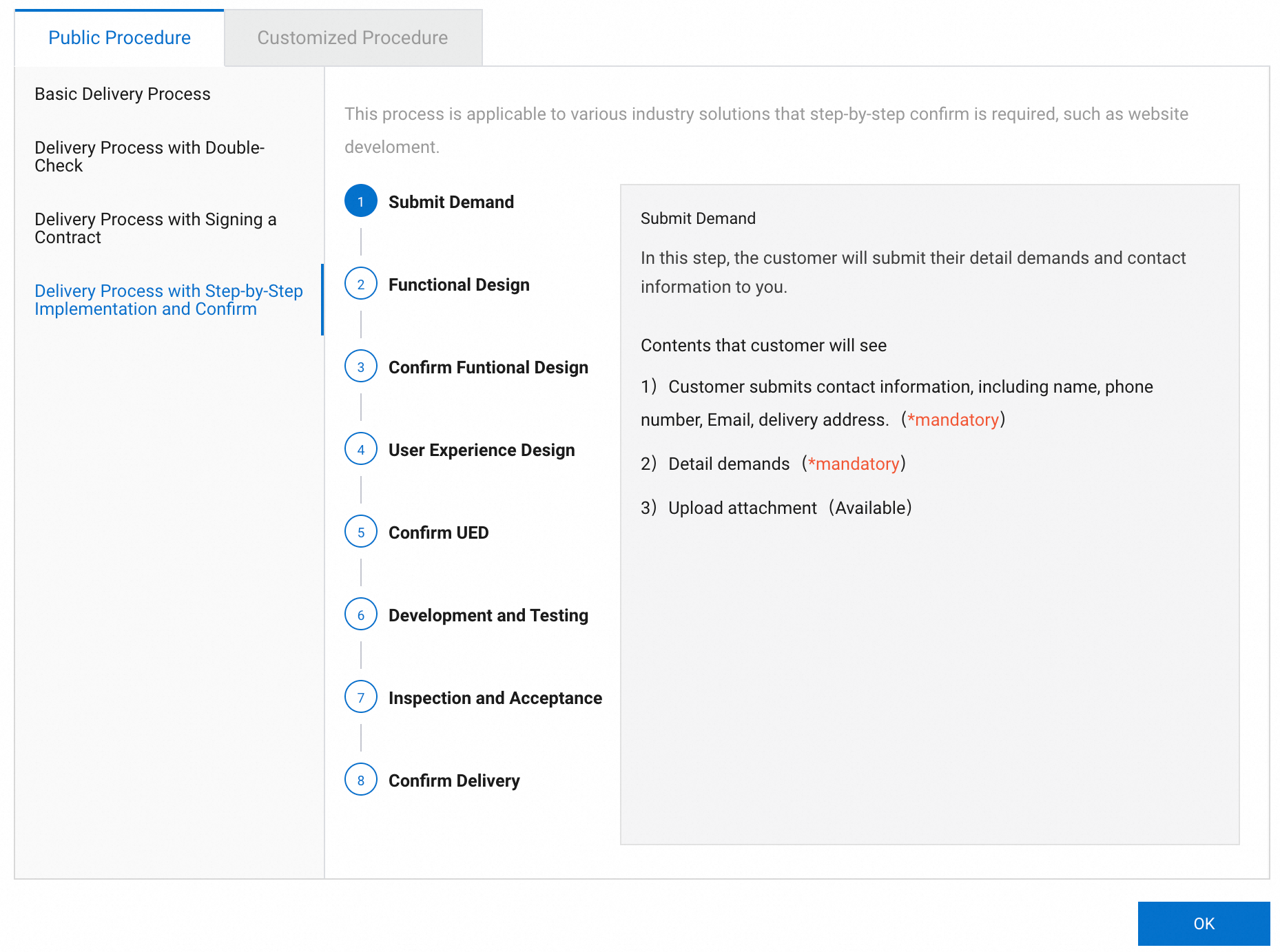
Delivery process with step-by-step implementation and confirmation