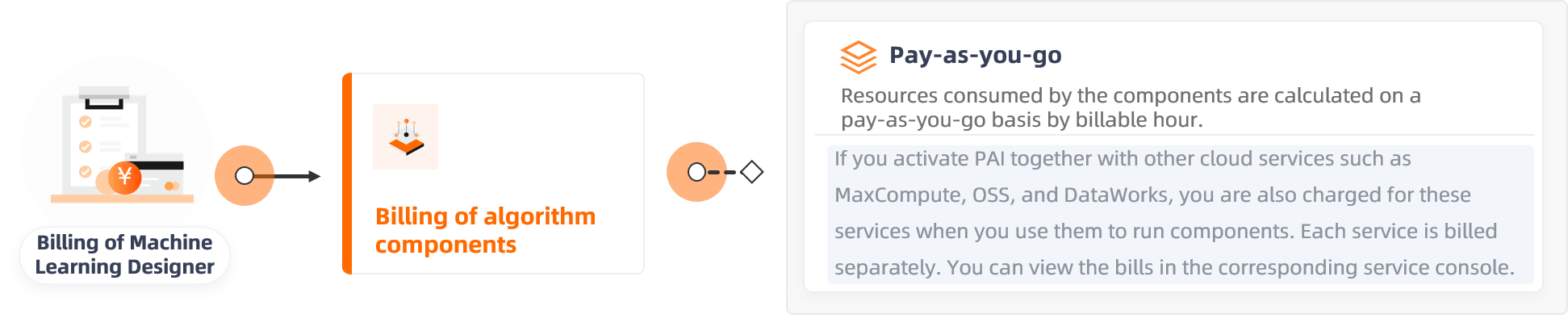
Machine Learning Designer charges you on a pay-as-you-go basis for the runtime and compute resources consumed by algorithm components.
Billing overview
Machine Learning Designer components can generate charges for PAI algorithm components, PAI-DLC, or MaxCompute, depending on usage. This topic covers PAI algorithm component billing. For other charges, see DLC billing and MaxCompute billing. All prices are for reference only. Your final bill is based on actual usage.
Billable items
|
Billable item |
Metric |
Billing method |
When billing stops |
Billing rule |
|
CU usage |
Component runtime |
pay-as-you-go |
When the component's execution is complete. |
The system converts resources consumed by a running component into billable hours and charges you for the total. |
Billing method
The unit price varies by algorithm type:
-
Billing formula: Total cost = Number of billable hours × Unit price
Number of billable hours = max(CPU Cores × Duration (h), Memory (GB) × Duration (h) / 4)
-
Billing duration: The time from when a component starts to when it stops running.
-
Billing example: Assume a data analysis algorithm uses 2 CPU cores and 5 GB of memory for 1.5 hours. The number of billable hours is calculated as max(2 × 1.5, 5 × 1.5 / 4) = 3. Therefore, the total cost = Number of billable hours × Unit price = 3 × 0.21 = 0.63 USD. The following table lists the unit prices for different algorithm types.
Algorithm type
Unit price (USD/billable hour)
Description
Data preprocessing (data_manipulation)
0.16
Data preprocessing and feature engineering algorithm components.
Data analysis (data_analysis)
0.21
Algorithm components for statistical analysis, machine learning, time series, network analysis, and finance. Common algorithms include binning and swing_rec_ext.
Text analysis (text_analysis)
0.27
Text analysis algorithm components.
Deep learning algorithm (deep_learning)
0.16
Deep learning components such as the CPU-based TensorFlow framework and EasyRec series algorithms.
Note-
If you enable MaxCompute when you activate PAI, you will incur MaxCompute charges when you use components such as SQL Script, Join, Union, and Filtering and Mapping.
-
If you enable Flink when you activate PAI, you will incur Flink charges when you use Alink components and select Flink as the compute resource.
-
Billing example
A Machine Learning Designer workflow typically consists of multiple algorithm components, each with one or more subtasks. To calculate the total workflow cost, sum the cost of every subtask across all components.
-
Identify the category of the algorithm component.
-
Log on to the PAI console.
-
In the upper-left corner, select a region.
-
In the left-side navigation pane, click Workspaces. Click the name of your target workspace.
-
In the left-side navigation pane, choose Model Training > Visualized Modeling (Designer).
-
On the Workflows page, select the target workflow and click Go to workflow.
-
In the component list, find the PLDA component, which belongs to the text analysis category and is priced at 0.27 USD/billable hour.
In the search box of the component pane on the left, enter
PLDA. The component is located under Natural Language Processing > Basic NLP.
-
-
View the resources consumed by the job.
-
On the workflow canvas, right-click the PLDA component.
-
From the shortcut menu, select View Logs.
-
On the Log-PLDA page, each blue link corresponds to a subtask. Click a link.
Click the link to view the execution log of the corresponding subtask. Use the logview URL to check task details. The following is a sample log.
http://logview.odps.aliyun.com/logview/?h=http://service.cn.maxcompute.aliyun-inc.com/api&p=test1_new_1&i=20220316085544166gh393yv03_df019e64_07f5_4295_b5f4_39f78f2120e8&token=czhk0Z6Y0pqcjh0L2lCeS9uazJub2xQNVFNPSxPRFBTX09CTzoxNDQ5NjMxNjg2NjgzNDI1LDE2NTAwMTI5NDkseyJTdGF0ZW1lbnQiOlt7IkFjdGlvbiI6WyJvZHBzOlJlYWQiXSwiUmVzb3VyY2UiOlsiYWNzOm9kcHM6Kjpwcm9qZWN0cy90ZXN0MV9uZXdfMS9pbnN0YW5jZXMvMjAyMjAzMTYwODU1NDQxNjZnaDM5M3l2MDNfZGYwMTllNjRfMDdmNV80Mjk1X2I1ZjRfMzlmNzhmMjEyMGU4Il0sIkVmZmVjdCI6IkFsbG93In1dLCJWZXJzaW9uIjoiMSJ9 c3QxX25ld18xL2luc3RhbmNlcy8yMDIyMDMxNjA4NTU0NDE2NmdoMzkzeXYwM19kZjAxOWU2NF8wN2Y1XzQyOTVfYjVmNF8zOWY3OGYyMTIwZTgiXSwiRWZmZWN0IjoiQWxsb3cifV0sIlZlcnNpb24iOiIxIn0= 2022-03-16 16:55:49,997 INFO: saving odps instance id xxx to xxx Sub Instance ID = xxx http://logview.odps.aliyun.com/logview/?h=http://service.cn.maxcompute.aliyun-inc.com/api&p=test1_new_1&i=20220316085546170g2493yv03_46b70dze_810d_493f_8ac1_5345de55f43e&token=YTZBMlIVcjNhZic1aC9Xek1lWSmRRT0xrYXRFPSxPRFBTX09CTzoxNDQ5NjMxNjg2NjgzNDI1LDE2NTAwMTI5NDkseyJTdGF0ZW1lbnQiOlt7IkFjdGlvbiI6WyJvZHBzOlJlYWQiXSwiUmVzb3VyY2UiOlsiYWNzOm9kcHM6Kjpwcm9qZWN0cy90ZXN0MV9uZXdfMS9pbnN0YW5jZXMvMjAyMjAzMTYwODU1NDYxNzBnMjQ5M3l2MDNfNDZiNzBkemVfODEwZF80OTNmXzhhYzFfNTM0NWRlNTVmNDNlIl0sIkVmZmVjdCI6IkFsbG93In1dLCJWZXJzaW9uIjoiMSJ9 c3QxX25ld18xL2luc3RhbmNlcy8yMDIyMDMxNjA4NTU0NjE3MGcyNDkzeXYwM180NmI3MGR6ZV84MTBkXzQ5M2ZfOGFjMV81MzQ1ZGU1NWY0M2UiXSwiRWZmZWN0IjoiQWxsb3cifV0sIlZlcnNpb24iOiIxIn0= lda: 2022-03-16 16:55:50 MWorker_job:0/0/0[0%] lda: 2022-03-16 16:55:56 MWorker_job:0/0/0[0%] lda: 2022-03-16 16:56:02 MWorker_job:32/0/49[0%] lda: 2022-03-16 16:56:08 MWorker_job:32/0/49[0%] lda: 2022-03-16 16:56:14 MWorker_job:49/0/49[0%] lda: 2022-03-16 16:56:20 MWorker_job:0/49/49[100%] OK 2022-03-16 16:56:32,707 INFO: execute maxCompute command succeed 2022-03-16 16:56:32,707 INFO: return code: 0 2022-03-16 16:56:32,707 INFO: end executing 1 command 2022-03-16 16:56:32,707 INFO: write output artifact -
On the LogView page, click the SourceXML tab.
-
Under TaskPlan, view the CPU and Memory values.
-
To find the number of CPU cores used, divide the CPU value by 100. In this case, the job used 1 CPU core.
-
The Memory value is in MB. In this case, the job used 1 GB of memory.
-
-
On the LogView page, click the Job Details tab.
-
Click the task object on the AlgoTask_0_0 tab. Click the Terminated tab. The Latency column shows the runtime of each job. View the number of Terminated instances for MWorker in the Fuxi Jobs section and check the Latency column for each instance in the list below to determine the runtime.
This subtask has 49 jobs, and each job runs for approximately 26 seconds.
-
-
Calculate the cost of the subtask.
-
Number of billable hours for the subtask = max(CPU Cores × Duration (h), Memory (GB) × Duration (h) / 4) = max(49 × 1 × (26/3600), 49 × 1 × (26/3600) / 4) ≈ 0.35 billable hours
-
Cost of the subtask = Number of billable hours for the subtask × Unit price = 0.35 × 0.27 = 0.095 USD
-
-
Sum the costs of all subtasks to get the total cost for the PLDA component.
-
Repeat these steps for all components in the workflow and sum their costs to find the total cost.