Features added to Lingma in April include Agent mode with search, edit, terminal execution capabilities, and an updated model service with the Qwen3 model series.
Agent mode
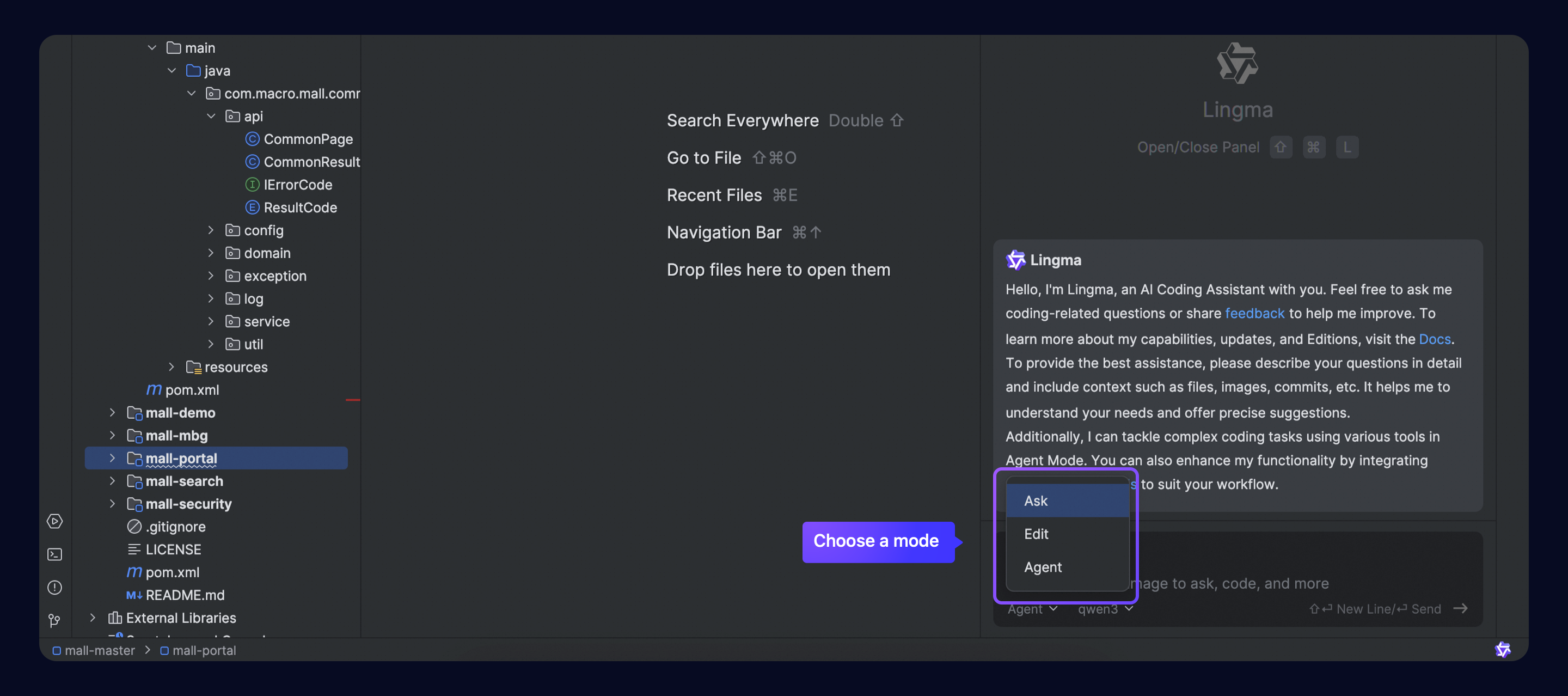
Lingma introduces a new Agent mode, featuring capabilities like autonomous decision-making, codebase awareness, and tool use. It can use tools to search in the local project, edit files, and run commands in the terminal to complete end-to-end coding tasks. Additionally, it supports developers in configuring MCP tools, making coding more aligned with the developer's workflow.
You can seamlessly switch between Ask, Edit, and Agent modes within the same chat flow without needing to start a new flow. For more information, see Agent.
Edit mode is the original AI Developer module. Update the Lingma plugin to version 2.5.0 or later in VS Code and JetBrains IDEs to use this mode.
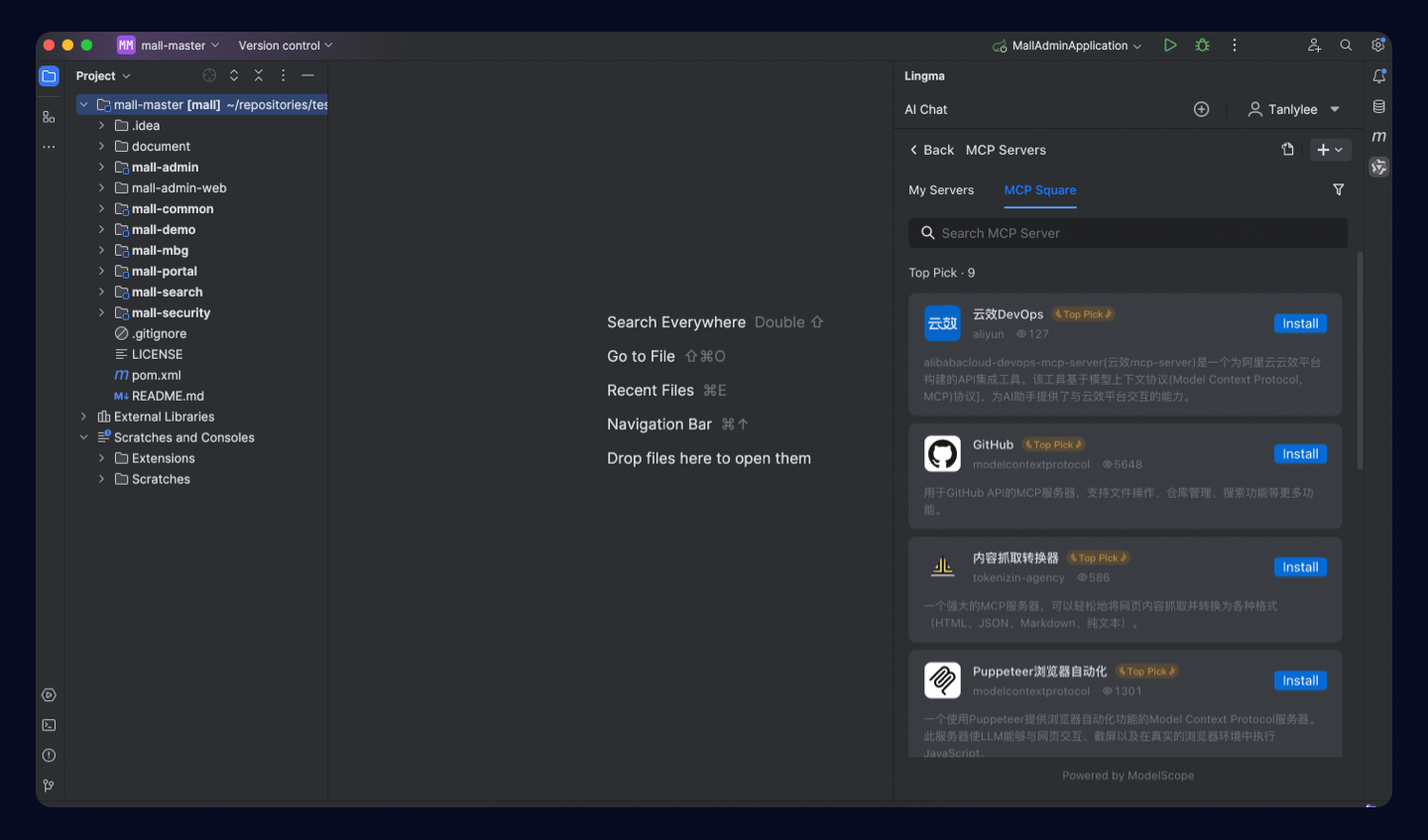
Supports MCP tools and integrates with marketplaces
Lingma's Agent mode can now call the MCP tool through model autonomous planning. It also deeply integrates with China's largest MCP community, the ModelScope MCP Square, covering 2,400+ MCP services across ten popular domains including developer tools, file system, search, and map. This comprehensively expands Lingma's capability boundaries and better aligns with the developer's workflow. Check Model Context Protocol for details.
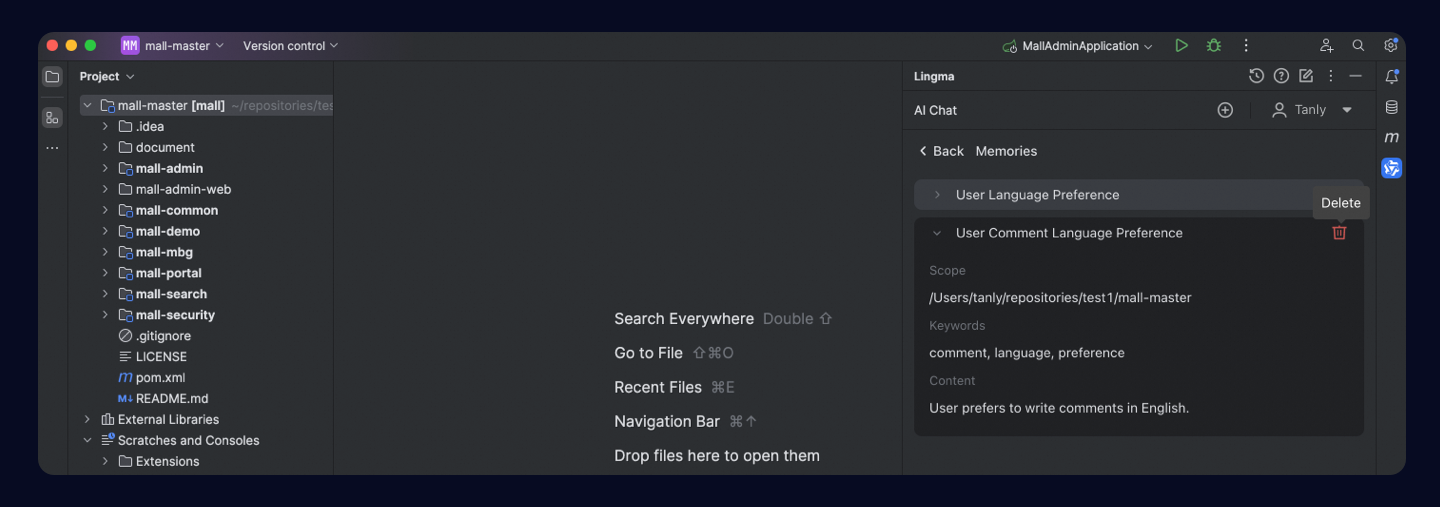
New memory feature
A new long-term memory capability has been added. Memory helps Lingma learn more about you, your projects, and the problems you mention during chats. It keeps this information organized and up-to-date so Lingma can better interact with and learn about you over time. See Memory for details.
New Qwen3 model series
Lingma now fully supports Qwen3 which features a new Mixture of Experts (MoE) architecture with a total of 235B parameters, requiring only 22B for activation. Its parameter count is only one-third that of DeepSeek-R1, significantly reducing costs while outperforming global top models such as R1 and OpenAI-o1. Qwen3 is also China's first "hybrid inference model," combining fast and slow thinking to provide efficient answers for both simple and complex queries.

Enhanced context support
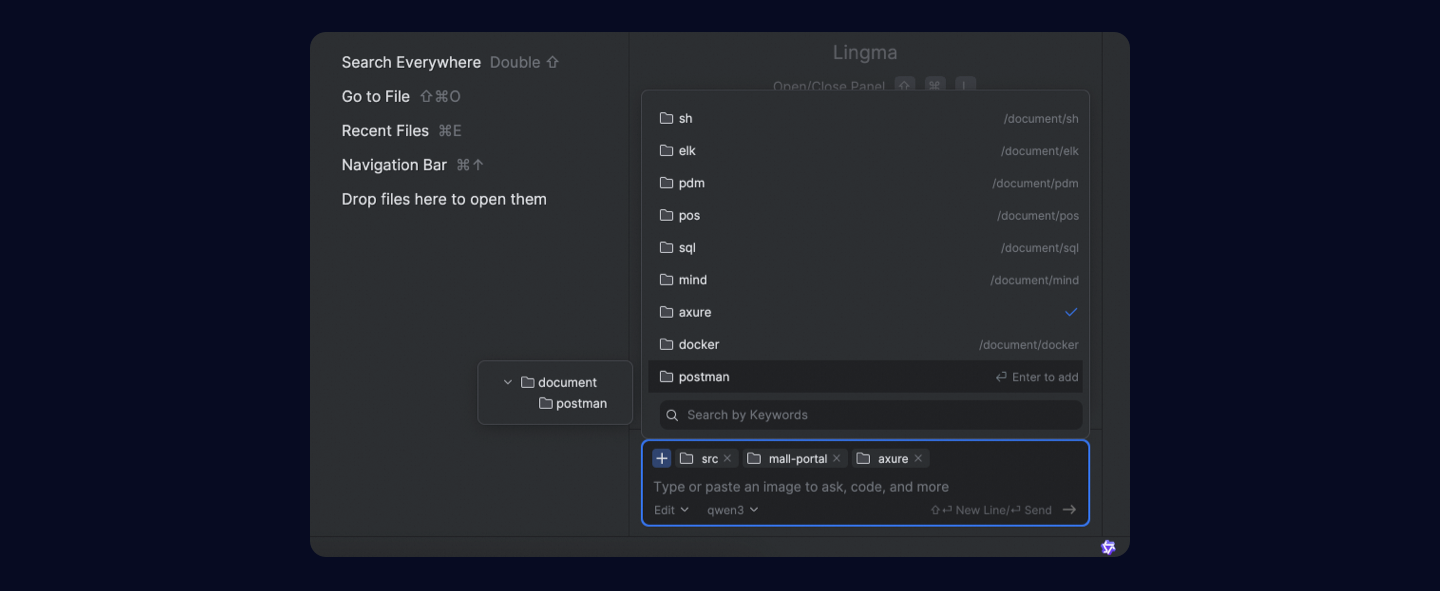
We've added context support for project directories, allowing developers to ask questions or make modifications related to specific modules. Multi-selection is also supported for contexts like #file, #folder, #gitCommit, and #teamDocs. For more information, see Context.
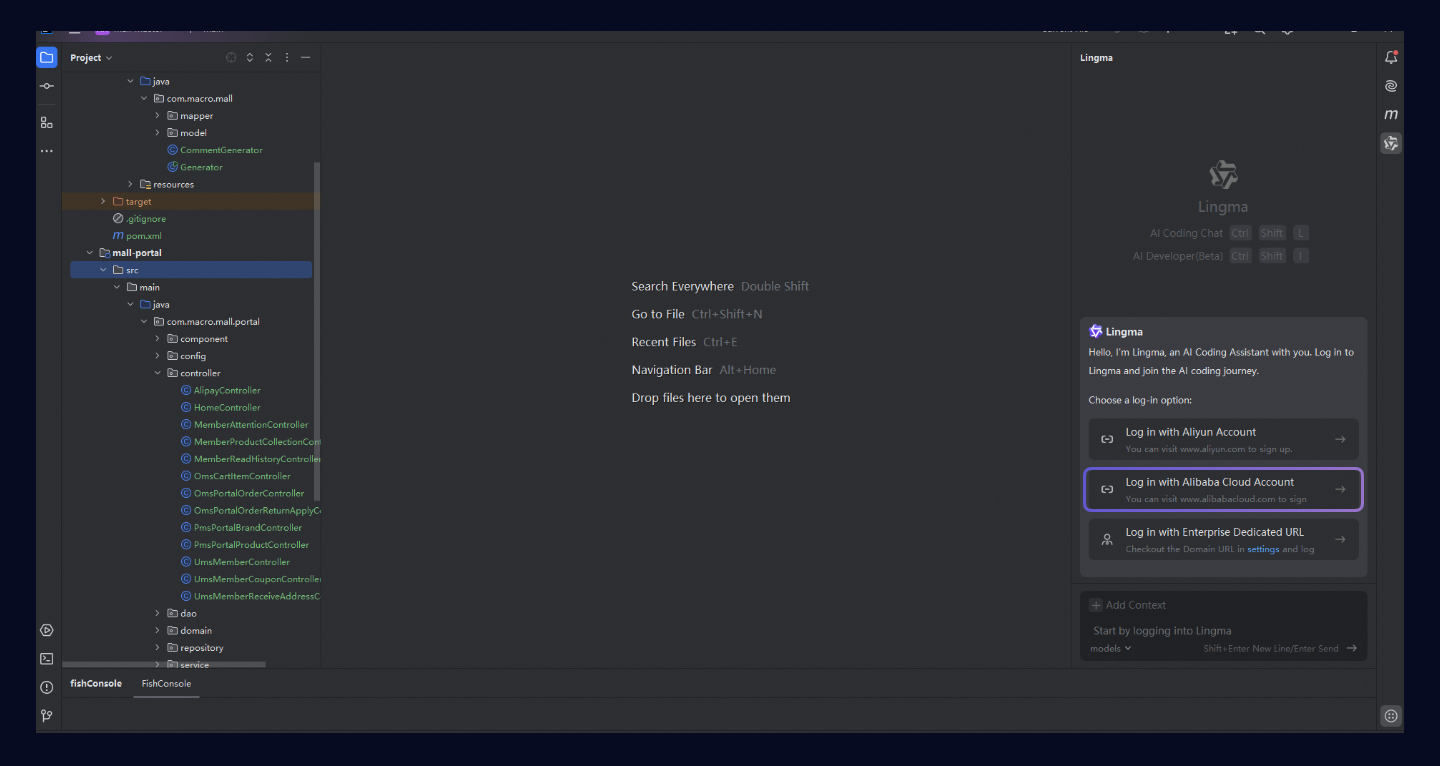
Alibaba Cloud international logon (Personal Edition)
The international site for Lingma now supports logon with an Alibaba Cloud account. Overseas developers can log on after installing the plugin in VS Code or JetBrains IDEs.
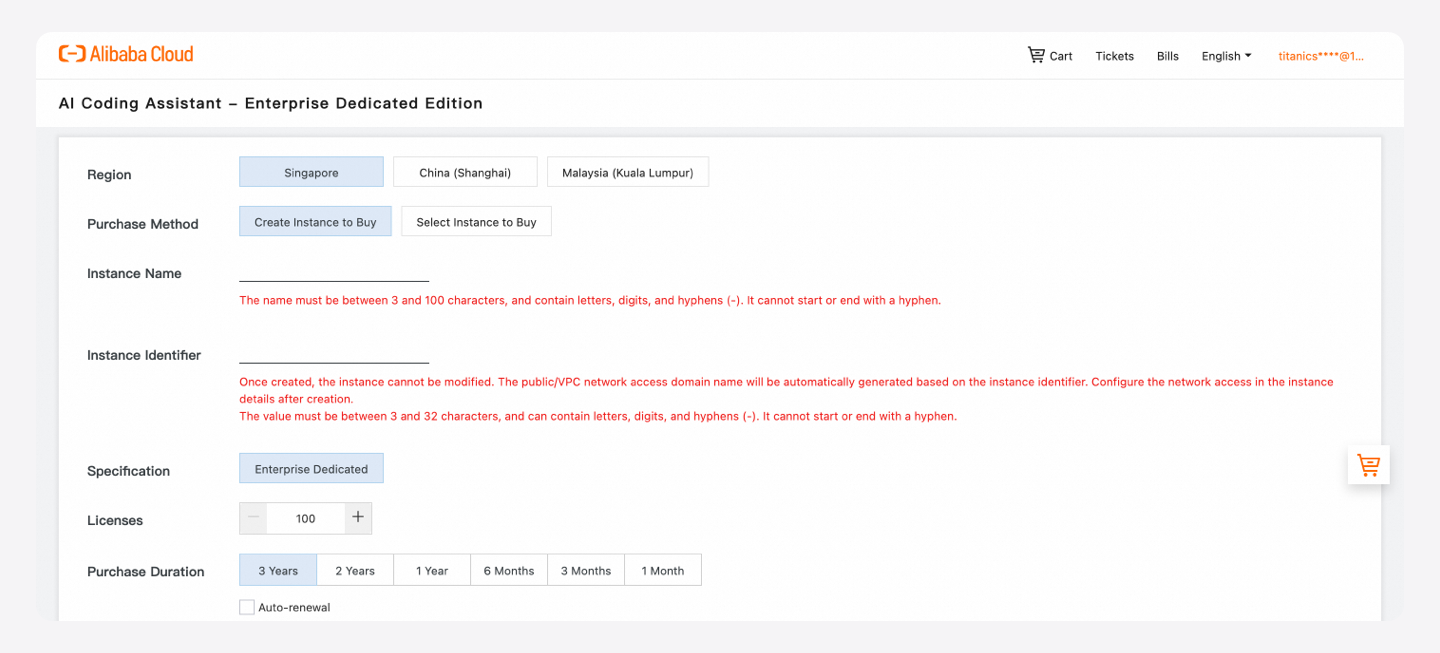
Dedicated Edition online
The Enterprise Dedicated Edition is now available for purchase in countries and regions including Singapore, Malaysia, and China (Shanghai).
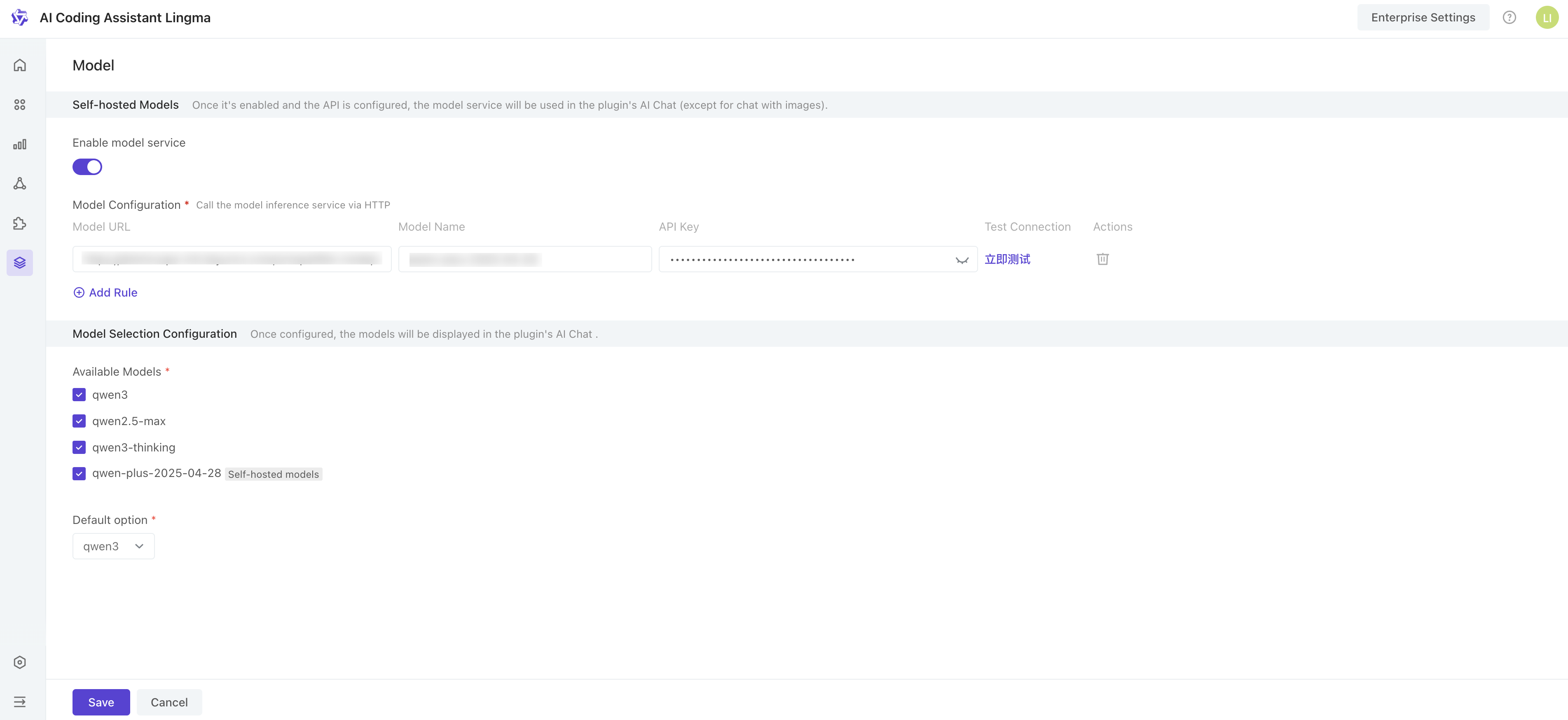
Configuring models in Enterprise Dedicated Edition
Administrators of Enterprise Dedicated Edition can configure multiple inference model services and set model options for enterprise developers to select in the plugin.
Additional features
Support for locating and jumping to files, methods, and definitions within the project in AI Chat.
Support for line breaks using
ShiftEnterkeys in the chat box of the AI Chat panel.Developers can specify knowledge bases when adding context in AI Chat (Enterprise Edition).
Recommends related files based on selected files when adding files as context in the AI Chat panel.
@workspaceproject Q&A feature upgraded to#codebase, offering more flexible input combinations.Visual Studio now supports Project Rules configuration.
Improved inline code completion for Go.
One-click feedback for troubleshooting.
Optimized network connections for firewall scenarios.
Various bug fixes.