After creating a Lindorm instance or when a Lindorm instance becomes unavailable, you can check the connection between the Lindorm instance and the ECS instance. You can run the ping command in the command-line interface (CLI) on the ECS instance to verify connectivity.
Procedure
Log on to the ECS instance and run the following command in the CLI:
ping <host>Sample command:
ping ld-bp1mq0tdzbx1m****-proxy-lindorm-pub.lindorm.aliyuncs.comNotehost specifies the endpoint that you obtained in Step 1 (without the port number).
You can run this command in both Windows and Linux operating systems.
View the test result. In this example, the endpoint of the Lindorm time series engine is used.
In Windows, the system returns the test result after four
pingattempts, as shown in the following figure.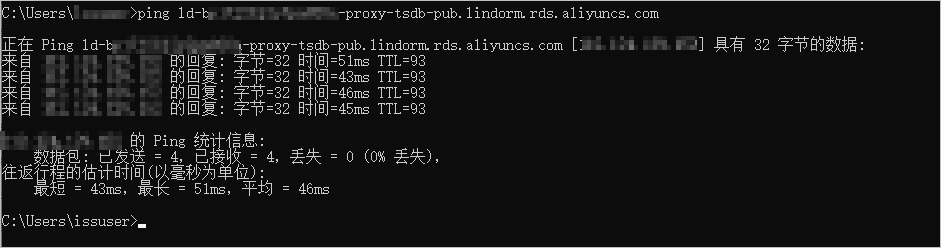 Note
NoteTo continuously check the connection, you can run the
ping <host> -tcommand.In Linux, the system continuously sends
pingrequests after it runs the ping command. You can press the composite key Ctrl+C to stop the execution and collect statistics, as shown in the following figure.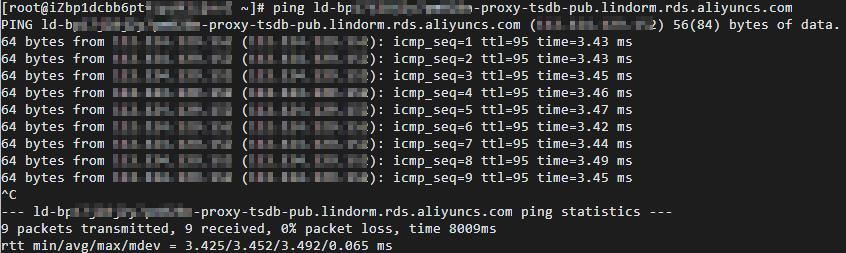
Result analysis
If all responses indicate that connections are established, the connection is Normal. The preceding figures provide examples of successful responses.
If no successful response is received, the connection is abnormal. We recommend that you check the settings of the ECS instance and the Lindorm instance, such as the whitelist or security group, based on the descriptions in Lindorm connection issues and solutions.