This topic describes how to use the media transcoding operation of Intelligent Media Management (IMM) to save captured frames as static images.
Feature introduction
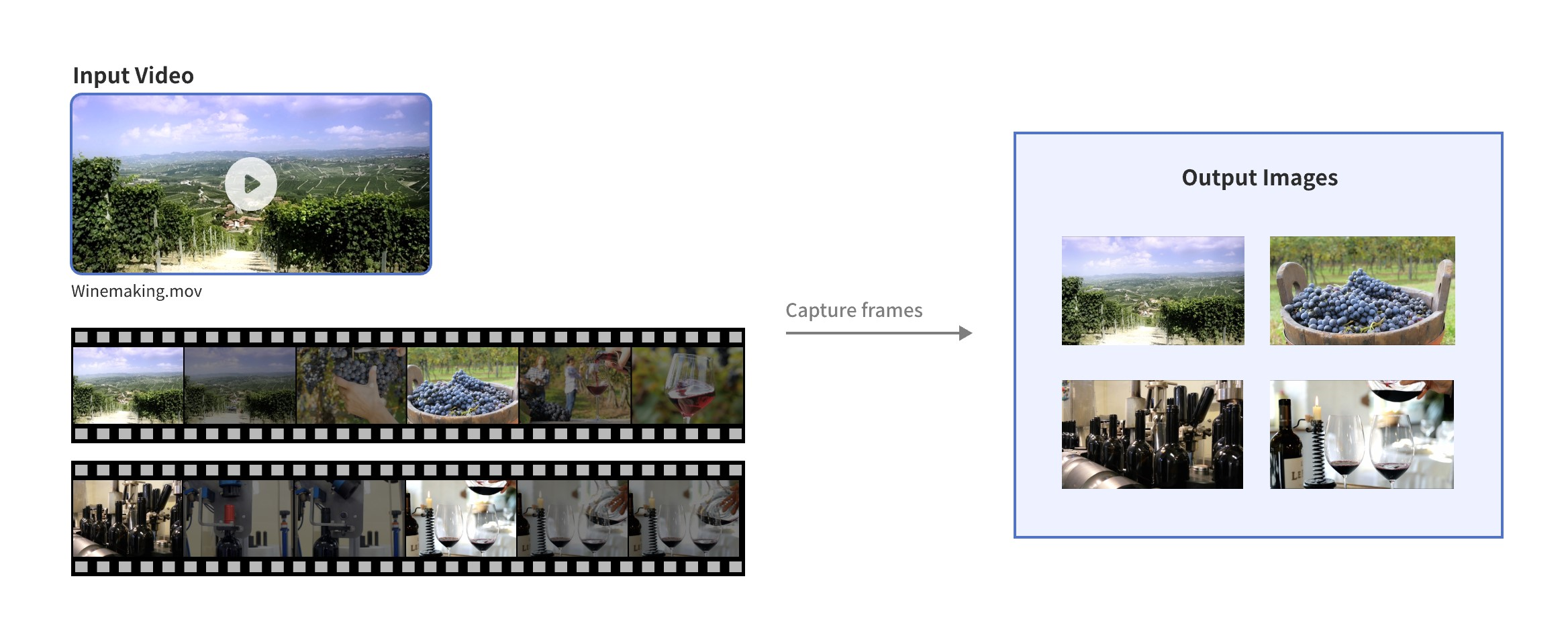
Frame capture refers to the process of extracting specific frame images from a video to save specific moments in the video as static images.
Scenarios
Snapshot: Save a specific moment in a video as a static image to create a poster.
Analysis: Extract keyframes for subsequent analysis, such as facial recognition and object detection.
Thumbnail creation: Create thumbnails or cover images for videos.
Playback summary: Select multiple key moments from a video to generate a concise summary or preview.
Screenshot sharing and recording: When users watch videos and want to save or share a frame they like, they can capture the video frame at that moment.
Supported audio and video formats
Category | Format |
Audio | Mainstream audio formats, such as AAC, MP3, WAV, FLAC, WMA, AC3, and Opus. |
Video | Mainstream video formats, such as MP4, MPEG-TS, MKV, MOV, AVI, FLV, M3U8, WebM, WMV, RM, and VOB. |
How to use
Prerequisites
An AccessKey pair is created and obtained. For more information, see Create an AccessKey pair.
Object Storage Service (OSS) is activated and a bucket is created. For more information, see Create a bucket.
IMM is activated. For more information, see Activate IMM.
A project is created in the IMM console. For more information, see Create a project.
NoteYou can call the CreateProject operation to create a project. For more information, see CreateProject.
You can call the ListProjects operation to list information of all projects in a region.
Step 1: Upload files
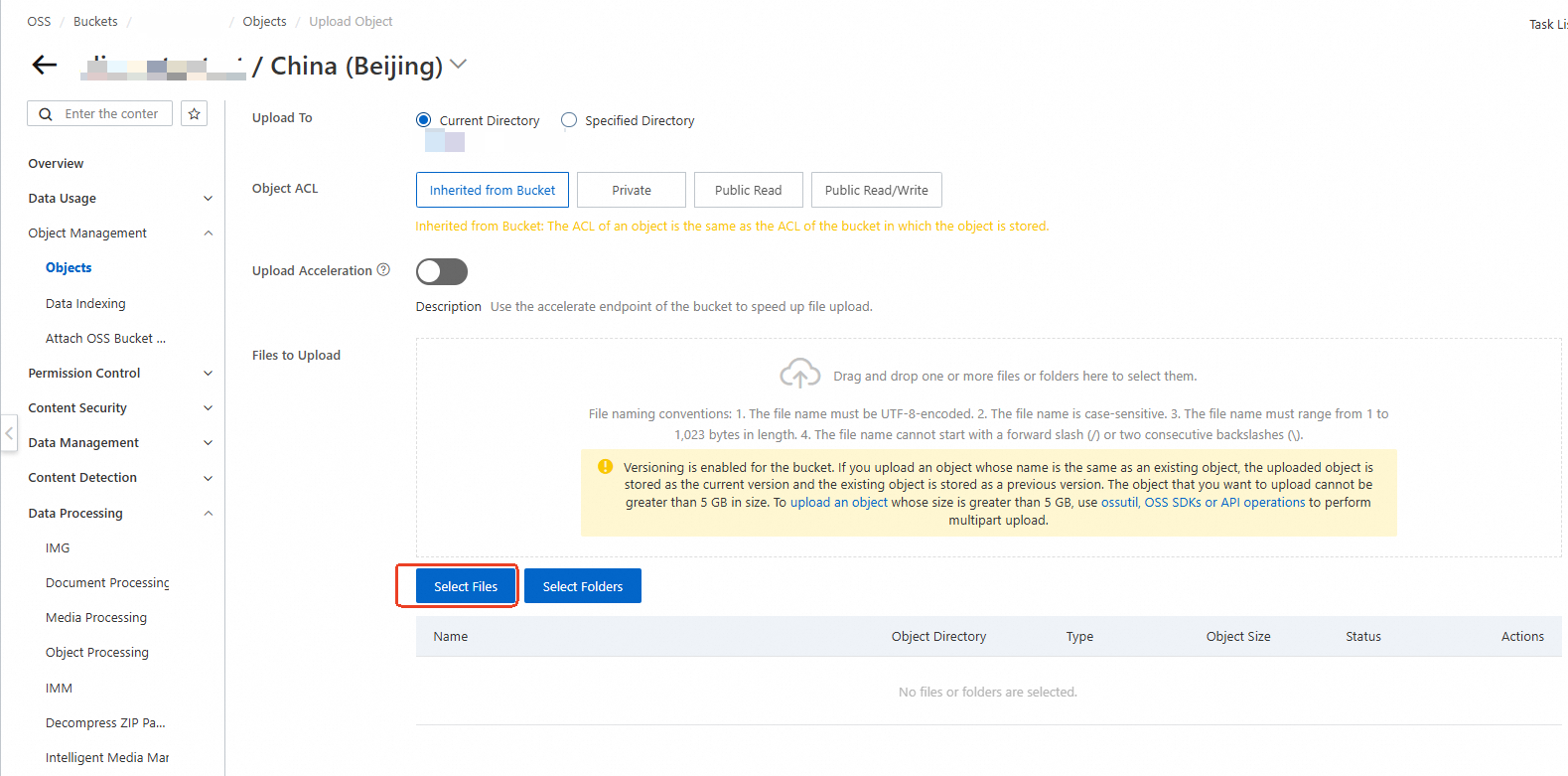
Use the OSS console to upload media files to a bucket in the region where the IMM project is located.
Step 2: Use the IMM frame capture feature
Call the CreateMediaConvertTask operation to create a frame capture task.
Parameter description
The following example uses the IMM project test-project to capture frames from the video file oss://test-bucket/video-demo/Winemaking.mov. For more information about media processing features, see Media transcoding.
You can use the media transcoding operation to process video files in OpenAPI Explorer. For more information, see the SDK sample code.
Do not configure the
Target.URIandTarget.Containerparameters when you use the frame capture feature.We recommend that you use variables to specify the URI filename in Targets in the
snapshot-{index}.{autoext}format. After the frames are saved, files with names such assnapshot-1.pngandsnapshot-2.pngare generated. For more information about related variables, see TargetURI template.
Capture a single frame as a video thumbnail
Capture a single frame as a video thumbnail. This ensures that the image resolution is same as the video resolution.
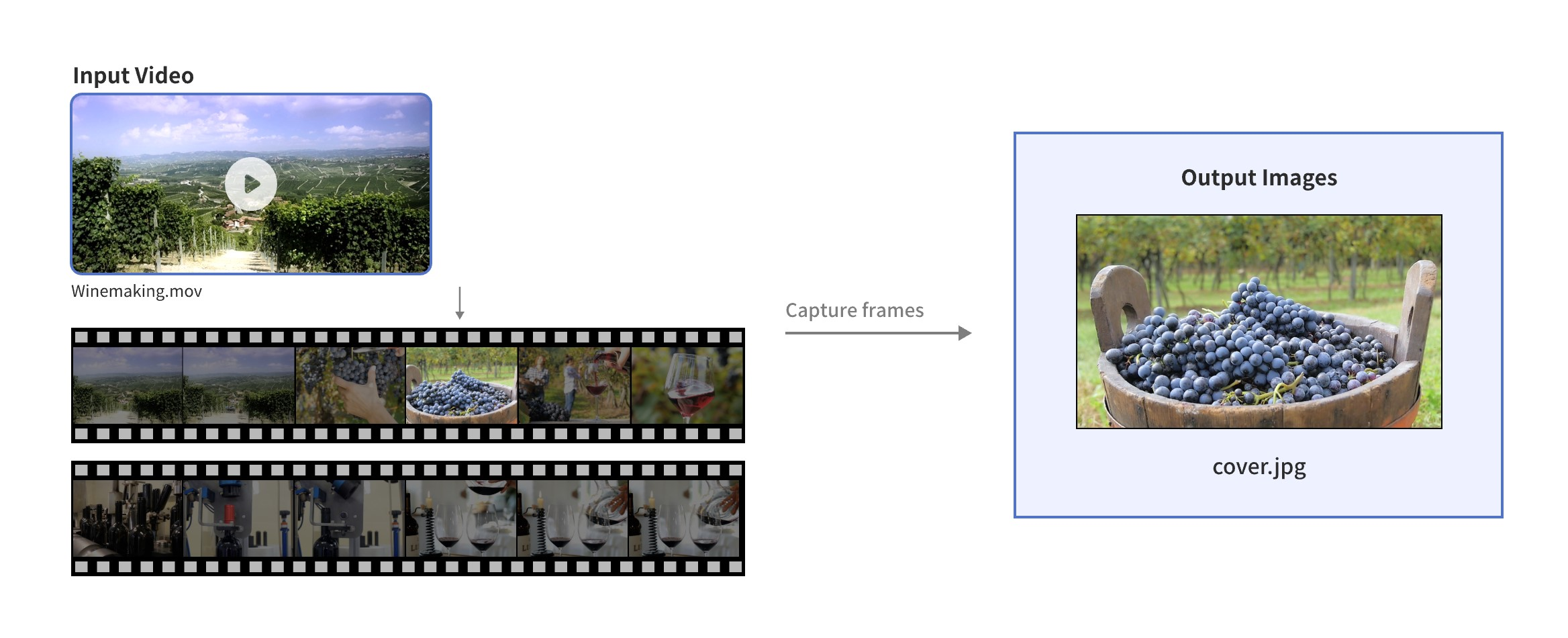
Captured frame format: jpg
Frame capture start time: 5th second
Number of captured frames: 1
Path to captured frames: oss://test-bucket/video-demo/cover.jpg
Frame capture completion notification: Send a Message Service (MNS) message to the MNS topic "test-mns-topic"
For the SDK sample code, visit OpenAPI Explorer. The parameters in the sample code are automatically configured for reference. Modify the parameters based on your business requirements before you perform debugging.
Sample request parameters:
{
  "ProjectName": "test-project",
  "Notification": {
    "MNS": {
      "TopicName": "test-mns-topic"
    }
  },
  "Sources": [
    {
      "URI": "oss://test-bucket/video-demo/Winemaking.mov"
    }
  ],
  "Targets": [
    {
      "Image": {
        "Snapshots": [
          {
            "Format": "jpg",
            "StartTime": 5,
            "Number": 1,
            "URI": "oss://test-bucket/video-demo/cover.jpg"
          }
        ]
      }
    }
  ]
}
Capture one frame every 10 seconds for AI model training or inference
Capture one frame every 10 seconds for AI model training or inference, with the output image resolution limited to 512x512.
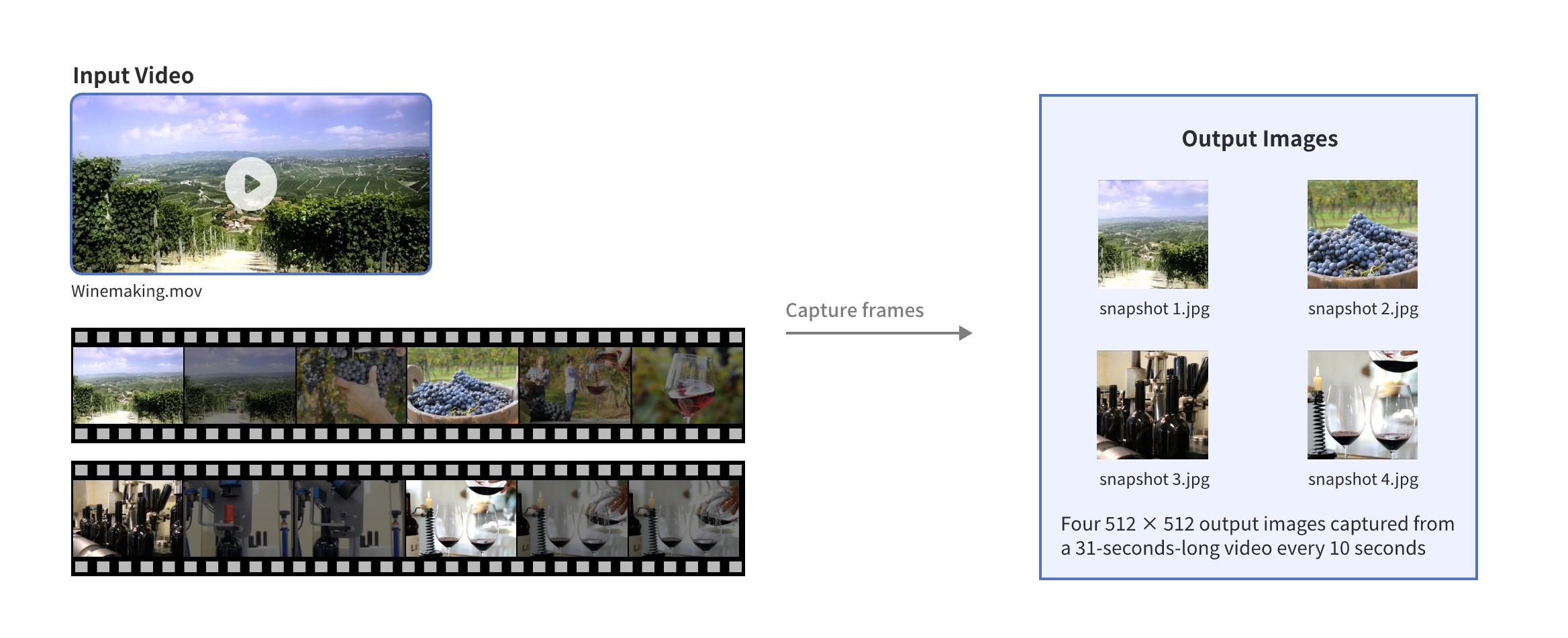
Captured frame format: jpg
Frame capture interval: 10 seconds
Resize method: crop. For more information about resize methods, see Resize methods.
Output image width: 512px
Output image height: 512px
Path to captured frames: oss://test-bucket/video-demo/snapshot-%d.png
Frame capture completion notification: Send an MNS message to the MNS topic "test-mns-topic"
For the SDK sample code, visit OpenAPI Explorer. The parameters in the sample code are automatically configured for reference. Modify the parameters based on your business requirements before you perform debugging.
Sample request parameters:
{
  "ProjectName": "test-project",
  "Notification": {
    "MNS": {
      "TopicName": "test-mns-topic"
    }
  },
  "Sources": [
    {
      "URI": "oss://test-bucket/video-demo/Winemaking.mov"
    }
  ],
  "Targets": [
    {
      "Image": {
        "Snapshots": [
          {
            "Format": "jpg",
            "Interval": 10,
            "ScaleType": "crop",
            "URI": "oss://test-bucket/video-demo/snapshot-{index}.{autoext}",
            "Width": 512,
            "Height": 512
          }
        ]
      }
    }
  ]
}
Capture a total of five frames at an interval of 4 seconds to analyze video segments
Starting from the 11th second, capture a total of 5 frames at an interval of 4 seconds to analyze video segments. The output image width and height are half of the video resolution, and the images are saved in PNG format.
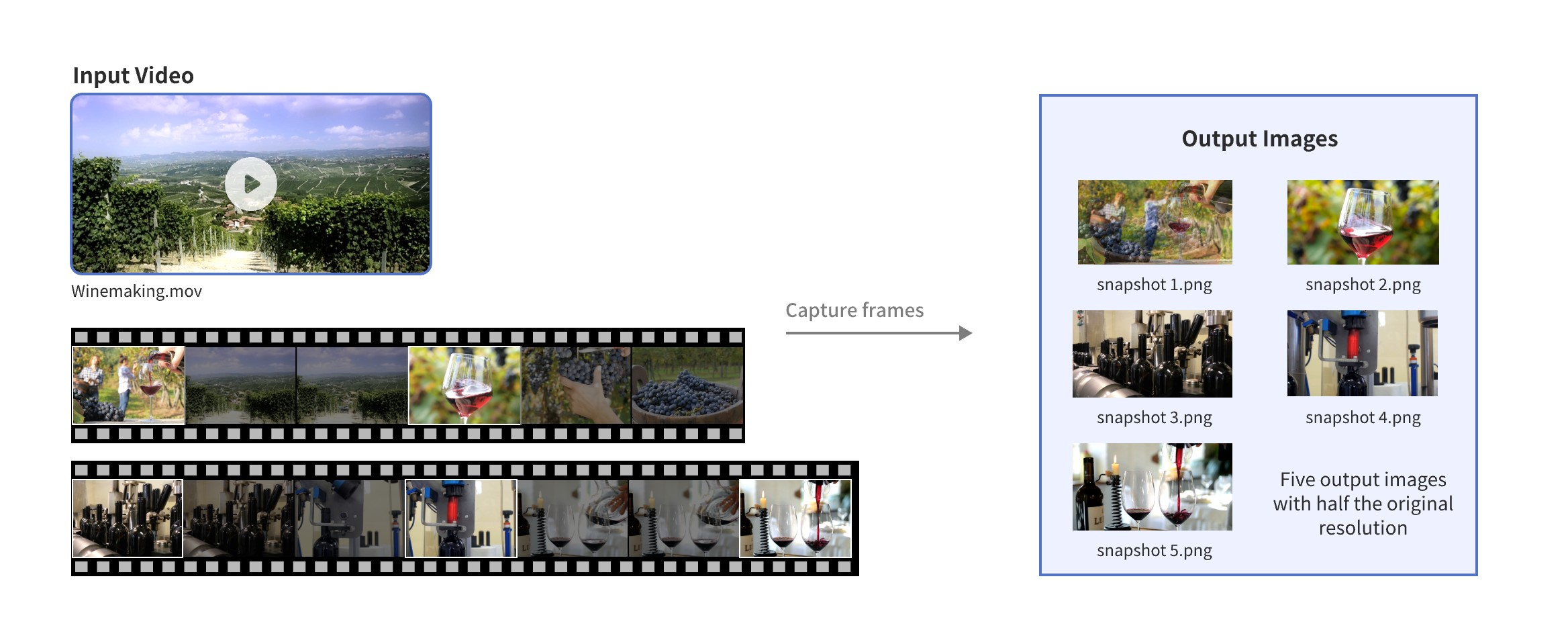
Captured frame format: png
Frame capture start time: 11th second
Frame capture interval: 4 seconds
Number of captured frames: 5
Resize method: crop. For more information about resize methods, see Resize methods
Output image width: 1/2 of the input video resolution width
Output image height: 1/2 of the input video resolution height
Path to captured frames: oss://test-bucket/video-demo/snapshot-%d.png
Frame capture completion notification: Send an MNS message to the MNS topic "test-mns-topic"
For the SDK sample code, visit OpenAPI Explorer. The parameters in the sample code are automatically configured for reference. Modify the parameters based on your business requirements before you perform debugging.
Sample request parameters:
{
  "ProjectName": "test-project",
  "Notification": {
    "MNS": {
      "TopicName": "test-mns-topic"
    }
  },
  "Sources": [
    {
      "URI": "oss://test-bucket/video-demo/Winemaking.mov"
    }
  ],
  "Targets": [
    {
      "Image": {
        "Snapshots": [
          {
            "Format": "png",
            "StartTime": 11,
            "Interval": 4,
            "Number": 5,
            "ScaleType": "crop",
            "URI": "oss://test-bucket/video-demo/snapshot-{index}.{autoext}",
            "Width": 0.5,
            "Height": 0.5
          }
        ]
      }
    }
  ]
}
Capture event keyframes from the video
Analyze the content similarity of video frames by using dhash and extract frames with significant image content changes as event keyframes based on the threshold.
The threshold needs to be adjusted according to specific business scenarios.
Output image format: jpg
Frame capture interval: 1 second
Frame capture mode: dhash
Threshold: 15
Path to captured frames: oss://test-bucket/video-demo/snapshot-%d.png
Frame capture completion notification: Send an MNS message to the MNS topic "test-mns-topic"
For the SDK sample code, visit OpenAPI Explorer. The parameters in the sample code are automatically configured for reference. Modify the parameters based on your business requirements before you perform debugging.
Sample request parameters:
{
  "ProjectName": "test-project",
  "Notification": {
    "MNS": {
      "TopicName": "test-mns-topic"
    }
  },
  "Sources": [
    {
      "URI": "oss://test-bucket/video-demo/Winemaking.mov"
    }
  ],
  "Targets": [
    {
      "Image": {
        "Snapshots": [
          {
            "Format": "jpg",
            "Interval": 1,
            "Mode": "dhash",
            "Threshold": 15,
            "URI": "oss://test-bucket/video-demo/snapshot-{index}.{autoext}"
          }
        ]
      }
    }
  ]
}
Capture five event keyframes that are most representative of the video for inference
Analyze video frame content similarity by using dhash to capture five frames with the greatest image content changes.
Output image format: jpg
Frame capture interval: 1 second
Frame capture mode: dhash
Number of captured frames: 5
Path to captured frames: oss://test-bucket/video-demo/snapshot-%d.png
Frame capture completion notification: Send an MNS message to the MNS topic "test-mns-topic"
For the SDK sample code, visit OpenAPI Explorer. The parameters in the sample code are automatically configured for reference. Modify the parameters based on your business requirements before you perform debugging.
Sample request parameters:
{
  "ProjectName": "test-project",
  "Notification": {
    "MNS": {
      "TopicName": "test-mns-topic"
    }
  },
  "Sources": [
    {
      "URI": "oss://test-bucket/video-demo/Winemaking.mov"
    }
  ],
  "Targets": [
    {
      "Image": {
        "Snapshots": [
          {
            "Format": "jpg",
            "Interval": 1,
            "Mode": "dhash",
            "Number": 5,
            "URI": "oss://test-bucket/video-demo/snapshot-{index}.{autoext}"
          }
        ]
      }
    }
  ]
}
Capture all IDR frames in the video
Output image format: jpg
Frame capture mode: keyframe
Path to captured frames: oss://test-bucket/video-demo/snapshot-%d.png
Frame capture completion notification: Send an MNS message to the MNS topic "test-mns-topic"
For the SDK sample code, visit OpenAPI Explorer. The parameters in the sample code are automatically configured for reference. Modify the parameters based on your business requirements before you perform debugging.
Sample request parameters:
{
  "ProjectName": "test-project",
  "Notification": {
    "MNS": {
      "TopicName": "test-mns-topic"
    }
  },
  "Sources": [
    {
      "URI": "oss://test-bucket/video-demo/Winemaking.mov"
    }
  ],
  "Targets": [
    {
      "Image": {
        "Snapshots": [
          {
            "Format": "jpg",
            "Mode": "keyframe",
            "URI": "oss://test-bucket/video-demo/snapshot-{index}.{autoext}"
          }
        ]
      }
    }
  ]
}
Capture 10 frames at equal time intervals
Output image format: jpg
Frame capture mode: average
Number of captured frames: 10
Path to captured frames: oss://test-bucket/video-demo/snapshot-%d.png
Frame capture completion notification: Send an MNS message to the MNS topic "test-mns-topic"
For the SDK sample code, visit OpenAPI Explorer. The parameters in the sample code are automatically configured for reference. Modify the parameters based on your business requirements before you perform debugging.
Sample request parameters:
{
  "ProjectName": "test-project",
  "Notification": {
    "MNS": {
      "TopicName": "test-mns-topic"
    }
  },
  "Sources": [
    {
      "URI": "oss://test-bucket/video-demo/Winemaking.mov"
    }
  ],
  "Targets": [
    {
      "Image": {
        "Snapshots": [
          {
            "Format": "jpg",
            "Mode": "average",
            "Number": 10,
            "URI": "oss://test-bucket/video-demo/snapshot-{index}.{autoext}"
          }
        ]
      }
    }
  ]
}
Create a cover for an audio file by using a frame captured from the file
Output image format: jpg
Number of captured frames: 1
Output image save path: oss://test-bucket/video-demo/cover.jpg
Frame capture completion notification: Send an MNS message to the MNS topic "test-mns-topic"
For the SDK sample code, visit OpenAPI Explorer. The parameters in the sample code are automatically configured for reference. Modify the parameters based on your business requirements before you perform debugging.
Sample request parameters:
{
  "ProjectName": "test-project",
  "Notification": {
    "MNS": {
      "TopicName": "test-mns-topic"
    }
  },
  "Sources": [
    {
      "URI": "oss://test-bucket/video-demo/test.mp3"
    }
  ],
  "Targets": [
    {
      "Image": {
        "Snapshots": [
          {
            "Format": "jpg",
            "Number": 1,
            "URI": "oss://test-bucket/video-demo/cover.jpg"
          }
        ]
      }
    }
  ]
}
Billing
During the frame capture process, the following billable items are generated on both OSS and IMM sides:
OSS side: For detailed pricing, see OSS Pricing.
API
Billable item
Description
GetObject
GET requests
You are charged request fees based on the number of successful requests.
Retrieval of IA objects
If IA objects are retrieved, you are charged IA data retrieval fees based on the size of retrieved IA data.
Retrieval of Archive objects in a bucket for which real-time access is enabled
If Archive objects in a bucket for which real-time access is enabled are retrieved, You are charged Archive data retrieval fees based on the size of retrieved Archive objects.
Transfer acceleration
If you enable transfer acceleration and use an acceleration endpoint to access your bucket, you are charged transfer acceleration fees based on the data size.
PutObject
PUT requests
You are charged request fees based on the number of successful requests.
Storage fees
You are charged storage fees based on the storage class, size, and storage duration of the object.
HeadObject
GET requests
You are charged request fees based on the number of successful requests.
IMM side: For detailed pricing, see IMM billable items.
ImportantStarting from 11:00 UTC+8 on July 28, 2025, the price of IMM frame capture service will be adjusted. For more information, see IMM billing adjustment announcement.
API
Billable item
Description
CreateMediaConvertTask
VideoFraming
You are charged for video frame capture based on the number of successfully captured frames.
Resize methods
Resize method | Resize effect |
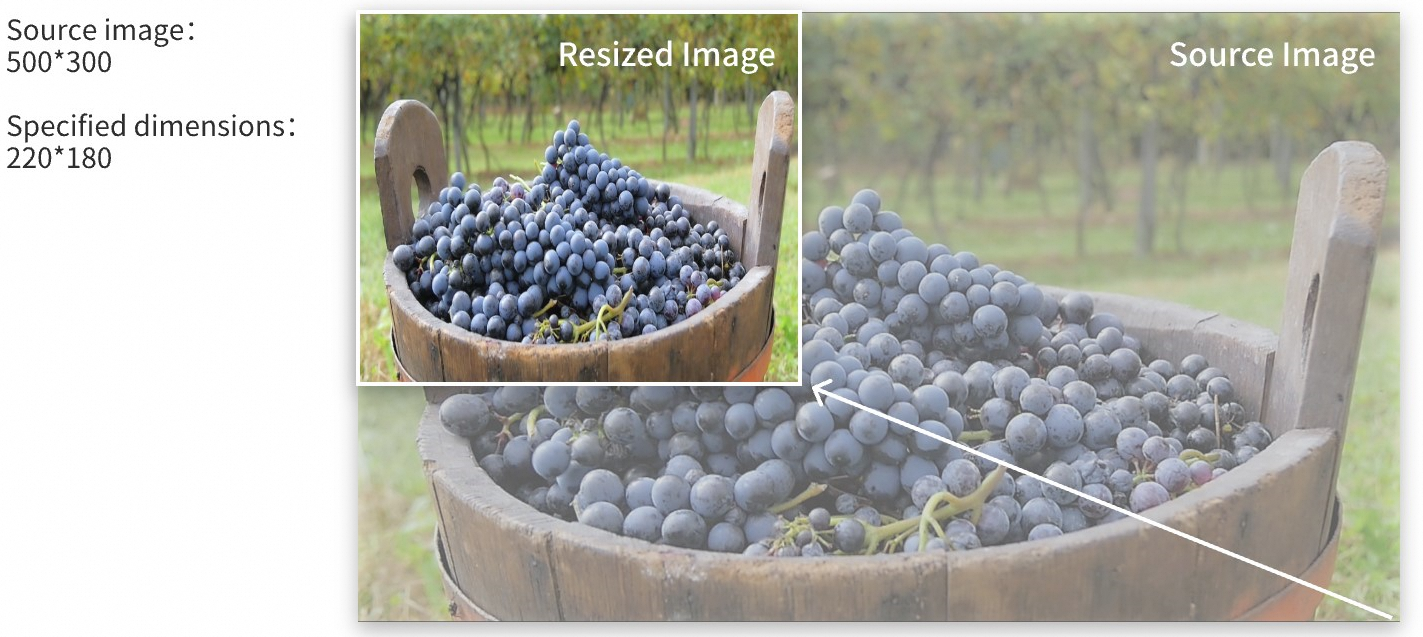
stretch Stretch the image to fill the entire space. When the image is forcibly resized based on the specified width and height, if the width-to-height ratio is inconsistent with that of the input image, the output image will be distorted. |
|
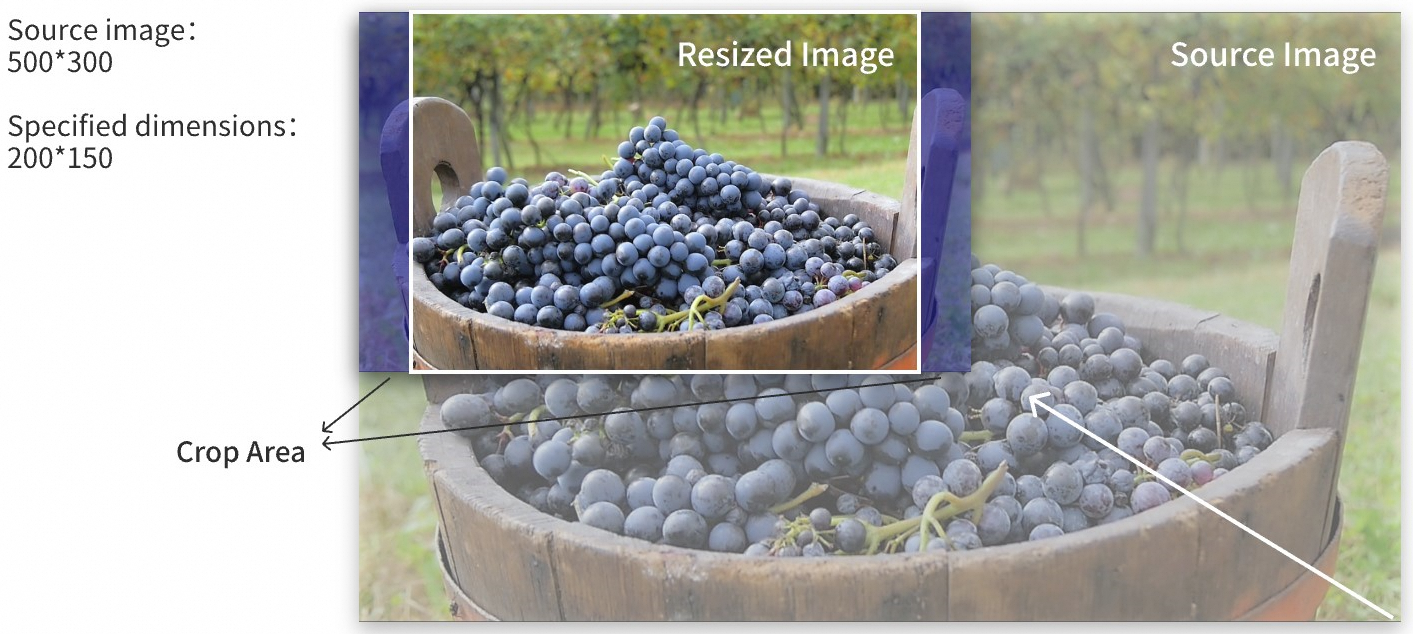
crop Resize and crop the image. The image is proportionally resized as small as possible outside a rectangle based on the specified width and height, and then cropped based on the specified width and height. |
|
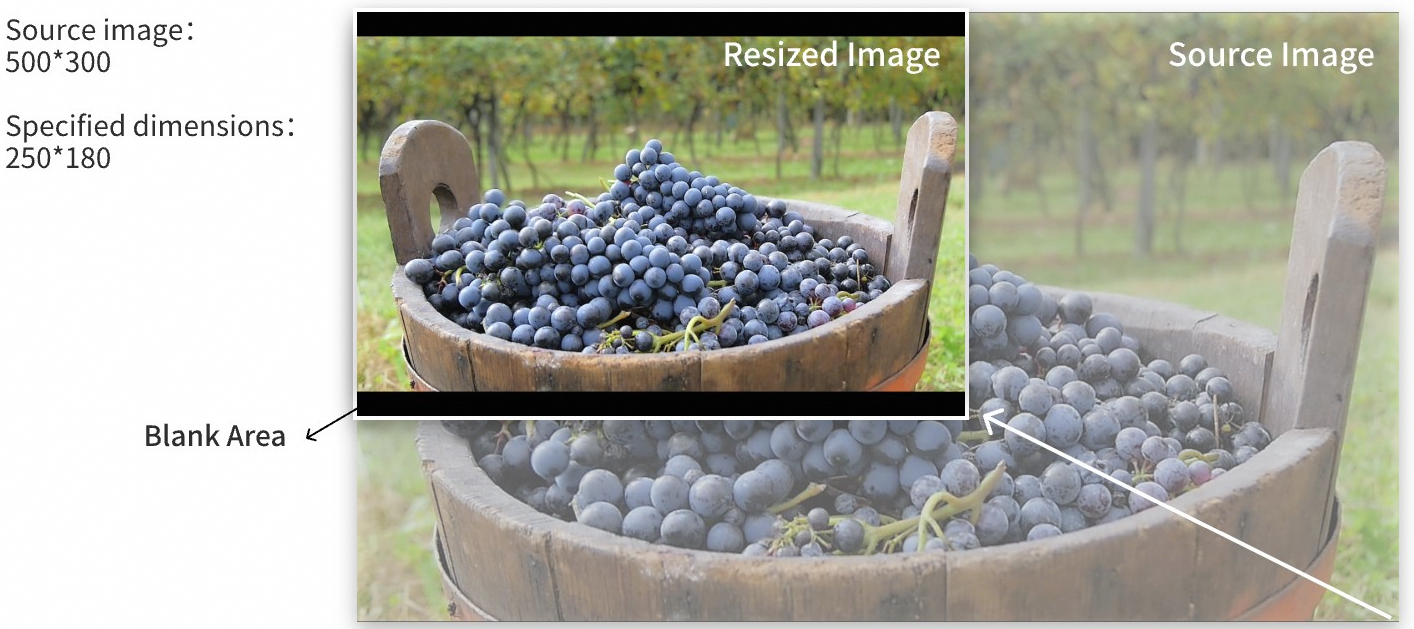
fill Resize the image and keep the black border. The image is proportionally resized as large as possible in a rectangle based on the specified width and height. The empty space in the rectangle is filled with the black color. |
|
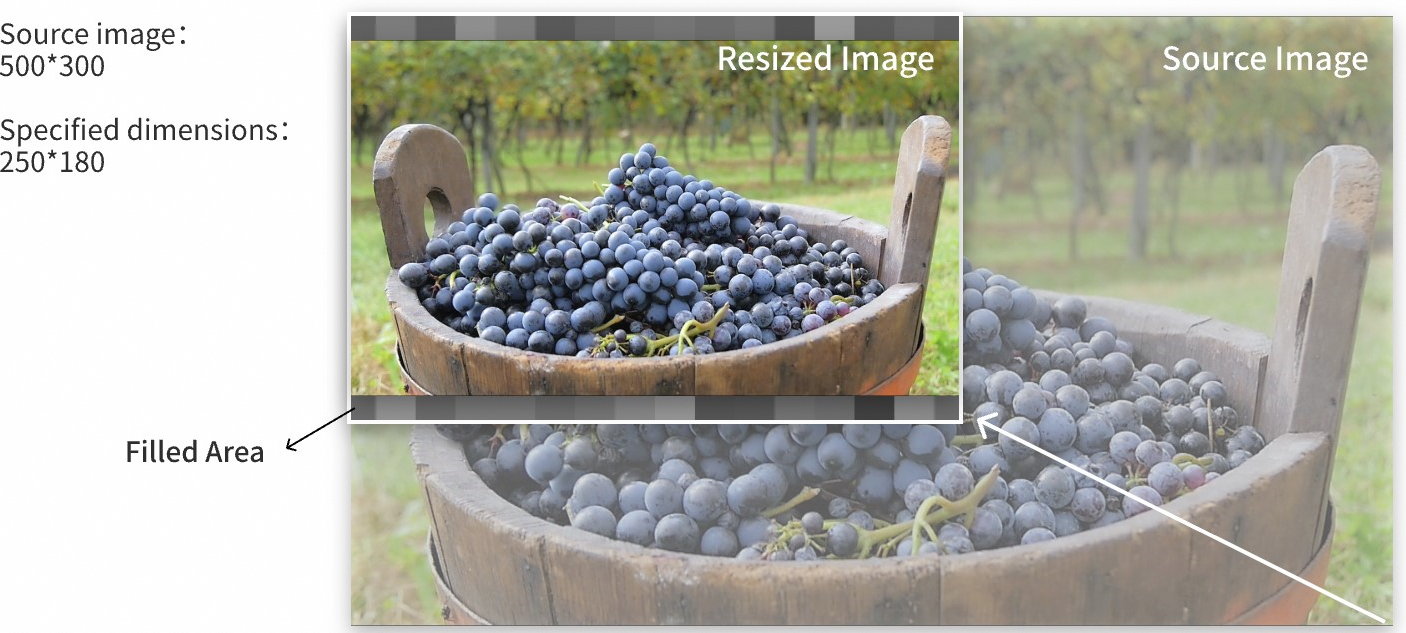
fit Resize the image and do not keep the black border. The image is proportionally resized as large as possible in a rectangle based on the specified width and height. If the width-to-height ratio of the output image is different from the width-to-height ratio of the input image, the width and height of the resized image are different from the specified width and height. |
|