A configuration set defines the schema and Solr settings for a collection in the Search service. This topic explains how to download the default configuration set, customize the schema, and upload your own configuration set.
Prerequisites
Before you begin, ensure that you have:
HBase Shell installed and the whitelist configured for your HBase cluster. For more information, see Use HBase Shell to access the Search service
Download the default configuration set
The Search service provides a built-in configuration set named _indexer_default. Download it as a starting point before making customizations.
Run the following commands in HBase Shell:
cd alisolr-7.3.8-bin/bin
./solr zk ls /configs                              # List existing configuration sets
./solr zk downconfig -d . -n _indexer_default      # Download _indexer_default to the current directory
Parameters for ./solr zk downconfig:
| Parameter | Required | Description | Example |
|---|---|---|---|
-d | Yes | Local directory to write the downloaded configuration set into | . (current directory) |
-n | Yes | Name of the configuration set in ZooKeeper to download | _indexer_default |
After the download completes, a conf directory is created in the current directory containing two files:
managed-schema— defines the fields and field types for your indexsolrconfig.xml— configures Solr request handlers and other settings
Define fields in the schema
Open managed-schema to add field definitions for your index.
Define explicit fields
Add a <field> element for each column you want to index:
<field name="name" type="string" indexed="true" stored="true" required="false" multiValued="false" />
<field name="age" type="pint" indexed="true" stored="true" docValues="true"  multiValued="false" />
Key attributes:
| Attribute | Description | Example values |
|---|---|---|
type | Field type. pint maps to INT, plong maps to LONG. | string, pint, plong |
indexed | When true, the field is searchable. | true, false |
stored | When true, the original value is stored and returned in query results. | true, false |
docValues | When true, enables sorting and faceting on the field. | true, false |
multiValued | When true, the field accepts multiple values per document. | true, false |
Use dynamicField for flexible schemas (recommended)
If your data has many columns or the column names are not fixed in advance, use dynamicField instead of defining each field explicitly. dynamicField matches fields by name suffix — any field whose name ends with the defined suffix inherits the corresponding type and attributes automatically.
The managed-schema file already includes default dynamicField definitions. When you write data, use a field name that matches a suffix:
name_sautomatically matches*_sand is treated as a string fieldage_iautomatically matches*_iand is treated as a pint (INT) field
This approach avoids frequent edits to managed-schema as your schema evolves.
Upload the configuration set
After modifying managed-schema, upload the configuration set to ZooKeeper under a new name. Use one configuration set per collection.
./solr zk upconfig -d conf/ -n myconf| Parameter | Required | Description | Example |
|---|---|---|---|
-d | Yes | Path to the local configuration set directory | conf/ |
-n | Yes | Name to assign to the configuration set in ZooKeeper | myconf |
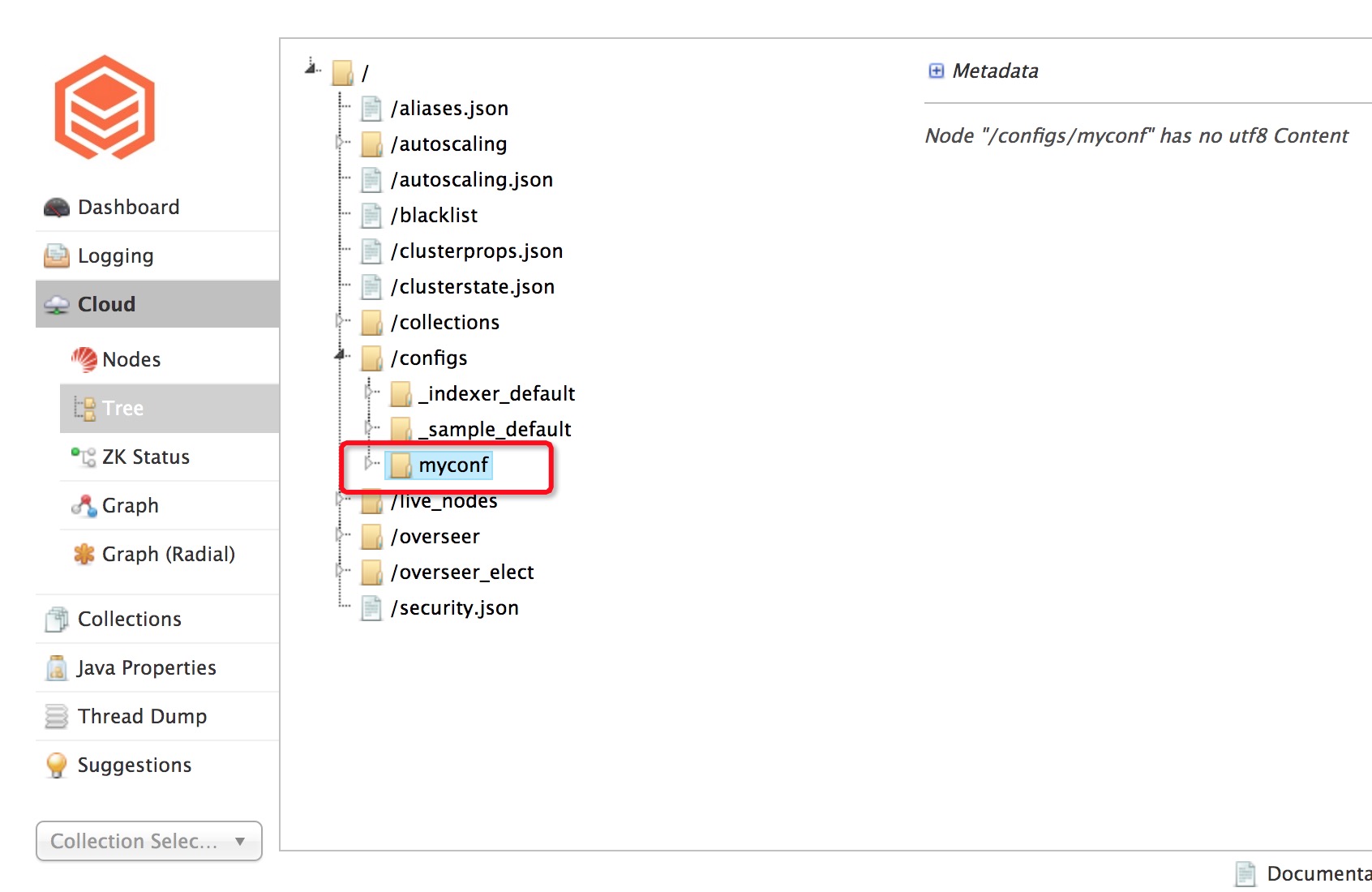
To verify the upload, open the Solr web console and confirm that myconf appears in the list of configuration sets.
Best practices
Use dynamicField when possible. Defining fields with
dynamicFieldsuffixes avoids frequent changes tomanaged-schemaand simplifies schema management.One configuration set per collection. Do not share a single configuration set across multiple indexes, as changes to the schema affect all collections using it.
Start from
_indexer_default. Always download and modify the default configuration set rather than creating one from scratch.